Partition Magic Server Alternative for Windows Server
Key Takeaways of Partition Magic Server 2022/2019:
- Reliable partition magic server software is highly useful in managing disk partitions on Windows Server computers.
- This page highlights a top-notch partition magic server software that can be downloaded and applied for free to efficiently manage and optimize disk performance.
What Is Partition Magic Server 2022/2019
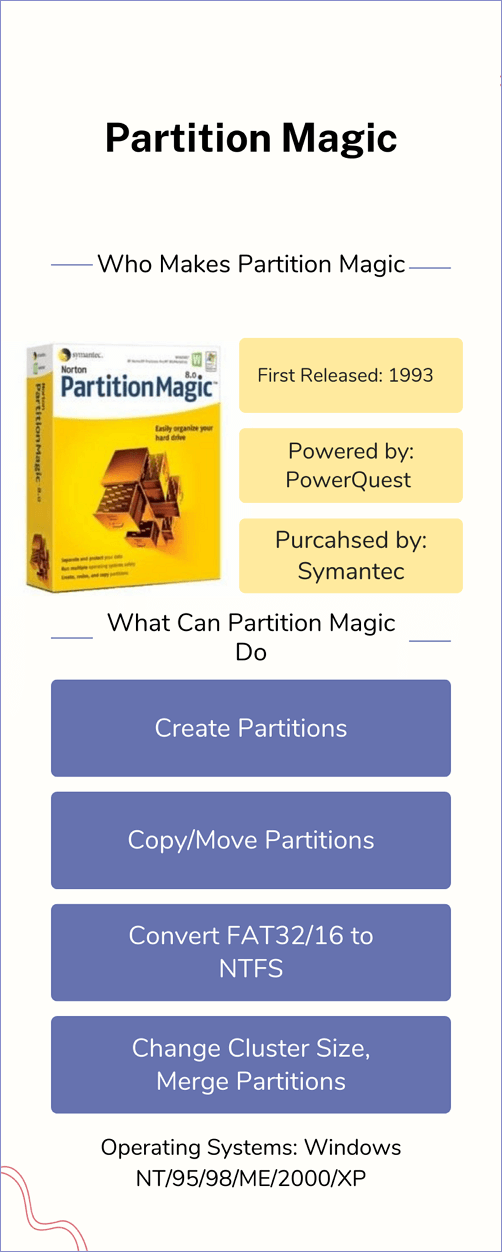
PartitionMagic, also known as PowerQuest Partition Magic, was a popular disk partition utility created by PowerQuest and later owned by Symantec. Although it was no longer updated after December 8th, 2008, many old Windows users still remember it as a freeware that allowed users to easily manage disk partitions on their computers, making it a sought-after download.
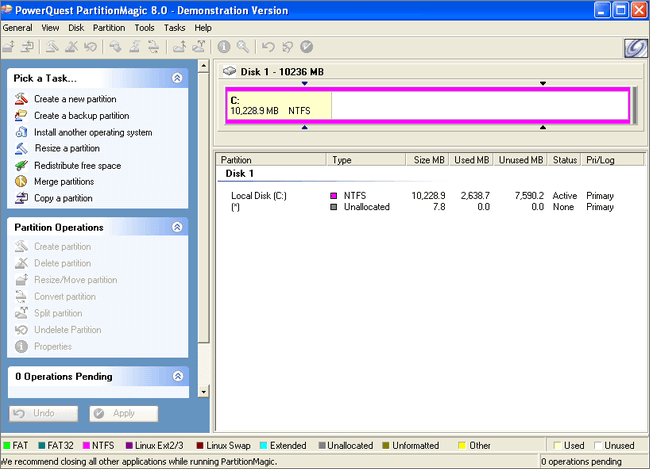
Partition Magic, a popular disk management tool, has a server edition for Windows Server computers. Despite Symantec's announcement to stop supporting the software, some service providers and manufacturers continue to provide Partition Magic alternatives that cater to both Windows and Windows Server users, allowing them to efficiently manage their disk space and partitions.
To manage disk drive space on Server computers, Partition Magic Server 2022 or Partition Magic Server 2019 is required for different Windows Server systems.
Why Need Partition Magic Server 2022 [Benefits & Drawbacks]
Windows users often prefer Partition Magic over Disk Management or Diskpart due to various reasons. Here's a summary of the benefits and drawbacks of Partition Magic Server 2022/2019, which explains why it's a useful tool for Server computers:
| Benefits of Partition Magic Server 2022 | Drawbacks of Partition Magic Server 2022 |
|---|---|
|
|
Using partition magic or partition manager software offers numerous benefits, including quick access to partition hard drives, efficient disk space allocation, and optimized disk performance, all of which can be easily achieved on Windows and Windows Server computers.
If you're using Windows, you can download Partition Magic on Windows 11/10 by visiting the provided links, which will also give you more information about this software.
For Windows Server users, the next part will provide a reliable Partition Magic for Server software to follow and get.
Download Partition Magic Server Software and See How It Works on Windows Server 2022/2019
In this part, you'll learn:
1. What is the best partition magic software for Server 2022?
2. To download and apply the disk management tool on Windows Servers, you can follow these steps:
Let's get started here!
Download the Best Partition Magic Server Software for Server 2022
Searching online for "Partition Magic for Server" or "Windows Server Partition Magic" yields a list of disk tools that can be used to manage Windows Server disk drives.
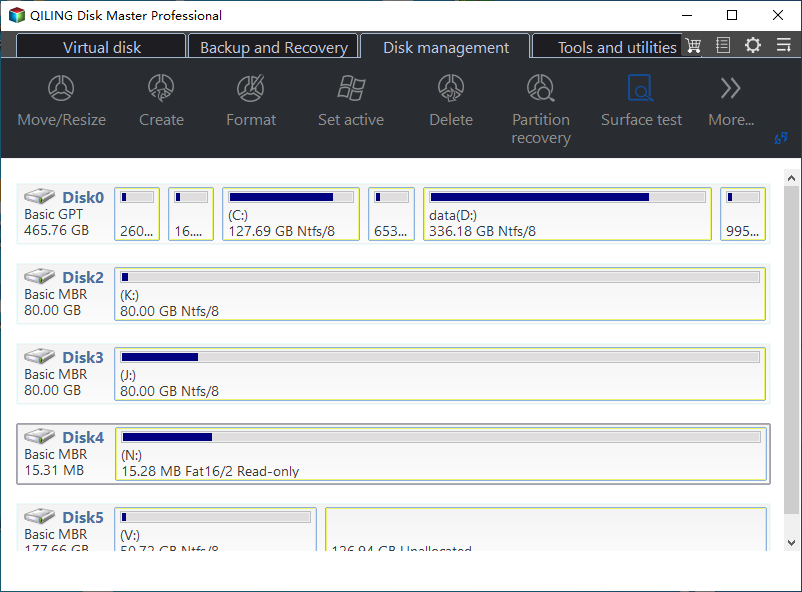
Qiling Disk Master Enterprise is a partition magic server alternative that offers fully featured tools to assist Windows Server users in executing various tasks, such as partitioning, formatting, and managing disk space.
- Partition Management: create, delete, resize/move, extend/shrink, format/wipe disk partitions.
- Disk Conversion: convert a disk to MBR/GPT, convert a disk to Dynamic/Basic.
- Partition conversion: To modify a partition, you can convert it to a primary or logical partition, and also change the file system from NTFS to FAT32 or vice versa. This process involves specific steps and considerations to ensure data integrity and compatibility with various operating systems.
- Disk Clone: clone OS disk, data disk, migrate OS to HDD/SSD.
- Disk Performance Optimization: To optimize your computer's performance, check the file system, run a surface test, adjust the cluster size, ensure the SSD is 4K aligned, and rebuild the Master Boot Record (MBR).
Specs and Tech Support:
For server owners and business users, tech specifications and support information are often more relevant than the features of Qiling Disk Master Enterprise. This software provides detailed information about its capabilities, including its ability to partition and manage disks, making it a valuable tool for those who need to optimize their server's performance.
| Supported Systems |
|
| File Systems |
|
| Hardware Requirements |
|
| Tech Support |
|
Editor's Review on Qiling Disk Master:
Reviewers and editors have varying opinions about Qiling Disk Master. Some praise its ability to recover data from corrupted or damaged disks, while others criticize its user interface as outdated and difficult to navigate. A few reviewers have also noted that the software can be slow and unresponsive at times, which may be frustrating for users.
Review 1:
Review 2:
How to Use Qiling Partition Magic Server Software on Windows Server 2022/2019
Qiling Disk Master offers more fascinating features to replace Partition Magic on Windows Server computers, including disk and partition management, data recovery, and file system conversion, providing a powerful and efficient solution for system administrators to manage and maintain their Windows Server systems.
Qiling Disk Master Enterprise
Your trustworthy Windows Server disk manager.
- Extend System drive, combine/split partitions.
- Clone disk, migrate OS to HDD/SSD.
- Convert MBR to GPT, GPT to MBR, no data loss.
- 1-click adjust disk layout, create volumes at one time.
To partition a hard drive on a Windows Server using Qiling partition manager software, follow this quick guide. First, download and install Qiling partition manager software on your Server computer.
The "Resize/Move" feature allows you to adjust the size of a selected disk partition as desired, with options to shrink a volume, extend another one, or create unallocated space for specific use.
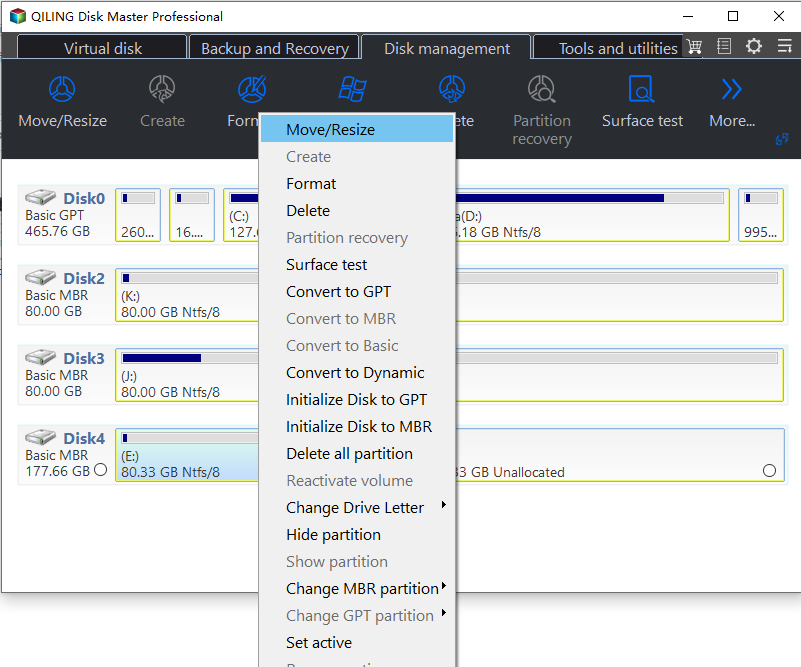
The "Clone" feature aims to create two identical hard disks or partitions with the same layout and content, allowing users to upgrade a hard disk, replace a failing one, or backup drive data.
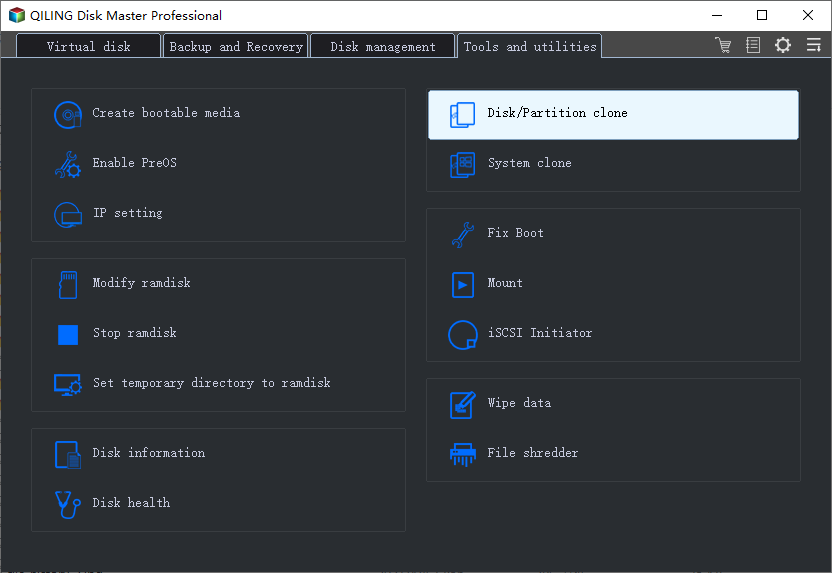
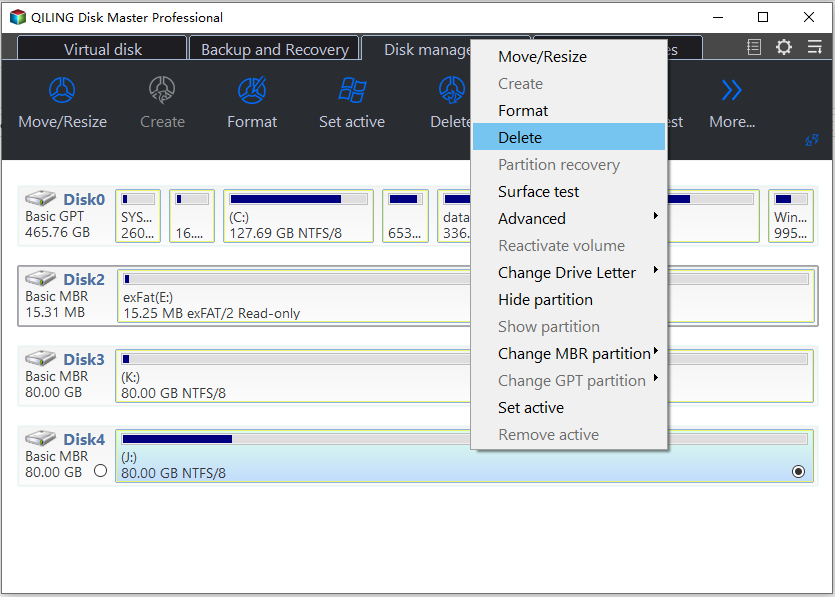
The "Delete" method is used to remove an unwanted disk partition, turning it into unallocated space.
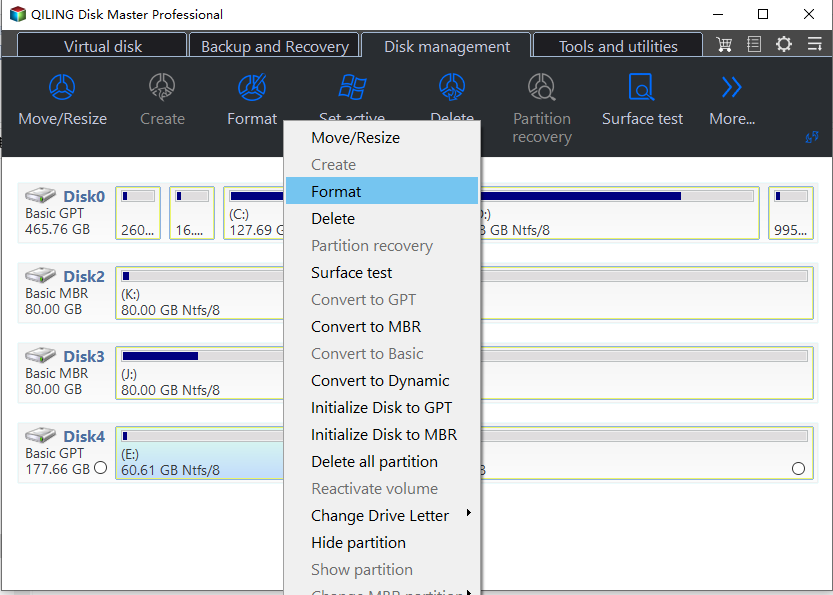
Formatting a drive partition can be used to change the file system, fix corruption issues, and sometimes remove viruses and malware by altering the partition's format.
"Allocate space" is a useful feature when you have a large drive partition with plenty of free space, but another partition is running low, allowing you to move some of that unused space to the smaller partition.
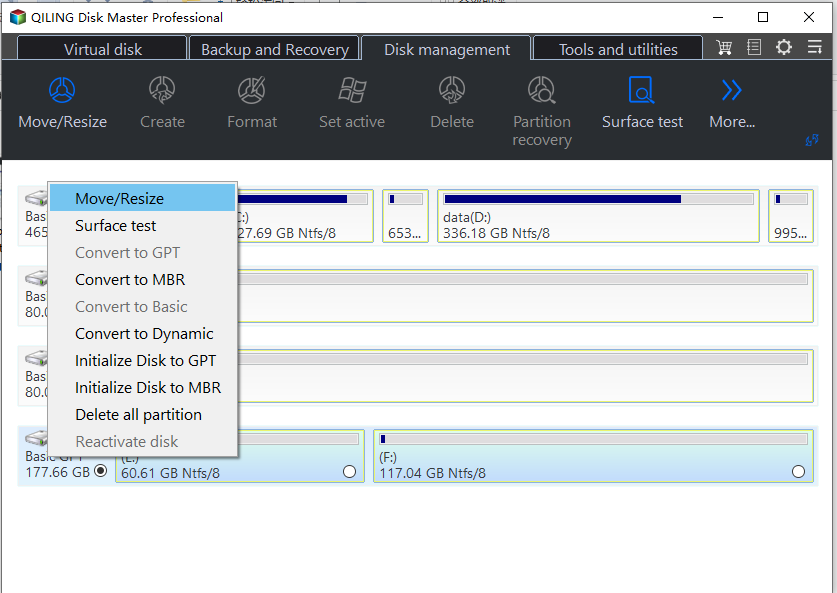
The "Migrate OS" feature allows for a seamless transfer of a Windows installation from one drive to another, eliminating the need for a reinstall.
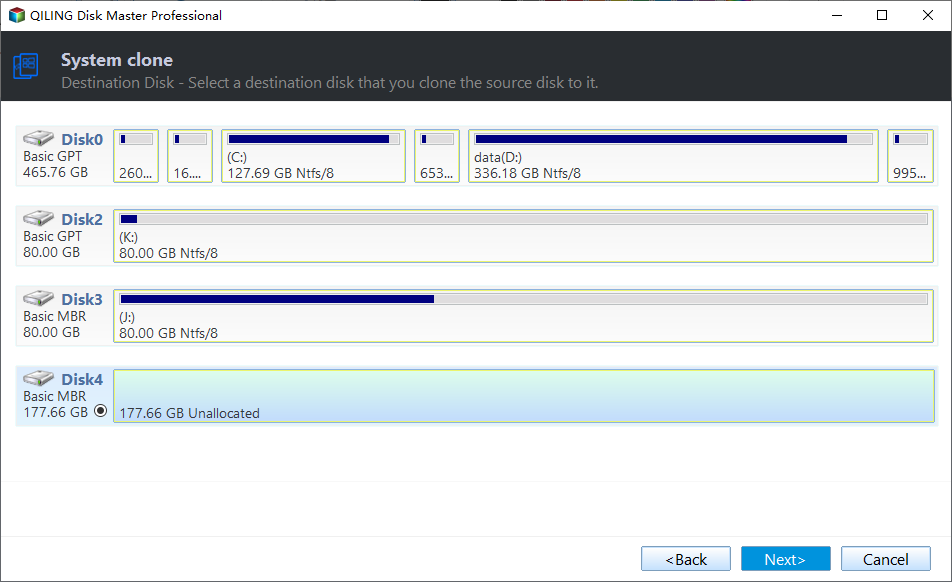
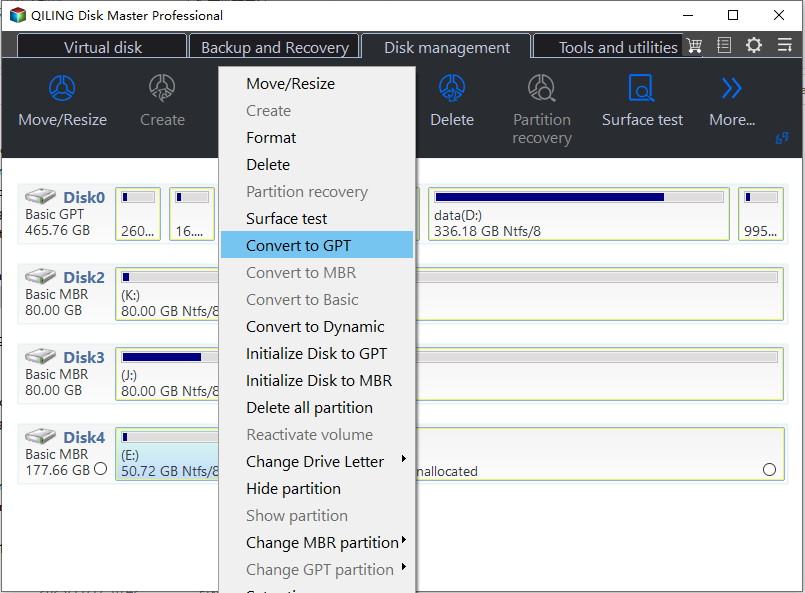
Qiling Disk Master users are increasingly converting between GPT and MBR, as well as between NTFS and FAT32, and Basic to Dynamic, taking advantage of the benefits of these conversions. In addition to these, many other functional and practical features are available to explore, offering a wide range of possibilities for users.
Video Tutorial to Learn More Features of Qiling Disk Master Enterprise
Conclusion: Qiling Partition Magic Server 2022 Is Now Available Here for You to Free Download
On this page, we've shown you what Partition Magic Server software is and what you can do with it on Windows Server systems, including Windows Server 2022, 2019, and older versions.
Although Partition Magic is no longer updated, you can still find a suitable replacement for partitioning and managing disk drive space on Windows Server computers with Qiling Disk Master Enterprise, a efficient disk management solution that offers different editions for various purposes.
- Server users: You can take Qiling Disk Master Server
- Business owners: Qiling Disk Master Unlimited suits better.
- Qiling Disk Master Technician is a perfect option for MSP or Service Providers.
FAQs about Partition Magic Server 2022
If you have further questions about Partition Magic Server software, you can find answers below.
1. Is Partition Magic Server free?
Partition Magic, a software for managing and manipulating disk partitions, is no longer supported by Symantec, its original owner. As a result, the Partition Magic Server software, which was a variant of the original, is also non-existent.
If you're looking for partition magic server software to manage Windows Server disk partitions and storage space on various devices, you may consider alternative options. Since most of these software are not free, it's recommended to opt for a reliable and paid version to fully utilize the storage space on your internal or external HDDs, SSDs, or USB devices.
2. Can I partition a Server?
You can manage and partition your Server disk drives independently using third-party software like Qiling Disk Master Enterprise, Disk Management, or even the Command Prompt (CMD).
3. What is the best free Server partition software?
On Windows Servers, the best free built-in partition tool is Disk Management, but if you're looking for advanced features, consider third-party software like Qiling Disk Master Enterprise, Paragon Hard Disk Manager Business, or Im-Magic Partition Resizer Unlimited Edition.
Related Articles
- Create D Drive from C Drive in 2 Simple Ways
- How to Hide System Reserved Partition in Windows 11/10/8/7 [Step-by-Step Guide]
- High-Level Format VS Low-Level Format, What's the Difference and How to Use [Full Guide]
- 5 Free Ways to Remove Write Protection from USB/Pen Drive
This tutorial will guide you through the process of removing write protection from a USB/Pen drive in Windows 11, 10, 8, 7, providing a step-by-step solution to restore write functionality to your device. - Diskpart: Format Drive to NTFS in Windows 11, 10, 8, 7
Need to use DiskPart to format hard drive to NTFS in Windows 11/10/8/7 computer? Here comes the detailed guide. - Diskpart Has Encountered an Error: The Media Is Write Protected
When you meet the Diskpart clean error: Diskpart has encountered an error the media is write protected during cleaning your disk using Diskpart, here you can find the reason and the corresponding solution.
Products
Articles & Tutorials
- Data Recovery
- Data Backup
- File Recovery
- File Backup
- System Backup and Restore
- Disk and Partition Clone
- Technical articles
- Mobile articles
- Disk Master Help
- Windows Data Recovery Tutorials
- Windows Secure Delete Tutorials
- Windows Partition Management Tutorials
- Windows File Backup and Restore Tutorials
- Windows System Backup and Restore Tutorials
- Windows Disk Backup and Restore Tutorials
- Windows Clone Tutorials