Choose a Bootable Partition Manager for Windows 11
A bootable partition tool is useful when Windows cannot start or the system partition cannot be changed while it is in use. The best choice is one that starts on your UEFI computer, detects its storage controller, and can see your backup. Do not assume that creating a USB or ISO proves it will work on the target PC.
What to compare
Check UEFI and Secure Boot compatibility, support for the disk's file system and controller, whether the interface provides a clear disk map, and whether rescue media can access your backup drive. GParted Live can be a useful independent open-source option; Qiling Disk Master combines partition tools and backup access in one environment. Features and licensing vary, so check the version you will actually use.
Create Qiling Disk Master rescue media
Use a healthy Windows PC. Creating a bootable USB can erase that USB, so copy its files elsewhere first. The ISO route below creates a file; writing it to a USB or optical disc is a separate step.
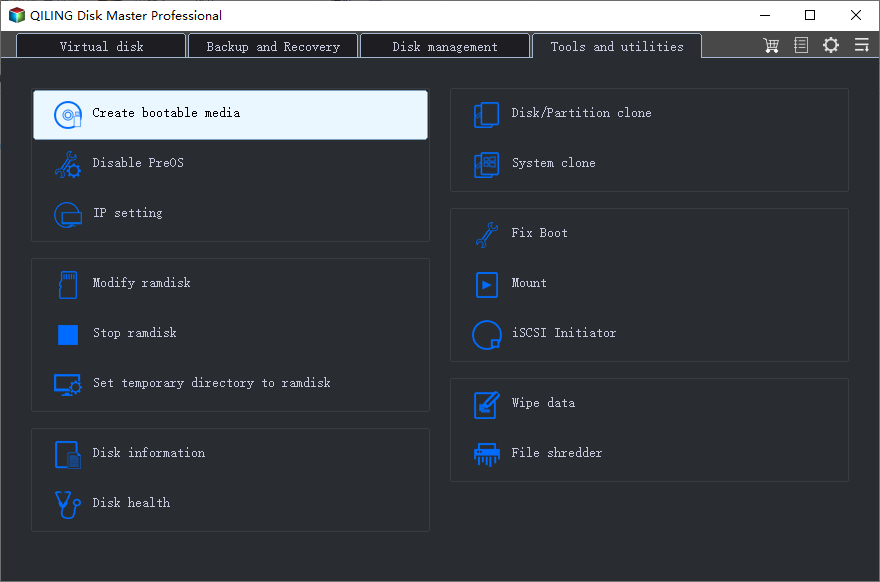
Step 1. Open Tools and utilities and choose Create bootable media.
Step 2. Choose Export ISO file and a destination folder you can locate later. If your PC requires a special storage driver, locate the manufacturer-provided driver before building the media.
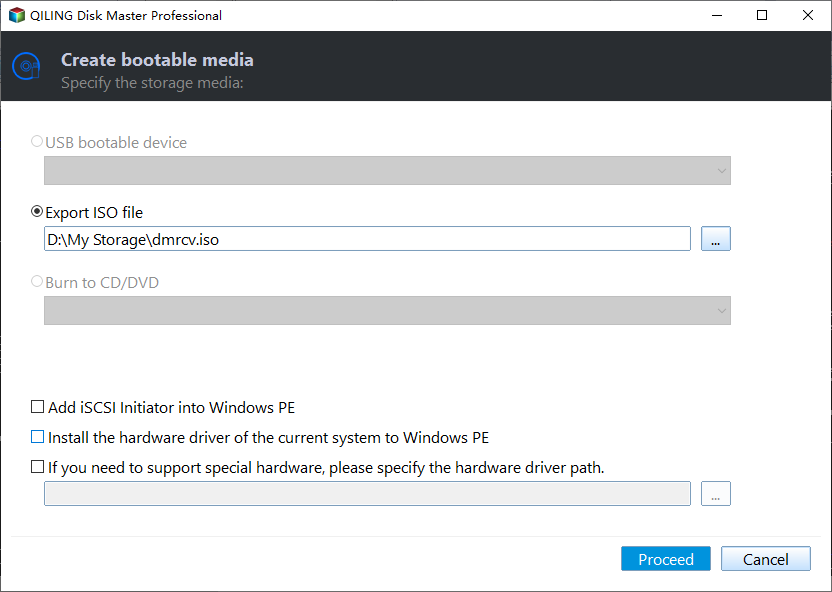
Step 3. Review the output path, click Proceed, and wait for completion. Confirm the ISO exists.
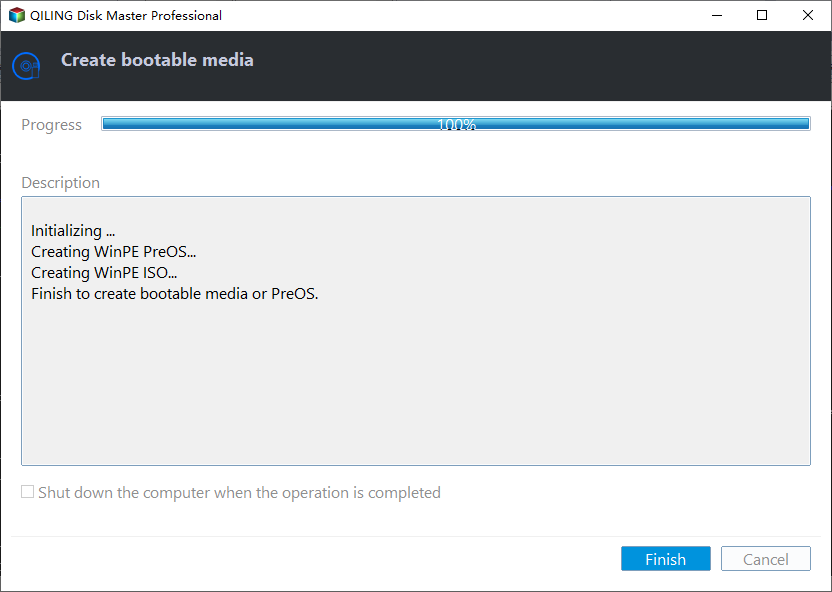
Step 4. Write the ISO to suitable boot media using a compatible tool, or use the Qiling USB option only after verifying and backing up the USB. Boot the target PC from the finished media through its UEFI boot menu.
Run a read-only boot test first
Confirm the environment sees the intended disk by model and capacity and can open the backup destination. Exit without changing partitions. Only then plan a resize, conversion, or repair, with a verified image and BitLocker key available. See the wider bootable partition-manager comparison.
Related Articles
- Create Bootable Partition Media
More detail on preparing recovery media.
Products
Articles & Tutorials
- Data Recovery
- Data Backup
- File Recovery
- File Backup
- System Backup and Restore
- Disk and Partition Clone
- Technical articles
- Mobile articles
- Disk Master Help
- Windows Data Recovery Tutorials
- Windows Secure Delete Tutorials
- Windows Partition Management Tutorials
- Windows File Backup and Restore Tutorials
- Windows System Backup and Restore Tutorials
- Windows Disk Backup and Restore Tutorials
- Windows Clone Tutorials