Why an SSD Shows as Removable in Windows 11
Windows may list an SSD in Safely Remove Hardware when it is connected through USB or through a controller that reports hot-plug capability. That icon does not mean the SSD has lost data or that its partitions need to be formatted. First establish whether the drive is physically external or the internal boot disk.
Identify the physical connection
Step 1. In Device Manager, open the SSD's Properties and note its model and connection path. Compare with Disk Management's disk number and capacity.
Step 2. If the SSD is in a USB or Thunderbolt enclosure, removable behavior is expected. Use the safe-eject process when disconnecting it, especially if backup or sync jobs may still be writing.
Step 3. If an internal SSD appears in the eject list, check the motherboard or laptop manual for hot-plug settings on that particular port. Do not assume every SATA port or M.2 slot uses the same controller.
Check for a real storage problem
Look for unexpected disconnects, delayed writes, Event Viewer storage errors, or a drive letter that changes on every boot. Those symptoms matter more than the icon alone. Back up important files before testing a drive that vanishes or reports I/O errors.
A registry tweak copied from another PC can hide the eject icon without fixing a driver or controller issue. Likewise, switching AHCI or RAID/VMD mode in firmware can make Windows unbootable. Use the PC maker's storage driver and service guidance if an internal drive is incorrectly classified.
Cross-check the SSD with Qiling Disk Master Pro
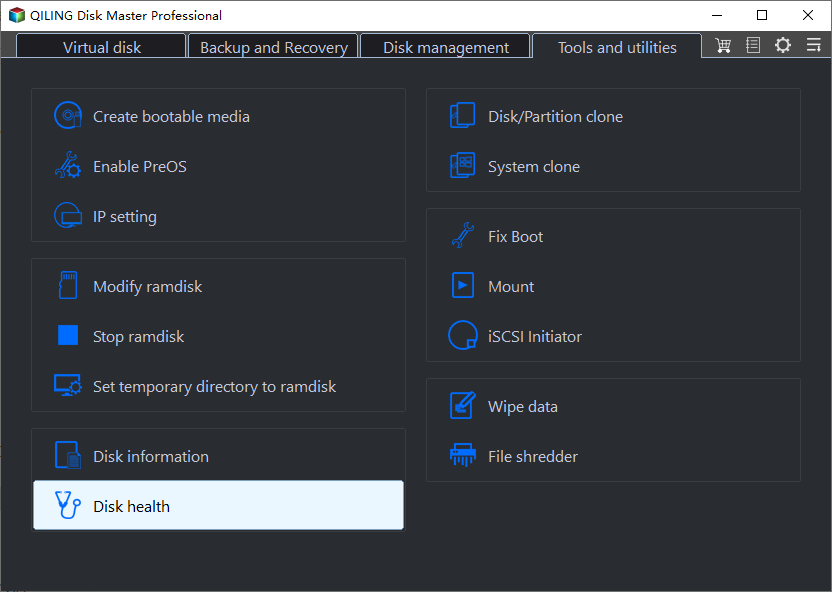
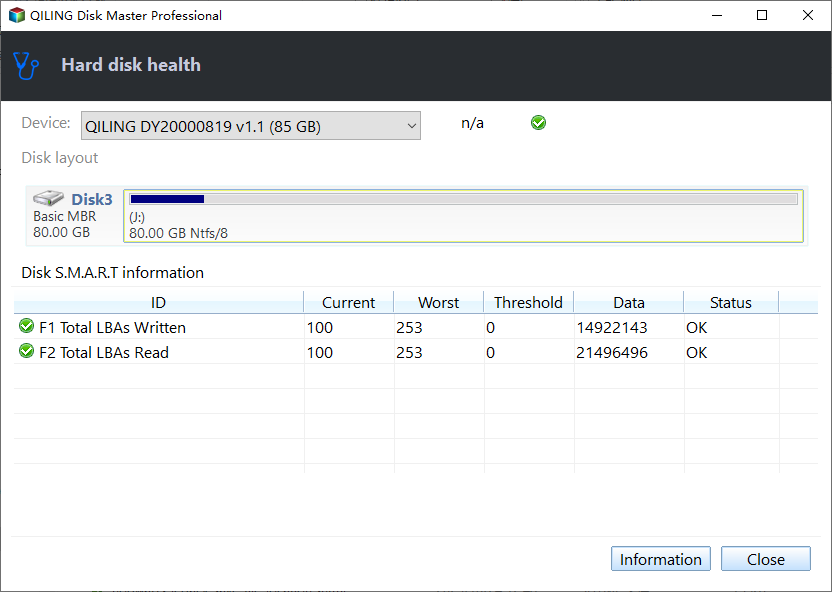
Open Tools and utilities > Disk health in Qiling Disk Master Pro. Select the SSD by model and capacity and inspect the partition map and available S.M.A.R.T. status. The software can help confirm which physical disk you are looking at; it does not change how Windows classifies a controller as removable.
Choose the appropriate next step
For a healthy external SSD, leave the removable classification alone and eject it properly. For a healthy internal SSD with no disconnects, consult the manufacturer before changing firmware settings. For repeated disconnects or health warnings, copy data first, then test the cable, slot, enclosure, and controller driver. Never select the Windows boot disk in an eject menu to see what happens.
Related Articles
- NVMe Missing in Windows
Diagnose a detection problem instead of an eject icon. - Health and File Errors
Check symptoms beyond the displayed status.
Products
Articles & Tutorials
- Data Recovery
- Data Backup
- File Recovery
- File Backup
- System Backup and Restore
- Disk and Partition Clone
- Technical articles
- Mobile articles
- Disk Master Help
- Windows Data Recovery Tutorials
- Windows Secure Delete Tutorials
- Windows Partition Management Tutorials
- Windows File Backup and Restore Tutorials
- Windows System Backup and Restore Tutorials
- Windows Disk Backup and Restore Tutorials
- Windows Clone Tutorials