Windows 11 Setup Without Internet: Local Account Guide
Windows 11 often asks for a network connection during setup. If the network driver is missing, Wi-Fi is unavailable, or you want to finish setup with a local account first, you can continue without internet in a controlled way.
When Offline Setup Makes Sense
- The PC has no working Wi-Fi or Ethernet driver during installation.
- You are setting up a test computer before joining a Microsoft account.
- You want to finish installation first and install network drivers later.
- You are preparing a repair computer and do not want sync settings applied yet.
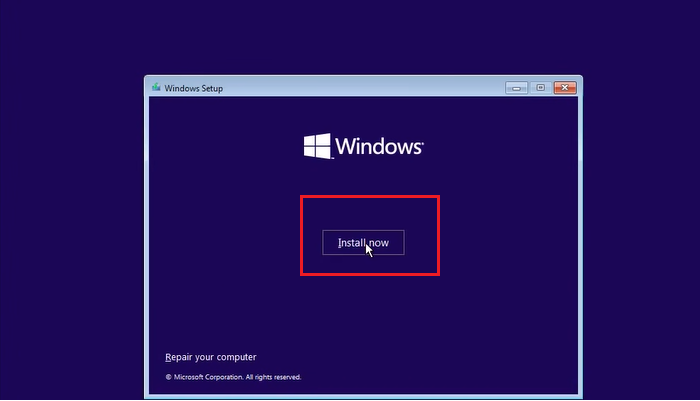
Use Windows Built-in Options
- At the network setup screen, check whether an I do not have internet option is available.
- If it appears, choose it and continue with limited setup.
- If no option appears, press Shift + F10 to open Command Prompt.
- Type OOBE\BYPASSNRO and press Enter. The PC restarts and shows the offline option.
- Create a local user account, finish setup, then install the correct network driver from the PC vendor.
Prepare a Safer Windows Setup with Qiling Backup
Before reinstalling or changing a PC setup, create a system image if the old Windows installation can still boot. This gives you a rollback point if drivers, activation, or user files are missing later.
Step 1. Open Qiling Backup on the working Windows system and choose System Backup.

Step 2. Select an external drive as the destination so the backup is not affected by installation changes.
Step 3. Review the backup task and keep the destination connected.
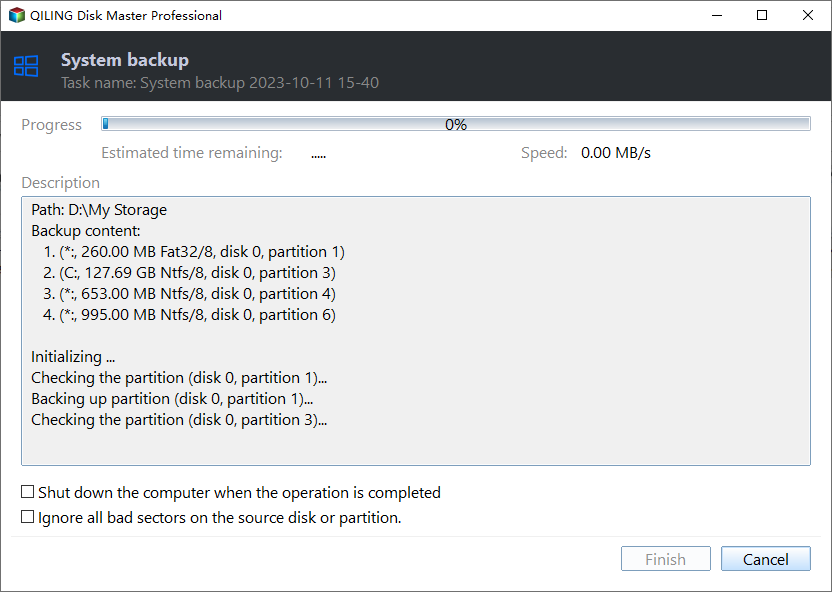
Step 4. Click Proceed and keep a bootable recovery USB ready if you may need to restore Windows later.
Conclusion
Offline Windows 11 setup is useful when network drivers are not ready. After setup, install drivers, connect to the internet, activate Windows, and keep a system backup for future recovery.
Related Articles
Products
Articles & Tutorials
- Data Recovery
- Data Backup
- File Recovery
- File Backup
- System Backup and Restore
- Disk and Partition Clone
- Technical articles
- Mobile articles
- Disk Master Help
- Windows Data Recovery Tutorials
- Windows Secure Delete Tutorials
- Windows Partition Management Tutorials
- Windows File Backup and Restore Tutorials
- Windows System Backup and Restore Tutorials
- Windows Disk Backup and Restore Tutorials
- Windows Clone Tutorials