5 Best Micro SD Card Recovery Software to Get Your Files
Quick Navigation:
Do you need to recover files from a Micro SD card? If yes, this guide includes the answers. There are many software programs designed specifically to recover deleted files from Micro SD cards or perform formatted Micro SD card recovery. Here, we introduce the 5 best Micro SD card recovery software options to help you retrieve all types of data files.
#1: Deep Data Recovery
Are you looking for a reliable solution to recover data from a Micro SD card? Deep Data Recovery is the most recommended tool for Micro SD card data recovery on both Mac and Windows PC.
Your Best Micro SD Card Recovery Software
- Recovers lost or deleted files from Micro SD cards, SD cards, and other storage devices due to deletion, formatting, RAW file system, card errors, and more.
- Provides file previews before recovery, so you can confirm what you're restoring.
- Features a simple, intuitive interface — easy to use even for beginners.
You can also click this download link to get Micro SD Card Recovery Software.
Follow the step-by-step guide below for Micro SD data recovery using Deep Data Recovery:
Step 1. First, use a card reader to connect your Micro SD card to the computer. Download Deep Data Recovery from the official website and launch the application. From the main interface, select the file type you want to restore and click Next.
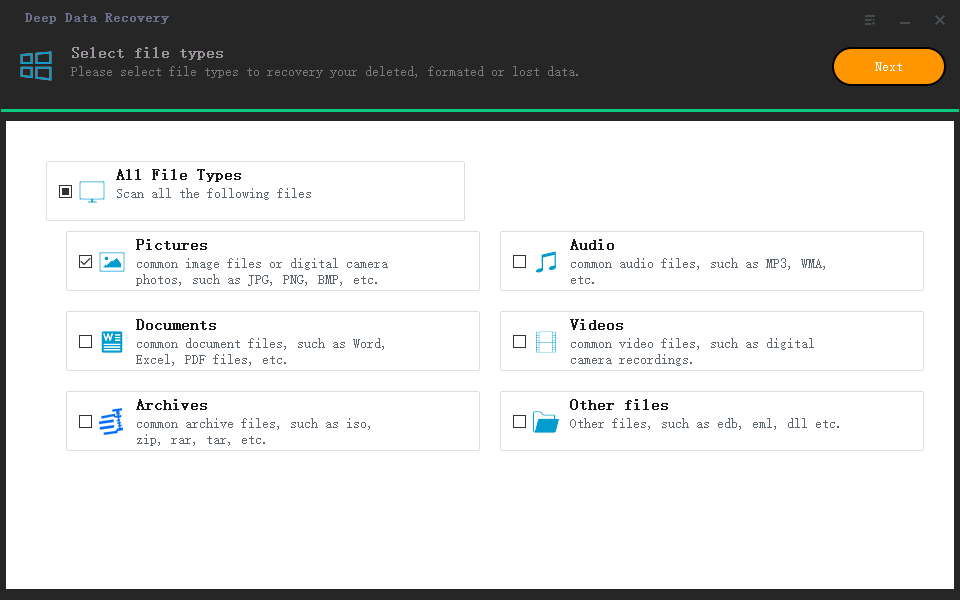
Step 2. Select your Micro SD card storage from the list and click Scan to start the scanning process.

Step 3. Once scanning is complete, all recoverable files on the Micro SD card will be displayed. Select the files you want and click Recover to save them to your computer.

Within a few minutes, all selected files will be saved to your computer. You can also share and transfer the recovered files freely. If the files don't appear in the Quick Scan, run a Deep Scan to search more thoroughly. Now you know how to recover data from a Micro SD card easily and quickly.
#2: Recoverit
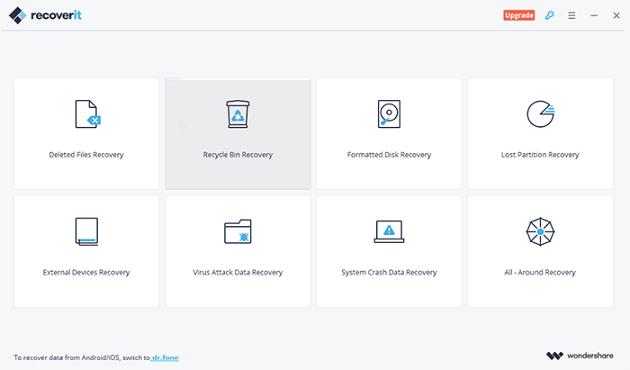
Recoverit Data Recovery is a reliable and efficient tool for recovering data from Micro SD cards. It handles various recovery scenarios, including broken or corrupted cards, with an advanced feature set and user-friendly interface.
Main features:
- Recovers lost and deleted files including photos, videos, music, and documents.
- Supports full data recovery from Recycle Bin, Trash, SD cards, hard drives, and other storage devices.
- Available for both Windows and Mac OS.
Pros:
- Powerful and reliable recovery across multiple storage devices and scenarios.
- Very easy to use with a straightforward interface.
Cons:
- Limited preview functionality.
- The premium version is relatively expensive.
#3: Disk Drill
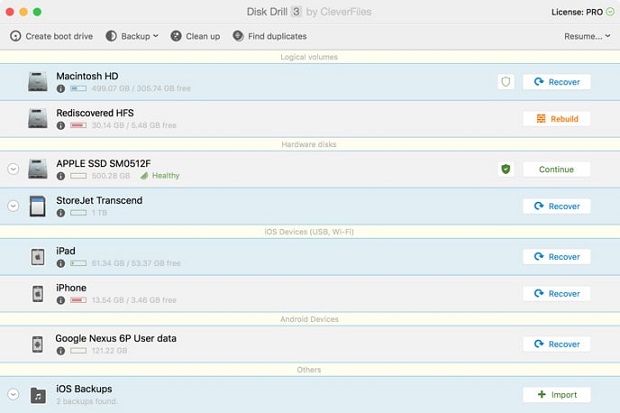
Disk Drill is a powerful data recovery tool that supports recovering lost and deleted files from Micro SD cards, hard drives, and other storage devices. It features a clean, modern interface and offers additional disk health monitoring tools alongside its recovery capabilities.
Main features:
- Supports all major file formats for recovery.
- Can recover data from phones as well as SD cards.
- Includes a disk health monitoring feature.
- Supports both Mac and Windows operating systems.
Pros:
- Very intuitive and modern interface.
- Wide range of supported file types.
Cons:
- File quality preview is not available in the free version.
- Deep scan can be time-consuming for large drives.
#4: Puran File Recovery
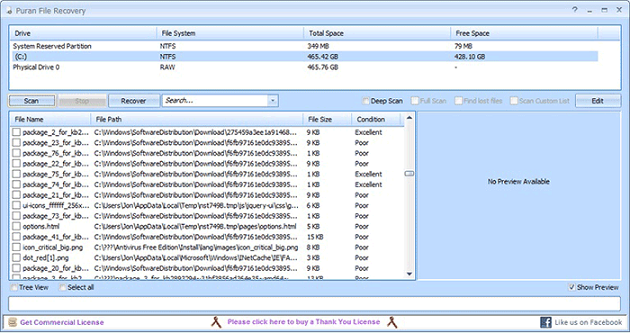
Puran File Recovery is a reliable tool for recovering lost and deleted files from Micro SD cards, hard drives, and external storage media. It offers a good balance of speed, accuracy, and simplicity, making it suitable for home users.
Main features:
- Combines speed, accuracy, and simple features effectively.
- Offers Quick Scan, Deep Scan, and Full Scan modes.
- Includes an official portable version for on-the-go use.
- Compatible with Windows only.
Pros:
- Supports more than 50 file formats.
- Filters can be applied to search results for easier navigation.
Cons:
- Primarily targets home users; lacks advanced features for corporate environments.
- No support for Mac OS.
#5: Recuva
Recuva is a popular and lightweight data recovery tool from the makers of CCleaner. It can recover deleted files from Micro SD cards, hard drives, and other storage devices. Its portable version makes it convenient to run without installation.
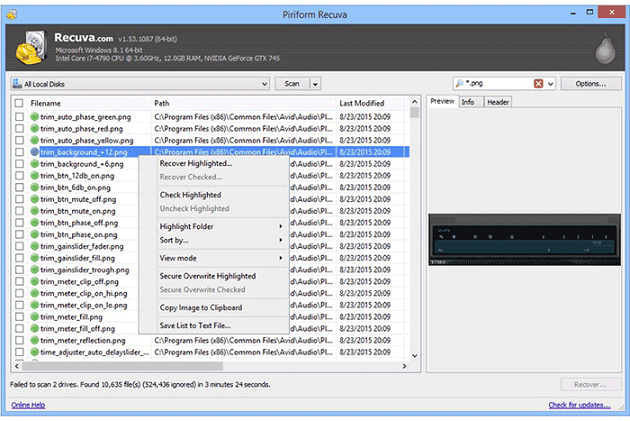
Main features:
- Portable version available — can be run from a USB drive on any system.
- Includes a secure file deletion feature for unwanted files.
- Supports all versions of Windows OS.
Pros:
- High success rate for Micro SD card recovery.
- Very easy to use with a simple wizard interface.
Cons:
- Recovery chances are slim if the data has been overwritten by new files.
As you can see, there are many options for Samsung SD card recovery. Choose the best Micro SD card recovery software that fits your needs. The software listed above will prove invaluable in any data loss situation.
Related Articles
- Top 7 Data Recovery Software Solutions for Windows
- Sandisk Photo Recovery – Recover Deleted Photos from Sandisk
- How to Upgrade Windows 10 to Windows 11 without Losing Programs
Upgrading to Windows 11 can bring more advanced features and a more privileged experience. To do this, follow the step-by-step instructions outlined in this article, which will guide you through the process of upgrading from Windows 10 to Windows 11 without losing any programs. - Samsung Disk Clone Software - 2 Ways to Clone Samsung Disk
How to perform Samsung hard drive clone? Go through the guide to learn two different ways to clone Samsung disk without much hassle. - Free Fix Hard Drive Partition Shows 0 Bytes Error in Windows 11/10/8/7
If your hard drive shows 0 bytes used on your computer, you may be unable to access saved data on a hard drive or partition that displays 0 bytes in Windows. Fortunately, Deep Data Recovery Free offers reliable fixes to solve the hard drive partition showing 0 bytes error and restore HDD data. - Hard Drive Randomly Wiped Data! What's WRONG? I Want Data Back
If a hard drive randomly wipes itself, it's often a sign that the drive is failing and may be on the verge of a complete hardware failure. In this scenario, it's essential to act quickly to recover any data that can be salvaged from the drive.
Products
Articles & Tutorials
- Data Recovery
- Data Backup
- File Recovery
- File Backup
- System Backup and Restore
- Disk and Partition Clone
- Technical articles
- Mobile articles
- Disk Master Help
- Windows Data Recovery Tutorials
- Windows Secure Delete Tutorials
- Windows Partition Management Tutorials
- Windows File Backup and Restore Tutorials
- Windows System Backup and Restore Tutorials
- Windows Disk Backup and Restore Tutorials
- Windows Clone Tutorials