How to Recover Data from a Failed RAID 0 Array
Quick Navigation:
- What RAID 0 Failure Means
- Stop and Preserve the Array
- Recover Data from the Array
- Rebuild Only After the Data Is Safe
- Frequently Asked Questions
RAID 0 splits data across two or more disks for speed and keeps no copy of it. When one member fails, every file on the array is incomplete by design. Recovery therefore depends on reading the surviving disks as a set and rebuilding the stripe from their data, not on rebuilding the array in the controller.
What RAID 0 Failure Means
Each block is written to one disk in turn, so a single large file spreads across every member. Losing one member removes part of every file, not just part of the array. There is no parity and no mirror, which is exactly why RAID 0 provides no fault tolerance.
A failed member is not always dead. A loose cable, a controller that drops a disk after a reboot, a drive that spins up slowly, or a firmware fault can take a working disk out of the set. Inspect the hardware before you accept that the data is gone.
Speed is the only benefit. The array doubles read and write throughput and halves the usable capacity, and it increases the chance of losing everything, because every additional member multiplies the failure rate of the whole.
Stop and Preserve the Array
Power the machine down and label each drive with its bay number before you touch anything. Do not initialize the disks, do not rebuild the array, and do not let the controller repair it: a rebuild writes to the members and can overwrite the stripes you need.
Record the controller settings: stripe size, member order, disk count, and whether the array spans two, three, or four disks. Recovery tools need those values. A wrong stripe size produces files that look intact but will not open.
Connect the members through a plain SATA or USB adapter rather than through the RAID controller, so each disk appears as a separate physical drive. A controller that keeps the members locked in a virtual volume is the main reason scans find nothing.
Recover Data from the Array
Qiling Deep Data Recovery scans the members and rebuilds the virtual volume when you supply the correct order, stripe size, and disk count. Test one member at a time first, so you know that each disk is readable before the set scan runs.
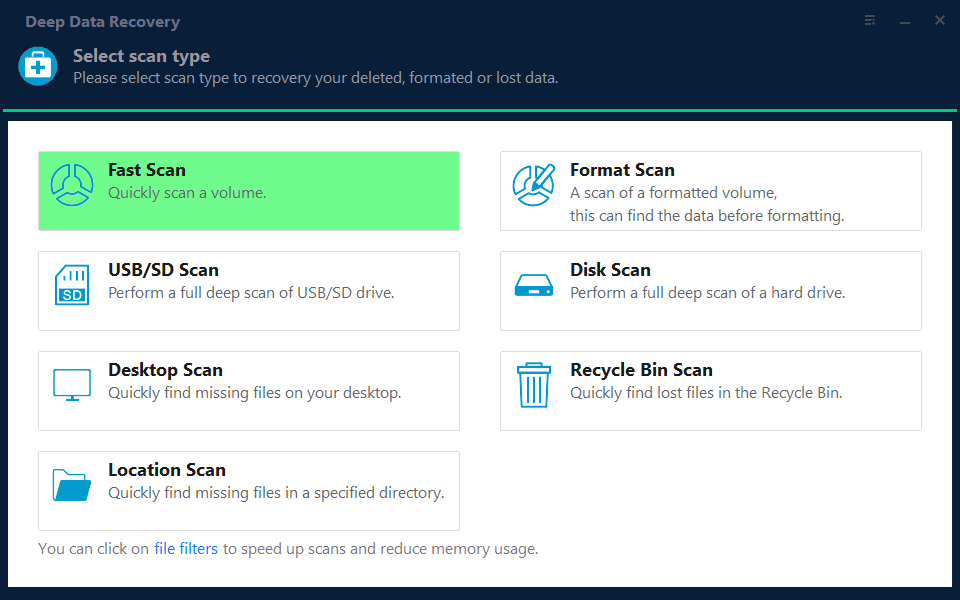
Step 1. Choose the Recovery Mode
Use Fast Scan when the members still mount as normal disks, and switch to the deeper scan when the stripe is broken or the file list is empty.
Note: You can choose different search modes based on where and why the data was lost.
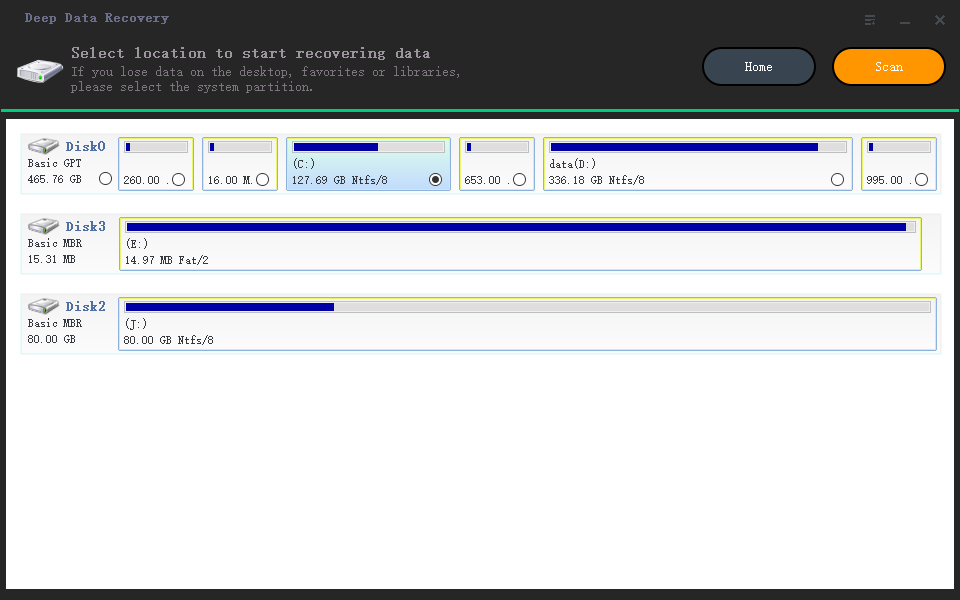
Step 2. Build the RAID Set
Add the members in their original order, set the stripe size recorded from the controller, and confirm the total capacity against the array you remember. If the capacity is wrong, the order or the stripe size is wrong.
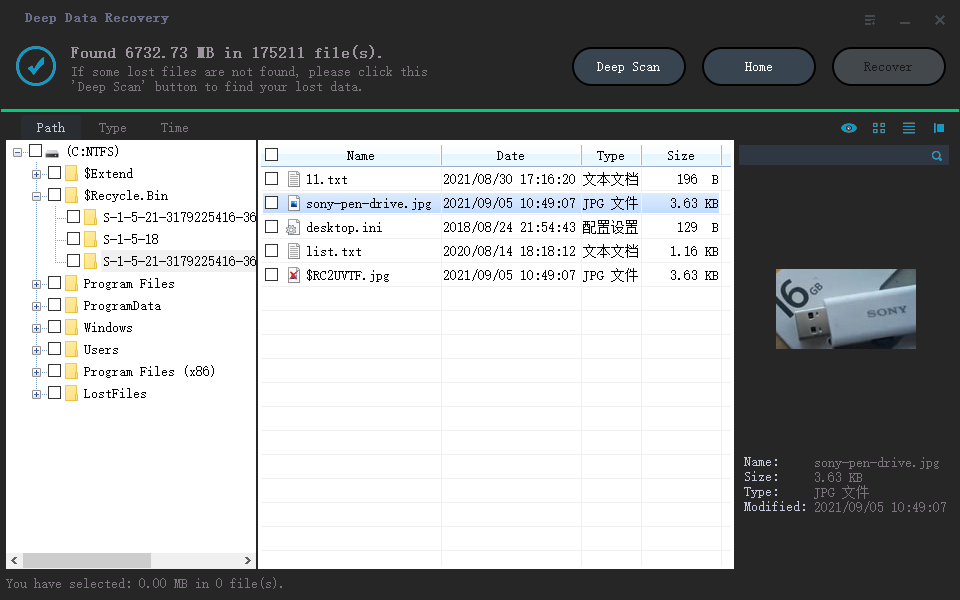
Step 3. Review the Results
Open a sample of large files rather than only small ones, because files that span a failed disk are the ones most likely to be damaged. Preview images and documents before you select them.
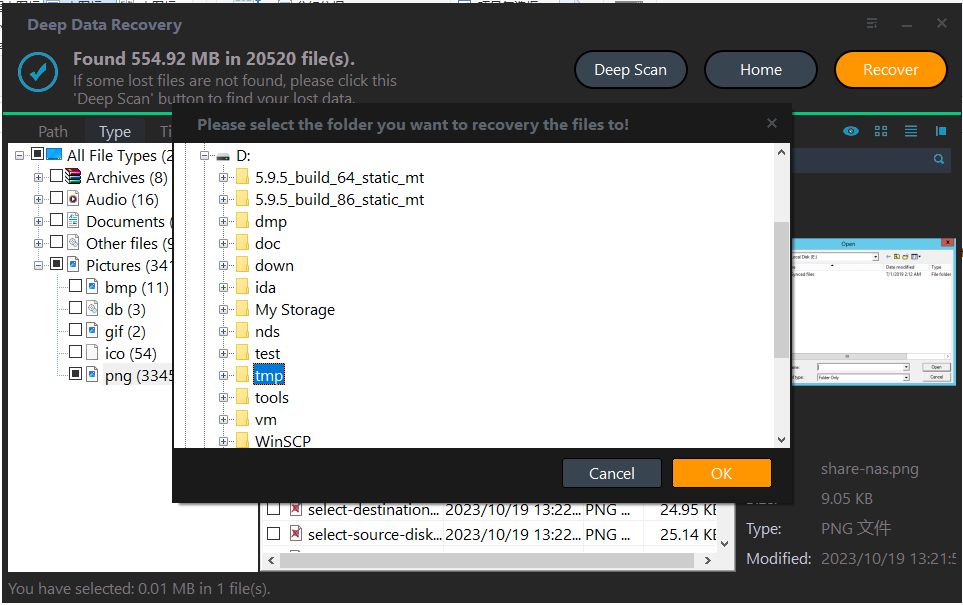
Step 4. Recover to Another Disk
Save the results to a disk that is not part of the array and not a member of it. Never write recovered files back to the stripe you are rebuilding, and keep the copy until you have verified the important folders.
Rebuild Only After the Data Is Safe
Once the files are copied to a new disk, the old members can be wiped and the array rebuilt. Before that point, keep the set untouched. Replace the failed drive and check the cables and power connectors on the others; a member that drops out under load will fail again.
RAID 0 is a performance layout, not a backup. The rebuilt array needs a backup of its own, on a separate disk or a cloud service, because the next single disk failure will take the whole array down again.
Frequently Asked Questions
Can I read a single disk from a RAID 0 array?
No. Every file is split across the members, so one disk holds only a fraction of each file. You need the complete set and the correct order.
Should I rebuild the array first?
No. A rebuild writes to the members and can destroy the stripes that recovery needs. Recover the data before you rebuild.
Will every file come back?
Files stored entirely on the surviving disks usually recover. Files that span the failed member may be incomplete, and no tool can recreate the missing blocks.
Is RAID 0 good for backups?
No. It has no redundancy and doubles the chance of total loss. Use it for speed, and keep a separate backup.
Related Articles
- Rebuild a RAID Array Without Losing Data
- Recover Files from a NAS That Is Not Recognized
- Recover Data from an SSD Not Detected in BIOS
- The 3-2-1-1-0 Backup Rule for Ransomware
Products
Articles & Tutorials
- Data Recovery
- Data Backup
- File Recovery
- File Backup
- System Backup and Restore
- Disk and Partition Clone
- Technical articles
- Mobile articles
- Disk Master Help
- Windows Data Recovery Tutorials
- Windows Secure Delete Tutorials
- Windows Partition Management Tutorials
- Windows File Backup and Restore Tutorials
- Windows System Backup and Restore Tutorials
- Windows Disk Backup and Restore Tutorials
- Windows Clone Tutorials