RAID 5 With Two Failed Disks: Recover the Data
Quick Navigation:
- Why Two Failures Break RAID 5
- Why Rebuild and Initialize Make It Worse
- Image First, Reassemble Second
- Recover the Array Data
- Frequently Asked Questions
A RAID 5 array that loses one disk is a warning. The same array that loses two is usually a power event, a controller fault, or a rebuild that started on its own and never finished. The volume is gone, the set is marked failed, and the instinct is to press Rebuild. That instinct is the most expensive one.
Two failed members do not mean two disks' worth of missing files. RAID 5 spreads parity across every disk, so the damage is limited to the stripes where both missing pieces were needed at once.
Why Two Failures Break RAID 5
RAID 5 writes each stripe as data chunks plus one parity chunk, and the parity position rotates from stripe to stripe. With one disk missing, every stripe can rebuild its missing chunk, which is why a degraded array keeps working. With two missing, it depends on which chunk each stripe lost.
If the two dead disks held data chunks in the same stripe, that stripe is gone, and so are the files on it. If one held data and the other held parity, the data can still be rebuilt from the surviving chunks, and only the parity is lost. Most stripes fall into the second category, which is why a two-disk failure is often partly recoverable.
The damage follows stripe size, disk order, and parity rotation, so the same failed disks can leave very different holes depending on configuration. That is why recovery tools ask for those parameters instead of guessing.
Timing matters too. If the disks died at different moments, the controller may have rebuilt one before the second failed, leaving that member with a mix of old and new data.
Why Rebuild and Initialize Make It Worse
Rebuilding writes to every surviving member. That load lands on drives of the same age, and a rebuild can run for a day or more. One unreadable sector aborts it, and the stress often takes out a third disk.
Initializing a member is worse. It clears the RAID metadata that identifies the disk's position, so the controller no longer knows which member it is looking at. Force-online options and foreign imports update that metadata, which recovery has to read.
Do not let the controller fix the set, delete the array definition, or create a new array over the same disks. If the wizard offers to initialize, refuse. The failed state is a readable record of the layout, and every write removes part of it.
Image First, Reassemble Second
Rule one: stop writing to the members. Power down, label each disk by bay, and do not boot the controller again with the set attached. Rule two: copy the results to a disk that was never part of the array. Rule three: never format or initialize a member to make it readable.
Then image every member you can reach, sector by sector, including the failed ones if they respond after a cable or power fix. A full image preserves bad sectors as they are, so a scan can be repeated without hours of load on a dying drive. Work from the images and leave the originals untouched.
Before reassembly, record four things: stripe size, disk order by port or bay, parity rotation, and the offset where the file system begins. Get the order wrong and the rebuilt volume looks like random data; get the parity direction wrong and the files open as garbage.
This is where the overlap of the failed disks decides the outcome. When both failures cover the same stripe positions repeatedly, whole regions are unrecoverable no matter how good the tool is. When they interleave, most files come back.
Recover the Array with Qiling Data Recovery
Array-level reading is part of Qiling Disk Master, and the scan below uses the same engine to read a member image as a plain disk. It never writes to the source, so a wrong parameter costs time rather than data.
If the set was RAID 0, the approach differs slightly and is described in recovering data from a failed RAID 0. When a member is unreadable, read the guidance on working around bad sectors before connecting it again.
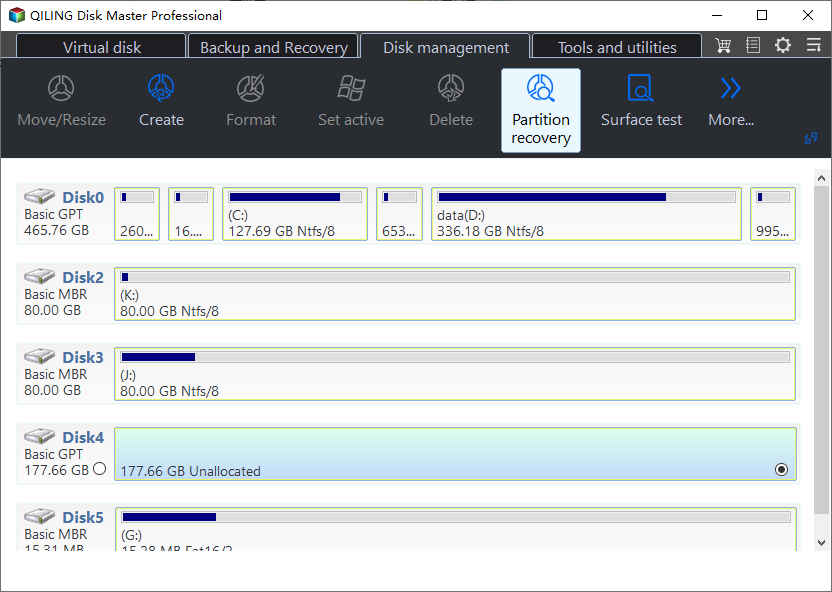
Step 1. Load a Member Image
Point the tool at the image of one member, or at the member itself if you have no image. Do not mount the array in Windows and do not let the controller rebuild while you scan.
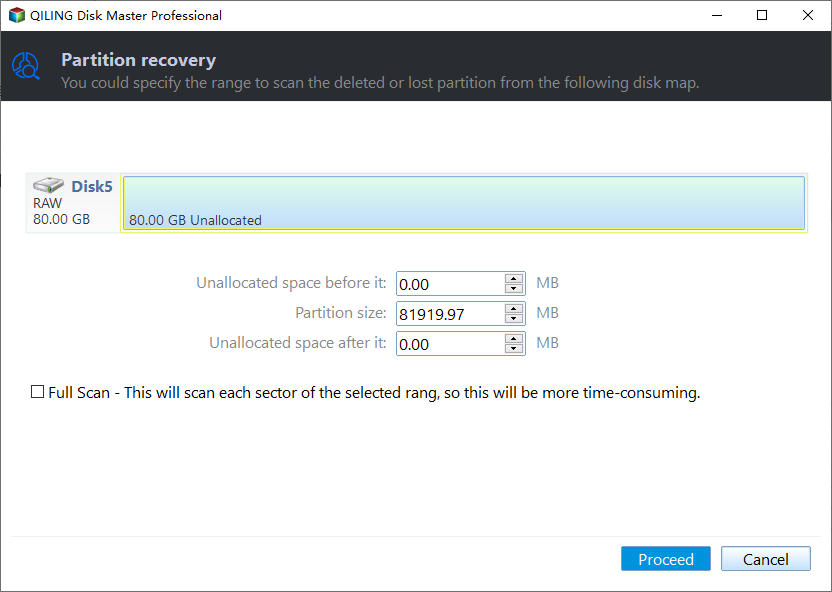
Step 2. Scan the Whole Image
Scan the full range rather than the first few gigabytes. The file system may start at an offset the controller created, and a partial scan will miss it entirely on a set with a large stripe size.
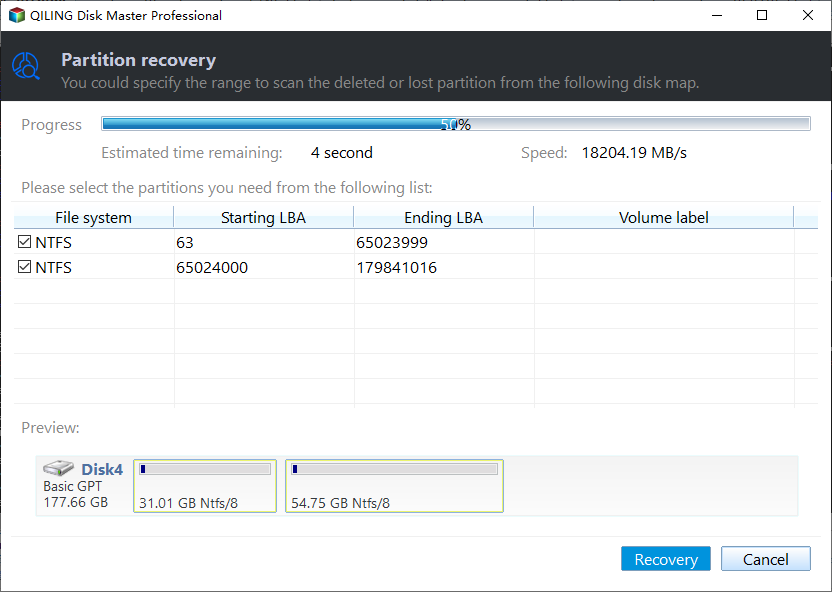
Step 3. Review Files and Save Elsewhere
Preview files from different folders before selecting a batch, then save to a disk that never belonged to the array. Keep the images until the important files are verified, because re-reading a failing member is not always possible.
With the data safe, the array can be retired or rebuilt on new disks without pressure. Keep the images until the replacement set is verified, and keep the failed disks labeled by bay.
Frequently Asked Questions
Is a two-disk failure in RAID 5 always a total loss?
No. Only the stripes where both missing chunks were data are lost. Files in stripes where one missing chunk was parity can be rebuilt, and what survives depends on the overlap pattern.
Can I put one disk back and let the controller rebuild the other?
Only if you do not need the data. A rebuild writes to every member and often finishes the array off, and a disk that dropped out once may drop out again mid-rebuild. Image first, rebuild later.
Does disk order really change the result?
Yes. RAID 5 maps chunks to disks in a fixed rotation, so swapping two members produces a volume that mounts but contains scrambled files. Record the bay order and parity direction, then verify with previews before saving.
Related Articles
- Recover Data from a Single RAID Member Disk
- What to Do When a Hard Drive Won't Spin Up
- Windows 11 25H2: Lost Partition Shows as Unallocated
- Recover a Deleted VHDX Virtual Disk in Windows
- Recover a Deleted VMware VMDK Virtual Disk
Products
Articles & Tutorials
- Data Recovery
- Data Backup
- File Recovery
- File Backup
- System Backup and Restore
- Disk and Partition Clone
- Technical articles
- Mobile articles
- Disk Master Help
- Windows Data Recovery Tutorials
- Windows Secure Delete Tutorials
- Windows Partition Management Tutorials
- Windows File Backup and Restore Tutorials
- Windows System Backup and Restore Tutorials
- Windows Disk Backup and Restore Tutorials
- Windows Clone Tutorials