Best Professional Data Recovery Software
Losing data from your computer can be frustrating, but with the right tools, it's now easier to retrieve lost data, even if you didn't back it up. Data recovery software can help recover deleted or corrupted files from various storage devices, making it possible to restore lost data despite common issues like virus attacks, hard drive failures, and human errors.
Choosing the best professional data recovery software can be a challenge, given the numerous options available. However, this article highlights some of the top professional data recovery tools that can help recover lost files, making the process easier.
How Does Data Recovery Software Work
Here are some common situations where you might lose your essential work or personal files:
- Virus attack
- Hard drive corruption
- Accidental deletion
- Hard drive formatting
- System failure
- Software issues
- Hardware problems
If you've lost your files due to various reasons, you can recover them using a professional data recovery tool. This software grants access to the hard drive's fundamental structure, allowing it to refer to and access file structure elements to retrieve data from a corrupted storage device, provided that other files haven't overwritten the memory. We'll cover the top 8 best professional data recovery software in the next section, so keep reading!
Top 8 Best Professional Data Recovery Software
If you're looking for the best professional data recovery software, there are several top-notch options available. These tools are designed to help you recover lost, deleted, or corrupted data from various storage devices and systems, making them an essential part of any IT professional's toolkit.
- 1. Deep Data Recovery
- 2. Stellar Data Recovery
- 3. Recuva
- 4. Disk Drill Recovery
- 5. TestDisk
- 6. Data Rescue 6
- 7. Photo Rec
- 8. R-Studio
1. Deep Data Recovery
Deep Data Recovery can recover files from various devices and situations, including deleted, formatted, virus-infected, lost or corrupted files on hard drives, recovered from the recycle bin, OS crashes, lost partitions, and RAW partitions on PCs, laptops, hard drives, USB flash drives, digital cameras, and video players.
Compatibility: It works well on both Windows and Mac, requires 1GB RAM, and has a minimum disk space of 32MB.
Pros:
- Bootable adaption
- Supports 100+ file formats
- Reliable recovery procedure
- Low turnaround time
Cons:
- Time-consuming scan
- Expensive Licensing
Editor's Suggestion
We highly recommend using a professional data recovery tool to easily recover lost files and perform a deep scan of your hard drive for any lost files.
2. Stellar Data Recovery
Stellar Data Recovery is a user-friendly and safe software available for both Windows and Mac operating systems, allowing you to recover data, images, videos, files, emails, and more from internal hard drives and external storage devices.
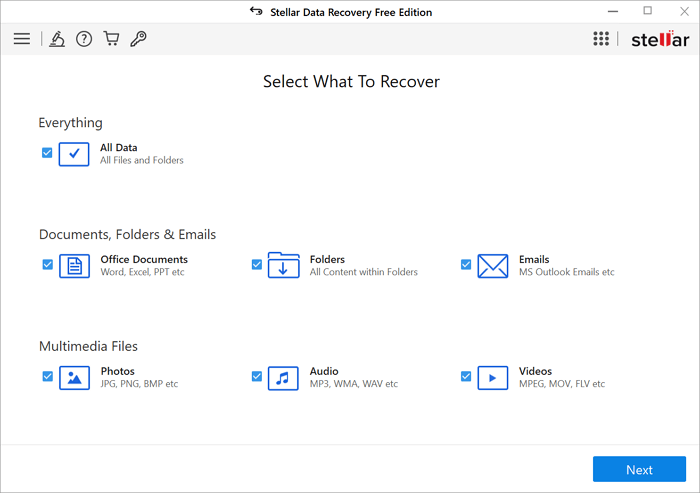
Compatibility: The software is compatible with both macOS and Windows operating systems. It requires a minimum of 1GB RAM and 50MB of disk space to function.
Pros:
- Cloning and disk testing
- Recover lost files
- High-speed scanning
- User-friendly interface
Cons:
- The free version has limited features
- Doesn't support many file formats
Editor's Suggestion:
Stellar Data Recovery is a powerful tool that helps IT specialists recover deleted data from their systems, even for those with little experience.
3. Recuva
Recuva is a user-friendly data recovery application that is also one of the most economical options on our list. It prioritizes efficiency and speed, allowing it to recover any file format with ease. The best part is that it doesn't require installation, making it a highly adaptable solution for users.
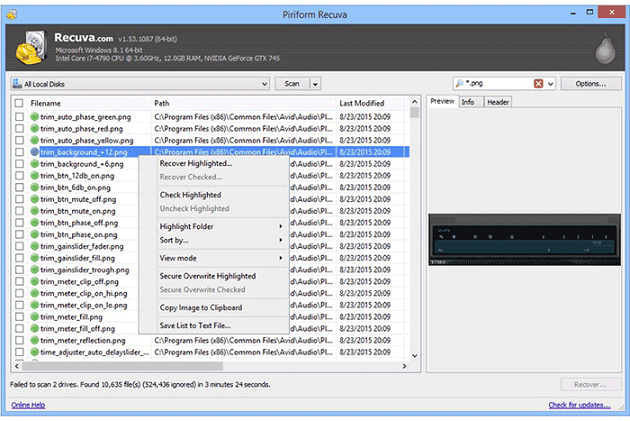
Compatibility: The software is compatible with Windows operating system only. It requires a minimum of 512MB RAM and 25MB of disk space to run.
Pros:
- 30 languages support
- User-friendly interface
- Offers a free plan for newbie
- Deletes sensitive files
Cons:
- Does not work on Mac
- Limited photo recovery options
Editor's suggestion:
The software includes multiple complex tools for various forms of data recovery, but its installer forces you to install certain useless products, making it recommended to use the listed tools first instead.
4. Disk Drill Recovery
Disk Drill Recovery is an exceptional tool that is compatible with both Windows and Mac. It uses sophisticated scanning algorithms to recover data from a wide variety of devices, and is surprisingly easy to use.
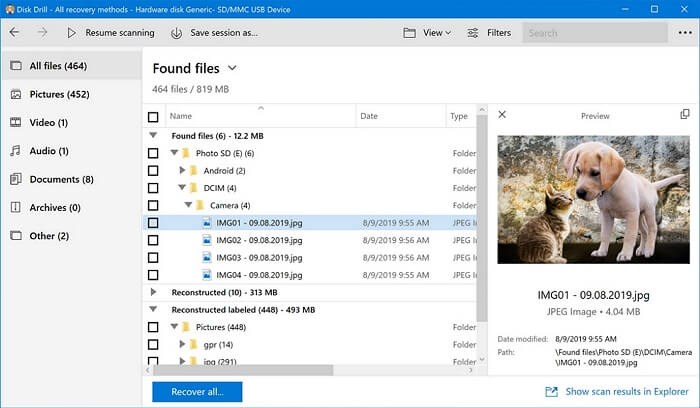
Compatibility: The software can be used on both Windows and Mac computers, and it needs 4GB of RAM and 250MB of hard disk space to run.
Pros:
- Deep scanning for lost files
- Easy to use interface
- Free version for newbie users
- Supports multiple file formats
Cons:
- Slow scanning
- Limited customer support
Editor's Suggestion:
The good news is that this software is a comprehensive do-it-yourself data recovery app, making it accessible even to novices, and we recommend using it to recover lost files.
5. TestDisk
TestDisk, an open-source tool, is also highly effective. It allows you to recover lost partitions and restore boot ability to discs that previously could not start. Additionally, it can properly recover data if defective software, human error, or virus attacks occur.
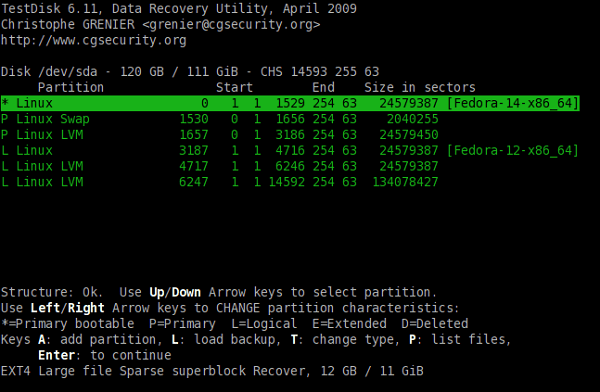
Compatibility: It works well with Windows, macOS, and Linux operating systems.
Pros:
- 100% clean data recovery
- Freeware experience
- Cross-platform tool
- Online guide for newbie
Cons:
- Not reliable
- Has no graphical interface
Editor's Suggestion:
Because of the tool's open-source nature, this recovery tool is recommended for IT professionals, small to medium-sized businesses, and freelancers, making it a suitable option for recovering information.
6. Data Rescue 6
Data Rescue 6 from Prosoft Engineering is effective in retrieving lost or damaged information, leveraging 20 years of data recovery advancements.
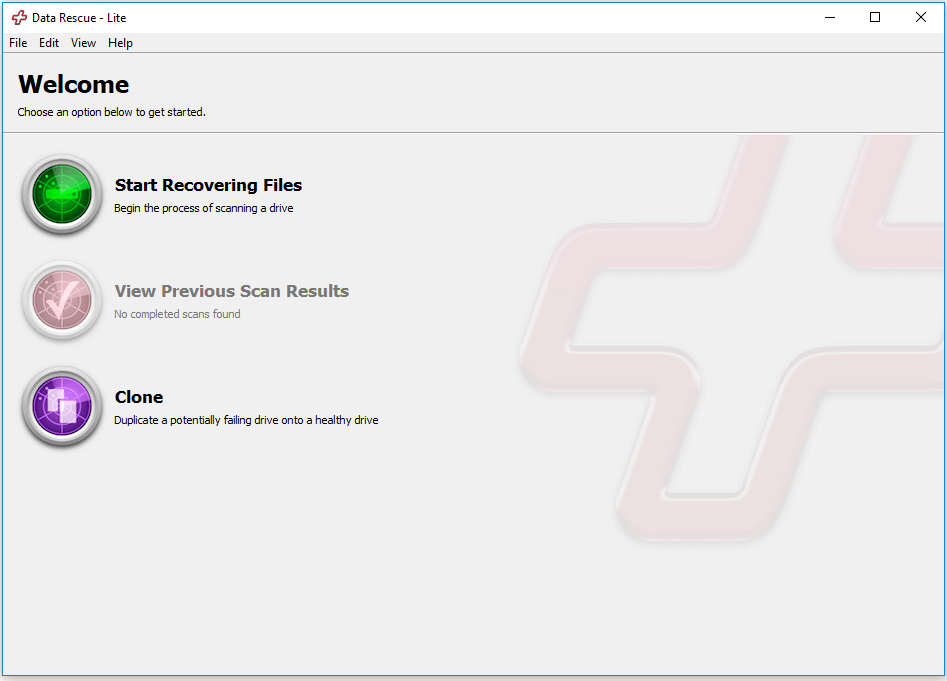
Compatibility: It is compatible with Windows and macOS.
Pros:
- Easy to use interface
- Duplicates a potentially failing drive
- Determines RAID configurations
Cons:
- Expensive premium plans
- Complicates recovery procedure
Editor's Suggestion:
Since the software is quite expensive, we recommend that you go for the above software before giving it a try.
7. Photo Rec
With the help of Photo Rec, a free open-source recovery software, you can recover lost video and audio files, documents, texts, archives, and images, including those deleted from a digital camera, even in cases of a damaged or corrupted system.
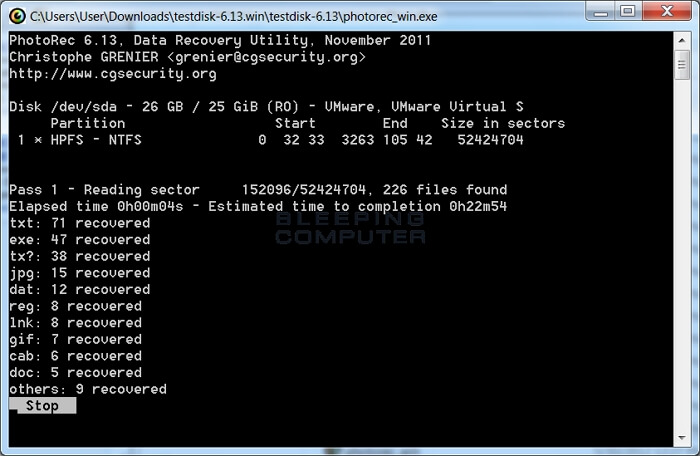
Compatibility: It works well with Windows, macOS, and Linux operating systems.
Pros:
- High-speed scanning
- Supports 300 file formats
- 100% clean data recovery
- Compatible with major OS
Cons:
- No preview mode
- Complicated interface for newbie
Editor's Suggestion:
This application is useful for professional photographers and other creative artists who work with digital cameras and DSLR images, and is also a good option for those on a limited budget.
8. R-Studio
R-Studio is a comprehensive data recovery tool that incorporates the latest data recovery technology, making it a powerful defense against data loss. Its user-friendly interface makes it easy to use, even for those who are not tech-savvy. It is a must-have tool for anyone who wants to protect their data from unexpected loss.
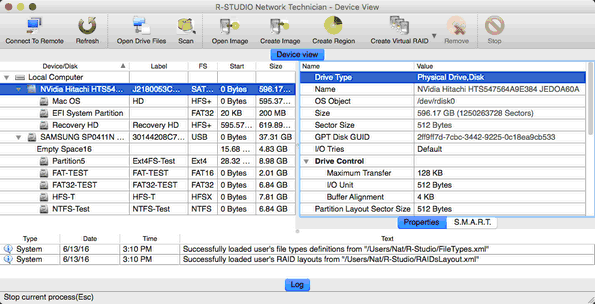
Compatibility: It works well with Linux, Windows, and macOS.
Pros:
- The Demo version is available
- Recover files over a network
- Cross-platform support
- Disk sanitization feature
Cons:
- Complicated interface
- Does not preview all file formats
Editor's Suggestion:
Since it is very technical and a novice may find it somewhat difficult to use, we suggest that you investigate the alternatives presented first.
Conclusion
Backing up your data every week is a good idea, especially for important files that could be costly to lose. However, if you've lost some critical files, a professional data recovery tool can help. You can find effective software among the tools discussed in this article, and if you need more than just data recovery, Deep Data Recovery is a recommended option.
Best Professional Data Recovery Software FAQs
There are still some unanswered questions about professional data recovery software, such as:
1. Which data recovery software is used by professionals?
Professionals often have specific requirements that guide their software selection, and among the most popular tools used are Deep Data Recovery, Disk Drill Data Recovery, and Recuva. These tools are favored for their user-friendly interfaces and advanced features, making them stand out from the rest.
2. Is data recovery expensive?
Choosing the right professional data recovery software depends on your specific situation, such as the size of the lost data, the disk size, and the reason for the loss. While price is a consideration, it shouldn't be the main one - focus on selecting the most suitable tool for your needs, as each software has unique features and capabilities. By choosing the right software, you can maximize your chances of recovering your data.
3. What are the dangers of data recovery software with crack?
Using cracked data recovery software can be a costly mistake, as everything in the virtual world has a price. In reality, there's no such thing as "free", and compromising your computer's security can be expensive. A cracked version comes with its own set of dangers, including the risk of compromising your computer and its contents.
- Virus attacks
- Illegal
- No updates
- Device instability
Related Articles
- Features, Benefits, Comparisons of RAID Levels | Advanced Techniques for Data Storage
- How to Recover Black Box Recordings (FDR/CVR) from a Flight/Plane
- Best Forensic Data Recovery Software
- How to Fix 'Python Setup.py egg_info' Failed with Error Code 1
- Recover Lost Files with Qiling Portable Data Recovery Software
If your computer is plagued with viruses or boots slowly, a portable data recovery can breathe new life into it, reviving it from a state of disrepair. - [Official & Latest] Deep Data Recovery Key 2.6 and Qiling License Code
Stop using Qiling data recovery crack, keygen, or serial number to activate Deep Data Recovery. Instead, download the official license code and serial key available here to activate the software legally and safely recover your data.
Products
Articles & Tutorials
- Data Recovery
- Data Backup
- File Recovery
- File Backup
- System Backup and Restore
- Disk and Partition Clone
- Technical articles
- Mobile articles
- Disk Master Help
- Windows Data Recovery Tutorials
- Windows Secure Delete Tutorials
- Windows Partition Management Tutorials
- Windows File Backup and Restore Tutorials
- Windows System Backup and Restore Tutorials
- Windows Disk Backup and Restore Tutorials
- Windows Clone Tutorials