Memory Card Recovery Software: Recover Data from Memory Card
This software can recover data from all types of memory cards, including memory SD card, CF card, SDHC card, SDEC card, MicroSD card, and more.
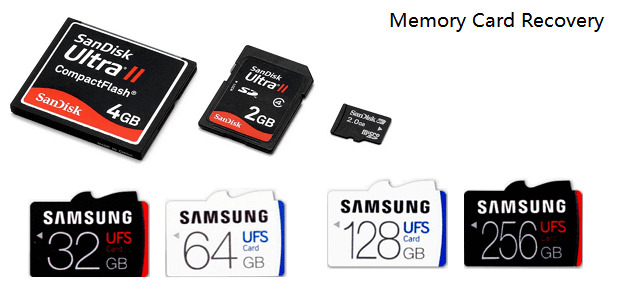
To recover memory card data on your own, you can follow a simple process. Alternatively, you can use the best memory card recovery software available to help you retrieve your lost data.
How Can I Recovery My Deleted Pictures from My Memory Card
To recover deleted photos from your memory card, try using photo recovery software like Deep Data Recovery or Disk Drill. These programs can scan your memory card and attempt to recover deleted files, including photos and videos. Be sure to stop using the memory card immediately to avoid overwriting the deleted files. If the software can't recover the files, you may also want to try a professional data recovery service or contact the manufacturer of your camera for assistance. You can also try to recover the deleted files using the built-in recovery feature on your camera, if it has one. If you have additional questions, refer to the FAQs below.
Memory cards are commonly used in devices such as digital cameras, mobile phones, and laptops to store data. However, users may experience frustration when unexpected data loss occurs on their memory card, resulting in the loss of precious photos, videos, songs, and personal files.
If you're unfortunate enough to lose files from your memory card, there is a solution, as you can recover them with powerful memory card recovery software like Deep Data Recovery.
Download Memory Card Recovery Software for Help
NOTE: If you lose data on a memory card, SD card, or USB, stop using the device right away to prevent overwriting the lost data. Then, download a reliable data recovery software to help retrieve your lost files.
Deep Data Recovery is a reliable and sophisticated software for all levels of users, enabling the recovery of lost files such as photos, videos, music, and documents from memory SD cards with ease.
Besides, Deep Data Recovery offers additional useful features, including..
- High performance: Recover files from your SD card quickly and with high quality, ensuring that your important data is restored efficiently and accurately.
- Excellent usability: It's user-friendly for all levels of users.
- Great compatibility: The device supports all major brands of memory cards, including Samsung, SanDisk, Kingston, PNY, Panasonic, Lexar, Sony, and Fujifilm, among others.
- Strong recovery capacity: The software supports various recovery formats, including format recovery, deleted file recovery, partition recovery, and recovery from OS crashes and virus attacks. It can also recover data from RAW file systems.
This tool allows you to recover lost data from various storage devices, including memory cards, USB flash drives, pen drives, external hard drives, video players, digital cameras, drones, and computers, among others.
Tutorial: Recover Data from Memory Card in 3 Steps
Regardless of the lost file types, memory card formats, or running OS, Deep Data Recovery can assist in retrieving data.
To recover lost data from your storage device, download Deep Data Recovery and follow these steps:
Step 1. Connect the SD card, memory card, or CF Card to your computer and launch Qiling memory card recovery software. Select the desired file types and click "Format Scan" to initiate the recovery process.

Note: You can choose different search modes based on where and why the data was lost.
Step 2. To recover lost data from an SD card, first, connect the SD card to your computer using an adapter. The SD card will be listed under the Devices section. Choose the SD card and click "Scan" to start looking for your lost data.

Step 3. The software will automatically start a scan, which is powerful enough to find all lost files, including those with unknown file names. After the scanning process, you can view deleted items in the tree-view panel on the left. To narrow down the search, you can click "Filter" to look for specific file types, such as photos, documents, videos, or emails.

Step 4. You can directly double-click on the files to preview their content, then select the wanted files and click "Recover" to restore them to a secure location on your PC or other external storage devices.
This tutorial can be used to recover deleted files from various storage devices, including external hard drives, USB flash drives, and others, in addition to memory card recovery.
Further Readings: Causes of Memory Card Data Loss and Tips to Protect Data
After restoring lost files from the memory card, you can re-save them back to your memory card or to another secure storage device. To prevent further data loss and protect your files, consider the causes of data loss on memory cards, such as physical damage, formatting, or software corruption, and take preventative measures like regularly backing up data, using a memory card case, and avoiding extreme temperatures or physical stress. By being aware of these potential risks, you can safeguard your precious files and avoid future data loss.
Causes of Memory Card Data Loss
In addition to accidental deletion, data loss on a memory card can be caused by a variety of factors. These include physical damage to the card, such as bending or exposure to extreme temperatures, which can cause the card's internal components to fail. Additionally, viruses and malware can infect the card, corrupting data and making it unrecoverable.
- Memory card formatting
- Viruses & Malware infection
- Memory card damage
- Human error
- ...
Tips to Protect Memory Card Data
Here are some tips to protect your memory card data: Consider using a cloud storage service to back up your data, use a memory card recovery software to recover lost data, and always handle your memory cards with care to prevent physical damage. Additionally, consider using a password-protected memory card to add an extra layer of security. This way, you can ensure that your data is safe and secure.
- 1. To ensure your memory card is secure, it's recommended to regularly back it up using a reliable software like Qiling Backup. This will prevent any potential data loss in case of an unexpected issue.
- 2. If you've lost data from a memory card, it's essential to use a data recovery software like Deep Data Recovery as soon as possible to rescue your data. This will help prevent further data loss and increase the chances of recovering your lost files.
To avoid losing data and ensure successful file recovery, it's essential to stop using the affected device or storage immediately and take steps to prevent further data overwriting. This can be achieved by disconnecting the device from the power source, removing any external storage devices, and not attempting to access the affected files. By doing so, you can minimize the risk of losing data completely and maximize the possibility of recovering all the files successfully.
- 3. Run virus cleaner software on your memory card, SD card, or USB devices to ensure they are clean and secure your data.
Conclusion
A memory card is used in various electronic devices to store data, but if data loss occurs due to incorrect use or unknown errors, having a backup can help recover lost files.
If you don't have any backup, powerful memory card recovery software - Deep Data Recovery can help. It can recover your files in just three steps.
FAQs about Memory Card/SD Card Recovery
If you're looking for information on recovering data from a memory card or SD card, but this page doesn't have the answers you need, you can check out the questions listed below, which provide additional guidance and solutions.
1. Can memory card data be recovered?
If you're having doubts about recovering data from a memory card, the answer is yes, it is possible to recover data from a memory card.
Data loss due to accidental deletion, formatting, viruses, or system crashes can be recovered using reliable memory card recovery software. A recommended option is Deep Data Recovery, which can help restore lost data.
2. How do I recover deleted files on my SD card?
To recover deleted files from an SD card:
- 1. Download and install Deep Data Recovery.
- 2. Connect the SD card to your computer.
- 3. To launch the application, navigate to the home screen of your device, locate the application icon, and tap on it to open it. Once launched, select the SD card from the list of removable devices by tapping on it.
- 4. Click Scan to search for lost data and files.
- 5. preview and choose the files for recovery.
- 6. Click the Recover button to restore your selected files.
3. What is the best SD card recovery software?
There are numerous data recovery programs that allow you to recover SD card data, with each claiming to be the best option. To help you find the top one, I've compiled a list of the 10 best free SD card recovery software options available.
- 1. Deep Data Recovery
- 2. Recuva
- 3. Stellar Data Recovery
- 4. Disk Drill
- 5. R-Studio
- 6. Acronis Revive
- 7. Remo Recover
- 8. Recover My Files
- 9. Puran Data Recovery
- 10. TestDisk
4. How can I recover my SD card data for free?
To recover SD card data for free, you have two options. You can either use a free data recovery software or a free SD card recovery tool.
If you've lost files from your SD card, you can restore them if you've made backups. Simply recover the files from the backup you created, and you'll have your lost files back.
If your lost files are less than 2GB, you can try using free SD card recovery software, such as Deep Data Recovery Free Edition, to help recover them. The recovery process is the same as for memory card recovery, as described on this page.
5. Can I recover data from a corrupted SD card?
To recover data from a corrupted SD card, check if your computer can detect the card, run a reliable recovery software to scan and restore data, and finally repair the card to prevent further corruption.
If your SD card has become corrupted, you can recover it using the steps outlined in the guide "How to Recover Corrupted SD Card.
Related Articles
- Fix a Broken USB Stick and Recover Data
- Minecraft Free Download and Minecraft Data Recovery Windows 10/11
- What Is Dynamic Disk | Everything About Windows Dynamic Disk
- Fix: The Volume Does Not Contain A Recognized File System in Windows 10/8/7
- Qiling Free Trial Code: Free Get Deep Data Recovery License Code & Serial Key
Free get Deep Data Recovery with license code, serial number, keygen, torrent to restore deleted, formatted, virus attacked data under all Windows OS. Genuine license code with Deep Data Recovery is available here to help you restore unlimited lost data with ease. - SD Card Recovery Software Free Download Full Version with Crack
If you're trying to recover data from a memory card, stop using cracked serial keys and instead try Qiling's free memory card recovery software or the full version with an official license code. This is a safer option.
Products
Articles & Tutorials
- Data Recovery
- Data Backup
- File Recovery
- File Backup
- System Backup and Restore
- Disk and Partition Clone
- Technical articles
- Mobile articles
- Disk Master Help
- Windows Data Recovery Tutorials
- Windows Secure Delete Tutorials
- Windows Partition Management Tutorials
- Windows File Backup and Restore Tutorials
- Windows System Backup and Restore Tutorials
- Windows Disk Backup and Restore Tutorials
- Windows Clone Tutorials