Recover Deleted Files After Emptying Recycle Bin
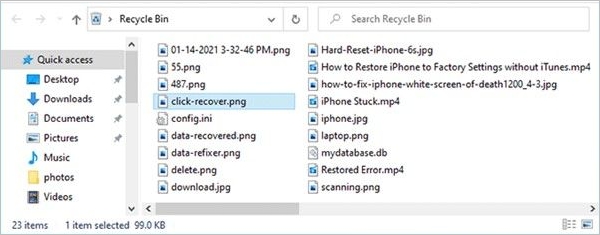
Emptying the Recycle Bin removes the easy restore option, but the deleted files may still exist on the drive until new data overwrites them. Stop saving new files to the same drive and start recovery as soon as possible.
What to Do First
- Do not download or install software to the drive where files were deleted.
- Check File History, OneDrive, or other backup locations.
- Remember the original folder names and file types to speed up filtering.
Recover Files with Qiling Data Recovery
Step 1. Open Qiling Data Recovery and choose a deleted file recovery mode.

Step 2. Click "File Filter" to use filters to find documents, photos, videos, archives, or folders.
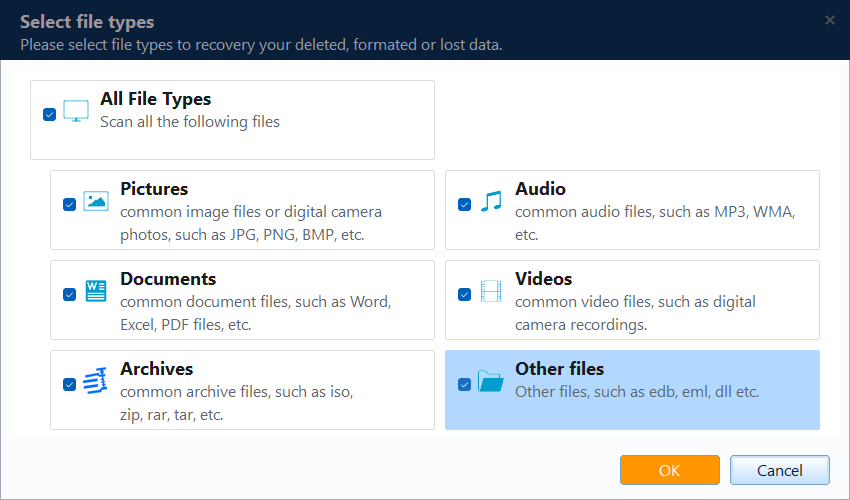
Step 3. Select the drive where the deleted files were stored before they went to the Recycle Bin.

Step 4. Preview files and click Recover to save them to another drive.

Can All Files Be Recovered?
Recovery depends on whether deleted data has been overwritten. Files deleted from SSDs may be harder to recover if TRIM has already cleared the blocks. Still, scanning early gives you the best chance.
Conclusion
After emptying the Recycle Bin, the most important step is to stop using the affected drive. Scan it quickly, preview found files, and save recoverable data to another location.
For the specific case of an emptied Windows bin, follow the Recycle Bin Scan walkthrough and verify restored copies on another disk.
Related Articles
Products
Articles & Tutorials
- Data Recovery
- Data Backup
- File Recovery
- File Backup
- System Backup and Restore
- Disk and Partition Clone
- Technical articles
- Mobile articles
- Disk Master Help
- Windows Data Recovery Tutorials
- Windows Secure Delete Tutorials
- Windows Partition Management Tutorials
- Windows File Backup and Restore Tutorials
- Windows System Backup and Restore Tutorials
- Windows Disk Backup and Restore Tutorials
- Windows Clone Tutorials