Repair RAW USB Drive Without Losing Data
When a USB drive becomes RAW, Windows may ask you to format it before use. Formatting can make the drive usable again, but it may also overwrite file system information. Recover files first if the USB contains important data.
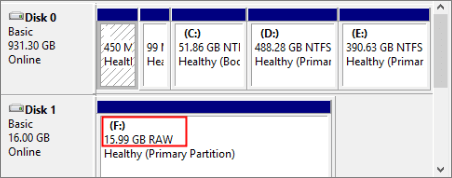
Why a USB Drive Becomes RAW
- The USB drive was removed before writing finished.
- The file system is damaged after a crash or power loss.
- The drive has bad sectors or controller problems.
- Windows cannot recognize the file system correctly.
Step 1. Recover Files from the RAW USB Drive
Step 1. Open Qiling Data Recovery and choose a recovery mode for lost files.

Step 2. Click "File Filter" to filter scan results by file type, folder, or date.
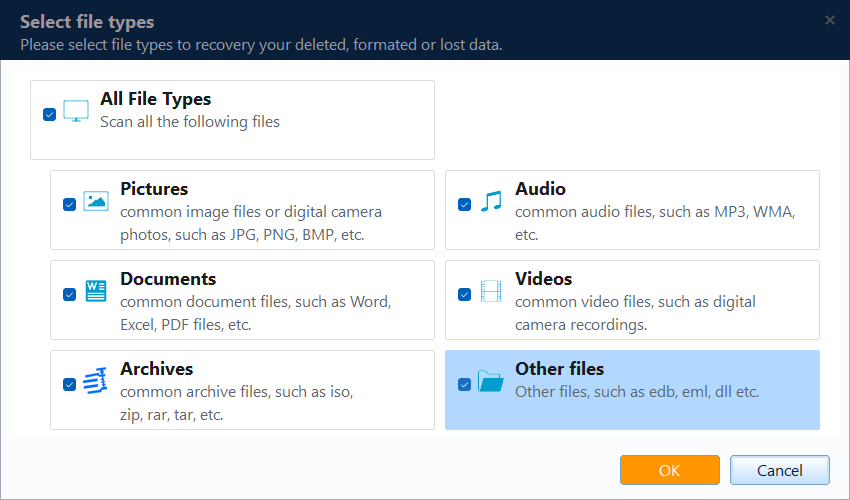
Step 3. Select the RAW USB drive from the location list and start scanning.

Step 4. Preview files and click Recover. Save them to another drive.

Step 2. Repair the USB Drive
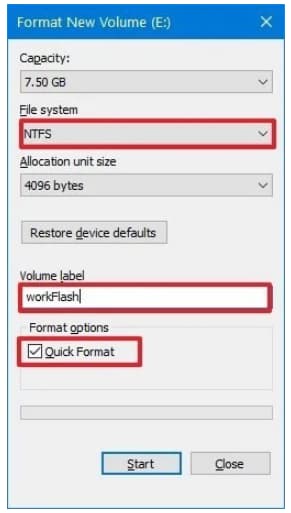
After data recovery, you can repair the USB drive. Try reconnecting it, changing the USB port, checking disk errors, or formatting it to NTFS, exFAT, or FAT32 based on your usage.
Conclusion
The safest way to repair a RAW USB drive is to recover files first and repair the file system afterward. Avoid formatting before recovery if the USB contains valuable files.
Related Articles
Products
Articles & Tutorials
- Data Recovery
- Data Backup
- File Recovery
- File Backup
- System Backup and Restore
- Disk and Partition Clone
- Technical articles
- Mobile articles
- Disk Master Help
- Windows Data Recovery Tutorials
- Windows Secure Delete Tutorials
- Windows Partition Management Tutorials
- Windows File Backup and Restore Tutorials
- Windows System Backup and Restore Tutorials
- Windows Disk Backup and Restore Tutorials
- Windows Clone Tutorials