USB Drive Not Showing After Windows Update: Fix and Recover Files
A USB drive may disappear after a Windows update because the USB driver changed, the drive letter was removed, the file system became RAW, or the device has a connection problem. Do not format it if important files are still on the USB drive.
Basic Checks
- Try another USB port and avoid unpowered hubs.
- Connect the USB drive to another computer.
- Open Disk Management to see whether the drive appears without a letter.
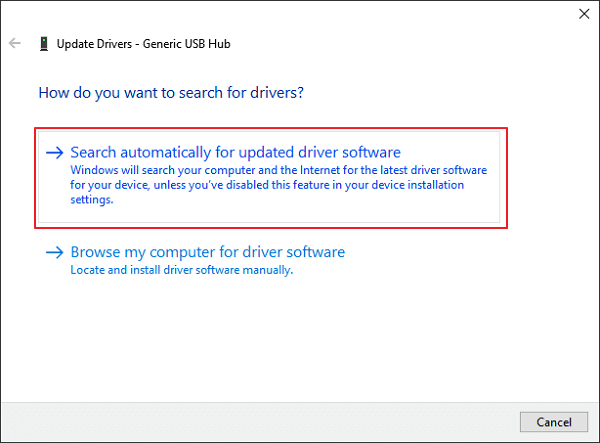
- Update or reinstall USB controller drivers in Device Manager.
Recover Files Before Formatting
If the USB drive appears in Disk Management as RAW, unallocated, or asks to format, recover files first with Qiling Data Recovery.
Step 1. Open Qiling Data Recovery and select a recovery mode.

Step 2. Select the USB drive and scan it.

Step 3. Filter and preview files, then recover them to another disk.

Repair the USB Drive After Recovery
After your files are safe, assign a drive letter, run a file system check, or format the USB drive to a suitable file system. If the USB is write-protected, use this guide: write protected USB format tool for Windows 11.
Conclusion
When a USB drive is not showing after Windows update, separate detection checks from data recovery. Recover files first if the drive is visible but inaccessible, then repair or format it.
Related Articles
Products
Articles & Tutorials
- Data Recovery
- Data Backup
- File Recovery
- File Backup
- System Backup and Restore
- Disk and Partition Clone
- Technical articles
- Mobile articles
- Disk Master Help
- Windows Data Recovery Tutorials
- Windows Secure Delete Tutorials
- Windows Partition Management Tutorials
- Windows File Backup and Restore Tutorials
- Windows System Backup and Restore Tutorials
- Windows Disk Backup and Restore Tutorials
- Windows Clone Tutorials