Free | How to Recover Files from Formatted USB/USB Flash Drive
Overview of Formatted USB/Pen Drive Data Recovery
You may need to reformat your USB drive due to accidental formatting or when you're unable to use it otherwise. This can occur in various situations, such as when you're unable to access the device, or when you want to reuse it.
- System corruption
- Raw file system
- USB drive, pen drive, or hard disk not formatted error
- The issue "The volume does not contain a recognized file system" is likely due to a corrupted or incompatible file system on the volume, which prevents the operating system from recognizing and accessing the data on it. This can occur due to various reasons such as a failed disk, a corrupted partition table, or incorrect file system formatting.
Formatting a USB drive doesn't necessarily delete all the data on it. If you don't use the drive and write new files to it, the original data can still be recoverable. Formatting simply erases the file system and any file names, but the actual data remains on the drive. This is why it's often possible to recover data from a formatted USB drive, provided it hasn't been overwritten.
Here’s how to restore your Windows 10 data using dedicated recovery software or command line code:
Two Free Solutions To Recover Data From Formatted USB/Pen Drive
- Important
- Stop using the USB drive immediately after it's been accidentally formatted as any data on it will be overwritten and lost. The sooner you start the recovery process, the better your chances of retrieving your files.
Method 1. Recover Data from Formatted USB Drive with Qiling Data Recovery Software
Deep Data Recovery is a free and easy-to-use solution for recovering data, making it the first port of call for any data recovery needs.
This tool allows you to recover files from various storage devices, including USB flash drives, formatted computer hard drives, external hard drives, SD cards, memory sticks, and other PC-compatible storage devices.
- Recovers data from formatted USB drives in three simple steps.
- Recovers data from deleted, hidden, lost or RAW partition.
- Supports users previewing the recoverable files.
- Provides two scan modes: quick scan and deep scan.
- 100% secure and works well on both Windows PCs and Macs.
You can download Deep Data Recovery for free and then follow the easy steps to use it, which are detailed below.
Step 1.Connect your USB drive to your computer and launch Deep Data Recovery. Select the file types you want to recover and click "Format Scan" to begin the process.

Note: You can choose different search modes based on where and why the data was lost.
Step 2. Select the formatted SD card, USB flash drive, or Pen drive from which you want to restore lost files, then click "Scan".

Step 3. After the scan is complete, all scan results will be displayed on the screen, allowing you to use the "Filter" or "File Type" feature to locate specific files.

Step 4. To recover files from a formatted external drive, choose the files you want to recover and click "Recover". A new window will then appear, prompting you to select a new location to store the recovered files. Once you've chosen the location, click "OK" to confirm the recovery process.
Qiling file recovery software allows you to restore lost data due to formatting, and can also recover files after emptying the recycle bin, system crashes, and other data loss scenarios. It's a useful tool to have on your computer to maximize your chance of recovering lost files.
Qiling file recovery software is a pain-free way to retrieve files you thought lost after reformatting your drive, recovering files after emptying the recycle bin, and retrieving lost data after a system crash, among other scenarios.
Consult with Qiling Data Recovery Experts for a one-on-one manual recovery service. After a free diagnosis, we can offer the following services:
- Repair corrupted RAID structure, unbootable Windows OS and corrupted virtual disk file (.vmdk, .vhd, .vhdx, etc.).
- Recover/repair lost partition and re-partitioned drive.
- Unformat hard drive and repair raw drive(Bitlocker encrypted drive)
- Fix disks that become GPT protected partitions
Method 2. Retrieve Data from Formatted USB Using CMD
While some tips suggest using the Command Prompt to recover a formatted USB, it's actually only capable of unhidden hidden files. If your USB data has been permanently deleted, a more effective solution would be to use Deep Data Recovery software to recover the lost data.
To show hidden files using the Command Prompt, follow these steps: Open the Command Prompt, type the command "dir /a" and press Enter. This will list all files, including hidden ones, in the current directory.
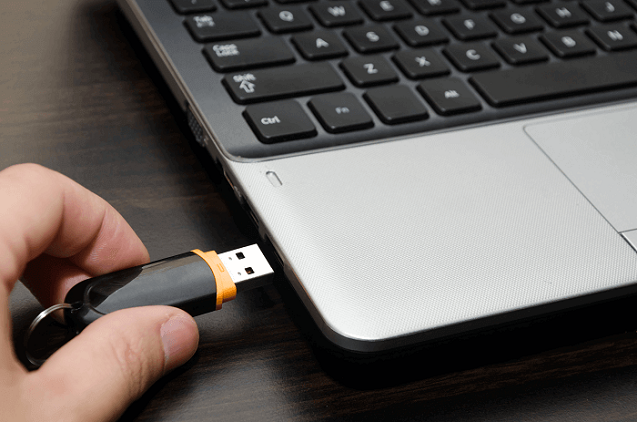
Step 1. Connect your USB flash drive to your computer.
Step 2. Check the drive letter of your USB via This PC.
Step 3. To open Command Prompt as administrator, click the search icon in the taskbar, type "cmd", then right-click "Command Prompt" and choose "Run as administrator".
Step 4. To check a USB drive that was previously formatted, enter the command `chkdsk F: /f` in the Command Prompt, replacing "F:" with the drive letter of your formatted USB drive.
Step 5. To format your pen drive, enter Y and then enter the drive letter of your pen drive.
Step 6. To view all hidden files on your pen drive, you can enter the command `attrib -h -r -s /s /d *.*` in the Command Prompt, replacing `F` with the drive letter of your USB drive. This will display all hidden files on the drive.
Bonus Tip. Restore Formatted Files from USB Drive Backup
If you have a backup of your USB drive data, restore it to recover your files. We recommend backing up your data using free backup software to avoid losing precious documents, images, or other files.
How can Data Be Recovered from Formatted USB/Pen Drives?
One question users often ask is how data on formatted USB drives can be recovered. The answer lies in tools like Deep Data Recovery, which can extract data from formatted drives.
After deleting files, they are not completely gone from the drive, but rather just hidden from view. The data remains until new information is written, which then replaces the marked data as no longer required, effectively erasing the original files.
To avoid losing data, it's crucial to not use a USB drive or any other storage device after it has been accidentally reformatted. This will prevent overwriting the data that was previously lost, making it unrecoverable.
Data recovery software can locate and recover deleted files by scanning drives and identifying files that Windows or macOS no longer recognizes, then allowing users to copy them to a new location.
Conclusion: Why Deep Data Recovery is Your Best Choice
The simplest method to restore data thought lost after reformatting a drive is Deep Data Recovery, a dedicated software tool that makes finding and retrieving files quick and easy, and also offers additional features to cover other data loss situations.
Here are the top three reasons why you should consider using the software: It is user-friendly and easy to navigate, making it accessible to users of all skill levels. Additionally, the software provides a wide range of features and tools that can help you achieve your goals, from data analysis to project management.
- Easy to Use
Deep Data Recovery is known for its user-friendly interface, making it easy to recover files from a formatted USB. The process is straightforward, requiring just three simple steps to get the job done.
- 100% Secure
It's virus-free and plug-in-free. You can download it without worrying about causing any damage to your computer.
- Great Compatibility
This software supports Windows operating systems, including Windows 10, 8, 7, and older versions, as well as various Windows Server editions. It can recover files from Windows laptops, desktops, and external storage devices, and supports multiple file systems, including FAT, NTFS, and others.
Deep Data Recovery offers more flexibility in choosing the files to recover and can help in various data loss situations, making it a viable alternative to command line code or backup files.
Related Articles
- Halo Infinite Won't Download? Download Halo Infinite Free
- Fix 'The Disk Structure Is Corrupted and Unreadable' Without Losing Data
- Fix I/O Device Error on External Hard Drive/USB Drive in Windows
- Fix Windows 11/Windows 10 Is Not Shutting Down or Won't Shut Down
- Top10 Best USB Repair Tool 2022 Update
Sometimes USB drives can get errors, but fortunately, there are several USB repair tools that can easily fix USB corruption. Qiling data recovery software can also help with USB data loss problems. Among the top 10 best USB repair tools, there are several options available to fix USB issues. - Top 10 Best Video Recovery Software [Free]
The best free video recovery software includes 10 top options that can be downloaded in full version, allowing users to choose the one that suits them best, with Qiling being a popular choice for recovering deleted videos with ease.
Products
Articles & Tutorials
- Data Recovery
- Data Backup
- File Recovery
- File Backup
- System Backup and Restore
- Disk and Partition Clone
- Technical articles
- Mobile articles
- Disk Master Help
- Windows Data Recovery Tutorials
- Windows Secure Delete Tutorials
- Windows Partition Management Tutorials
- Windows File Backup and Restore Tutorials
- Windows System Backup and Restore Tutorials
- Windows Disk Backup and Restore Tutorials
- Windows Clone Tutorials