Reviews on Paragon Backup & Recovery [All Information]
Paragon Backup & Recovery is a software that helps users with data backup and recovery, offering a good choice for those in need. This review covers its main features, advantages, disadvantages, and prices, providing a comprehensive overview.
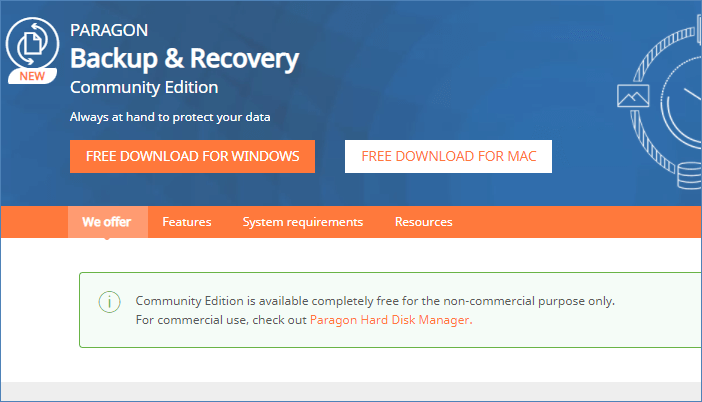
Paragon Backup & Recovery
Paragon Backup & Recovery is a software that enables users to back up and recover their data. Its main features include scheduled backups, customizable backup strategies, WinPE-based recovery, and the ability to explore backup archives as virtual drives.
Main Features:
- Create scheduled backup quickly: You can back up all your data, volumes, and disks, or do it piecemeal. By selecting the OS partition, you can access all the required boot partitions, allowing for a quick restoration of your operating system if it crashes.
- Adjust backup scenarios: Create customized backup strategies with tailored parameters, including backup type, scheduling, retention, and scenario-based jobs that allow you to choose what and where to back up.
- Recovery in WinPE: If your operating system is broken or corrupted, you can restore your entire system, including the OS, installed apps, user settings, and data, using a bootable USB stick.
- Explore your copies: To mount archives as a drive letter, navigate to them like a standard drive to restore individual files, making it easier to access and restore specific files from the archives.
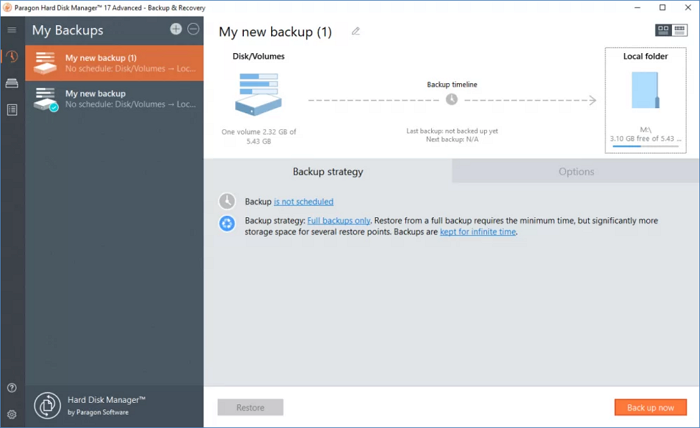
Pros and Cons of Paragon Backup & Recovery
Now that you know what Paragon Backup & Recovery is, let's discuss its pros and cons. This software offers a range of features that can meet your needs, but it's essential to weigh the advantages and disadvantages to determine if it's the right fit for you.
Pros:
- Simple and cost-free file backup
- methods for full, incremental, and differential backup rotation
- makes virtual hard disk backups, including Microsoft VHD/VHDx
Cons:
- Unreliable disaster recovery
- Only the system image can access the drive or partition image, not the other way around.
Prices of Paragon Backup & Recovery
Paragon Backup & Recovery is not entirely free software, with various versions available at different price points.
The Paragon Backup & Recovery Community Edition is a free version with limitations, suitable for basic needs of Mac and Windows users.
Paragon Hard Disk Manager 17 Advanced costs $79.95. Commercial users must upgrade from the free version to the paid version.
Summary
We've covered what Paragon Backup & Recovery is, its advantages and disadvantages, and whether it's the best choice for you. If you need to use the software for commercial purposes, you'll need to pay for it.
I hope you've found the information you were looking for about Paragon Backup & Recovery. Thanks for reading!
If you also need disk management or cloning, compare the broader products in Paragon Hard Disk Manager vs Qiling Disk Master; this is a different comparison from Backup & Recovery alone.
Related Articles
- Complete Guide of SATA Cable[Definition, Types, Usage & Differences]
- Apple M2 Chip: Release Date, New Features, and Performance
- What is Taskbar in Windows? And How to Use it?
- How to Factory Reset from BIOS on a Windows PC [Methods in 2022]
- Guide on Recovery Partition Not Showing in My Computer | Find Missing Recovery Partition Easily
Fix recovery partition not showing in Windows. Learn why the partition is hidden or missing and how to view, repair, or recreate it safely. - REFS Volume Showing as RAW: How to Fix Without Lossing Data
Is your REFS partition showing as RAW? Are you unable to access the data? Then follow this easy guide where we share the reasons and solutions that can help you fix the problem where REFS Volume Shows as RAW and without any data loss.
Products
Articles & Tutorials
- Data Recovery
- Data Backup
- File Recovery
- File Backup
- System Backup and Restore
- Disk and Partition Clone
- Technical articles
- Mobile articles
- Disk Master Help
- Windows Data Recovery Tutorials
- Windows Secure Delete Tutorials
- Windows Partition Management Tutorials
- Windows File Backup and Restore Tutorials
- Windows System Backup and Restore Tutorials
- Windows Disk Backup and Restore Tutorials
- Windows Clone Tutorials