RAM vs. Hard Drive: The Key Differences You Need to Know
RAM (Random Access Memory) and Hard Drive are two types of computer memory. While most of us are familiar with them, the exact difference between RAM and Hard Drive is often unclear. However, understanding the key difference between them is straightforward: RAM temporarily stores data that the computer is currently using, whereas a Hard Drive stores data permanently, even when the computer is turned off.
What Is RAM
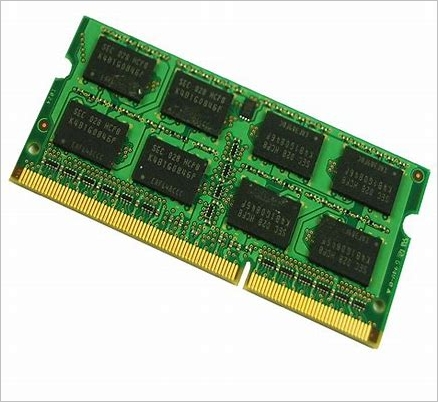
Random Access Memory, commonly known as RAM, is a short-term data storage that holds information the processor needs, allowing for almost instant access. When a program is launched, program-related data is temporarily stored in RAM for easy access. However, RAM is volatile, meaning data is lost when the device is powered off. It typically stores working data and machine code, and when a task is completed, the data in RAM is deleted. The process is repeated for each new task, with relevant data being stored in RAM for the processor to access. This includes temporary storage of data for tasks like online gaming or streaming movies, which are deleted once the process is shut down.
What Is Hard Drive
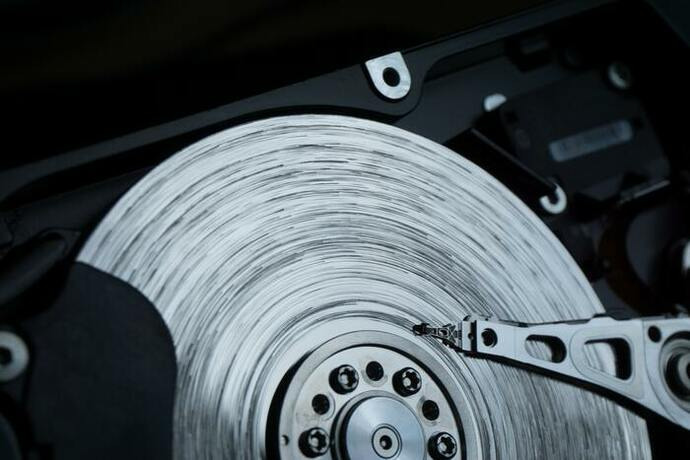
The hard drive, an electromechanical storage device, plays a crucial role in modern digital technology. As the primary data storage hardware in a computer, HDDs store data magnetically on spinning disks. Sitting between semiconductor memory and removable drives in the storage hierarchy, HDDs offer a non-volatile memory alternative to volatile RAM. With the ability to store vast amounts of user data, including pictures, videos, documents, music, programs, and applications, HDDs have come a long way from their initial capacity of 5 MB, with modern drives capable of storing up to 100 terabytes of data in a remarkably portable form.
Key Differences Between RAM and Hard Drive
After understanding the definitions of RAM and Hard Drive, you can appreciate the key differences between them. RAM (Random Access Memory) is a type of computer memory that temporarily stores data and applications for quick access, allowing your computer to run smoothly.
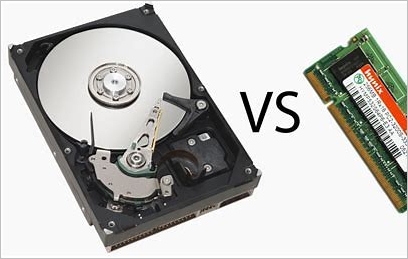
- Memory Type: RAM is a volatile memory that only stores current program instructions and data, and loses information when the device is turned off. In contrast, a hard disk drive (HDD) is a non-volatile memory that retains stored data even if power is lost, requiring no RAM storage.
- Data: RAM (Random Access Memory) is a short-term storage device that temporarily holds working data and machine code, allowing the processor to access it quickly. In contrast, a hard drive is a permanent storage device that stores all digital content and data on a user's device, including files, programs, and applications, providing a more stable and long-term storage solution.
- Form Factor: RAM (Random Access Memory) comes in two main sizes: DIMM (Dual Inline Memory Module) for desktops and servers, and SO-DIMM (Small Outline DIMM) for notebooks. These two types of RAM work similarly but are not interchangeable. Similarly, Hard Disk Drives (HDDs) come in two main sizes: 3.5-inch drives for desktop computers and 2.5-inch drives for laptops.
- Speed: RAM is significantly faster than other storage devices like HDDs, which have speeds ranging from 5,400 RPM to 10,000 RPM, with most desktop HDDs running at 7,200 RPM. The speed of RAM is a key factor in determining a computer's operating speed, and it's the amount of RAM that impacts performance, not the HDD.
RAM vs. HDD: Comparison Chart
The main differences between RAM and Hard Disk Drive are summarized in a comparison chart, which can be viewed for more detailed information.
| Comparison | RAM | HDD |
|---|---|---|
|
RAM VS HDD |
|
|
Related Articles
- [Solved] What Happens If I Interrupt System Restore Windows 10?
- Windows 11 Is Affecting Performance on AMD CPUs, Fixes Are Coming Soon
- Full Backup vs. Incremental Backup: Definition, Pros and Cons
- 0xC1900101 Error in Windows Update, Cannot Install Windows 11 [FIXED]
- Fix There Are No Free MBR Slots on the Disk [2023 Best Solution]
If you see 'No free MBR slots on the disk', following our above solutions should fix them. But if you do it with the command prompt, you will lose all your files on the disk. So that's the only drawback. - This Device Cannot Start Code 10 - 12 Methods Included
Fix This device cannot start Code 10 in Windows. Try driver updates, device checks, hardware troubleshooting, and system repairs.
Products
Articles & Tutorials
- Data Recovery
- Data Backup
- File Recovery
- File Backup
- System Backup and Restore
- Disk and Partition Clone
- Technical articles
- Mobile articles
- Disk Master Help
- Windows Data Recovery Tutorials
- Windows Secure Delete Tutorials
- Windows Partition Management Tutorials
- Windows File Backup and Restore Tutorials
- Windows System Backup and Restore Tutorials
- Windows Disk Backup and Restore Tutorials
- Windows Clone Tutorials