All Information About Recovery Media Creator [Updated 2022]
Background
If your computer runs into problems, having a Windows 10 recovery drive can help you refresh or reset your computer. To create a USB recovery drive, you'll need the Recovery Media Creator tool, which is useful for both casual users and professional developers at critical moments.
What Is Recovery Media Creator?
Recovery Media Creator is the Windows Recovery Environment (Windows RE), a built-in tool in the Windows system. It allows you to create a recovery drive, which can help troubleshoot and fix problems such as hardware failure or system corruption, and even reinstall the Windows system if your computer won't start.
What Is A Recovery Drive?
A recovery drive is a copy of your Windows 10/11 system and data stored on an external source, such as a DVD or USB drive, typically using a USB drive.
Warning:
To avoid running out of space on your Windows 10 booting USB drive, get a flash drive with at least 16GB of storage space and make sure it's empty, as the process will delete any existing data.
How to Create A Recovery Drive with Recovery Media Creator
If your PC is malfunctioning, you can restore it to a previous working state by creating a recovery drive using the Recovery Media Creator. This allows you to revert your computer to a point in time when it was functioning normally, effectively troubleshooting the issue.
Step 1. Connect the USB drive to your PC
In Windows 10, search "create a recovery drive" in the search box and click open.

If you're unable to recover your Windows installation using the steps provided, you can try searching for "Recovery" in the Control Panel and selecting "Create a recovery drive" from the search results. This will allow you to create a recovery drive that can be used to reinstall Windows if needed.
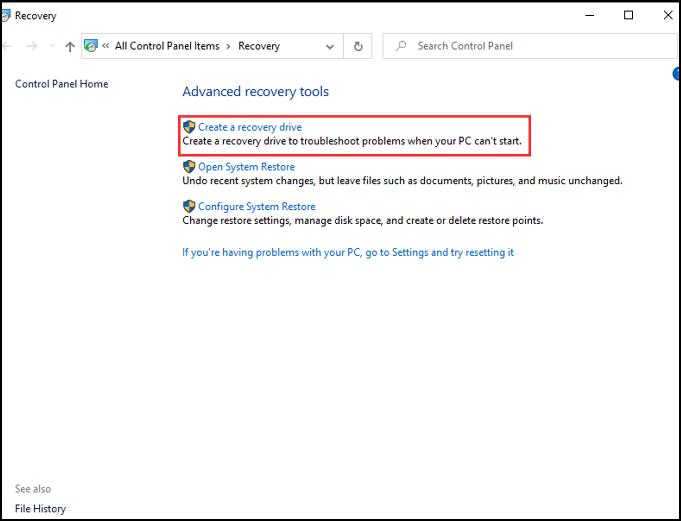
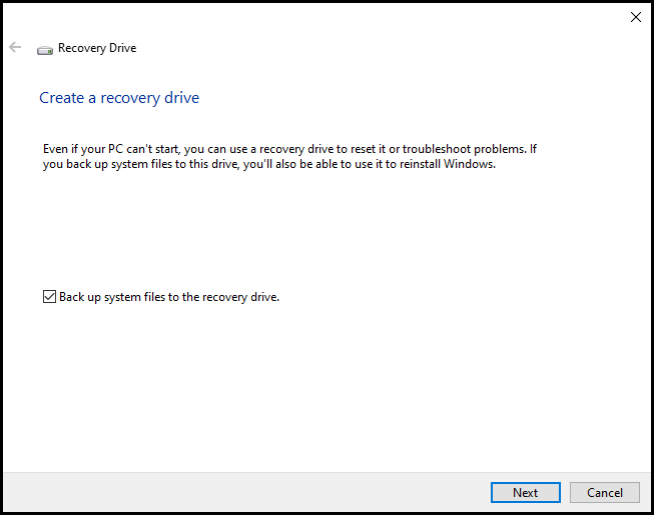
In the System Protection settings, select the drive where you want to back up your system files, then check the box next to "Back up system files to the recovery drive" and click Next.
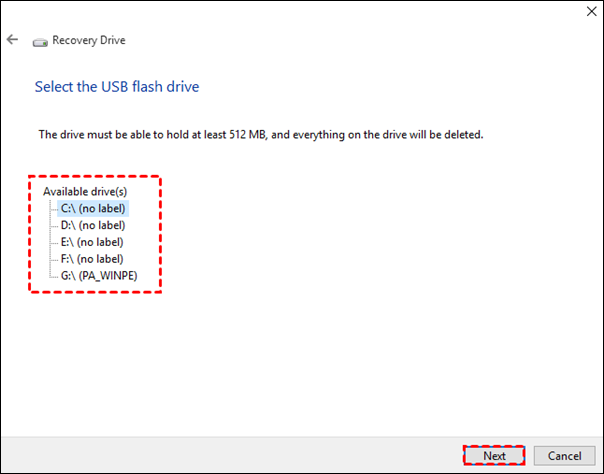
Connect the USB drive, select it, and click next.
Step 5. Click "create" to start.
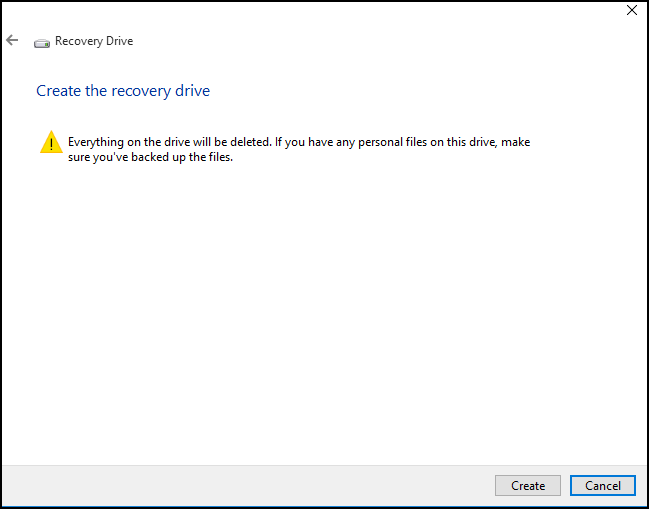
The contents of the USB drive will be deleted, so please ensure that there is no crucial data on the drive again.
Your Windows 10 recovery drive is now created, and it's essential to store it in a safe place. This drive will be used if you need to refresh or reset your PC, so don't use it to store other files or data.
Related Articles
- What Is IOPS (Input/Output Operations Per Second) and How Do You Measure It?
- What Is 8K Resolution? [All You Should Know 2022]
- What is Video Ram (VRAM)? How to Check and Increase VRAM in Windows 10
- All Information About System Restore Explorer [Updated 2022]
- How to Fix Dev Error 6634 in Warzone in Windows 10/11
Dev error 6634 is a Windows error caused by outdated operating system or graphic card drivers, which can be resolved by updating the drivers or ensuring the device is up-to-date. - {Solved}How to Fix No Audio in Windows 11?
The Windows 11 Operating System update has been a hot topic, bringing numerous great features. However, some users have experienced the frustrating issue of no audio in Windows 11, and this guide aims to provide potential resolutions to this problem.
Products
Articles & Tutorials
- Data Recovery
- Data Backup
- File Recovery
- File Backup
- System Backup and Restore
- Disk and Partition Clone
- Technical articles
- Mobile articles
- Disk Master Help
- Windows Data Recovery Tutorials
- Windows Secure Delete Tutorials
- Windows Partition Management Tutorials
- Windows File Backup and Restore Tutorials
- Windows System Backup and Restore Tutorials
- Windows Disk Backup and Restore Tutorials
- Windows Clone Tutorials