What Is The Difference between Windows 10 Pro and Windows 10 Pro N
With the rapid advancements in the tech sector, software solutions have become increasingly prominent. Microsoft, a leading tech giant, has responded by launching twelve different editions of Windows 10 to cater to the diverse needs of users in various environments.
If you plan to move from Home to Pro, this guide explains how to upgrade Windows 10 Home to Pro.
Windows 10 comes in various editions, including Windows 10 Pro, Pro N, Home, and Pro Workstation, among others. To choose the right one, consider your specific needs and select the edition that best fits them.
Windows 10 Pro and Windows 10 Pro N are two versions of the Windows 10 operating system. Windows 10 Pro is the standard version, which includes all features including media-related technologies. Windows 10 Pro N is a version that excludes media-related technologies such as Windows Media Player, and is typically offered in European markets to comply with regulatory requirements.
What Is Windows 10 Pro
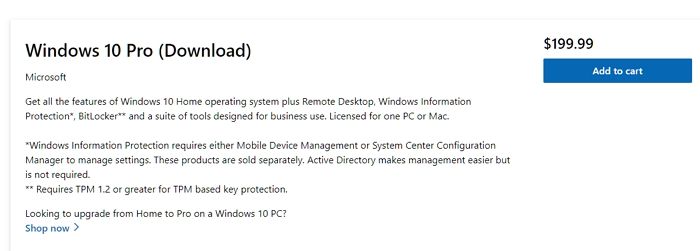
Windows 10 Pro is a popular operating system that offers all the features of Windows 10 Home, plus additional capabilities making it more suitable for business environments, such as Windows Defender Device Guard, Active Directory, and Remote Desktop.
Windows 10 Pro System Requirements
Here are the system requirements for Windows 10 Pro:
- Processor: 1 GHz (gigahertz) or faster
- RAM: 1 GB for 32-bit OS, 2 GB for 64-bit OS
- Hard disk space: 16 GB for 32-bit OS, 20 GB for 64-bit OS
- Graphics card: DirectX 9 or later with WDDM 1.0 driver
- Display: 800 x 600
- Connectivity: Internet connection
Windows 10 Pro Features
Here are some key features of Windows 10 Pro:
- Device encryption
- Windows Hello
- Internet protection
- Windows Defender Antivirus
- Mobile device management
- Enterprise state roaming with Azure
- Group Policy
- Dynamic provisioning
- Assigned access
- Microsoft Store for Business
- Kiosk mode set-up
- Support for Azure Active Directory
- Support for Active Directory
- Windows update for Business
- Firewall and network protection
- Parental controls
- Windows Information Protection
- Secure Boot
- Digital pen and touch
- BitLocker device encryption
- Mobile
- Cortana
- Microsoft Edge
- Battery saver mode
- Virtual desktops
- Domain Join
- Microsoft Passport
- Continuum
- Snap Assist
What Can I Do With Windows 10 Pro
Windows 10 Pro is designed for business settings, offering features like domain join, client Hyper-V, and BitLocker, which are not available in Windows 10 Home.
Windows 10 Pro has features tailored for businesses, making it a good choice for enterprises, but only if they utilize its advanced features, as it can be a costly investment otherwise.
What Is Windows 10 Pro N
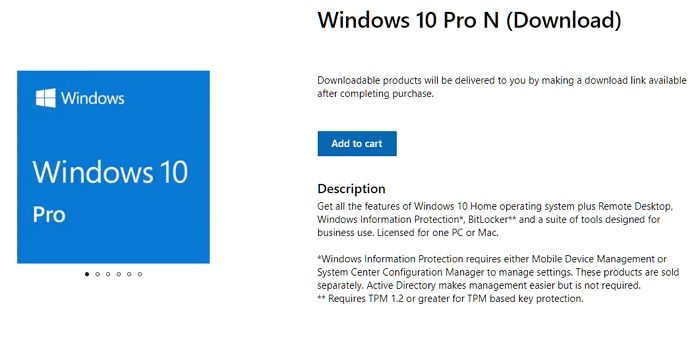
Windows 10 Pro N is a version of Windows 10 Pro that lacks multimedia integration, specifically excluding media-related technologies such as Voice recorder, Music, Skype, Teams, and Video. The "N" version is essentially Windows 10 Pro without media player capabilities.
Windows 10 Pro N System Requirements
Here are the system requirements for Windows 10 Pro N:
- Processor: 1 GHz or faster
- Memory: 1 GB for 32-bit, 2 GB for 64-bit
- Hard Disk Space: Up to 20 GB
- Graphics: DirectX 9 or later with WDDM 1.0 driver, 800 x 600 display
- Connectivity: Internet access
- Microsoft Account: Required for some features
Windows 10 Pro N Features
The Windows 10 Pro N edition lacks media-related features, excluding those present in the standard Windows 10 Pro, such as the ability to play DVDs, watch Blu-ray discs, and stream media content.
Windows Media Player ActiveX control: This feature allows applications to control multimedia playback by exposing properties and methods to change or manipulate it.
Windows Media Player user experience: With this feature, you can enable various Windows Media Player aspects, including playing media files and managing them.
Media Foundation: This feature provides support for various video and audio quality settings, as well as content protection mechanisms.
Movies & TV: This feature allows users to play digital videos, and to use it, one must first install the app.
What Can I Do With Windows 10 Pro N?
Windows 10 Pro N can be used for the same purposes as Windows 10 Pro, but it was primarily designed for Europe due to a previous restriction on the Pro version, which contained built-in media software that was banned in Europe.
In Europe, regulators promote competition among tech companies and give users the freedom to choose their preferred software. As a result, the European Commission required Microsoft to offer a version of Windows without integrated media features, leading to the creation of the "N" editions.
What Is The Difference between Windows 10 Pro and Windows 10 Pro N
Windows 10 Pro and Windows 10 Pro N have some differences, with the main one being that Windows 10 Pro N does not include media functions.
Take a look at the table listing the differences between these two versions –
| Windows 10 Pro | Windows 10 Pro N |
|---|---|
|
|
Conclusion
Microsoft has released twelve different versions of Windows 10 to cater to various user needs. Users can now choose the best version that suits their environment. Notably, the differences between Windows 10 Pro and Windows 10 Pro N are minimal.
Windows 10 Pro N version lacks multimedia features, but users can easily download and install multimedia apps from the app store to use them.
Related Articles
- [3 Ways] How to Uninstall Apps on Windows 11
- What Is M.2 SSD? Definition and Types
- MacBook M1 VS M2: What Is the Difference?
- What Is a Bup File? How to Open and Convert It?
- How to Fix com.apple.DiskManagement.disenter error 49153 [Ventura/Sonoma]
Are you experiencing the com.apple.DiskManagement.disenter error 49153 on macOS Ventura or Sonoma? This troubleshooting guide provides effective fixes to help you resolve the issue. - Guide on Diskpart Create FAT32 Partition | How to Create FAT32 Partition with Diskpart
To create a FAT32 partition using Diskpart, follow this guide.
Products
Articles & Tutorials
- Data Recovery
- Data Backup
- File Recovery
- File Backup
- System Backup and Restore
- Disk and Partition Clone
- Technical articles
- Mobile articles
- Disk Master Help
- Windows Data Recovery Tutorials
- Windows Secure Delete Tutorials
- Windows Partition Management Tutorials
- Windows File Backup and Restore Tutorials
- Windows System Backup and Restore Tutorials
- Windows Disk Backup and Restore Tutorials
- Windows Clone Tutorials