Antivirus Software for PC Free Download: Backup First
Antivirus software helps detect and block malware on a Windows PC. But if files are already deleted, encrypted, or corrupted, antivirus alone may not restore them. Backups are still necessary.
Use Windows Security First
Windows includes Microsoft Defender Antivirus, firewall, reputation protection, and controlled folder access. Keep Windows Security and updates enabled before testing third-party antivirus tools.

Run a Basic Windows Security Check
- Open Windows Security from the Start menu.
- Choose Virus & threat protection and update protection definitions if updates are available.
- Run a Quick scan first. If the PC still behaves abnormally, run a Full scan or Microsoft Defender Offline scan.
- Review detected items before removal. Quarantine is safer than deleting unknown files immediately.
- If files are encrypted, missing, or damaged, do not assume antivirus can recover them. Use backups or recovery tools.
Pick Antivirus Software Carefully
Download antivirus tools only from the vendor's official website or Microsoft Store. Avoid cracked installers, bundled downloaders, and pop-up warnings from unknown websites, because they may add the same malware you are trying to remove.
| Situation | Recommended Action |
|---|---|
| Normal home PC | Keep Windows Security on and add regular backups. |
| Frequent risky downloads | Use stronger web protection and scan downloads before opening them. |
| Business or shared PC | Use managed security settings and keep offline backups. |
| Already infected PC | Back up recoverable data first, then scan offline or from a trusted tool. |
Back Up Before Virus Removal
Step 1. Open Qiling Backup and choose File Backup for important files or System Backup for Windows rollback.
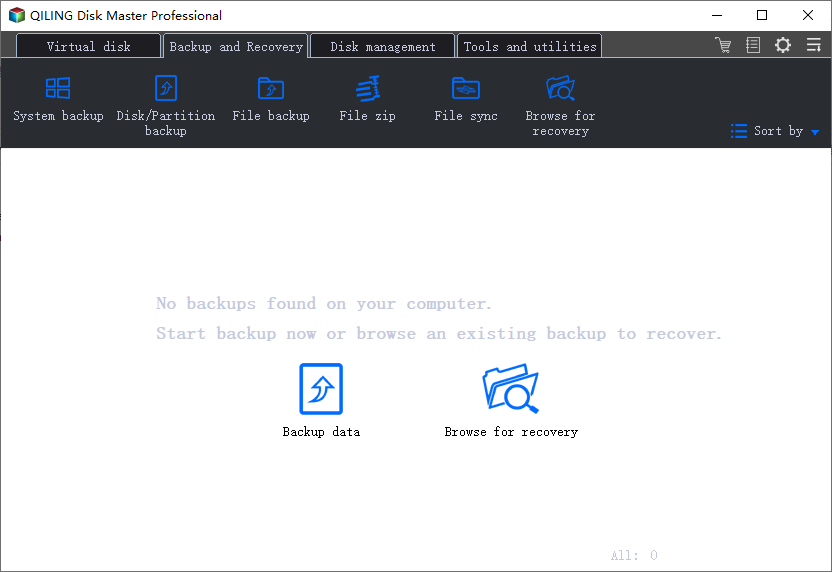
Step 2. Select user folders, project files, browser profiles, or the full system according to the risk level.
Step 3. Save the backup to an external drive and click Proceed. Disconnect the backup drive after the task finishes to reduce malware exposure.
Conclusion
Use antivirus to prevent and remove threats, but keep a separate backup for recovery. The two tools solve different parts of PC protection.
For deciding whether Windows 10 also needs Avast, read Do You Need Avast with Windows 10?
Related Articles
- Windows Defender vs Norton
- Windows Backup App
- Does Windows 10 Come with Antivirus?
Check Microsoft Defender, run a scan, and review what Windows 10 already provides.
Products
Articles & Tutorials
- Data Recovery
- Data Backup
- File Recovery
- File Backup
- System Backup and Restore
- Disk and Partition Clone
- Technical articles
- Mobile articles
- Disk Master Help
- Windows Data Recovery Tutorials
- Windows Secure Delete Tutorials
- Windows Partition Management Tutorials
- Windows File Backup and Restore Tutorials
- Windows System Backup and Restore Tutorials
- Windows Disk Backup and Restore Tutorials
- Windows Clone Tutorials