2022 Best Antivirus Software for Windows 11 (Top 5) + Secure Backup
Quick navigation:
| Recommended Softwares | Features and Pricing |
|---|---|
| 1. Windows Defender | Real-time protection; firewall ; free...Full steps |
| 2. Norton Antivirus | Password Manager; $19.99 or $39.99 per year...Full steps |
| 3. Avira Antivirus | Regularly updated; free and pro: $30.99...Full steps |
| 4. McAfee Total Protection | Vulnerability Scanner; $34.99 per person...Full steps |
| 5. AVG Antivirus | Webcam Security; Free and $59.99...Full steps |
| 6. Beyond Antivirus: Backup | It's a two-layer security solution for your device...Full steps |
Keeping your antivirus program running in the background at all times is crucial due to the constant creation of new malware, ransomware, and viruses. Additionally, it's a good idea to keep your Windows and antivirus software up to date to ensure you have the latest protection.
Windows 11 antivirus software typically includes various types of protection, such as virus, rootkit, bot, worm, trojan horse, spyware, and messaging protection.
What is antivirus software?
Malware detection, prevention and removal software helps identify, block and eliminate malicious software (malware) from a computer system.
Antivirus software scans and removes viruses from your computer, running in the background to provide real-time protection after installation.
Virus protection software safeguards your files and hardware from malware like worms, Trojans, and spyware, and often includes features like customizable firewalls and website blocking.
Antivirus software examines various data sources, including web pages, files, software, and applications, to rapidly identify and eliminate malware.
Most offer real-Antivirus software protects your device from incoming threats, scans your entire computer regularly for known risks, provides automatic updates, identifies, blocks, and removes dangerous code and software.
With the rise of online activity and emerging threats, installing a reliable antivirus program is crucial for protection, and there are many effective options available in the market today.
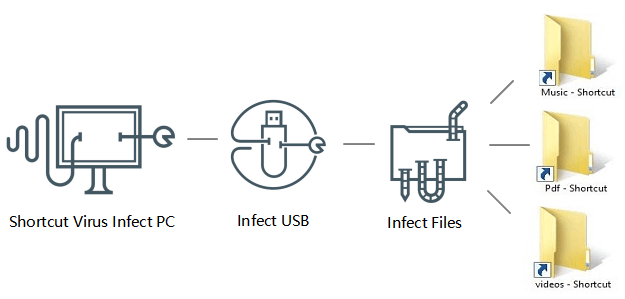
To remove the shortcut virus from a USB, pen drive, SD card, or hard drive, first, unplug the device from your computer. Then, format the device using the built-in formatting tool in Windows or macOS.
When the shortcut virus infects a device, it makes all saved files inaccessible. To access your files, you can remove the virus from your USB drive, pen drive, or SD card using cmd, a shortcut virus removal tool, or other manual methods.
What are the benefits of antivirus software?
Antivirus software protects not only computers, but also personal memories, music and photo collections, and important files from infection, and can defend against recent attacks.
Antivirus software today can do the following:
- Detect, prevent and remove viruses, malware and ransomware.
- Defend against phishing and fraud, and prevent identity theft.
- Be cautious when clicking on links or visiting websites, as they may contain malware, phishing scams, or other security threats. Be sure to verify the authenticity of the website and the link before proceeding.
- Check the dark web to see if your email account has been hacked by searching for your email address and password combination. You can use specialized search engines like Have I Been Pwned or BreachAlarm to do this.
- Encrypt passwords for online accounts to keep them safe.
- Provides easy-The online safety training is designed to educate you and your family on how to stay safe online. It teaches you how to protect your personal data, avoid online scams, and create strong passwords.
- Keep your PC in top shape and run like new.
- The 5 best antivirus software worth your download.
If you have malware, one of the tools mentioned in this article should be able to remove it.
Top 1. Windows Defender
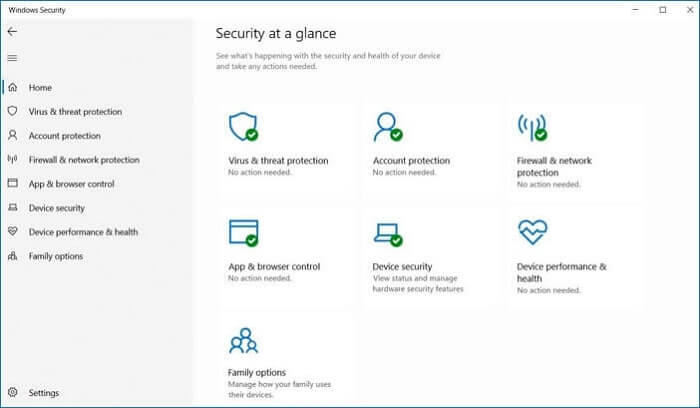
Microsoft Defender Antivirus is a significantly improved version compared to its predecessor, Microsoft Security Essentials. It's now a great free antivirus option for your PC, offering improved protection as a preinstalled feature.
Microsoft Defender is your PC's default antivirus, Windows 11 has built-in security features that protect you from viruses, Trojans, and worms, and other malware, providing some basic security even if you don't have other antivirus software installed.
Microsoft Defender offers real-time protection against threats, but its effectiveness is limited compared to other top antivirus software. It has a higher false positive detection rate and only provides basic protection against identity theft and malware.
Microsoft Defender has limitations in detecting low-risk malware, such as adware, which can lead to system issues and increased risk of more severe threats like ransomware or hijacking.
√ Feature
Microsoft Defender Antivirus, included in Windows Security in Windows 11, offers real-time malware detection, firewalls, and parental controls, providing robust protection and upgrading its flagship antivirus software to keep users safer than ever.
- real-time protection
- firewall
- parental shelter
- cyber security
- User-friendliness
√ Price
Microsoft Defender, a free antivirus software, initially ranked among the top 10 in comparison to other free and premium antivirus software. However, its limitations as a free software can leave your computer vulnerable to infections.
If you need more advanced protection, consider a premium antivirus that offers more comprehensive malware protection.
√ Who is this product suitable for?
Microsoft has improved its antivirus capabilities, but its backup and recovery features are still lacking.
Your PC is at risk due to a lack of security against low-level malware and ransomware, but features like SmartScreen, firewall, and parental controls help boost its security. Microsoft Defender, part of the Microsoft 365 suite, provides enhanced security features for both business and residential customers.
While the antivirus is still effective, it's best to use it in conjunction with other free antivirus programs like Avira or AVG for added protection against malware.
Top 2. Norton Antivirus
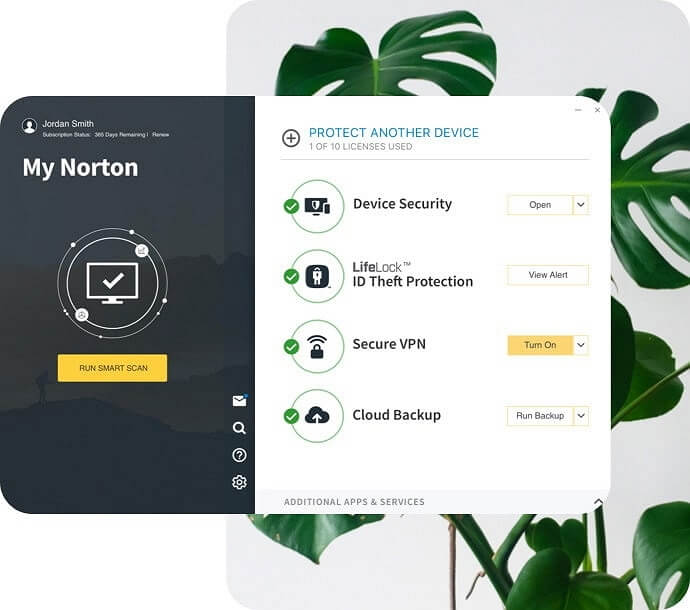
Norton 360 provides comprehensive antivirus and antimalware protection, safeguarding all data on various operating systems, with a strong focus on Windows and Android.
Norton's antivirus software features a unique scanning engine that uses heuristic analysis and machine learning to scan, detect and remove a wide range of malware, including the latest and most sophisticated threats. It earned a 100% protection rating in all of my independent tests, outperforming built-in antivirus software like Windows Defender in detection and threat evasion. I also appreciate that Norton 360 is both easy to use and customizable, with complex settings available for those who want to tailor their security defenses.
√ Feature
- Secure firewall.
- password manager.
- Webcam security.
- A VPN is a network that allows you to connect anonymously to the Internet with unlimited data.
- Monitor the dark web.
- Use of cloud storage.
- Anti-ransomware.
- there are more...
√ Price
Its entry-Norton's AntiVirus Plus plan costs $19.99 a year and includes real-time malware protection, a firewall, a password manager, and 2 GB of encrypted cloud storage, while their Norton 360 Standard plan costs $39.99 per year and includes all of those features plus unlimited VPN access, 10 GB of secure cloud storage, and dark web monitoring.
Upgrading to Norton 360 Deluxe for $39.99 per year offers more licenses (up to 5), storage (up to 50 GB), and powerful parental controls, while Norton 360 with LifeLock starting at $99.48 per year provides identity theft protection and credit monitoring through LifeLock, available only to US users.
√ Who is this product suitable for?
Norton 360 is a powerful, affordable, and reliable antivirus that is ideal for home consumers, offering comprehensive and user-friendly protection with top-notch cybersecurity features at a low annual fee.
Top 3. Avira Antivirus
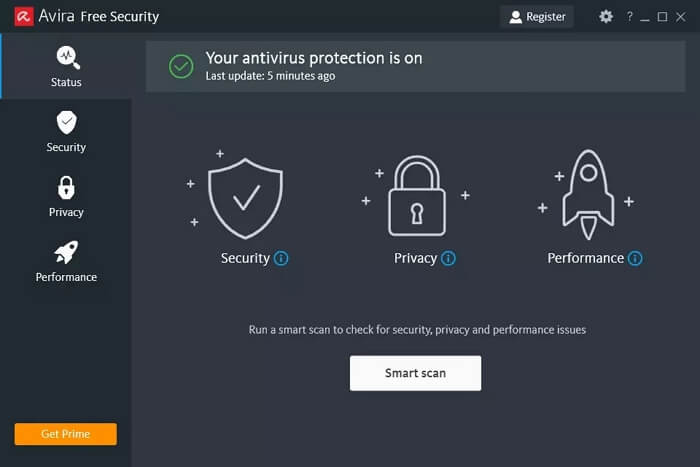
Avira is a lightweight security program that effectively protects systems, having previously topped AV Test and AV-Comparatives tests, but with a slight rating drop in subsequent runs.
It includes a powerful anti-Avira's cloud-based malware engine quickly detects and analyzes malware without slowing down the PC, providing real-time protection and extensive security features such as a firewall, privacy protection, and speed optimization. Additionally, the software includes a secure shopping browser experience that safeguards users' financial information when shopping online.
This tool can be downloaded and installed without requiring your email address, as Avira has a strict policy of not using any user's personal information.
√ Feature
- Real-time antivirus protection
- Windows, Android, iOS and Mac operating systems are supported.
- Regularly updated
- Protection against ransomware
- Anti-adware protection
- Free and paid versions
- cloud security
- Repair damaged files
- Easy to use and set up
- Personal firewall
- parental authority
- Virtual Private Network (VPN)
- Smartphone Optimizer
- Equipment optimization
- Customer service via phone and email
- Play mode
- 30-day money-back guarantee
√ Reliability and safety
Thankfully, there are third-3rd party labs that test antivirus software have the following to say about Avira:
In the 2018 AV-Avira received perfect scores in all tests, including zero-day, internet and email threat tests, and scored 99.9% in malware detection tests.
Avira achieved a score of 99.5% in AV-Comparatives' practical protection test from September 2018, with a detection rate of 96.6% for offline threats and 99.9% for online threats.
The tests of the antivirus software have shown excellent results, giving us confidence in its reliability and safety.
√ Price
The Avira may seem pricey, but it's worth the cost due to its additional features.
Avira Antivirus offers a free version that includes additional security features, such as a password manager and a Safe Shopping extension, beyond its basic antivirus capabilities. This free version can provide a good level of protection for your computer.
For comprehensive protection, consider purchasing a package that includes unlimited VPN access, web security, ransomware protection, and advanced mobile apps.
Avira Antivirus Pro is a budget-friendly option for US users, offering a cost-effective way to feel safe online without breaking the bank.
- Avira Antivirus Free Edition: Free
- Avira Antivirus Pro is $30.99.
- Avira Internet Security is priced at $40.99.
- Avira Prime starts at $59.99.
√ Who is this product suitable for?
Avira is a powerful antivirus program that offers advanced security features, making it ideal for large businesses or organizations, with its ability to detect and protect against ransomware and malware.
Avira Antivirus got our thumbs up!
Top 4. McAfee Total Protection
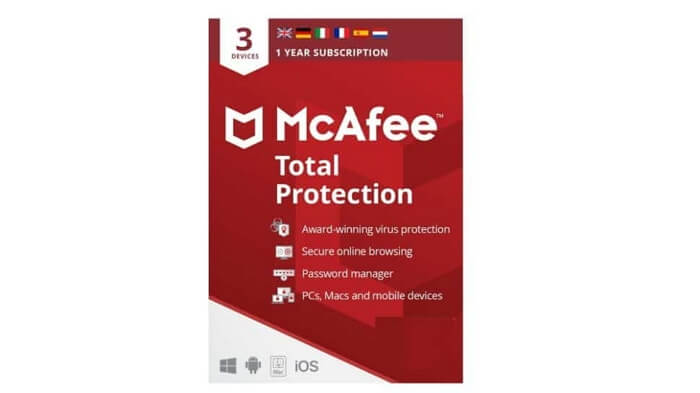
McAfee Total Protection is a comprehensive security package that includes features such as antivirus, antispyware, firewall, and parental controls. It provides powerful protection for home computers, with one-click system scans to keep them running at top speed. The software also allows for parental controls to be set, enabling users to manage content on every device in the home and set time limits to ensure kids don't use their gadgets when they should be sleeping or studying.
McAfee's membership options for Windows 11 include a VPN, password manager, and web extension suite, providing comprehensive protection and performance enhancements.
McAfee provides 24/7 live chat, customer helpline, and community forums for support, along with a McAfee Virtual Assistant for quick answers to simpler questions.
McAfee's cost matches its quality, making it a worthwhile investment with its secure storage, VPN, and password manager features.
√ Feature
- Protection against ransomware
- quick cleaning
- Shredder
- Vulnerability Scanner
- McAfee Network Advisor (McAfee)
- McAfee's Password Manager
√ Price
- $84.99 for a single device
- $34.99 per person
- $39.99 for the whole family
- LiveSafe $34.99
√ Who is this product suitable for?
McAfee AntiVirus Plus performed well in our tests, particularly in phishing prevention and malicious URL blocking. However, independent lab results were inconsistent. It provided comprehensive protection on Windows.
McAfee's antivirus software for Windows is highly feature-rich, but its macOS and iOS versions offer less comprehensive protection. Despite this, McAfee remains a top choice for Windows users due to its extensive features.
Top 5. AVG Antivirus
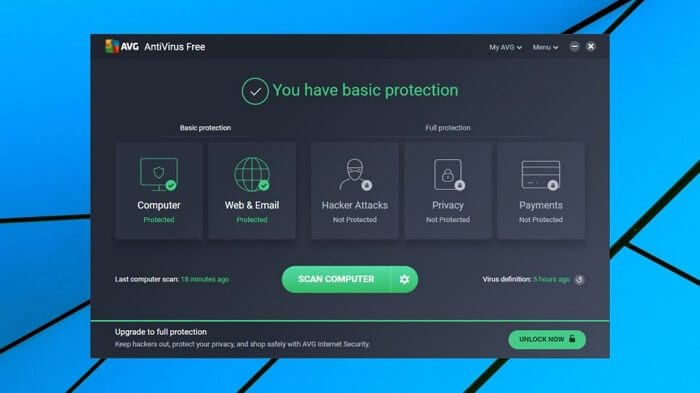
AVG Antivirus offers a solid anti-malware program with unique features, including a phone tracker, and excels in malware detection tests. It also protects against ransomware, and a free version is available, although it only provides virus protection, requiring a commercial subscription for full features.
Using AVG Antivirus is a safe bet, as it won't harm your system and is an excellent tool for detecting existing infections and preventing new ones from invading the system.
AVG Antivirus, which uses the same engine as Avast, achieved 99.99% malware protection in a lab test by AV-Comparatives in March 2021, outperforming Avira and ESET. However, it also detected 20 false positives, a relatively high number.
√ Feature
- Data masking of sensitive information
- Artificial Intelligence-Based Phishing Threat Detection
- webcam security
- Improved firewall
- reliability and safety
- anti-malware
- Anti-ransomware protection
- Anti-phishing measures
- Scan with Real-ti System
- I am protected
- A third-party security audit has been completed.
- User-friendly interface
- Numerous functions
- Reasonable price (including the free version)
- Customer service via phone and chat
√ Price
AVG antivirus software is available for free on Android, PC, and Mac, but the premium version, AVG Internet Security, costs $46.68 for the first year to cover a Mac or PC, with a renewal price expected to be around $69.99 after a 43% discount. However, it's not compatible with Ubuntu or other Linux distributions.
- AVG AntiVirus Free is a free antivirus program that offers protection against viruses, malware, and other online threats.
- AVG Internet Security $59.99
- AVG Ultimate $59.99
√ Who is this product suitable for?
I recommend purchasing a commercial membership for AVG Antivirus, as the free version only provides malware protection and lacks additional features.
If you upgrade to the paid version, you'll get several important security features, including Sensitive Data Shield, phishing protection, camera protection, and an upgraded firewall that protects against ransomware, making your online life more secure.
Beyond Antivirus - Everyone Needs Backups
As we transition to working from home, it's essential to protect our devices and data from cyber threats. Antivirus software is still a crucial defense against malware, even if you have backups. It's like having a fire extinguisher in your home - you hope never to need it, but it's there just in case. While backups are vital for data recovery, antivirus software helps prevent data loss in the first place. So, yes, you should still use antivirus software, even with backups, to safeguard your devices and data.
Backups protect your important files, images, and other items from theft, accidental deletion, damage, or loss, while online security measures protect against ransomware and other viruses.
Antivirus software is the primary defense against cyberattacks, but it may not be effective if outdated or not updated regularly, as hackers constantly modify malware and viruses to evade detection.
Antivirus and backup are complementary layers in a more complete approach to cyber resilience, with antivirus saving time and work in case of a virus breach, and backup saving time and money in case of ransomware attacks.
Cyber-Resilient companies require automated cloud-based protection against viruses, malware, and identity theft. Implementing a solution like Qiling Backup Free can enhance network resiliency by providing a two-layer security system for devices.
Related Articles
- Solution: Windows Could Not Find the Recovery Environment
- [Unstable Wifi] How to Fix Wifi Keeps Disconnecting in Windows 11
- 2 Fixes: You Must Enable System Protection on This Drive
- Backup and Sync No Longer Available: Try Another Way
- How to Upgrade Windows 10 to Windows 11 without Losing Programs
Upgrading to Windows 11 can bring more advanced features and a more privileged experience. To do this, follow the step-by-step instructions outlined in this article, which will guide you through the process of upgrading from Windows 10 to Windows 11 without losing any programs. - Oops, Your Files Have Been Encrypted - What to Do Safely?
If your files have been encrypted by WannaCry or Wanna Decryptor, and you need to recover them, follow this step-by-step guide to remove ransomware from your computer.
Products
Articles & Tutorials
- Data Recovery
- Data Backup
- File Recovery
- File Backup
- System Backup and Restore
- Disk and Partition Clone
- Technical articles
- Mobile articles
- Disk Master Help
- Windows Data Recovery Tutorials
- Windows Secure Delete Tutorials
- Windows Partition Management Tutorials
- Windows File Backup and Restore Tutorials
- Windows System Backup and Restore Tutorials
- Windows Disk Backup and Restore Tutorials
- Windows Clone Tutorials