System Restore Fails After the Windows 11 26H2 Update
Quick Navigation:
- Why Restore Fails After an Upgrade
- Check Shadow Storage and Retry Once
- Use an Image Instead of a Restore Point
- Create a System Image With Qiling Disk Master
- Frequently Asked Questions
System Restore depends on the Volume Shadow Copy service and on restore points stored on the system volume. A feature upgrade rewrites system files and can leave shadow storage inconsistent, so the restore either cannot find a usable point or fails while extracting files.
Why Restore Fails After an Upgrade
A restore point records the registry and selected system files at a moment in time. The upgrade changes both, and it can invalidate points created before it.
Two symptoms dominate: the tool reports that no restore point exists, or it starts and then fails with an extraction error. The first is a storage or retention problem; the second is a damaged shadow copy.
Neither symptom means the machine is unrecoverable. It means System Restore is no longer the right tool for this machine.
Check Shadow Storage and Retry Once
Open System Protection and confirm that protection is on for the system volume and that shadow storage has a non-zero allocation. An allocation of zero removes every point silently.
Restart the Volume Shadow Copy service, then retry from the recovery environment rather than from Windows. Restoring from outside the running system avoids file locks that cause extraction failures.
If the retry fails at the same file, stop. Repeating it cannot repair a shadow copy that was written before the upgrade.
Use an Image Instead of a Restore Point
An image backup restores the whole system volume, the boot partitions, and the boot configuration, which is a complete rollback rather than a partial one.
Check whether you have an image from before the upgrade. If not, create one now so the next change is reversible, then fix the machine by other means.
Keep the image on a separate disk. An image stored on the system volume is lost in exactly the failure you are protecting against.
Create a System Image With Qiling Disk Master
Qiling Disk Master writes a block-level system image and can restore it from bootable media, which covers the cases where System Restore cannot start at all.
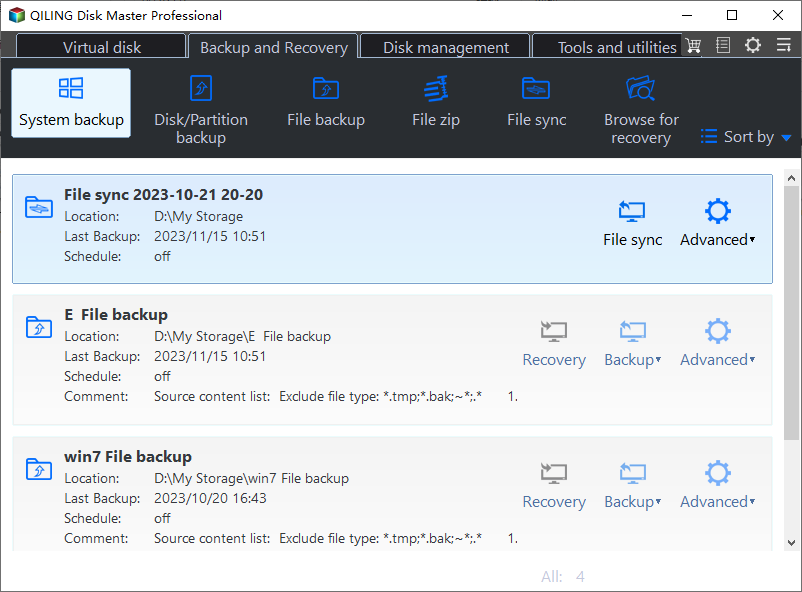
Step 1. Choose System Backup
Open the program and select System Backup. It includes the boot partitions that a restore point never covers.
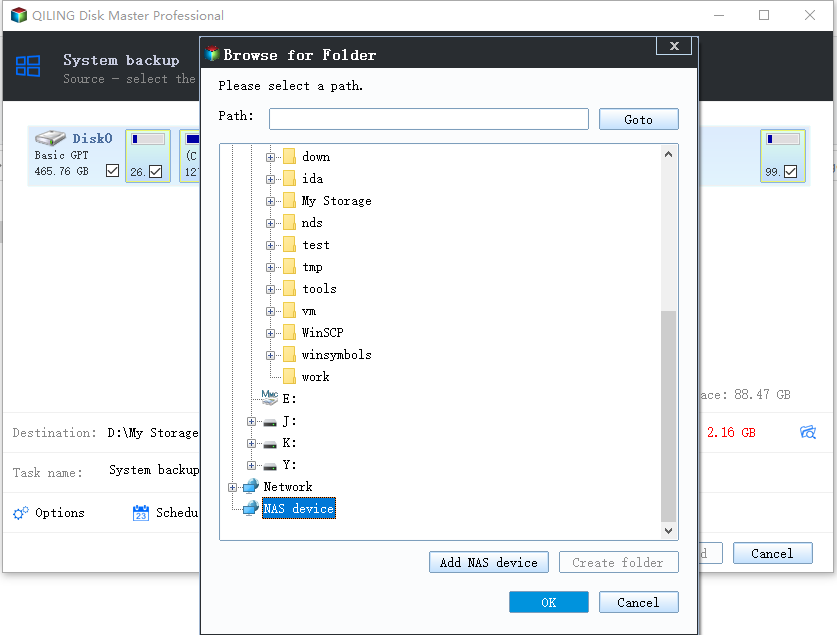
Step 2. Choose an External Destination
Write the image to an external disk or a second internal disk. Confirm free space against the used space of the system volume.
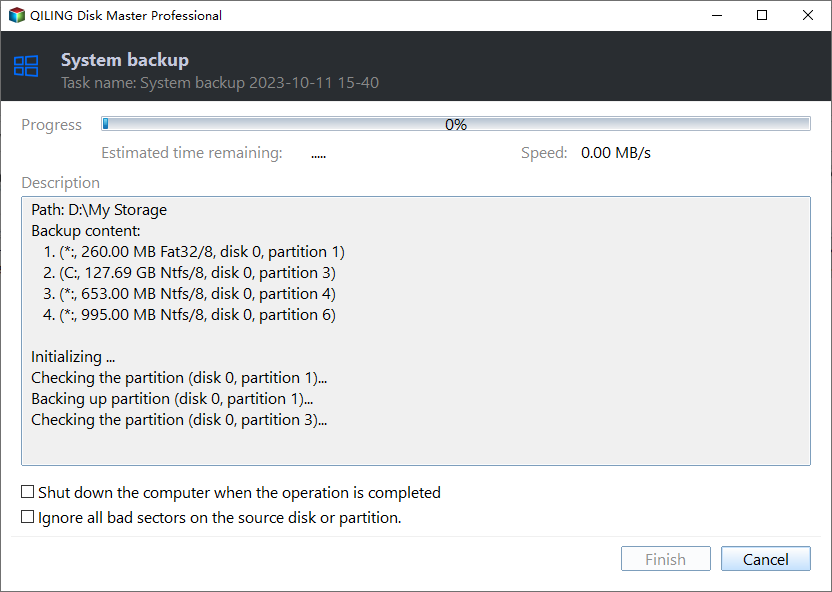
Step 3. Preview and Proceed
Review the task summary and start the job. Keep the destination connected until it finishes.
Step 4. Verify the Image
Open the image and browse a folder from it. That check is what makes the image usable when you need it.
Frequently Asked Questions
Can I create new restore points after 26H2?
Yes, once protection is re-enabled and shadow storage is allocated. Points created after the upgrade are the ones that work.
Does a restore point remove my personal files?
No, it restores system files and settings. Documents and photos are not part of the restore set.
Why did every old restore point disappear?
The upgrade can delete points that are no longer compatible, and a zero shadow storage allocation removes them silently.
Is an image better than a restore point?
It is more complete and more reliable after a feature upgrade. A restore point is lighter but covers less.
For the built-in restore procedure, see restoring a computer to an earlier date.
Related Articles
- Restore Computer to an Earlier Date
- System Image Backup Removed in Windows 11
- Windows Backup Error 0x8078005D
- Roll Back the Windows 11 26H2 Update
- How to Back Up a Hard Drive
Products
Articles & Tutorials
- Data Recovery
- Data Backup
- File Recovery
- File Backup
- System Backup and Restore
- Disk and Partition Clone
- Technical articles
- Mobile articles
- Disk Master Help
- Windows Data Recovery Tutorials
- Windows Secure Delete Tutorials
- Windows Partition Management Tutorials
- Windows File Backup and Restore Tutorials
- Windows System Backup and Restore Tutorials
- Windows Disk Backup and Restore Tutorials
- Windows Clone Tutorials