Best Ways to Store Videos Long Time [4 Choices 100% Working]
- 1. Is It Necessary to Store These Videos for a Long Time
- 2. 4 Ways to Store Videos Long Time
- 1) Store Long Video to Digital Drive(HDD, SSD, USB)
- 2) Save Long Videos to Cloud Service(Google Drive, DropBox, OneDrive)
- 3) Burn Videos on Optical Disc(CD, DVD, Blu-Ray)
- 4) Use A Backup Software(Recommended Qiling Backup)
- 3. Sum Up: A Comparison of Four Methods
- 4. FAQ on Best Ways to Store Videos Long Time
Is It Necessary to Store These Videos for a Long Time
Videos take up significant storage space on your devices, and keeping them indefinitely can be challenging if storage is limited.
The answer is YES -- it is absolutely necessary to store your videos for the long term. Videos capture irreplaceable moments, family memories, and important events that you will want to revisit years from now.
Having a backup of your memories provides peace of mind, knowing that your precious moments are preserved and can be accessed again whenever you need them.
To keep videos for a long time, consider using a cloud storage service like Google Drive, Dropbox, or Microsoft OneDrive. These services allow you to upload and store videos online, making them accessible from anywhere and providing a backup in case of local storage failure. You can also use external hard drives or USB drives to store videos locally, but make sure to back them up regularly to prevent data loss.
There are many ways to preserve your precious memories for a long time, and the best approach often depends on your specific needs and personal convenience.
To store videos for a long time, there are four effective methods to consider: saving videos on digital drives (HDD, SSD, USB), uploading them to cloud services (Google Drive, Dropbox, OneDrive), burning them onto optical discs (CD, DVD, Blu-Ray), and using backup software like Qiling Backup.
4 Ways to Store Videos Long Time
Here are four ways to store videos long-term:
1) Store Long Videos on Digital Drive(HDD, SSD, USB)
People often store videos long-term on digital drives, such as external hard drives, solid-state drives, or USB flash drives.

Storing videos on a digital drive is a straightforward process that requires minimal effort. Simply connect the drive to your computer and you can easily copy and paste your videos onto it, making it a convenient way to manage and access your video collection.
Digital drives are a cost-effective option, with external hard drives typically costing around $50 and USB flash drives as low as $10.
Digital devices have large storage capacities, allowing users to choose from various options based on their specific needs.
These digital devices are portable, allowing you to take them wherever you go. If you're concerned about losing them, you can always back them up to another drive or even to the cloud.
Storing videos on a digital drive can be risky as they can be damaged or lost if the drive is lost or damaged, making it essential to have a backup plan in place.
Storing videos on a digital drive is a cost-effective and simple method for preserving them for a long time.
2) Save Long Videos on Cloud Service(Google Drive, DropBox, OneDrive)
Cloud storage is a newer way to store files, including videos, by saving them on a remote server that can be accessed from anywhere with an internet connection.
Cloud storage providers like Google Drive, Dropbox, and OneDrive offer various features and pricing plans, catering to different user needs.
Using a cloud service allows your videos to be stored online, ensuring they are safe even if your device crashes or is lost, providing peace of mind.
Using a cloud service allows you to access your videos from anywhere with an internet connection, making it easy to share them with family and friends who live far away.
Using a cloud service for video management has the drawback that you need an internet connection to access and manage your videos, which can be a problem if you're in a location with no internet.
Using a cloud service can be expensive, especially if you have a large collection of videos, as some services charge monthly fees.
Google Drive, Dropbox, and OneDrive offer varying free storage capacities, with Google Drive providing 15 GB, Dropbox offering 2 GB, and OneDrive offering 5 GB. In terms of paid storage, Google Drive charges $1.99/month for 100 GB, $9.99/month for 1 TB, and so on, while Dropbox charges $9.99/month for 1 TB. OneDrive has a different pricing structure, with $1.99/month for 50 GB, $3.99/month for 100 GB, and so on.
Storing videos in the Cloud can be a convenient option for accessing them from anywhere, but it may come with a cost, so consider the expense before signing up.
3) Burn Videos on Optical Disc(CD, DVD, Blu-Ray)
Optical discs have largely been replaced by digital devices, but they still have a place in the world of video storage, particularly for long-term preservation.
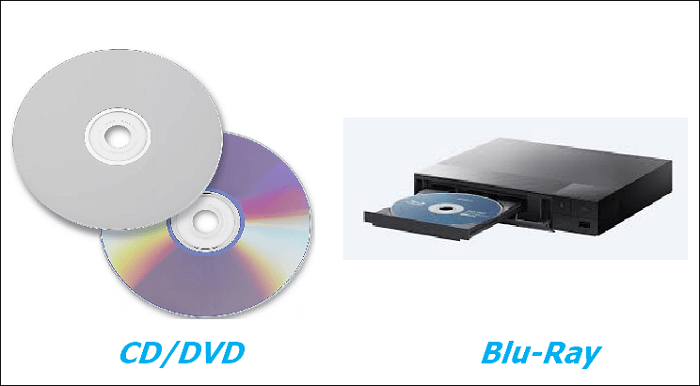
Optical discs are a cost-effective option for storing media, with a pack of CDs or DVDs typically priced around $10. Additionally, if you have a Blu-Ray player, you can also store your videos on Blu-Ray discs, offering a more affordable alternative to other storage methods.
Optical discs are easy to use as they only require insertion into a computer or DVD player to watch videos.
The main disadvantage of optical discs is that they can be easily damaged, making them unreliable. Scratches on the disc can render it unusable, and if you lose a disc, you'll have to purchase a replacement.
Optical discs are a cost-effective and convenient way to store videos for a long time, but they can be damaged easily, so handling them with care is necessary.
4) Use A Backup Software(Recommend Qiling Backup)
Apart from the three methods mentioned earlier, backup software is another great way to store your videos long-term. This method combines the advantages of storing videos on a computer (method one) and on an external hard drive or cloud (method two), allowing you to create backups of your videos and store them on your computer or an external hard drive or cloud.

Many backup software programs are available, and Qiling Backup is one of the best to use, offering a free backup function.
Using backup software allows you to create multiple copies of your videos, ensuring that even if one backup is damaged, you'll still have other copies to fall back on.
Using backup software has several benefits, including the ability to schedule automatic backups of your videos, making it easy to restore a backup if needed.
Qiling Backup offers 250GB of free cloud storage, allowing users to store backups off-site.
The software is free to download and install, and the process is straightforward.
Qiling Backup is a reliable and easy-to-use backup solution that is perfect for those looking for a hassle-free way to protect their data.
Sum Up: A comparison of Four Ways
The four best ways to store videos long-term are:
- Save them on digital devices
- Upload them to a Cloud service
- Burn them onto optical discs
- Use a backup software program
The chart below briefly lists the pros and cons of each method, read on and find out which method works best for you.
| Comparison | How long can the video be saved | Pros | Cons |
|---|---|---|---|
| 1. Save videos on digital devices |
|
|
|
| 2. Upload them to a Cloud service |
|
|
|
| 3. Burn them onto optical discs |
|
|
|
| 4. Use a backup software program |
|
|
|
The chart highlights the pros and cons of each method, making it difficult to determine the best way to store videos long-term. Ultimately, the choice depends on your priorities. If reliability and ease of use are top concerns, Qiling Backup stands out as a great option for storing videos long-term.
You may also be interested:
FAQ on Best Ways to Store Videos Long Time
1. How do you store videos for 20 years?
Using a backup software program or storing data on an external hard drive is the best option as it allows for multiple backups and off-site storage.
2. What is the longest lasting storage media?
CDs and DVDs are examples of optical storage media that can last a long time, but they are also easily damaged by scratches, so they require careful handling.
3. Where can I store long videos for free?
You can store long videos for free on many Cloud storage services, such as Google Drive, Dropbox, and OneDrive, but keep in mind that each has limited free storage. Qiling Cloud offers 250 GB of free storage, allowing you to save a large number of videos.
Related Articles
- [Beginner's Guide] Migrate OS from SSD to M.2 SSD with M.2 SSD Clone Software
- How to Backup SanDisk SD Card for Windows 11/10/8/7
- How to Backup Quick Access in Windows 10 [ 2022 Update]
- 4 Best Backup Software for Synology NAS [Pros and Cons]
- Can I Share Apps Between Two Laptops Using Nearby Share? Yes or No
This guide provides a brief introduction to Nearby Share in Windows and answers the question of whether it's possible to share apps between two laptops using this feature. You can follow the guide to successfully transfer apps and programs between computers. - Can I Use My Laptop Windows on My Desktop
Want to avoid setting up your computer again? With a small USB stick, you can take your Windows system anywhere and use it on your desktop, eliminating the need for repeated setup.
Products
Articles & Tutorials
- Data Recovery
- Data Backup
- File Recovery
- File Backup
- System Backup and Restore
- Disk and Partition Clone
- Technical articles
- Mobile articles
- Disk Master Help
- Windows Data Recovery Tutorials
- Windows Secure Delete Tutorials
- Windows Partition Management Tutorials
- Windows File Backup and Restore Tutorials
- Windows System Backup and Restore Tutorials
- Windows Disk Backup and Restore Tutorials
- Windows Clone Tutorials