What Does Wipe Cache Partition Mean and How to Wipe the Cache Partition
A cache partition is a designated area on a device's storage that stores temporary files to enhance performance by reducing the need for frequent read and write operations on the main storage. If you need to change low-level startup settings, see how to enter BIOS in Windows.
A cache partition is a storage area that holds frequently accessed data, allowing for quick retrieval without having to access slower storage media.
On a smartphone or tablet, the cache partition stores temporary data like app installation files, app data, and system updates, helping to speed up the device's performance by providing quick access to needed data.
The cache partition stores various types of data, including web browser cache files, game data, and system updates, on both computers and game consoles.
Why Would You Want to Wipe the Cache Partition?
You might want to wipe the cache partition on your device to free up storage space, resolve issues with system updates, and improve overall system performance by clearing out temporary files and data that can accumulate over time, potentially causing problems with your device's functionality and stability. This process can help to resolve issues such as slow performance, freezing, and crashes, and can also help to resolve issues with apps not functioning properly. Additionally, wiping the cache partition can help to resolve issues with system updates, such as updates not installing properly or not being recognized by the device.
Improving device performance
Clearing the cache partition can resolve performance issues and slowness on a device by removing outdated or corrupted data that may be causing unexpected behavior.
Freeing up storage space
The cache partition on your device can become filled with temporary data that is no longer needed, taking up valuable storage space. Wiping the cache partition can help free up this space.
Fixing app crashes or other problems
Clearing the cache partition can help resolve issues with a specific app, such as crashes or error messages, by wiping out corrupted app data.
Installing a system update:
Some system updates may require you to wipe the cache partition before installing them, as the cache might have data incompatible with the most recent update.
Resolving boot issues
On rare occasions, a bloated cache can cause boot issues, and clearing the cache partition may resolve these problems.
How to Wipe the Cache Partition
To wipe the cache partition on a computer, you'll need to access the computer's BIOS or UEFI settings and navigate to the Boot menu, then select the option to wipe the cache partition. This process varies depending on the computer's operating system and manufacturer, but it's generally a straightforward process.
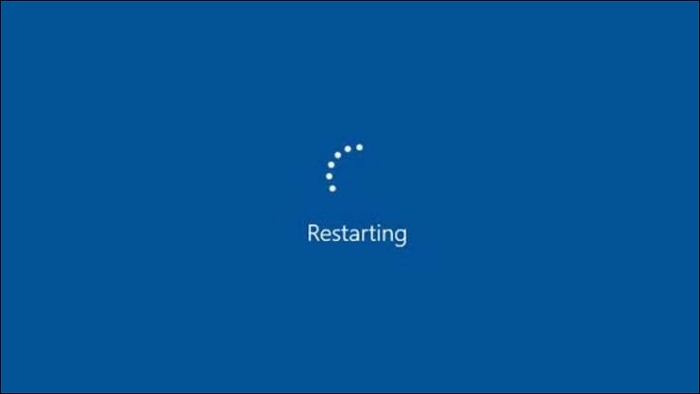
- Restart your computer and immediately begin tapping the key that opens the boot menu, which is usually one of the function keys (F1, F2, F3, etc.), the Esc key, or the Delete key, depending on the computer's make and model.
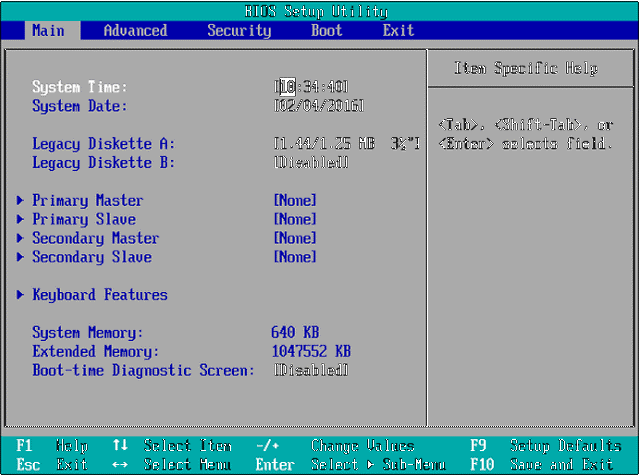
- Once the boot menu appears, select the option to enter the BIOS or UEFI setup using the arrow keys.
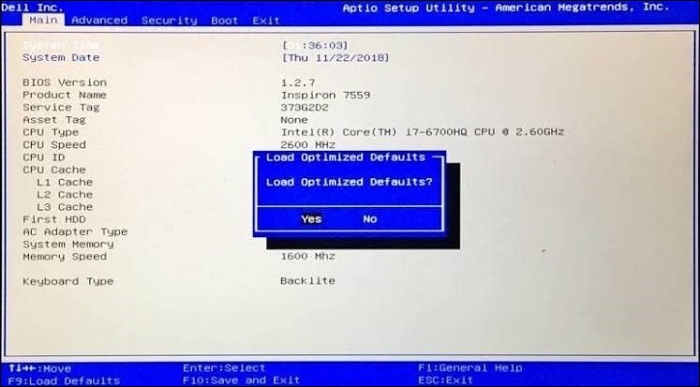
- In the BIOS or UEFI setup, go to the "Boot" or "Advanced" tab and look for the option to reset to default settings, which should clear the cache partition.
- Save your changes, exit the BIOS or UEFI setup, and let your computer boot up normally.
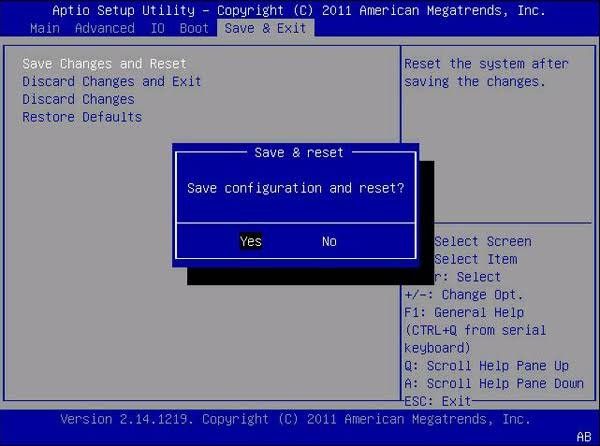
Clearing the cache partition will only reset the BIOS or UEFI settings to their default values, not deleting files or programs, which may help to fix some computer problems.
Conclusion
Wiping the cache partition on a computer can be a great way to fix problems or free up storage space by removing temporary system files, but it's a good idea to back up critical data first.
Clearing the cache partition on a computer can be beneficial, but it's essential to do so at the right time and in the right way. The cache stores frequently accessed data and speeds up processes, so clearing it too often could negatively impact performance. To avoid accidentally removing essential files or information, it's crucial to wipe the cache partition judiciously.
By taking the time to understand and use the process correctly, you can help keep your computer running smoothly and efficiently, ensuring optimal performance.
Related Articles
- How to Fix Error Code 100060 on Mac [Step-by-Step Tutorial]
- 5 Best Free DVD Backup Software/DVD Ripper [Windows & Mac & Linux]
- Fixed: File System Check Exit Code Is 8 | Multiple Plans
- How to Use Diskpart to Set Boot Partition in Windows 10 [2023 New Guide]
- [100% Working] 3 Easiest and Successful Ways to Unprotect Excel
If you've forgotten the password for your Excel sheet, there are ways to unprotect it. You can try one of three methods to regain access to your file, and it's a good idea to make a backup of the original file in case you need it. - How to Fix Unsupported SanDisk SD Card Error [Step-by-Step Guide]
SanDisk SD card has proven useful when you're looking to expand the storage capacity of a device. If your SD card is showing the Unsupported SanDisk SD Card error, there might be some issue that needs fixing. In this article, you'll find effective ways to fix unsupported SanDisk SD card errors.
Products
Articles & Tutorials
- Data Recovery
- Data Backup
- File Recovery
- File Backup
- System Backup and Restore
- Disk and Partition Clone
- Technical articles
- Mobile articles
- Disk Master Help
- Windows Data Recovery Tutorials
- Windows Secure Delete Tutorials
- Windows Partition Management Tutorials
- Windows File Backup and Restore Tutorials
- Windows System Backup and Restore Tutorials
- Windows Disk Backup and Restore Tutorials
- Windows Clone Tutorials