Recover Data from SATA Hard Drive in 3 Steps
SATA hard drives, also known as serial port hard disks, are used as mass storage devices on PCs. However, using a SATA hard drive may result in data loss issues, making it essential to employ a systematic approach to recover data from the SATA hard drive. This article outlines the method for SATA data recovery, aiming to get the data back in working order.
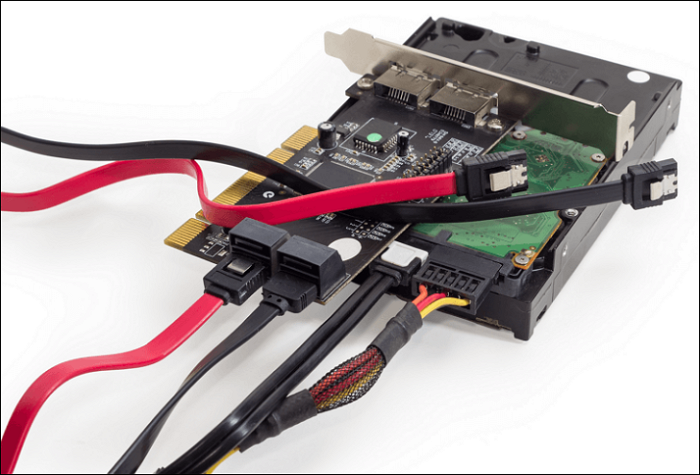
SATA data recovery requires special consideration due to the age of most SATA hard disks. The technique needs to take into account the wear and tear that these older devices have likely experienced.
SATA (Serial Advanced Technology Attachment) Hard drives are a type of hard drive that uses a serial interface to connect to a computer's motherboard. The specifications of SATA Hard drives include a maximum data transfer rate of 6 Gbps, a maximum cable length of 1 meter, and a maximum number of devices that can be connected to a single port of 30.
| Specification | Bandwidth | Transfer Speed |
| SATA 3.0 | 6Gb/s | 600MB/s |
| SATA 2.0 | 3Gb/s | 300MB/s |
| SATA 1.0 | 1.5Gb/s | 150MB/s |
| PATA | 1Gb/s | 133MB/s |
Can Deleted or Lost Data Be Recovered from a SATA Hard Drive
Windows backup software can help save data, and recovery software can retrieve data from SATA hard drives, which are likely from older PCs. Data loss on SATA hard disks can be caused by various factors, such as hardware failure, software corruption, or physical damage. Possible solutions include using data recovery software, checking for loose connections, and running a system file check. However, if the damage is severe, professional data recovery services may be necessary.
SATA losing data from System corruption
Improper Windows installation or up-gradation can cause file system corruption, potentially ruining your SATA disk and leading to data loss. However, if your PC is still in use after reinstalling Windows, you may be able to recover your files.
Losing data by formatting the SATA hard drive
When you format and reformat a SATA hard drive, the operating system checks the disk to ensure all sectors are reliable, erasing any accounting data. However, the old data remains on the drive until it's overwritten by new data, making it relatively easy to recover files after formatting.
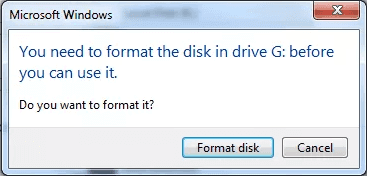
SATA losing data from file corruption
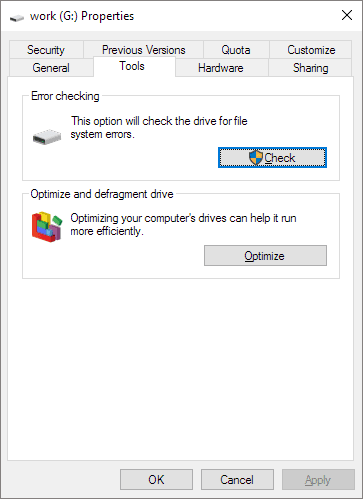
Bad sectors and a faulty file system are significant causes of file corruption, but data can be recovered after repairing the corrupted file system.
Physical damage to the SATA hard drive
A SATA drive can deteriorate from exposure to moisture or salty air, potentially leading to complete failure if the damage is severe. The most common issue is data loss or corruption, but with the help of an expert tool, data recovery is often possible.
Free Download SATA Hard Drive Recovery Software
Try Qiling Data Recovery Wizard to recover data from a SATA hard drive that has erased, lost, or formatted data, or is corrupted or damaged.
Qiling Data Recovery Wizard
- Hard disk data recovery involves retrieving files such as photos, videos, emails, documents, and Microsoft system files from a SATA hard drive.
- The software supports various scenarios such as formatting, OS reinstallation, SATA disk becoming RAW or inaccessible, and hard drive crashes, among others.
- The software supports data recovery from a wide range of devices, including hard disk drives, external hard drives, solid state drives, USB drives, SD cards, CF cards, and digital cameras, among others.
Qiling Data Recovery Wizard is a user-friendly and safe data recovery tool designed for all levels of hard drive users, especially beginners. It's helpful in recovering lost files on a hard disk, regardless of your computer experience.
To recover data from a SATA hard drive, download the Qiling Data Recovery Wizard and follow the steps outlined in the tutorial.
How to Recover Data from SATA Hard Drive
A systematic approach is essential when dealing with SATA hard drive malfunctions and data loss, as various factors can contribute to these issues. Fortunately, SATA hard drive recovery can be completed in just three steps, providing a clear and manageable process for resolving these problems.
Step 1. Select the hard drive that has become inaccessible on your PC and click "Scan" to let Qiling Data Recovery Wizard scan and find your hard drive data.

Step 2. After scanning, you can view and verify the found files on the scanning result window. The "Deleted Files" and "Other Lost Files" folders contain all recovered files. You can also filter by file type to quickly find specific files, then preview them to decide which ones to retrieve.

Step 3. Select the items you want to restore and click "Recover". Choose a secure location (a healthy physical drive on your PC or another external storage device) and click "OK" to start recovering all lost data from your inaccessible hard drive.

To recover deleted files on Windows, watch a video tutorial that provides step-by-step instructions and guidance on how to restore lost files.
- 00:00 - Introducing Hard Drive Recovery Software.
- 00:21 - Reasons for data loss.
- 01:28 - To start the data recovery process, launch Qiling Data Recovery Wizard and let it scan your hard drive. This is the first step in retrieving your lost or deleted files.
- 01:36 - Step 2. Wait for the scanning process to complete.
- 02:15 - Step 3. Preview files and click "Recover".
Final Thoughts
Utilizing the right data recovery software makes it simple to recover data from SATA hard drives, and Qiling Data Recovery Wizard is a trustworthy choice. This effective software protects data security while efficiently recovering lost data.
SATA Data Recovery FAQs
Here are 4 additional questions and answers to help you know more about SATA data recovery.
1. How to recover data from a dead SATA hard disk?
You can recover data from a SATA hard drive using a data recovery tool like Qiling Data Recovery Wizard, which can scan the drive and recover deleted, formatted, or corrupted files.
- Step 1. Download and install Qiling Data Recovery Wizard.
- Step 2. Select the particular SATA drive and click Search.
- Step 3. Select the files you want to restore.
- Step 4. Click Recover to recover files.
2. How to get files off a SATA hard drive that won't turn on?
You can try connecting the SATA hard drive to another working PC to see if the issue is with the drive itself, or you can clone the SATA hard drive to create a copy of its contents.
3. Can I repair a SATA hard drive?
A SATA hard drive can be repaired, but the success of the repair depends on the cause of the malfunction. If the issue is file system corruption, the repair is relatively straightforward. However, if the drive has suffered physical damage, the chances of a successful repair are lower.
4. How to recover data from an internal hard disk that is not detecting?
You may need to purchase an enclosure for the internal drive, plug it into another computer, and then use a professional data recovery tool to recover your data.
5. How to recover data from a scratched hard disk?
If the hard disk becomes corrupted or scratched and you can't start the computer, you can recover the corrupted hard drive by creating a WinPE bootable CD or DVD using Qiling Data Recovery Wizard.
Related Articles
- Unformat USB | Free Download USB Unformat Tool to Recover Data from Formatted USB
- How Long Does It Take | 1 TB Data Recovery
- How to Recover Data from FAT32 SD Card/Hard Drive/USB (Windows & Mac)
- How to Recover Deleted Files from Recycle Bin After Empty Windows 11/10
- How to Recover Shift Deleted Word Documents in Windows 11/10
You can recover Shift deleted Word files in Windows 11/10 using either Deep Data Recovery or by restoring the auto backup files, which can help you retrieve the deleted Word document. - How to Recover Temporary Word Files in Windows 11/10/7
The location of temporary files in Windows 11/10/7 can be found in the %temp% folder, which is typically located in the C:\Users\YourUsername\AppData\Local\Temp directory.
Products
Articles & Tutorials
- Data Recovery
- Data Backup
- File Recovery
- File Backup
- System Backup and Restore
- Disk and Partition Clone
- Technical articles
- Mobile articles
- Disk Master Help
- Windows Data Recovery Tutorials
- Windows Secure Delete Tutorials
- Windows Partition Management Tutorials
- Windows File Backup and Restore Tutorials
- Windows System Backup and Restore Tutorials
- Windows Disk Backup and Restore Tutorials
- Windows Clone Tutorials