How Long Does It Take | 1 TB Data Recovery
Qiling Data Recovery Taking Forever/Stuck
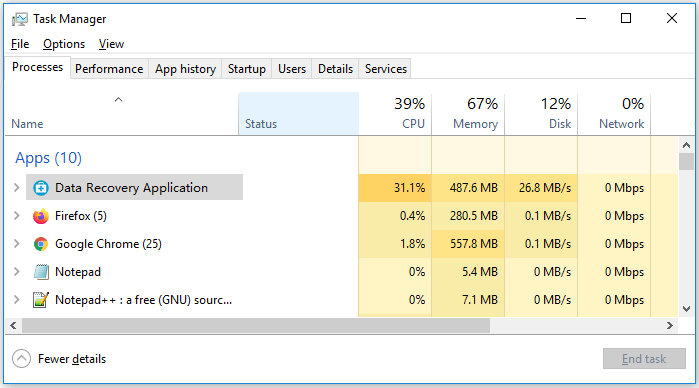
If Deep Data Recovery takes a long time to finish a deep scan or gets stuck at the scanning process, it might be due to a large disk size requiring more time to scan or issues with the hard drive.
Quick Navigation - How to Recover 1TB of Data
If you've lost data, follow this guide to recover 1TB of data or more from your hard drive. 1TB of data is a significant amount of information, equivalent to about 200,000 photos or 250,000 songs.
| Workable Solution | Step-by-step Troubleshooting |
|---|---|
| Recover 1TB Data |
Step 1. Select a location and start scanning. Step 2. Preview and select the files. Step 3. Recover lost data...Full steps |
Recovering terabytes of data, such as 1 TB, can be a time-consuming process, and the timeline is often uncertain. Several factors influence the overall duration of data recovery, making it difficult to provide a clear-cut answer. These factors include the complexity of the data, the type of storage device or system involved, the level of data fragmentation, and the availability of resources and expertise for the recovery process. As a result, the time it takes to recover 1 TB of data can vary significantly from one case to another.
1 - Hardware Condition
If your hard drive is fully functional, recovering data from it will be faster and easier than trying to repair a severely damaged drive. This makes it simpler to deal with cases like accidental deletion, formatting, or viruses.
The recovery time can be influenced by the condition of the source disk and the size of the hard drive, both physically and logically, as a larger device requires more time to scan and recover data correctly.
2 - The OS and the Computer Environment
Operating a computer in high-heat environments with vibrations can increase the likelihood of a hard drive failure. If the hard drive crashes, and the laptop/computer was used in poor conditions, the electronic and physical damage may be more severe, prolonging the data recovery process.
3 - The Type and Size of the Data
As data size increases, both physically and logically, the recovery process becomes longer and more complex. Large files are often fragmented across multiple physical locations, requiring engineers to search and piece together damaged drives, which can slow down the recovery process. Additionally, certain file types, such as those prone to block issues or corruption, may further complicate the recovery process, potentially taking even longer to recover.
4 - Service Type Ordered
A quick scan can save a lot of time if you just want to scan your data quickly. However, if you order a deep scanning process, the recovery process would be longer. A quick scan can help recover deleted data like word documents, photos, videos, music and so on, making it a suggested option for drives that need recovery.
How to Recover 1TB or More Data
The time it takes to recover lost data depends on four factors: the type of data, the condition of the storage device, the complexity of the recovery process, and the quality of the recovery software. Fortunately, reliable software like Qiling hard drive recovery software can make the process much easier. This professional program can recover lost data by doing things such as scanning the storage device, identifying and extracting the lost data, and restoring it to its original location. With Qiling, data recovery is made simple and efficient.
- Recover deleted, formatted, and inaccessible data in various data loss scenarios, including accidental deletion, formatting, virus attacks, power outages, and physical damage to storage devices.
- Recover photos, audio, music, and emails from any storage with ease, safety, and completeness.
- Recover data from various storage devices, including the recycle bin, hard drive, memory card, flash drive, digital camera, and camcorder, to retrieve lost or deleted files.
The entire recovery process can be completed in just 3 simple steps, making it a fast and efficient experience.
Step 1. Select file types and click "Fast Scan" to start
Launch Deep Data Recovery, select the file types you want to recover, and click "Fast Scan" to initiate the recovery process.

Note: You can choose different search modes based on where and why the data was lost.
Step 2. Select a drive and start scanning
Hover over the partition where you lost data, then click "Scan".

Step 3. Check and preview scanned files
To narrow down the scan results, use the file format filter on the left or upper right corner. This will help you find the specific files you need. Once you've filtered the results, you can click the "Preview" button or double-click a file to view its content, if desired.

Step 4. Recover lost data to a secure location
To recover lost data, select the file, check the box next to it, and click "Recover" to restore the data to a secure location, avoiding the original disk to prevent further data loss.
Final Word
If your computer is running smoothly and the hard drive is healthy, data recovery can be done quickly, and our goal is to return your data to you as soon as possible. If you have a data recovery issue, ask for help now.
Related Articles
- Recuva Recovered Files Unreadable and Can't Open [SOLVED]
- How to Fix The Directory Name Is Invalid in Windows 10/11
- Top 6 Best Excel Repair Tools
- Free PDF Recovery: Recover Deleted, Unsaved, and Corrupted PDF File
- Recover Lost Save Data in the Legend of Zelda: Tears of the Kingdom [4 Methods]
If your Legend of Zelda: Tears of the Kingdom game save and is lost, there is a solution. In the Legend of Zelda: Tears of the Kingdom, this page offers four effective strategies to restore deleted Save data. The most effective tool for restoring lost save data is Deep Data Recovery. - 3 Ways to Recover Monster Hunter World/Rise Save Game Data on PC/Steam/Switch
You'll learn the three best ways to recover lost Monster Hunter game data on PC/Steam/Switch. Qiling data recovery software is the most effective method to recover Monster Hunter data and restore lost game saves on a computer and Switch hard drive.
Products
Articles & Tutorials
- Data Recovery
- Data Backup
- File Recovery
- File Backup
- System Backup and Restore
- Disk and Partition Clone
- Technical articles
- Mobile articles
- Disk Master Help
- Windows Data Recovery Tutorials
- Windows Secure Delete Tutorials
- Windows Partition Management Tutorials
- Windows File Backup and Restore Tutorials
- Windows System Backup and Restore Tutorials
- Windows Disk Backup and Restore Tutorials
- Windows Clone Tutorials