Best HDD for Backup in 2022 [Most Comprehensive Guide]
If you're looking for the best HDD for backup, this article is here to help. It provides buying advice and lists the top backup HDD options, ensuring you find the perfect one for your needs and preferences.
Best HDD for Backup: Everything You Should Know
Before you choose HDD for your computer backup, you need to figure out some things about it.
Definition: What is HDD?
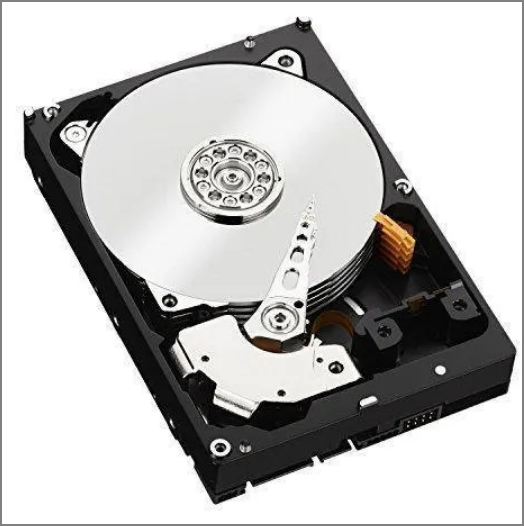
A hard disk drive (HDD) is a computer's basic storage drive, often referred to as a C drive or D drive, and has been around for decades.
Importance: Are HDDs good for backup?
HDD is a suitable choice for backup purposes due to its high capacity and relatively low cost. However, it also has some drawbacks that need to be considered.
Pros
1. Inexpensive
Compared to SSD, HDD is low cost.
2. Large capacity
A hard disk drive (HDD) has a large storage capacity, with laptop models reaching up to 2TB and desktop models reaching up to 10TB.
3. Technology Validation
HDDs have been around for nearly four decades and have overcome numerous technical challenges, making them a reliable and widely used storage solution.
Cons
1. Slow speed
Hard Disk Drives (HDDs) are generally slower than Solid-State Drives (SSDs) in transferring and backing up data, taking longer to complete these tasks.
2. Loud sound
HDD has rotating disks, which will generate noise when rotating.
3. Vulnerable to being attacked
HDD parts will easily wear out or break.
Although hard disk drives (HDDs) have some disadvantages, they remain a reliable option for backups, thanks to their high storage capacity, which can meet various backup needs. Despite their limitations, HDDs are still a viable choice for storing backups, and the next step is to learn how to select the best HDD for this purpose.
Best HDD: How to Choose the Best HDD for backup?
When selecting a good HDD for computer backup, consider factors such as storage capacity, speed, power consumption, durability, compatibility, and price. A larger storage capacity can hold more data, while a higher speed ensures faster data transfer.
1. Capacity and price
The choice of a hard drive (HDD) for backup depends on the amount of data you need to store, and it's not necessary to overspend on storage space that you don't require.
2. Performance and speed
Hard disk drives contain spinning disks or platters that can read and write data, with faster platters enabling quicker data transfer.
3. After-sales Service
To ensure a hard disk drive's longevity, it's essential to select one with high durability and a long warranty period, making it a consumable item that can withstand the rigors of frequent use.
Best HDD for Backup Recommend
With the viability of HDDs as backup storage established, choosing the right one for your needs is key. Considering factors such as storage capacity, speed, and durability is essential. After selecting a suitable HDD, cloning it can be done easily. This article provides a reference for five of the best HDDs for backup, highlighting their advantages and disadvantages, to aid in making an informed decision.
1. Seagate BarraCuda
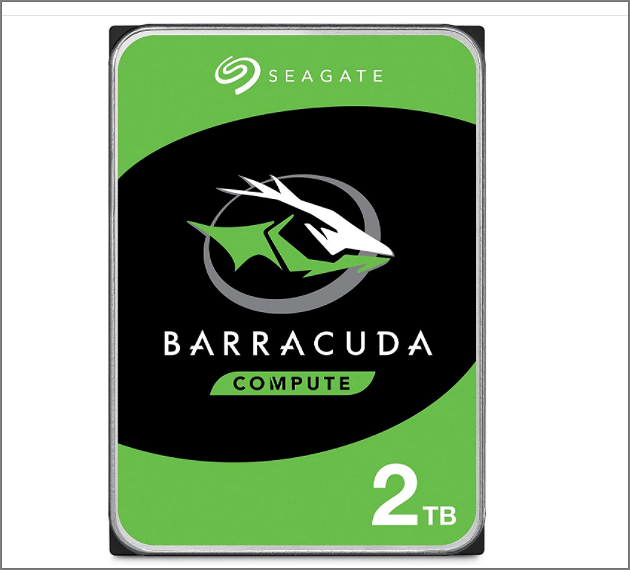
Seagate's BarraCuda product line is notable, featuring a drive that combines 7,200rpm platters and high-density data to deliver excellent gigabytes and speed for reading data.
| Seagate BarraCuda | ||
|---|---|---|
| Price | $58.99 | |
| Capacity | 2TB | |
| Price per TB | $29.5 per TB | |
| Pros | Fast spinning disks: 7200rpm | Low cost |
| Cons | Limited cache: 64MB | |
2. Western Digital Blue
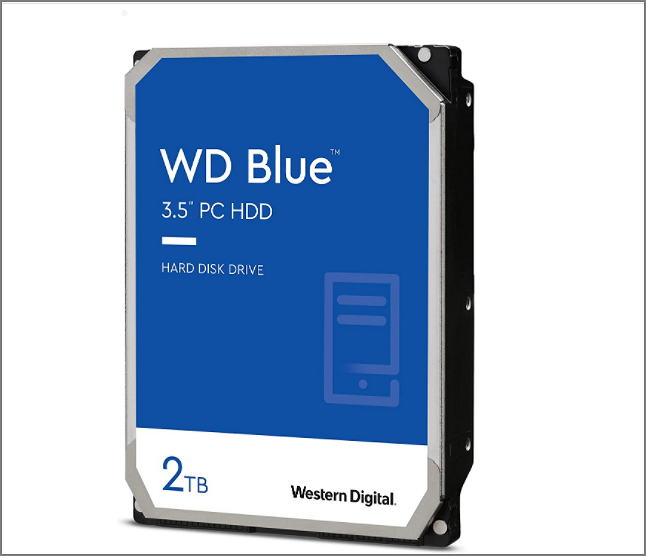
The WD Blue drive offers a budget-friendly price and a wide range of storage options, from 500GB to 6TB, with varying speeds from 5400rpm to 7200rpm, making it suitable for most PCs with limited budgets.
| Western Digital Blue | ||
|---|---|---|
| Price | 59.99$ | |
| Capacity | 2TB | |
| Price per TB | $30 per TB | |
| Pros | Several storage options | Several speed options |
| Cons | Short warranty: two years | |
3. Seagate FireCuda
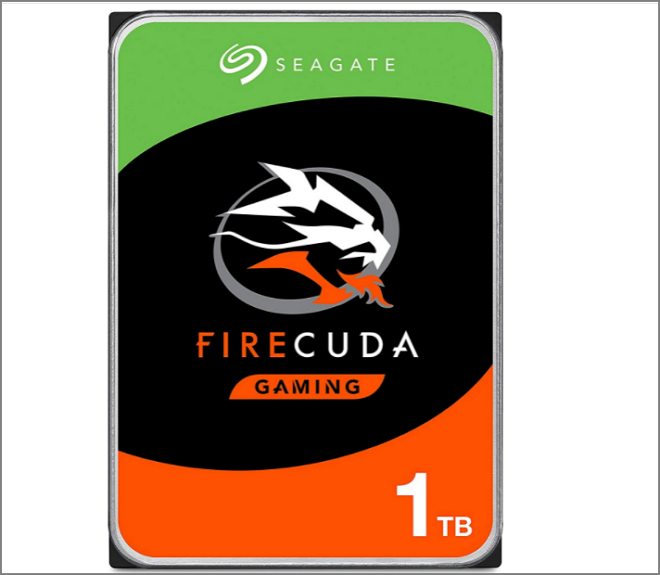
FireCuda focuses on enhancing traditional mechanical drives by combining them with high-capacity storage, offering a hybrid drive with up to 2TB of traditional storage and 8GB of NAND.
| Seagate FireCuda | ||
|---|---|---|
| Price | $98.86 | |
| Capacity | 1TB | |
| Price per TB | $98.86 per TB | |
| Pros | Faster than traditional HDD | 5-year warranty |
| Cons | Expensive and fewer storage options | |
4. Western Digital VelociRaptor
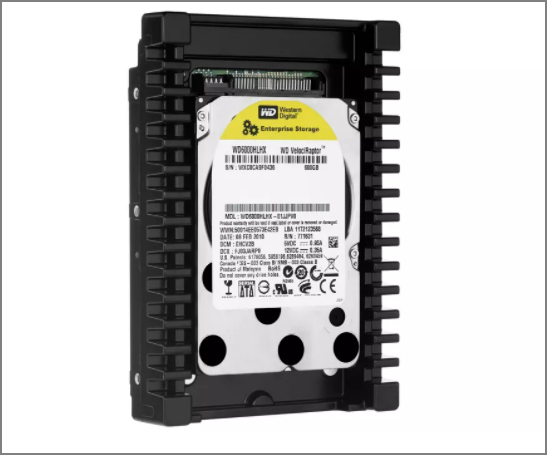
Here is the pricing information for WD VelociRaptor:
| Western Digital VelociRaptor | ||
|---|---|---|
| Price | $189 | |
| Capacity | 1TB | |
| Price per TB | $189 per TB | |
| Pros | High speed: 10,000 rpm | Built-in cooler |
| Cons | Too expensive and limited storage | |
5. Toshiba X300
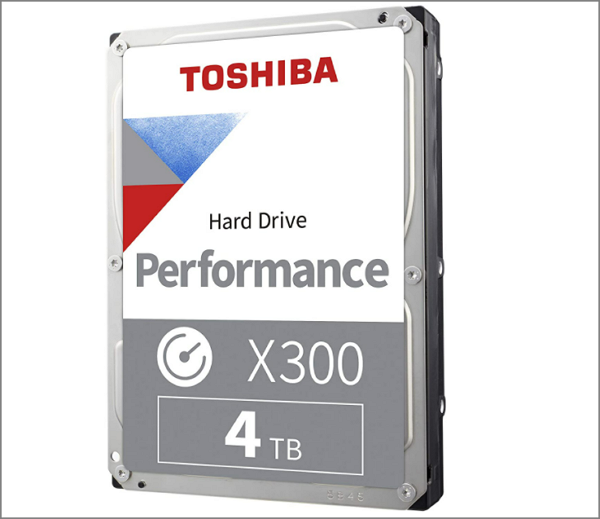
Toshiba's X300 is a high-performance HDD that stands out in the computer field, boasting high capacity and speed. Its 128MB cache enables faster data processing, making it a top contender among HDDs.
| Toshiba X300 | ||
|---|---|---|
| Price | $93 | |
| Capacity | 4TB | |
| Price per TB | $23.5 per TB | |
| Pros | Large capacity | More cache:128MB |
| Cons | Short warranty: two years | |
The five best HDDs for backup, including the Western Digital Caviar Blue, Seagate BarraCuda, Western Digital Black, Seagate IronWolf, and Toshiba N300, offer varying price and performance options. By comparing their features and specs, we can determine the best HDD for our specific backup needs, with the Western Digital Caviar Blue and Seagate BarraCuda offering great value for money, while the Western Digital Black and Seagate IronWolf providing more advanced features and higher performance.
- The fastest HDD: Seagate FireCuda
- The best high capacity: Toshiba X300
- The best for gaming backup: WD VelociRaptor
- The best HDD overall: Seagate BarraCuda
- The reliable and affordable: Western Digital Blue
And every kind of HDD has its advantages and disadvantages. When you are choosing, you should consider your budget and needs. After choosing your backup HDD, you should also know how to back up your PC to HDD. And next, I will recommend professional backup and software and give a step-by-step guide.
Best HDD for Backup: How to Back Up your computer to HDD?
Qiling Backup Home is a reliable and professional backup software that allows for rapid backup and recovery. It supports backing up files to a hard drive (HDD) on Windows 11/10/8, as well as Windows Vista and XP. Additionally, it offers system, partition, and disk backup capabilities to HDD, making it a versatile tool. The software is also user-friendly, making it easy to use from the moment you download it.
Step 1. Click the "File backup" button to start backup.

Step 2. Local and network files are listed on the left, allowing users to expand directories to select files for backup.
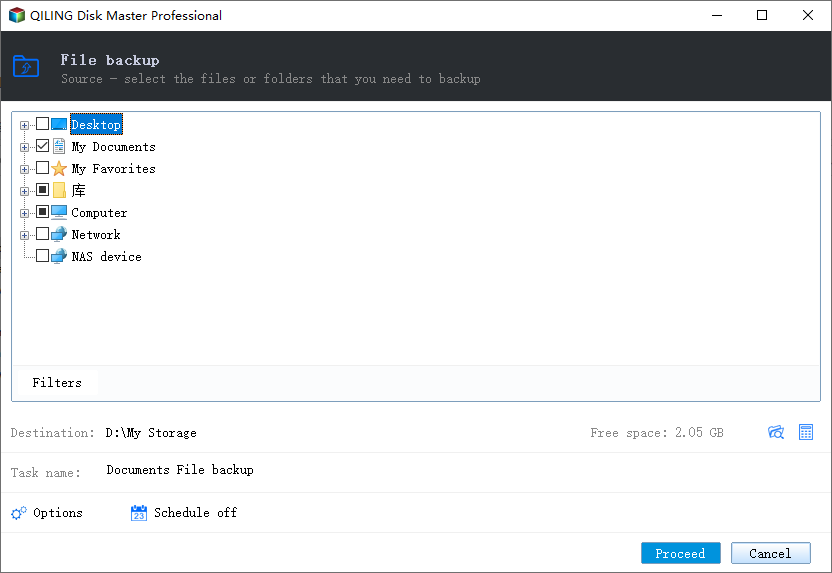
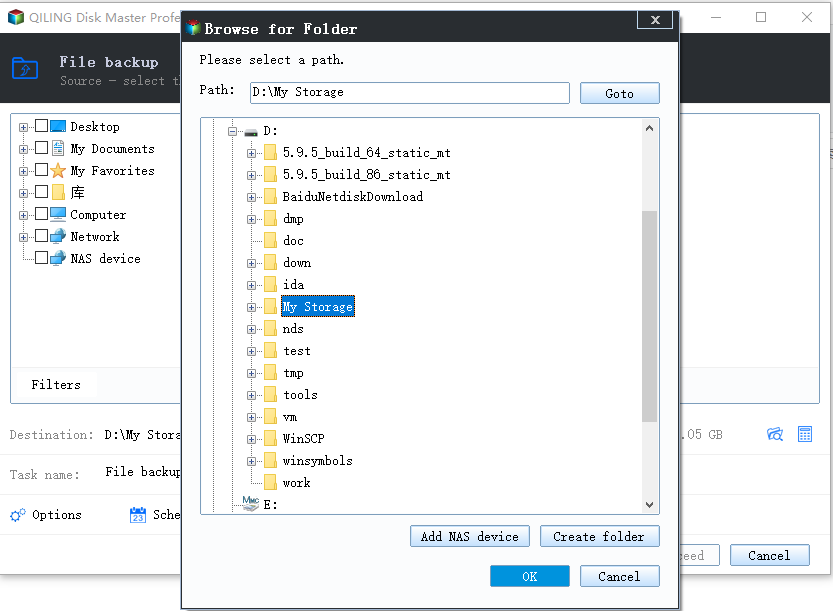
Step 3. Select the destination where you want to save the backup, as indicated by the on-screen guide.
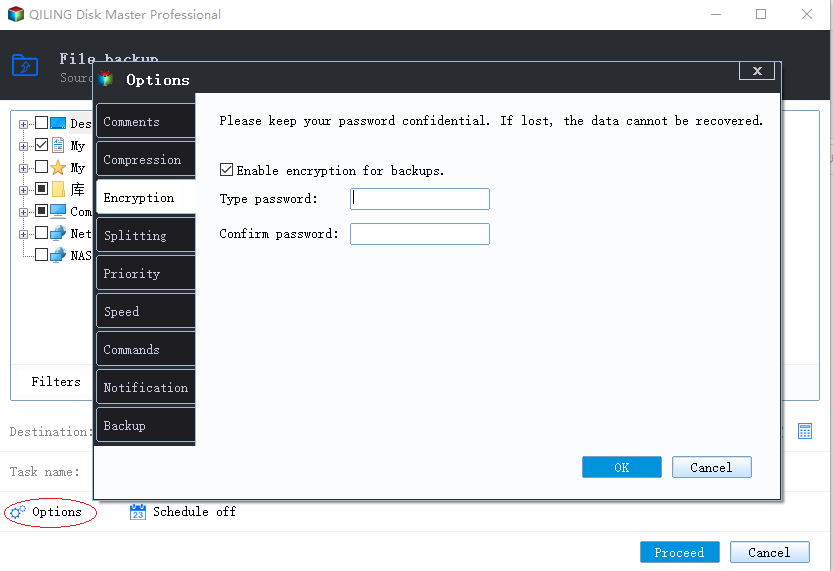
Step 4. To encrypt the backup with a password, click on the "Options" button in the "Backup Options" section, allowing you to customize the backup task according to your specific needs.
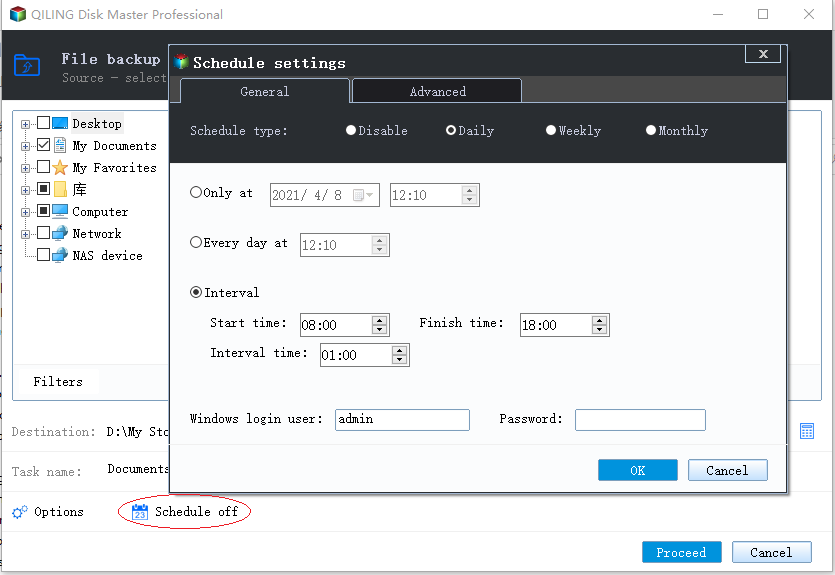
Set the backup schedule and choose to start backing up at certain event in "Backup Scheme".
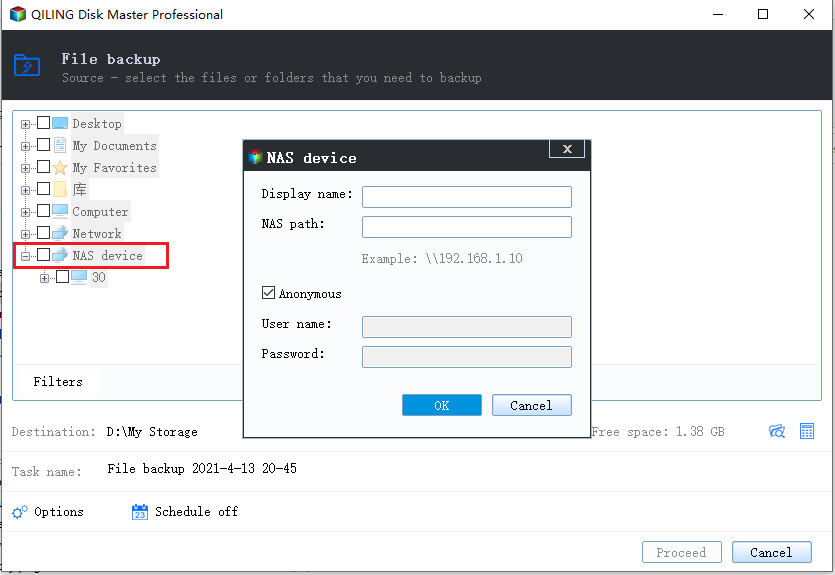
Step 5. You can store backups on a local drive, Qiling's cloud service, or a Network-Attached Storage (NAS) device.
Step 6. Qiling Backup allows users to back up their data to both third-party cloud storage services and its own cloud storage.
To back up data to a third-party cloud drive, select Local Drive, scroll down to add a Cloud Device, add your account, and log in.
Step 7. Click "Proceed" to initiate the backup process. Once completed, the task will be displayed as a card on the left panel, allowing for further management by clicking on it.
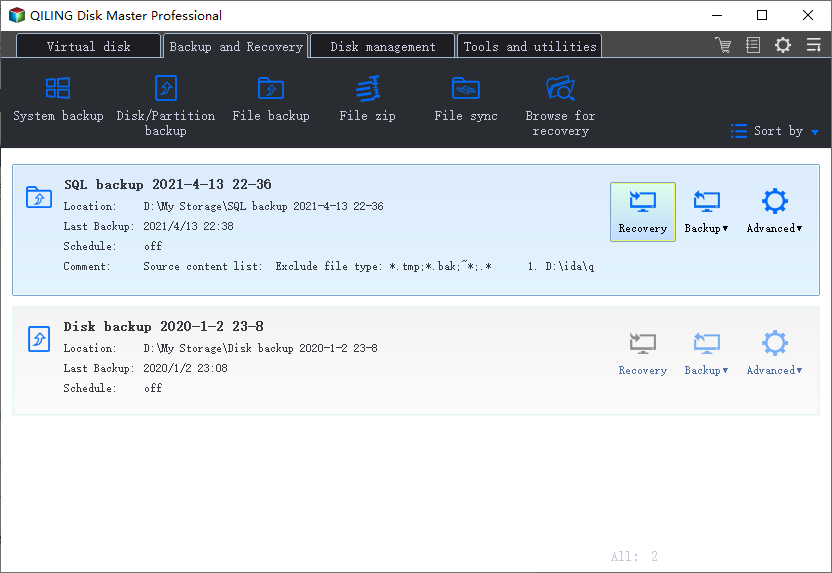
Qiling Backup can clone PC to another PC, clone HDD to SSD, and provide backup files and systems to HDD, meeting various needs.
- It provides 250GB of free cloud storage for 30 days.
- It can encrypt the backup files and give stronger protection.
- It supports automatic backup and incremental and differential backup.
- It supports backup to OneDrive, Google Drive, or other clouds.
- The tool can create a system image and perform system image recovery.
Conclusion
This article highlights the top 5 HDDs, aiming to assist in making an informed decision. It also provides reliable backup software, ensuring that even those without technical expertise can easily create backups.
FAQs About Best HDD for Backup
In addition to the five HDDs above, here are some frequently asked questions.
1. Should I use an SSD or HDD for backups?
While SSDs outperform HDDs in terms of speed, their limited storage capacity and higher cost make HDDs the preferred choice for backups, where longer storage is required.
2. Which brand of HDD is most reliable?
For reliable external hard drives, I recommend considering brands that offer good after-sales service, such as Seagate, Toshiba, or Western Digital, all of which are known for their quality and support.
3. Can a hard drive last ten years?
Under normal conditions, a high-quality HDD can last for around five years or more. However, if it's of exceptional quality and not frequently used, it can potentially last up to ten years.
Related Articles
- 10 Best Windows Backup Software of 2022 (Features, Pros & Cons)
- What Size External Hard Drive Do I Need to Backup My Laptop | Quick Guide
- Lenovo OneKey Recovery Free Download for Windows 10 64 Bit/32 Bit
- How to Back Up/Export and Restore Chrome History and Cookies
- Zinstall Review and Zinstall Free Alternative You Must Know in 2022
A detailed Zinstall review is here! Also, we provide a Zinstall free alternative, Qiling Disk Master, your best choice for an easy-to-use PC to PC transfer software with highest success rate of migration from old computer to new. - Full Guide to Move Games to Another Drive or A New Computer Without Reinstallation
Can you transfer games from one drive to another drive? Do you know how to move games from C drive to D drive or transfer games to a new computer without reinstallation.
Products
Articles & Tutorials
- Data Recovery
- Data Backup
- File Recovery
- File Backup
- System Backup and Restore
- Disk and Partition Clone
- Technical articles
- Mobile articles
- Disk Master Help
- Windows Data Recovery Tutorials
- Windows Secure Delete Tutorials
- Windows Partition Management Tutorials
- Windows File Backup and Restore Tutorials
- Windows System Backup and Restore Tutorials
- Windows Disk Backup and Restore Tutorials
- Windows Clone Tutorials