External Drive Missing After Sleep
Quick Navigation:
- What Happens During Sleep
- Check the Port and Power Setting
- Bring the Disk Back After Wake
- Copy the Data First
- Frequently Asked Questions
The external SSD is there before you close the lid and gone after you open it. The drive letter is missing, Explorer shows an empty list, and a moment later the disk may return on its own. Sleep is the common factor here, and the cause is usually the port or a power setting rather than the disk itself.
What Happens During Sleep
When the system enters standby, Windows suspends the USB controllers and may cut power to the port. On wake, the controller scans the bus again and expects each device to answer within a timeout.
Some bridges and enclosures take longer to wake than that timeout allows. Windows marks the device as not present, and the volume disappears until the bus is rescanned or the cable is reseated.
USB selective suspend makes the problem look random. Windows can power down a single port while the machine is awake, which shows up as a disconnect in the middle of a long copy rather than at sleep.
Check the Port and Power Setting
Move the drive to a port on the rear panel or directly to the laptop, without a hub. Hubs with their own power state are a frequent cause, and a port that shares a controller with the camera or the keyboard can drop under load.
In Power Options, open Change plan settings > Change advanced power settings > USB settings > USB selective suspend setting and disable it for both battery and power. Change one setting at a time and test sleep after each change, so you know which one helped.
In Device Manager, open the properties of each USB root hub and clear Allow the computer to turn off this device to save power on the Power Management tab. Restart, test sleep, and repeat for the next hub only if the drive still drops.
Bring the Disk Back After Wake
Reseat the cable first, then open Disk Management and choose Action > Rescan Disks. If the disk appears with its letter, the data is intact and the fault sits in the power path.
If the disk appears without a letter, assign one from the volume's context menu. Do not format a disk that shows as RAW before you copy its contents, because the file system may still be recoverable.
If the disk does not appear at all, test it in another port and on another machine. A disk that stays invisible everywhere has a hardware fault, while a disk that works elsewhere points back to the port or the enclosure.
Copy the Data First
A drive that drops during sleep can also drop in the middle of a write, so copy the files while it is awake and stable. Disk Master shows whether the disk and its partitions are present, then copies the contents to a disk that stays connected.
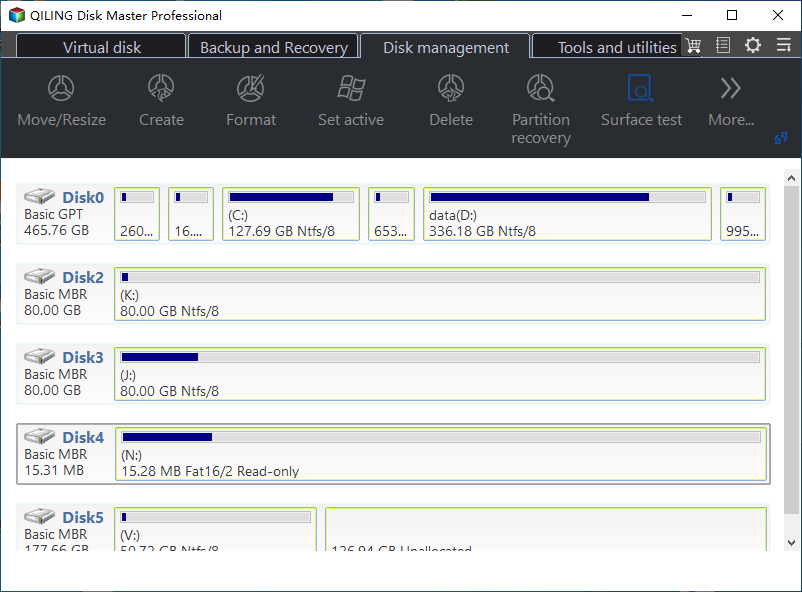
Step 1. Confirm the Disk and Its Partitions in the Disk Map
After the drive returns, open Qiling Disk Master and read the disk map. The external disk appears with its number, type, total capacity, and each partition with its letter and file system. Compare the capacity with the label on the enclosure so you copy from the right disk when several are attached.
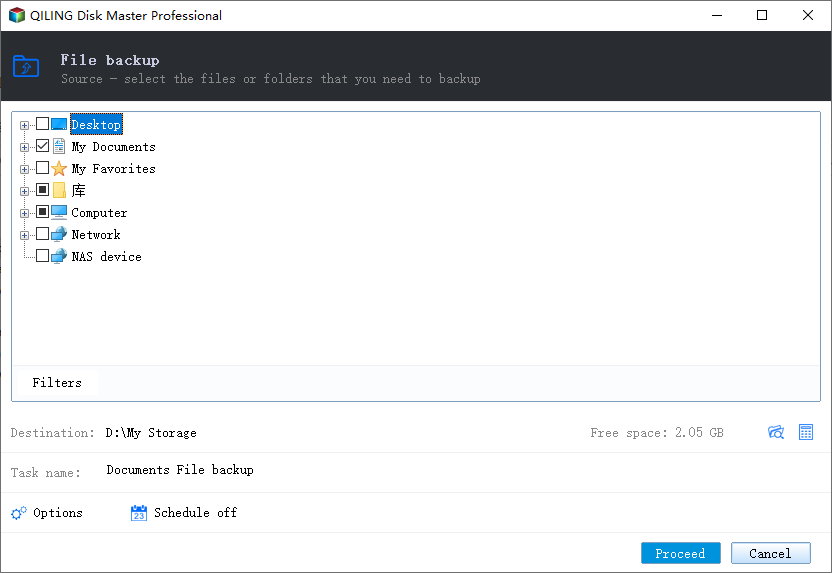
Step 2. Tick the External Drive in the Source Tree
Open the Backup and Recovery tab, click File Backup, and expand Computer in the File backup window. Tick the letter of the external drive. The tree also lists Desktop, My Documents, My Favorites, Network, and NAS device, so you can copy a single folder when the whole volume is not needed.
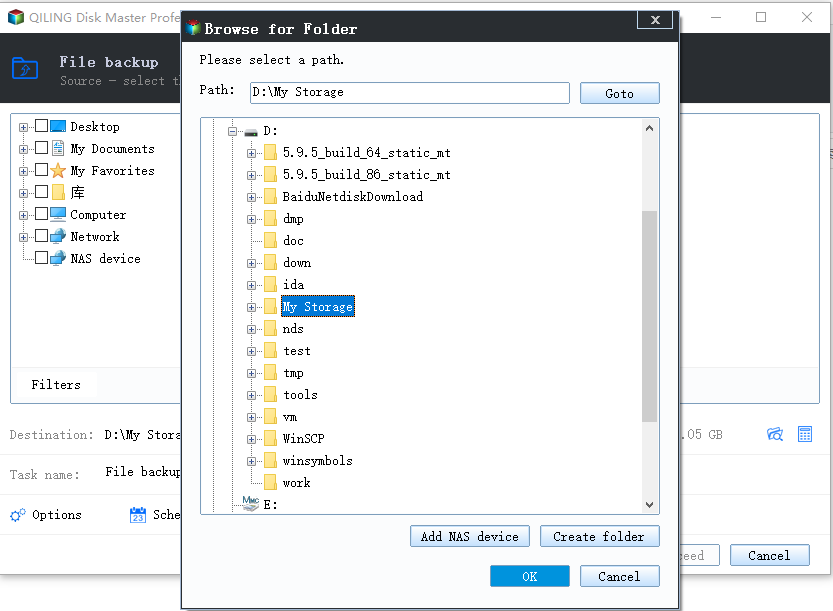
Step 3. Choose a Destination on an Internal Disk
Click the destination path at the bottom of the window. In Browse for Folder, select a folder on the internal disk and click OK. Back on the File backup window, check the free space shown next to the path, then click Proceed and keep the drive connected until the task reports that it has finished.
Frequently Asked Questions
Why does the drive vanish only after sleep?
The port loses power or the enclosure wakes slower than the controller timeout. Both are power-path problems, not disk failures.
Does disabling sleep fix the issue?
It hides the symptom. Use it as a test, then fix selective suspend, the hub, or the cable instead of never sleeping again.
Should I format the drive when it returns as RAW?
No. Copy the files first; formatting writes a new file system and removes what recovery could still read.
For a drive that never appears, even on wake, see Crucial X9 Pro not detected in Windows.
Related Articles
- USB4 or Thunderbolt 5 SSD Not Detected in Windows 11
- Crucial X9 Pro Not Detected in Windows
- NVMe SSD Disappears After a Windows 11 Update
- Recover Files From a RAW External SSD on Windows
- Storage Spaces Reduce Resiliency Warning
Products
Articles & Tutorials
- Data Recovery
- Data Backup
- File Recovery
- File Backup
- System Backup and Restore
- Disk and Partition Clone
- Technical articles
- Mobile articles
- Disk Master Help
- Windows Data Recovery Tutorials
- Windows Secure Delete Tutorials
- Windows Partition Management Tutorials
- Windows File Backup and Restore Tutorials
- Windows System Backup and Restore Tutorials
- Windows Disk Backup and Restore Tutorials
- Windows Clone Tutorials