Helium-Filled Hard Drives: Benefits, Limits and How to Check
Above roughly 10 TB, almost every 3.5-inch hard drive on the market is filled with helium instead of air. The gas is sealed inside the chassis, and it lets manufacturers stack more platters and spin them with less drag. It is a genuine engineering change, but it is not a reliability guarantee and it does not make a slow drive fast.
This guide explains what the helium fill does, where its limits are, and how to evaluate a drive that uses it, especially when you are buying used hardware.
What a Helium-Filled Drive Is
A conventional hard drive is filled with filtered air at normal pressure. Inside, the read and write heads fly a few nanometres above the platters, and the spinning disks create turbulence that limits how closely platters can be stacked and how much power the motor needs.
A helium-filled drive is welded shut and charged with helium, which is about one-seventh as dense as air. The lower density reduces turbulence and drag, so the manufacturer can fit more platters into the same 3.5-inch height and reduce the motor power at the same spindle speed.
Why Helium Helps
- Higher capacity. More platters per drive is the main reason the technology exists. It is how 14 TB, 18 TB and larger drives fit into a standard chassis.
- Lower power. Less drag means less torque, which lowers idle and active power by a noticeable margin in multi-drive enclosures.
- Lower temperature and noise. Reduced turbulence produces less vibration and a quieter, cooler drive.
- Better stability at high platter counts. The heads track more reliably when the air flow is calmer.
Sequential transfer rates may rise because the drive has more areal density, but the spindle speed is unchanged. A helium 7200 rpm drive is not automatically faster than an air-filled 7200 rpm drive of the same generation.
What It Does Not Fix
Helium changes the mechanical environment inside the drive. It does not change the fact that the drive has moving parts, a limited workload rating and a finite life.
- It is not more shock resistant. A dropped helium drive is as likely to fail as any other.
- It cannot be repaired. The chassis is laser-welded. Opening it destroys the seal and the drive.
- Leaks are rare but final. If helium escapes, drag rises, the motor struggles and the drive eventually fails. The seal is not a user-serviceable part.
- It does not make the drive suitable for RAID without backups. Any single drive can fail, regardless of what it is filled with.
- It does not help SSDs. The technology applies only to spinning disks.
How to Identify One
The model number is the most reliable clue. Enterprise families such as the Western Digital Ultrastar He series, several Seagate Exos capacities and Toshiba's large MG models use helium. The label often includes a note, and the drive is usually heavier than an air-filled model because of the extra platters.
Some drives expose a helium level attribute through SMART. It is vendor-specific and not present on every model, so the absence of the attribute does not mean the drive is air-filled. Vendor tools and HWiNFO are the easiest way to read it when it exists.
Buying a Used Helium Drive
Large helium drives often come from data centres, which means high power-on hours and a workload history you cannot see. Before you trust one with data:
- Read the SMART table and check power-on hours, start-stop count, reallocated sectors and pending sectors.
- Look for a helium level attribute. A value that has dropped significantly from the design level is a warning sign.
- Run a full surface scan. Data-centre drives are built for continuous use, but a used unit may already be past its best years.
- Compare the price with a new drive of the same capacity. Enterprise surplus is only a bargain if it passes the checks.
How to Test It Before You Rely on It
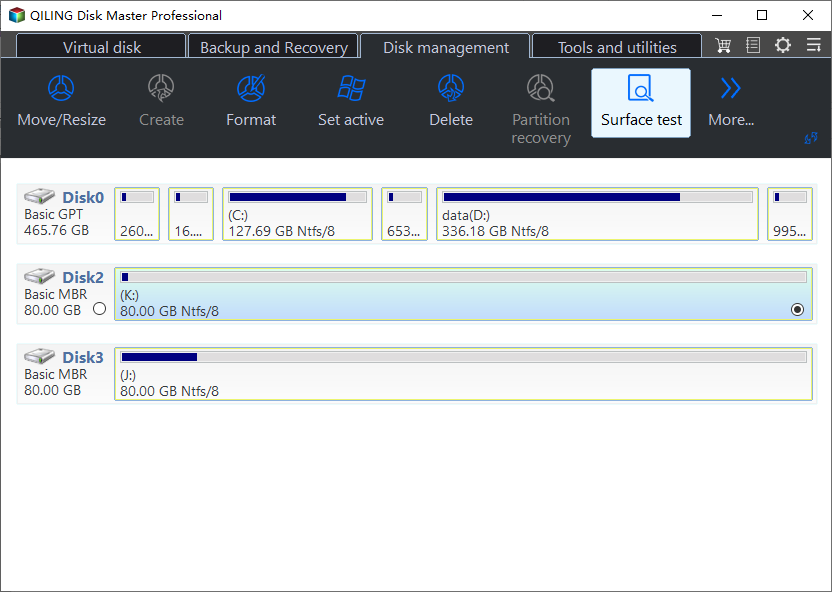
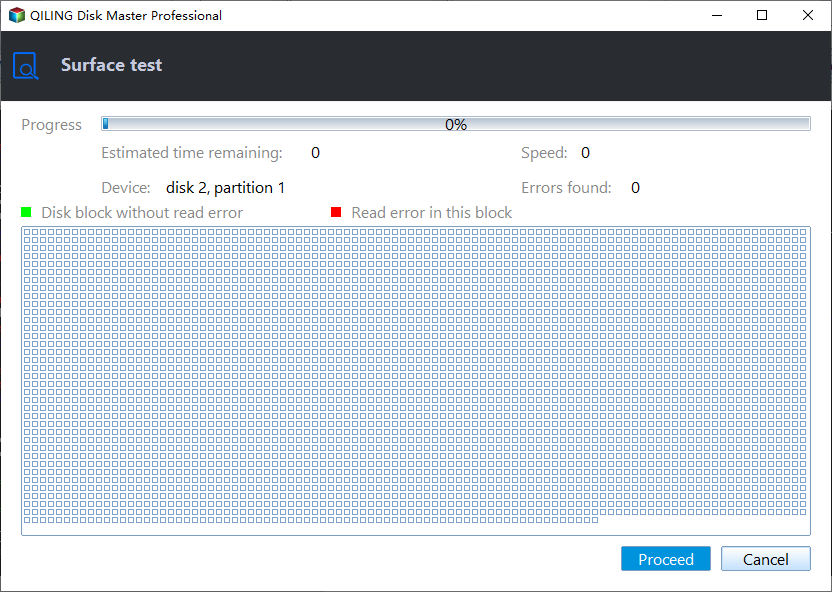
A surface test reads and verifies every sector, which catches errors that SMART has not yet recorded. It takes hours on a large drive, so start it when the computer can stay on.
Step 1. Connect the drive and launch Qiling Disk Master. Select the disk and click Surface test on the toolbar.
Step 2. Start the test and let it run to completion. Note any red blocks and check whether the count grows on a second run.
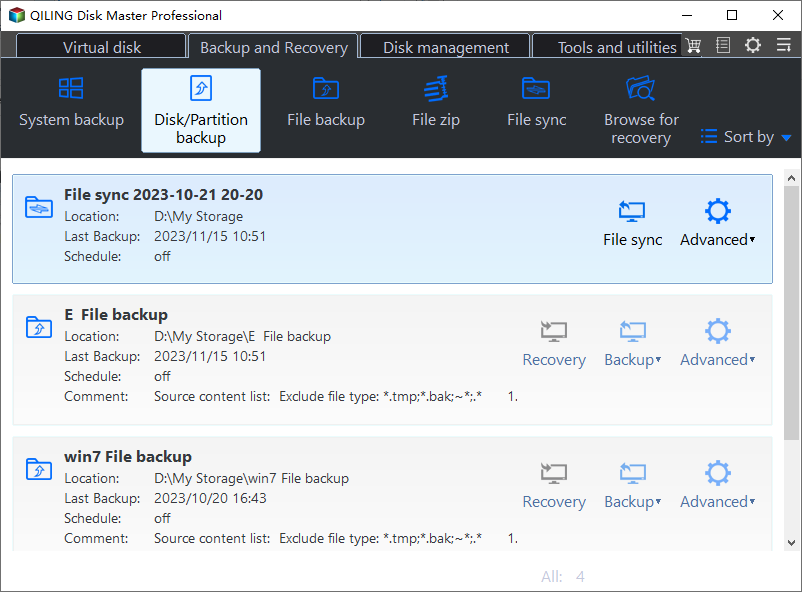
Step 3. If the drive passes, create a backup of anything important before you depend on it.
A drive that passes today can still fail tomorrow, and helium does not change that.
Is a helium drive safer than an air-filled drive?
Not inherently. It has fewer mechanical losses and can hold more platters, but it has the same fundamental failure modes. Reliability depends on the model, the workload and how the drive was treated.
Can I tell by the weight?
Only in comparison with a known model. A helium drive with more platters is usually heavier, but the difference is small and the label is more reliable.
Do helium drives need special mounting?
No. They use the same screws and bays. Because they run cooler and vibrate less, they are often easier on dense enclosures than air-filled drives.
Related Articles
- Slack Space: Why Size on Disk Is Bigger Than File Size
How large drives lose capacity to allocation units, and when a bigger cluster makes sense. - RAID Rebuild Time
What a large drive costs you in rebuild time when an array loses a member. - Air Gap Backup
Why a second copy that stays offline matters more than the drive's construction.
Products
Articles & Tutorials
- Data Recovery
- Data Backup
- File Recovery
- File Backup
- System Backup and Restore
- Disk and Partition Clone
- Technical articles
- Mobile articles
- Disk Master Help
- Windows Data Recovery Tutorials
- Windows Secure Delete Tutorials
- Windows Partition Management Tutorials
- Windows File Backup and Restore Tutorials
- Windows System Backup and Restore Tutorials
- Windows Disk Backup and Restore Tutorials
- Windows Clone Tutorials