SMART 05 Reallocated Sectors Rising: Replace the Drive?
Quick Navigation:
- What Attribute 05 Counts
- Read the Trend, Not the Number
- Replace, Watch, or Copy Now
- Test the Surface and Clone
- Frequently Asked Questions
SMART attribute 05, Reallocated Sectors Count, is a tally of the sectors the drive has retired and replaced with spares from its reserved area. A count that never moves is the normal state for a healthy disk. A count that rises is evidence that the recording surface has begun to fail in specific places, and the speed of that rise, not its size, decides whether the drive should be replaced this week or merely watched. This guide explains what the raw and normalized values report, which companion attributes make the picture clearer, and why the data has to be copied before the drive is tested or replaced.
What SMART Attribute 05 Actually Counts
Each sector on a modern drive stores its data with an error-correcting code. When the drive decides that a sector can no longer be read reliably, it copies the content into a spare sector from the reserved pool, updates its internal defect table, and increments attribute 05. The remap is transparent: the file that lived at that address still opens, which is why a drive with a rising count keeps working while it quietly runs out of spares.
The attribute carries two numbers, and they answer different questions. The raw value is the number of remapped sectors and is the one to follow. The normalized value starts near 100 and falls as the raw value grows, until it reaches the threshold the manufacturer set, often 10 or 36. Crossing that threshold is what makes a monitoring tool paint the attribute red, so a normalized value that is still high does not mean the surface is intact.
One remap is not a diagnosis. Every drive retires a few sectors over its life, and a single event after a power loss can look alarming while the drive runs for years afterwards. The meaningful signal is a second remap, and a third, appearing within days of the previous one.
Read the Trend and the Neighbouring Attributes
Record the raw value with a date, then look again after a week of normal use. Ten remaps that appeared before you started watching are history; the same ten plus four more after seven days describe a surface that is actively degrading. A drive that adds sectors every time it is written to is further along than one whose count jumped once during a bad shutdown.
The neighbouring attributes supply the context. Attribute C5, Current Pending Sector Count, lists sectors the drive suspects but has not yet remapped, and a pending count that sits above zero while 05 climbs means more remaps are queued. Attribute C6, Uncorrectable Sector Count, records reads that could not be recovered at all. On NVMe drives the equivalent signal is attribute 0E, media and data integrity errors, which is covered in SMART attribute 0E.
Also read the drive's remaining life indicators: percent used on an SSD, power-on hours, and the number of unsafe shutdowns. A drive at 98 percent wear with a rising 05 has almost no spare area left for the next remap, while a drive at 12 percent wear with the same count has time, but only if the count stops moving.
Decide Between Watching, Copying, and Replacing
A static count on an otherwise healthy drive needs a schedule rather than an action: check the raw value monthly, keep a backup that is younger than the data, and stop adding writes that are not needed. A rising count needs the data copied now, and the drive replaced once the copy is verified. A count that rises while the drive is idle is the worst case and should be treated as a failing drive.
The order is fixed. Copy first, because every test writes to the surface that is already losing sectors, and a full write test on a drive with a shrinking spare pool can turn a slow failure into a dead disk. Replace second. Only a new drive removes the fault; no tool can restore a remapped sector or replenish the spare area.
Watch for the second symptom while copying. Retried reads and slow spots during the copy match the pattern described in Event ID 153 disk timeouts, and a copy that stalls at the same percentage twice marks the exact area the drive can no longer read.
Drive health pages in Windows and vendor utilities report these attributes, and they are supplied by Microsoft or the drive maker, not by Qiling Disk Master. They read the counters; the copy below is what protects the files.
Read the Surface, Then Clone to a New Disk
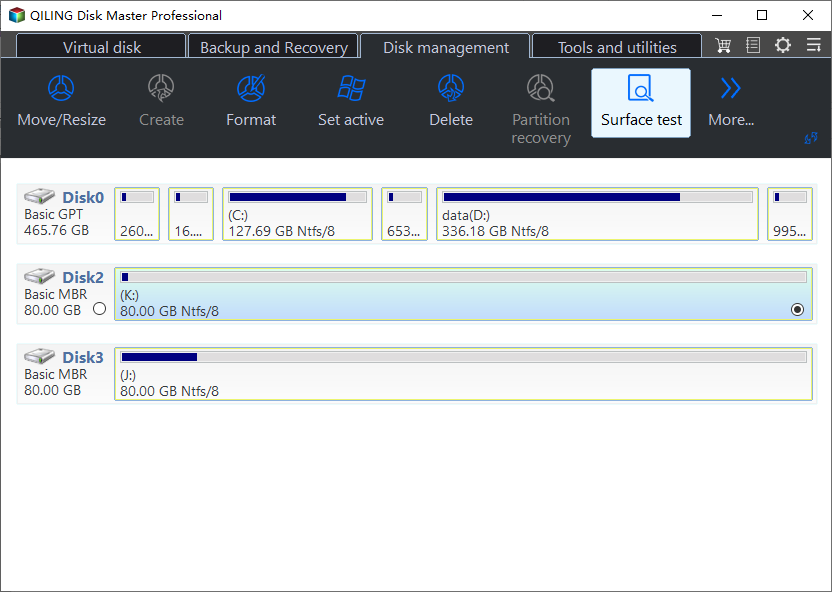
Qiling Disk Master can scan the surface of the suspect disk for unreadable blocks and then clone it to a replacement, so the files do not have to be opened one at a time. Run the read test first to see how much of the drive still answers, then clone while it still does.
Step 1. Run a Disk Surface Test
Open the Tools and utilities tab and choose Disk Surface Test, then pick the drive whose attribute 05 is rising. The test only reads, so it reports the unreadable areas without adding writes to a surface that is already retiring sectors.
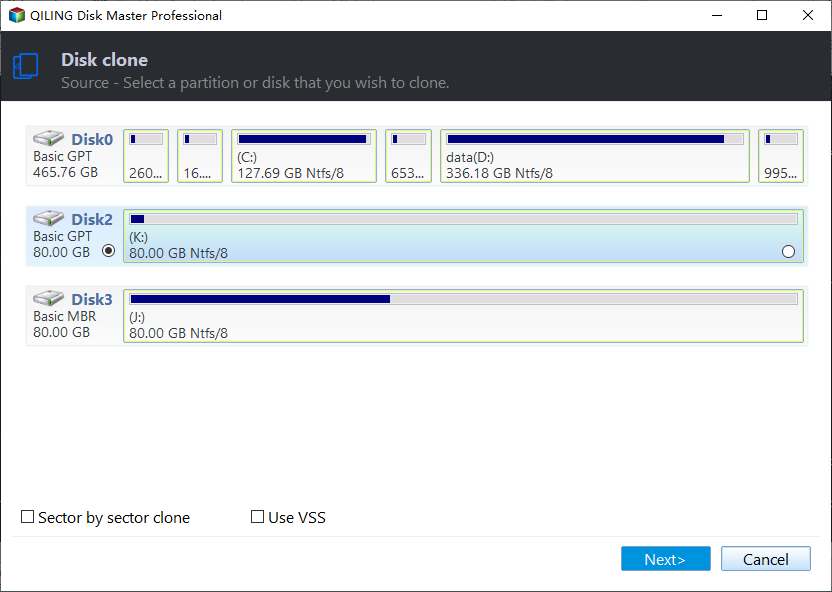
Step 2. Select the Suspect Disk as the Clone Source
Go to Disk Clone and tick the failing disk in the source list. Confirm the capacity and the model against the health report you were reading, so a second drive with a similar size is not selected by mistake.
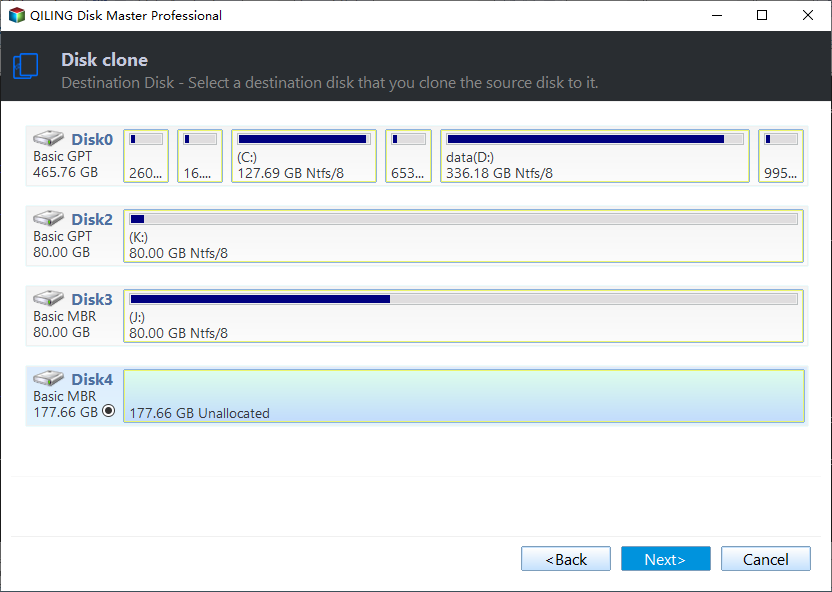
Step 3. Choose the Replacement Disk
Set the destination to the new disk, which must be at least as large as the source. Everything on the destination is overwritten, so check that it holds no data before you continue.
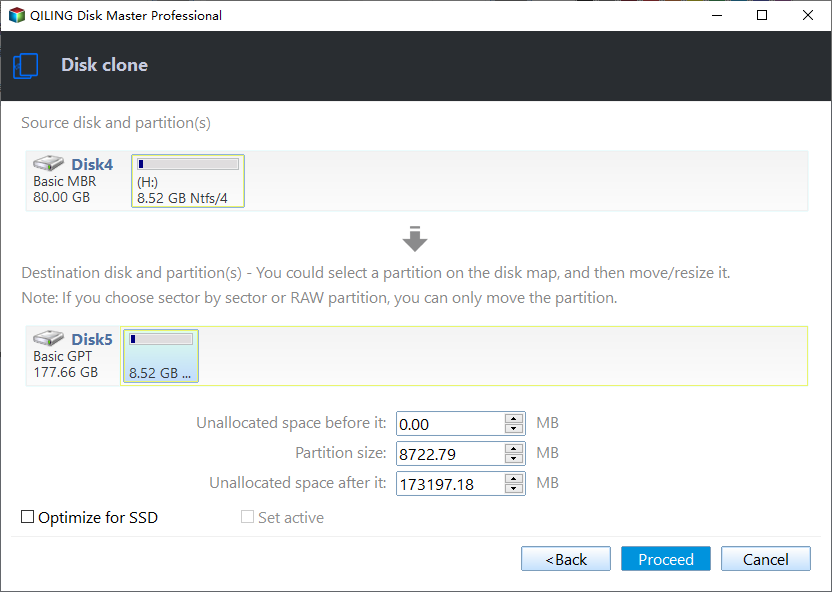
Step 4. Preview the Task and Proceed
Check the source, the destination, and the size in the summary, then preview the pending operation and click Proceed. Keep the old drive unformatted until the machine has booted from the new one.
Frequently Asked Questions
What raw value of attribute 05 means the drive must be replaced?
There is no universal number, because the reserved area differs by model. A count that keeps rising within days is enough to replace the drive, while a small count that has not moved in months can be watched.
Does a count of zero prove the drive is healthy?
No. Pending and uncorrectable sectors, interface errors, and slow reads can all appear while 05 stays at zero, so the remaining attributes and a surface read still matter.
Can reallocated sectors be repaired or reset?
No. The remap is permanent and the spare sector cannot be returned to the pool. Utilities that clear the counters only hide the evidence, and the surface stays as degraded as it was.
Related Articles
- SMART Attribute 0E: Media and Data Integrity Errors
- How to Check an NVMe SSD for Health
- SSD Wear Level Is High: What to Do Next
- Samsung 990 Pro SSD Lost Health
- Event ID 153: Disk IO Retried on a Block Address
Products
Articles & Tutorials
- Data Recovery
- Data Backup
- File Recovery
- File Backup
- System Backup and Restore
- Disk and Partition Clone
- Technical articles
- Mobile articles
- Disk Master Help
- Windows Data Recovery Tutorials
- Windows Secure Delete Tutorials
- Windows Partition Management Tutorials
- Windows File Backup and Restore Tutorials
- Windows System Backup and Restore Tutorials
- Windows Disk Backup and Restore Tutorials
- Windows Clone Tutorials