Event ID 153: Disk IO Retried on a Logical Block Address
Quick Navigation:
- What Event 153 Records
- Trace the Events to One Disk
- Copy the Data Out Before the Drive Drops
- Test the Surface and Image the Disk
- Frequently Asked Questions
Event ID 153 is written by the storage driver when an IO to a logical block address does not complete in time and the driver retries it. One entry means one retry that worked; a stream of them means the device is spending more time recovering than serving. The event names the address and the disk, which makes it one of the few useful clues available before a drive drops off the bus.
What Event 153 Records
Each 153 entry carries a logical block address and a disk number. The address is the unit the file system uses rather than a file name, so seeing the same address recur means the same physical area is being retried again and again.
Event ID 129 is a different and later stage. It records a device reset, meaning the controller gave up on the device and reset it, so 153 first and 129 later is the usual progression of a drive or a link that is failing.
A burst of 153 events during a large copy or a backup window is a warning rather than a failure. The operating system hides the retry from applications, so the only visible symptom may be a copy that is slower than expected but still completes.
Trace the Events to One Disk
Filter the System log by source, using disk, storahci, or stornvme, and by event ID 153, then match the disk number in each entry with the disk numbers shown in Disk Management. One disk number repeated across the burst points at a single drive.
If the retried addresses are concentrated in one range, the media is suspect. If they are scattered across the whole disk, look at the cable, the port, the power delivery, and the firmware instead, because a failing surface would not move the address around.
When several disks on the same controller log 153 together, the controller, its driver, or the backplane is the common factor, and replacing one drive will not help. A drive that only disappears under sustained writes fits the same pattern, as described in an NVMe SSD that disappears under load.
Windows built-in Event Viewer and Disk Management supply this evidence, and they are Microsoft tools that are not part of Qiling Disk Master.
Copy the Data Out Before the Drive Drops
A drive that retries can still disappear. Once the error recovery time exceeds the controller timeout, the device is reset and may not return until the next boot, so treat every sustained burst as a countdown rather than a background warning.
Stop the workload first. A backup job, a virtual machine, or an indexing service that keeps writing to the failing area only adds more retries and more heat, and it can turn a slow disk into a missing one within minutes.
Copy in order of value: the files that cannot be recreated first, then the rest, and verify the copy before anything is changed on the source. Reading the drive's health counters alongside the log tells you how much time is left, and checking an NVMe SSD for health covers the values worth watching.
Test the Surface and Image the Disk
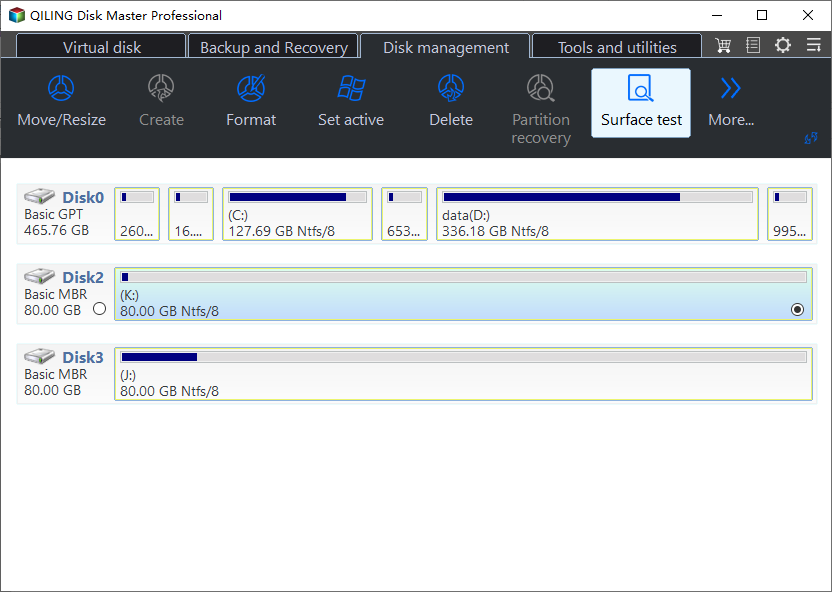
Qiling Disk Master can read the disk surface and then capture the whole disk as an image, so the copy does not need the files to open in Explorer. Do the read test first, because it shows how much of the drive still answers.
Step 1. Read the Surface of the Disk
Open the Tools and utilities tab and choose Disk Surface Test. It reads every sector without writing, so the unreadable blocks it reports map directly to the addresses that were retried in the event log.
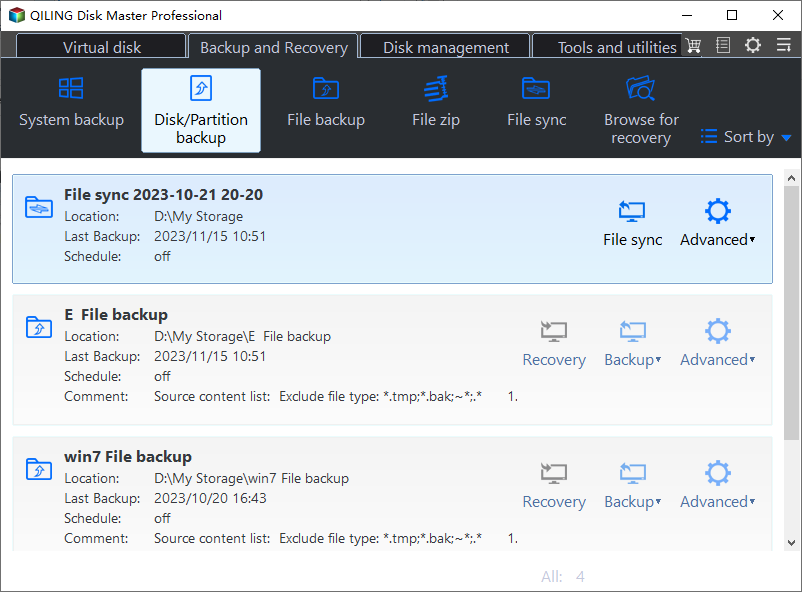
Step 2. Open Disk Backup
Go to the Backup and Recovery tab and choose Disk Backup. A full image captures the file system and the files that fail to open, which is what a disk with retried blocks needs.
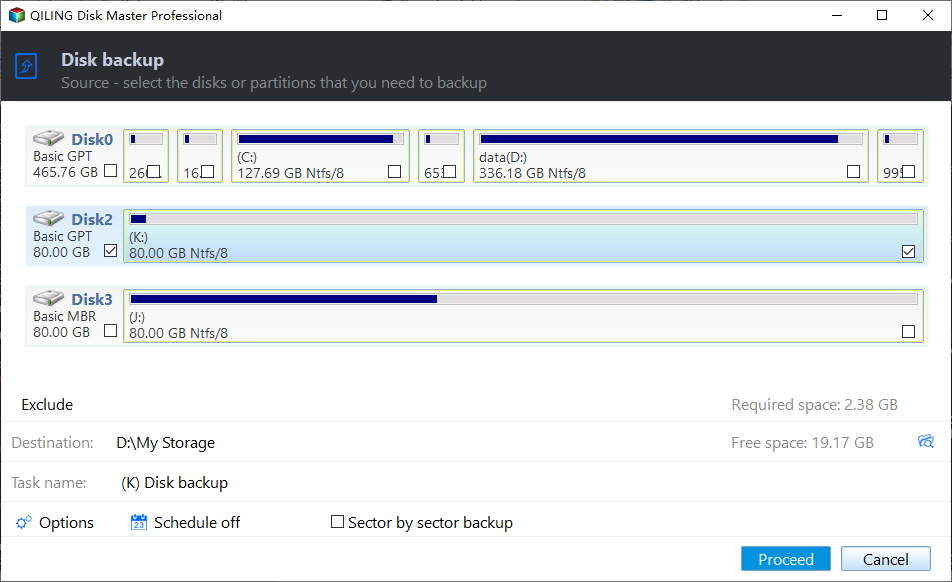
Step 3. Select the Disk
Tick the disk whose number appeared in the 153 events directly in the source list, and check its capacity against Disk Management before you continue.
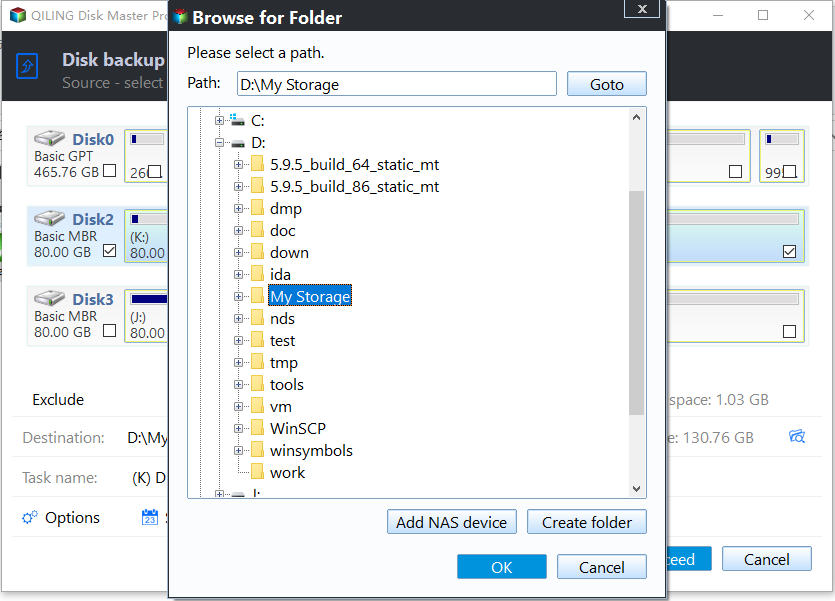
Step 4. Set the Destination
Set Destination to a folder on another physical disk. Using the same cable or enclosure would repeat the fault you are trying to escape.
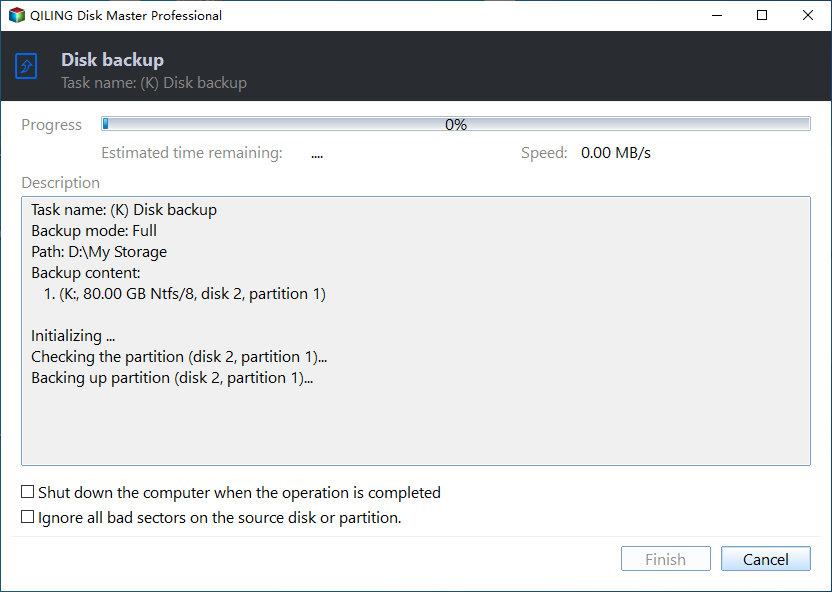
Step 5. Start the Task and Note Any Stop
Click Proceed and watch the progress. A task that stalls at the same percentage twice is pointing at a specific damaged area, and that is a strong reason to replace the drive after the copy is verified.
Frequently Asked Questions
Is Event ID 153 always a failing disk?
No. A cable, a port, a power connector, or firmware that resets the link can produce the same retries. Move the drive to another port before you replace it.
How many 153 events are too many?
There is no fixed number. A repeating pattern on one disk during light load is enough to act on, while a single entry during a large copy is usually harmless.
Will a surface test repair the bad blocks?
No. It reads the drive and shows where the damage is. Only a backup followed by a replacement removes the fault.
If the drive disconnects in the middle of the copy itself, see an external hard drive that disconnects during large file copies.
Related Articles
- NVMe SSD Disappears Under Sustained Write Load
- NVMe SSD Disappears From BIOS Intermittently
- External Hard Drive Disconnects During Large File Copies
- How to Check NVMe SSD for Health, Help
- External SSD Throttles During a Large Copy
Products
Articles & Tutorials
- Data Recovery
- Data Backup
- File Recovery
- File Backup
- System Backup and Restore
- Disk and Partition Clone
- Technical articles
- Mobile articles
- Disk Master Help
- Windows Data Recovery Tutorials
- Windows Secure Delete Tutorials
- Windows Partition Management Tutorials
- Windows File Backup and Restore Tutorials
- Windows System Backup and Restore Tutorials
- Windows Disk Backup and Restore Tutorials
- Windows Clone Tutorials