External Hard Drive Disconnects During Large File Copies
Quick Navigation:
- Why the Drive Drops Mid-Copy
- Rule Out Power and Cabling
- Rule Out the Disk Itself
- Copy the Data with Qiling Disk Master
- Frequently Asked Questions
A copy that stops at a random percentage and restarts when you plug the drive in again has a physical cause more often than a file system one. USB enclosures have little power headroom, and a drive that spins up while writing can pull more current than a front panel port or an unpowered hub can supply. A failing sector produces the same effect, because the drive resets itself when it cannot read.
Why the Drive Drops Mid-Copy
Four causes account for most disconnects. A bus-powered 2.5-inch drive pulls more current than the port can deliver and drops off the bus. A worn cable loses the link when the connector moves. A power setting suspends the USB device or the port after a period of idling. And a drive with reallocated sectors retries so long that the controller resets the connection.
The timing separates them. A drop at the same percentage every time points to a specific sector. A drop at random points points to power or cabling. A drop only after a pause points to a power setting.
Nothing you change in Windows repairs a disk that is already failing. Fix the connection first, then get the data off the drive before you investigate the disk itself.
Rule Out Power and Cabling
Move the drive to a port on the rear of the desktop, which usually delivers more current than a front header, and remove any unpowered hub or extension cable. If the drive came with a Y-cable or an external power adapter, use it.
Replace the cable once as a test. Cables fail more often than drives, and a cable that works for a mouse can still drop a link under sustained transfer. Keep the replacement short and rated for the speed of the port.
In Power Options, disable USB selective suspend, and in Device Manager clear the option that lets Windows turn off the USB root hub to save power. Those two settings are the most common reason a drive disappears during a long but quiet write.
Rule Out the Disk Itself
Listen to the drive during the copy. A repeated click followed by a reconnect is mechanical retry, and no software setting will make it reliable. Read the health attributes with a disk utility and look at reallocated sectors, pending sectors, and the reconnect count.
The system event log records the moment of the drop as a disk or controller warning with an error code. If the same disk logs warnings at the same time as every disconnect, the disk or its bridge board is the cause.
Test the enclosure separately by fitting a known good drive. A bridge board that overheats produces exactly this pattern, and it is a cheap part to replace before you blame the disk.
Copy the Data with Qiling Disk Master
Once the link is stable, copy the data before anything else. Qiling Disk Master copies the folders you select at file level and keeps a task summary, so a drive that stalls leaves a record of what was skipped instead of failing without a trace.
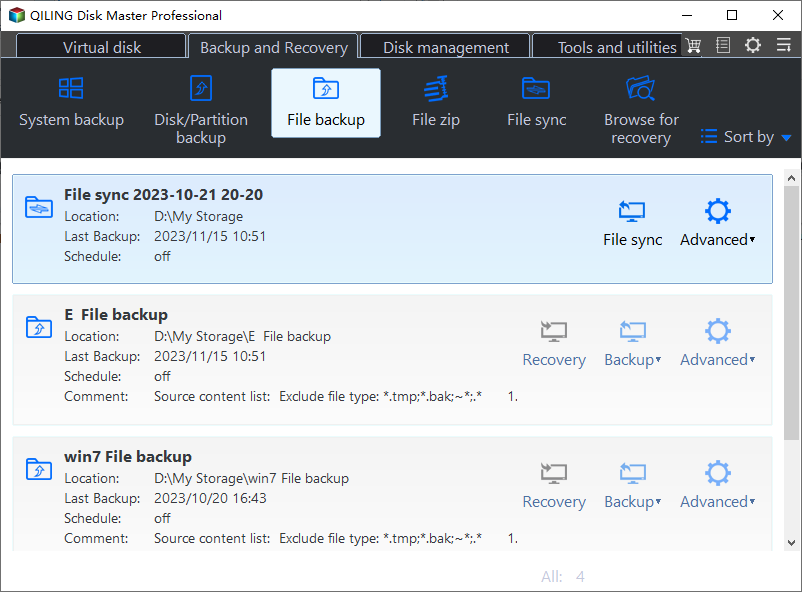
Step 1. Choose File Backup
Open the Backup and Recovery tab and click File Backup for the folders you need. When you want an exact copy of the whole external disk instead, use Disk Clone from the Disk management tab.
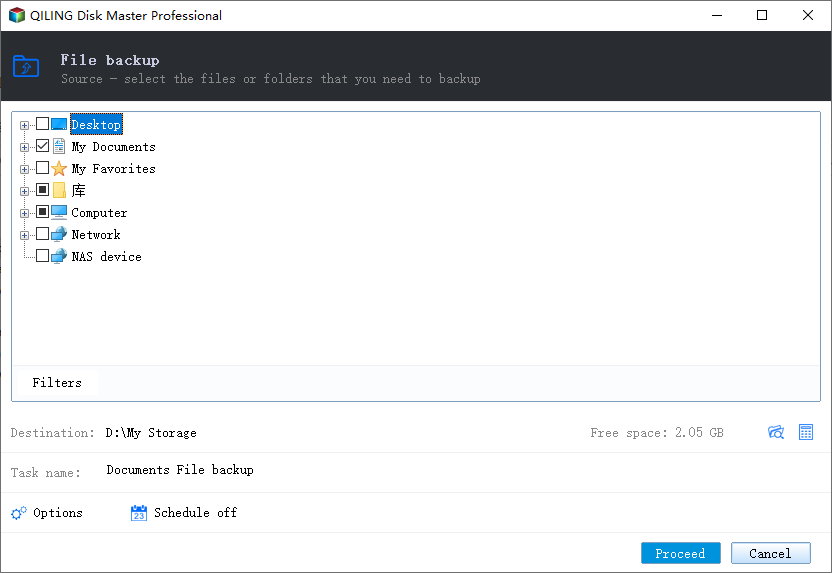
Step 2. Select the External Disk as the Source
Expand Computer in the source tree and tick the external drive by its letter, then read the task summary under the tree to confirm the selection and its size. An external disk that reconnected may have received a different letter from the one you saw before.
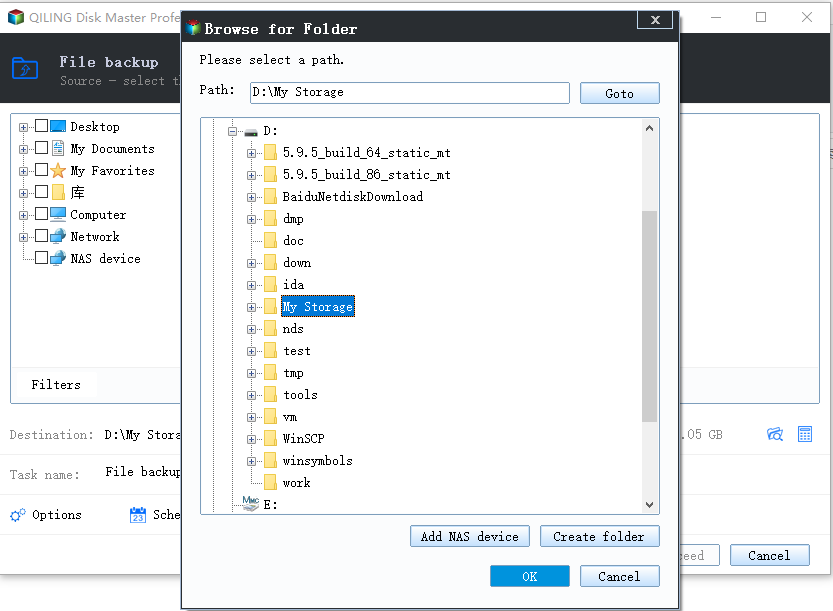
Step 3. Choose an Internal Destination
Click the destination box and browse to an internal disk, never back to the same external drive. Leave enough free space for the whole selection, because a job that fills the destination stops without completing.
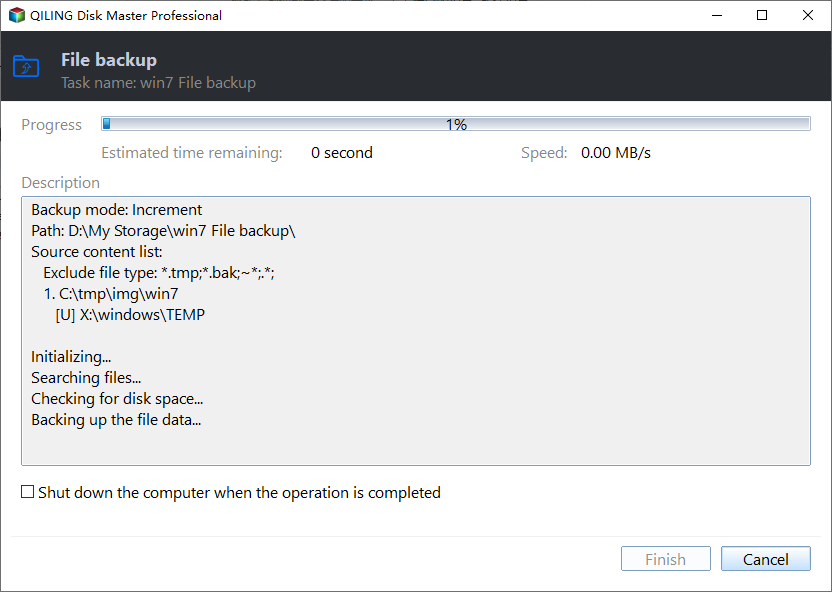
Step 4. Preview and Proceed, then Verify
Name the task, read the summary once more, and click Proceed. Watch for a drop while it runs: if the drive disconnects again, the cause is still physical, and the partial copy should be treated as unusable until it is repeated on a stable connection.
Frequently Asked Questions
Why does the drive work for small files but fail on large ones?
Small files finish before the drive draws sustained current or reaches the weak area. That pattern points to power delivery or to a specific region of the platters.
Can a USB hub cause this?
Yes. An unpowered hub splits the available current across its ports. Use a powered hub or connect the drive directly to the machine.
Is it safe to keep retrying the copy?
No. Each retry writes more to a disk that may be failing. Copy what you can once the connection is stable, and let the software skip bad areas.
Should I run a repair on the external disk first?
Only after the data is copied. A repair writes to the disk and can turn a recoverable file into an overwritten one.
For an enclosure that drops over USB4 or Thunderbolt, see USB4 SSD enclosure disconnects.
Related Articles
- USB4 SSD Enclosure Randomly Disconnects
- Cannot Safely Eject an External Hard Drive
- Recover Files After a Failed Disk Clone
- How to Back Up a Hard Drive
- Find the Hard Disk Serial Number in Windows 10
- Mapped Network Drive Keeps Disconnecting on Windows 11
Products
Articles & Tutorials
- Data Recovery
- Data Backup
- File Recovery
- File Backup
- System Backup and Restore
- Disk and Partition Clone
- Technical articles
- Mobile articles
- Disk Master Help
- Windows Data Recovery Tutorials
- Windows Secure Delete Tutorials
- Windows Partition Management Tutorials
- Windows File Backup and Restore Tutorials
- Windows System Backup and Restore Tutorials
- Windows Disk Backup and Restore Tutorials
- Windows Clone Tutorials