USB Drive Not Recognised After a Windows Update
Quick Navigation:
- Confirm It Is a Driver Problem
- Reinstall the Controller and the Device
- Remove Power and Enumeration Faults
- Copy the Data With Qiling Disk Master
- Frequently Asked Questions
Windows updates occasionally fail to migrate storage drivers that were installed shortly before the upgrade. The device then appears in Device Manager with a warning, or does not appear at all, and every USB port behaves the same way. The drive is normally fine; the controller stack above it is not.
Confirm It Is a Driver Problem
Open Device Manager and expand Universal Serial Bus controllers and Disk drives. A yellow warning triangle, or a device listed as unknown, points at the driver rather than at the hardware.
Test the drive on another machine. If it appears there with its files, the drive and its enclosure are healthy and the fault is local to this installation.
Check the system event log for storage warnings at the time the drive was connected. A driver that fails to start logs an event even when Explorer shows nothing.
Reinstall the Controller and the Device
In Device Manager, right-click the USB host controller and choose Uninstall device, then restart. Windows reinstalls the controller from its driver store during the next boot.
Do the same for any disk drive entry that shows a warning. If the drive is a USB enclosure, uninstall the enclosure entry rather than the drive inside it.
Run Windows Update again afterwards. A re-run often reinstalls the driver package that failed to migrate, which fixes the fault without touching the registry.
Remove Power and Enumeration Faults
In Power Options, disable USB selective suspend, and in Device Manager clear the option that lets Windows power down USB root hubs. These settings cause drives to disappear after a short idle period rather than at connection time.
Try a port on the rear of a desktop and avoid unpowered hubs. A drive that needs more current than the port supplies can fail to enumerate after an update changed the controller behaviour.
If the drive appears only in Disk Management without a letter, treat it as a mount problem rather than a driver problem.
Copy the Data With Qiling Disk Master
Once the drive is visible, copy its content before you change any further settings. Qiling Disk Master can read the drive at file level and write the copy to an internal disk, so the data no longer depends on a controller that has already failed once.
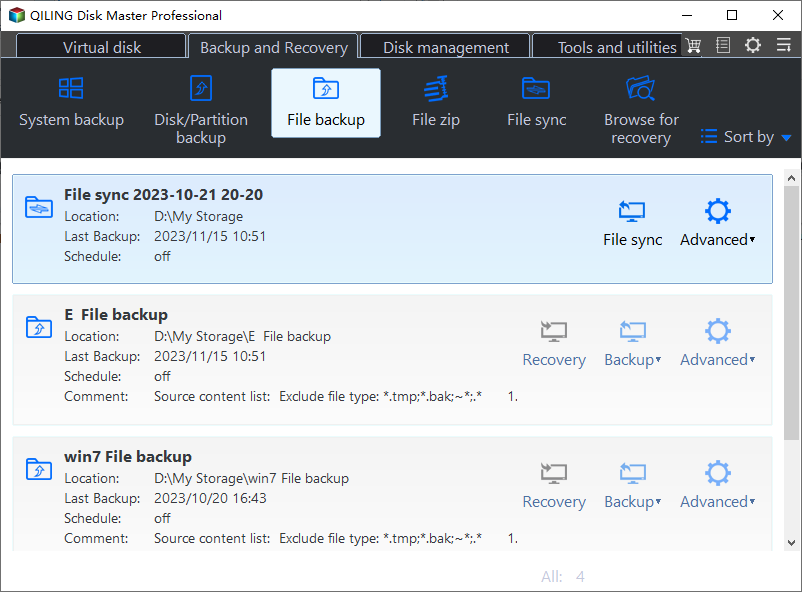
Step 1. Choose File Backup
Open the Backup and Recovery tab and click File Backup. For an exact copy of the whole drive, use Disk Clone instead.
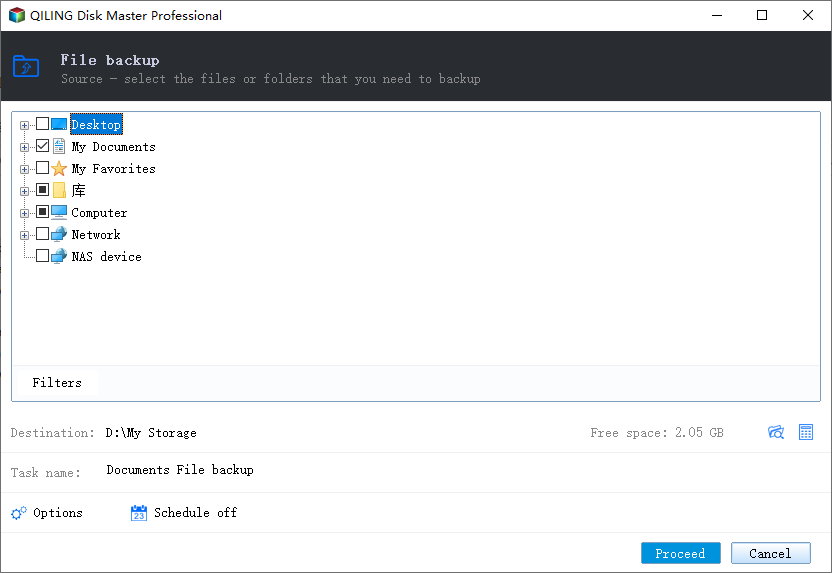
Step 2. Select the USB Drive
Expand Computer and tick the drive by its letter, then confirm the size in the task summary. A drive that reconnected may have received a different letter.
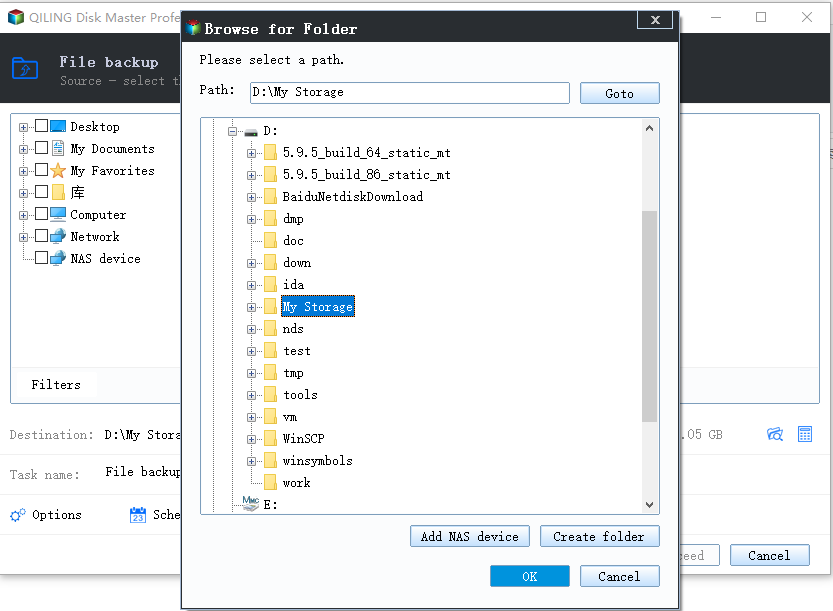
Step 3. Choose an Internal Destination
Point the destination at an internal disk with enough free space. Do not write back to the same USB drive.
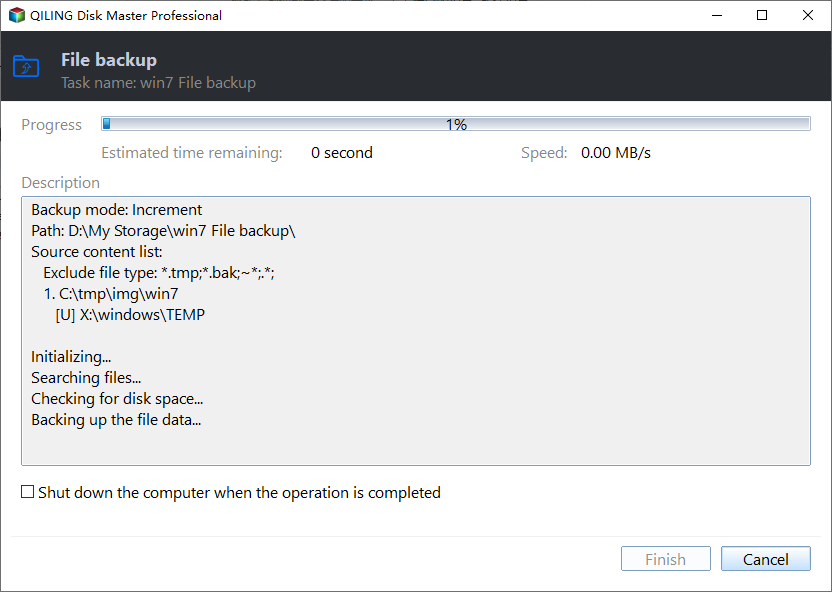
Step 4. Preview and Proceed
Name the task, review the summary, and start the job. Keep the drive connected until it finishes and check the result afterwards.
Frequently Asked Questions
Will a system restore bring the driver back?
It can, if a restore point exists from before the update. Copy the data first, because a restore may remove the new drivers as well.
Why do all USB ports fail at once?
Because the fault is in the controller stack, not in one port. A single failing port is hardware; every port failing is software.
Should I reinstall the chipset driver?
Yes, after the USB controller reinstall. The chipset package supplies the correct controller definitions for your board.
Can the drive be damaged by this?
Rarely. The drive normally mounts on another machine without any repair, which confirms the fault is local.
For a drive that connects but keeps dropping during a copy, see an external drive that disconnects during a copy.
Related Articles
- External Hard Drive Disconnects During Copy
- USB-C Port Not Detecting an External Drive
- Mapped Network Drive Keeps Disconnecting
- Assign a Drive Letter in Windows
- Find the Hard Disk Serial Number
Products
Articles & Tutorials
- Data Recovery
- Data Backup
- File Recovery
- File Backup
- System Backup and Restore
- Disk and Partition Clone
- Technical articles
- Mobile articles
- Disk Master Help
- Windows Data Recovery Tutorials
- Windows Secure Delete Tutorials
- Windows Partition Management Tutorials
- Windows File Backup and Restore Tutorials
- Windows System Backup and Restore Tutorials
- Windows Disk Backup and Restore Tutorials
- Windows Clone Tutorials