Full Backup Advantages and Disadvantages [2023 Review]
What Is Full Backup
A full backup is a type of computer backup that creates copies of all data files in a single backup to maintain data security.
A full backup creates a complete copy of the source data set, including the operating system, files, settings, and other required data, allowing users to restore their computer to its exact original state.
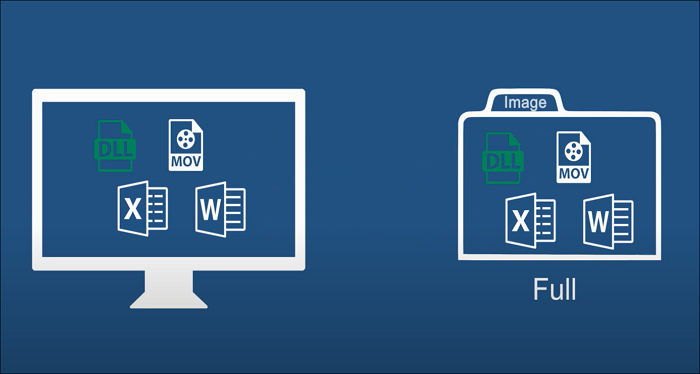
Compared to incremental and differential backups, full backups are the fastest and simplest backup scheme, but they also have obvious advantages and disadvantages.
The Advantages of Full Backup
Backup can maintain data security, prevent data disasters, and protect against computer viruses, ensuring data integrity and preventing irreparable damage.
Among the three backup schemes - full backup, incremental backup, and differential backup - full backup is the most commonly used method, especially for regular backups.
This is because full backup provides a complete copy of all data, ensuring that everything is backed up in case of a disaster or system failure. Enterprises and individual users often rely on full backup for their regular backups due to its simplicity and effectiveness in protecting their data.
- A full backup can provide complete protection for your system files, safeguarding against data loss without any risk involved.
- A full backup can quickly restore all files, data, and settings, providing a comprehensive and efficient way to recover in case of a system failure or data loss.
- Managing full backups is easy, as users can create a separate backup each time, allowing for easy tracking and retrieval of previous versions.
- A full backup allows users to easily delete old backup files and create new ones, streamlining their backup process.
- Users can search and find desired files in the full backup, with a simple operation process.
The Disadvantages of Full Backup
While full backup can provide users with good data security, it also has its downsides. On one hand, it offers many advantages, but on the other hand, some disadvantages are noteworthy, such as the significant time and storage space required. Therefore, before considering using full backup, it's better to pay attention to these points.
- A full backup will create a copy of all data, resulting in a significant storage space requirement.
- Full backups need a lot of time to create
- There will be redundant and unnecessary data in the backup
- A full backup is a single backup of all data, which means that if the backup is damaged, you will lose all data. This is because all data is stored in the same location.
Conclusion
To prevent data disasters on your computer, save your data carefully and back up your computer regularly.
A full backup provides a comprehensive copy of all data, including systems, files, and personal settings, and can facilitate fast data recovery. However, it also requires significant time, storage space, and safety control, which are notable drawbacks.
After understanding the pros and cons of the full backup, you can compare and contrast the other two backup modes and customize the backup scheme that best suits your needs.
- Tip
- You can read this post to learn more detailed information about full backup.
Related Articles
- What Is Remote Desktop Connection and How To Use It? [Full Guide]
- Windows 10 Stuck in Airplane Mode and How to Fix it
- 2023 Top 5 Mac Cleaning Software [Unbiased] - Qiling
- MacBook M1 VS M2: What Is the Difference?
- HP Laptop Stuck on Loading Screen - Why & Fixes
If you're experiencing an HP laptop stuck on the screen error, you can resolve the issue using the troubleshooting methods mentioned in this guide. By following the best fixing tips outlined in this blog, you should be able to get your laptop up and running smoothly again. - HP Laptop Won't Turn On But Power Light Is On [Detailed Guide]
If your HP laptop won't turn on but power light is on, it could halt your daily work. The exact reason is hard to figure out, but it is better to fix the issues and get back to work. This article has simple solutions to fix an HP laptop won't turn on but the power light is on.
Products
Articles & Tutorials
- Data Recovery
- Data Backup
- File Recovery
- File Backup
- System Backup and Restore
- Disk and Partition Clone
- Technical articles
- Mobile articles
- Disk Master Help
- Windows Data Recovery Tutorials
- Windows Secure Delete Tutorials
- Windows Partition Management Tutorials
- Windows File Backup and Restore Tutorials
- Windows System Backup and Restore Tutorials
- Windows Disk Backup and Restore Tutorials
- Windows Clone Tutorials