KB5132061 Update Won't Boot: Fix the BCD Error
Quick Navigation:
- What the Update Changed
- BCD Fault or Disk Fault
- Check EFI Partition Space
- Repair the Boot Entry
- Frequently Asked Questions
The November 2026 security update KB5132061 moves Windows 11 to build 26300.9974 and replaces the boot manager and the Boot Configuration Data store on the EFI system partition. When that write is interrupted or cannot fit, the machine restarts into 0xc0000001, and pressing F1 pushes it to 0xc0000098 with \BCD printed on the screen. The recovery environment on the disk usually fails to load at the same time, so the repair has to start from USB media.
What the Update Changed in the Boot Chain
An update of this size stages the new boot files before the restart and commits them during it. The commit writes three things: the boot manager, the Windows boot loader, and the BCD store that lists the installed operating systems. A machine that installed the package successfully can still fail on the first restart afterwards, because the commit runs outside Windows and has no rollback path if one of the writes fails.
The two error codes describe two different missing pieces. 0xc0000001 means the loader started but could not read a device or a configuration it needs. Pressing F1 tells the loader to continue, and the next read then fails against a named file, which is 0xc0000098 with \BCD beside it. The file name in the message is useful: it points at a configuration entry, not at a sector of the disk.
The third symptom explains why the usual repair is unavailable. The update needs free space on the EFI partition, and on machines where that partition was almost full the write fills it completely. Windows Recovery Environment is then either removed or no longer registered, the recovery menu never appears, and bootable USB media becomes the only way to reach a command prompt. The related 0xc0000098 boot error page covers the same code outside the update scenario.
Decide Whether the BCD or the Disk Failed
A BCD fault is the more likely explanation when the error names a file and the firmware still detects the drive. Look for the disk model in the boot menu or on the storage page of the firmware setup. A drive that is absent there has a cable, port, or hardware problem, and no boot repair will change that result.
A failing disk behaves differently. The stop code changes between restarts, the drive ticks or buzzes at a regular interval, partitions vanish or change size, and the firmware reports a SMART warning. Those signs call for a copy of the user data before anything is written to the disk, because every repair attempt adds writes to a surface that is already returning errors.
One observation settles most cases. If the machine boots from USB media, opens a command prompt, and lists the Windows volume with its original size and an NTFS file system, then the partition table and the volume are intact. The problem sits in the boot files only, and the repair is a rebuild rather than a recovery job.
Windows also ships its own recovery commands for this state: bootrec, bcdboot, and diskpart. They are built into Windows and are not features of Qiling Disk Master. They are worth trying from the recovery command prompt when the EFI partition has free space, but they cannot succeed on a partition that is already full.
Check Free Space in the EFI Partition
On a GPT disk the EFI system partition is a FAT32 volume of 100 MB in most layouts, and some vendors ship 260 MB with only a few megabytes free. The build 26300.9974 boot files need roughly 30 MB of headroom, so an EFI partition that is 92 percent full rejects the commit even when every file in it is valid.
Read the used and free space of that partition before rebuilding anything. A rebuild copies the same files back into the same full volume, so the error returns on the next restart and each attempt leaves the FAT slightly more fragmented. Check the size of the Windows folder beside it as well, since an EFI partition that was resized by an earlier tool may be smaller than the standard 100 MB.
There are two ways to make room. Delete what the firmware does not read, such as vendor logo images, memory test logs, and old language folders, or extend the partition into unallocated space when the gap sits directly after it. Extending is the durable answer when the disk has spare space at the front, and it also prevents the next feature update from failing the same way.
When the EFI partition is followed by the Windows volume and no unallocated space exists, move the Windows volume to the right first and extend the EFI partition into the gap that opens. Both operations change the layout, so confirm that the user data has a backup before the first write. A disk that reports no EFI system partition at this point has a different problem and needs the partition created rather than resized.
Repair the Boot Entry and Enlarge the EFI Partition
Qiling Disk Master reads the partition map and the free space of every volume without starting Windows, and it can extend the EFI partition and rebuild the boot records from the same bootable media that carries the repair tools. Work from that media so the system disk is not locked by a running installation, and keep the USB drive plugged in until the machine restarts on its own.
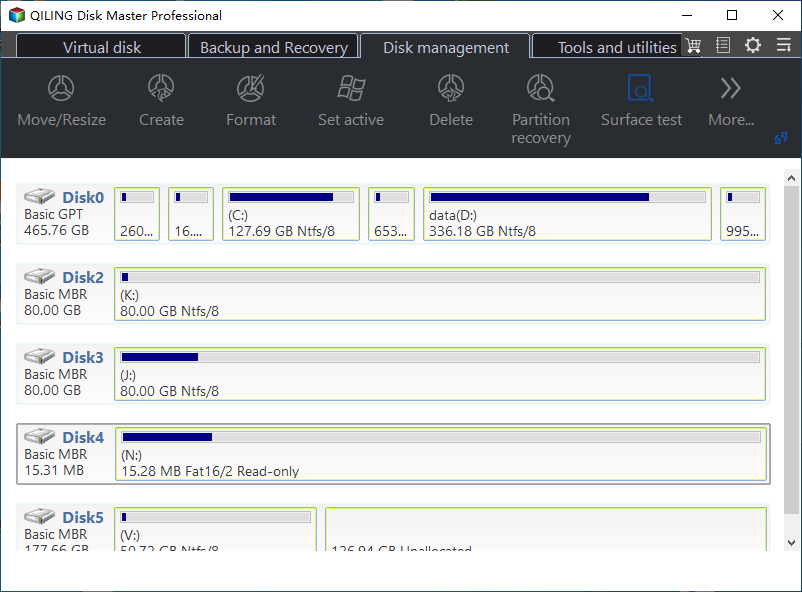
Step 1. Read the Disk Map and the EFI Partition
Start the machine from the media and open the disk map. Match the system disk by capacity, then read the EFI entry: on a GPT disk it is the small FAT32 volume at the start, usually 100 MB or 260 MB, and the bar shows how much of it is in use.
Step 2. Extend the EFI System Partition
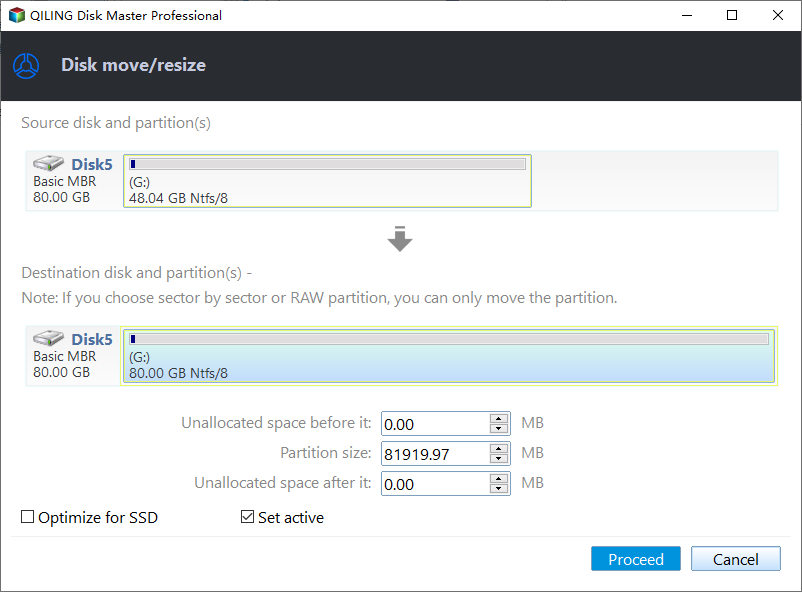
Right-click the EFI partition and choose Resize/Move, then drag the right edge into the unallocated space that follows it. Leave the starting offset unchanged so the partition keeps its position in the boot order, and leave at least 100 MB free inside the volume after the resize.
Step 3. Preview the Layout and Proceed
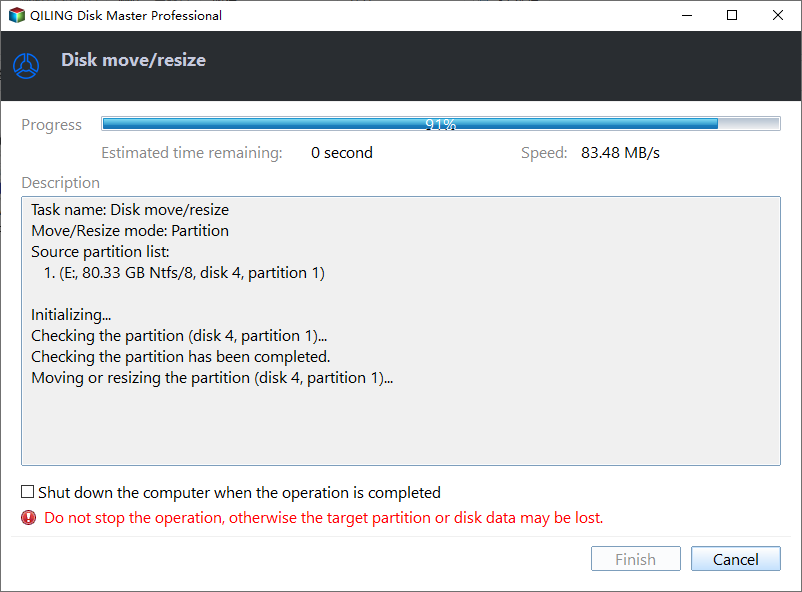
The pending change appears in the task list with the old and the new size. Confirm that only the EFI partition is affected, then click Proceed to write the new layout. The resize itself needs no restart, but the boot repair that follows does.
Step 4. Rebuild the Boot Files
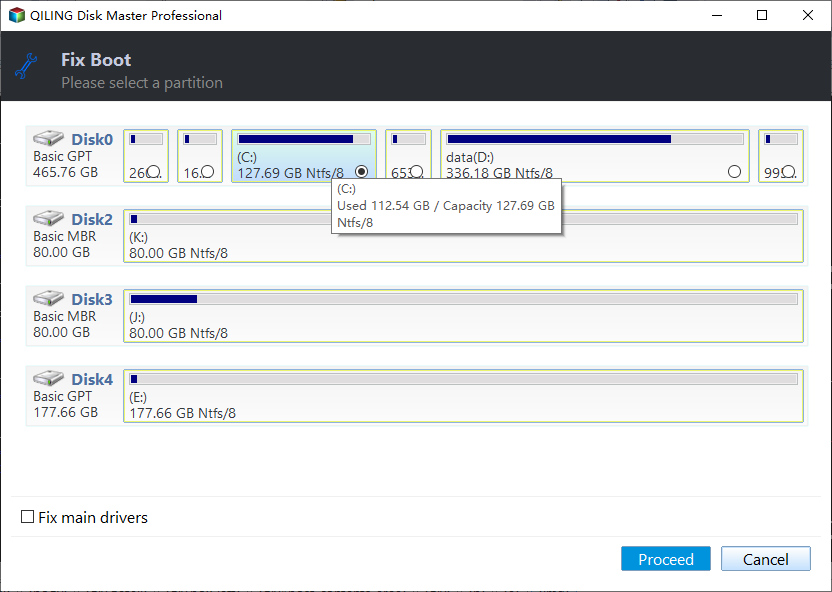
Open the Rebuild MBR tool, select the Windows installation that should boot, and confirm the disk style: GPT for a UEFI machine, MBR only for a legacy installation. The tool rewrites the boot manager and the BCD store on the EFI partition, so click Proceed once the correct system is highlighted.
Remove the media and restart. If the machine returns to 0xc0000098, either the EFI partition is still short of space or the update wrote the same broken entry again; repeat the free-space check before another rebuild.
Frequently Asked Questions
Did the update delete my files?
No. The update modified the boot files on the EFI partition and left the Windows volume untouched. The system only looks empty because the loader cannot read its configuration, so avoid a reset or a clean install until the data has been copied out.
Can I uninstall KB5132061 to get the machine back?
Windows can remove a package only while it is running, and a machine with no working boot entry never reaches that point. Repair the boot files first, then remove the package from the update history if the machine still misbehaves.
Will a newly created 100 MB EFI partition work?
Only if it is formatted as FAT32 and carries the EFI system partition type. A plain FAT32 volume without that type identifier is ignored by the firmware, and the boot files written into it will never be found.
Related Articles
- Fix Windows Boot Error 0xc0000098
- How to Repair the EFI Bootloader
- No EFI System Partition Was Found: Four Fixes
- Bootmgr Is Missing on Windows 11
- Automatic Repair Could Not Repair Your PC
Products
Articles & Tutorials
- Data Recovery
- Data Backup
- File Recovery
- File Backup
- System Backup and Restore
- Disk and Partition Clone
- Technical articles
- Mobile articles
- Disk Master Help
- Windows Data Recovery Tutorials
- Windows Secure Delete Tutorials
- Windows Partition Management Tutorials
- Windows File Backup and Restore Tutorials
- Windows System Backup and Restore Tutorials
- Windows Disk Backup and Restore Tutorials
- Windows Clone Tutorials