Why and How to Merge Partitions to Solve Disk Space Issues?
1. Your main partition is running low on disk space, but other partitions have more available space. To free up some space on your main partition, you could consider merging the other partitions with it, effectively increasing the free space on your main partition.
2. You may want to get rid of your partitions altogether and create a single partition, which can make it easier to manage your disk space and avoid potential issues with partitioning. This approach is often used in modern Linux distributions and can be a good option if you're not planning to use a separate partition for a specific purpose like a /home directory.
To merge partitions, you can use Qiling Partition Master, a tool that allows you to manage and manipulate your disk partitions.
Qiling Partition Master Free is a free partition software that allows Windows users to merge up to two partitions. It supports Windows XP, Vista, 7, 8, 10.
Merge Two Partitions with Qiling Partition Master
To merge partitions, follow these steps:
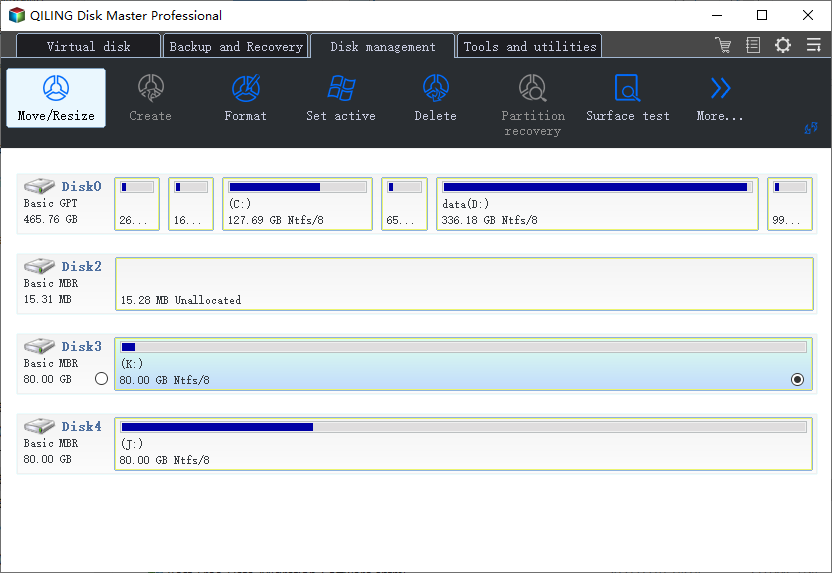
Step 1: Select the target partition
To add space to a partition and keep it, click on the partition you want to modify, select "Move/resize", and proceed with the on-screen instructions.
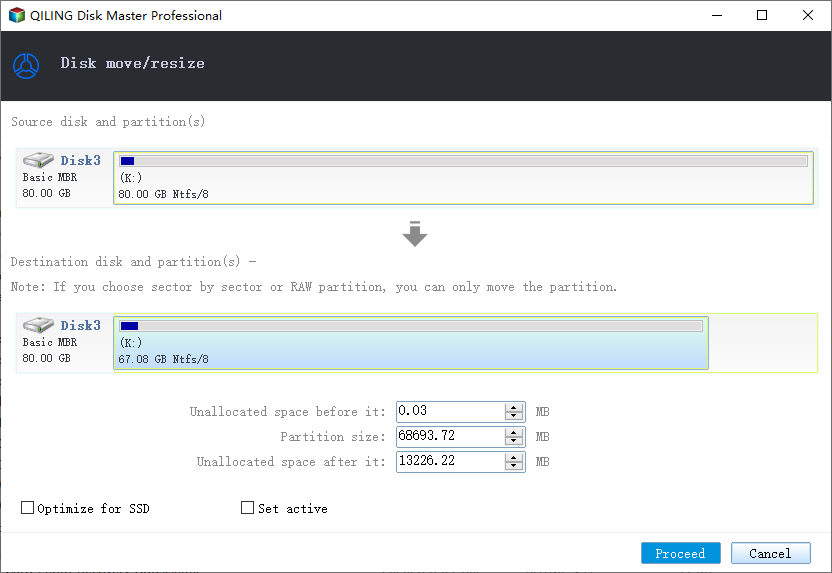
Step 2: Drag the system partition end into the unallocated space
To resize the target partition, simply drag its end into the unallocated space, effectively adding it to the target partition. Once done, click "Proceed" to initiate the resizing process.
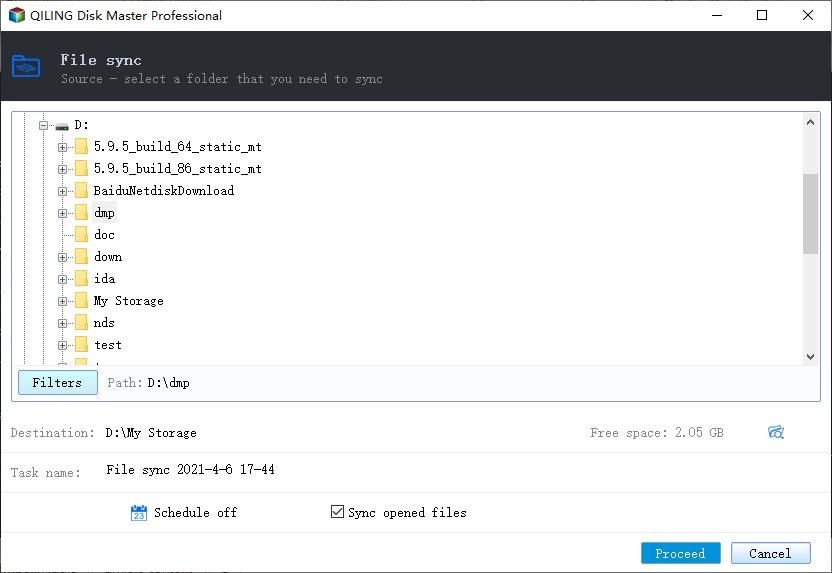
Step 3: Select a neighbor partition to sync
To proceed with the "File sync" feature, navigate to the "Backup and recovery" page and click on it. Then, select one partition next to the previously selected partition to continue the process.
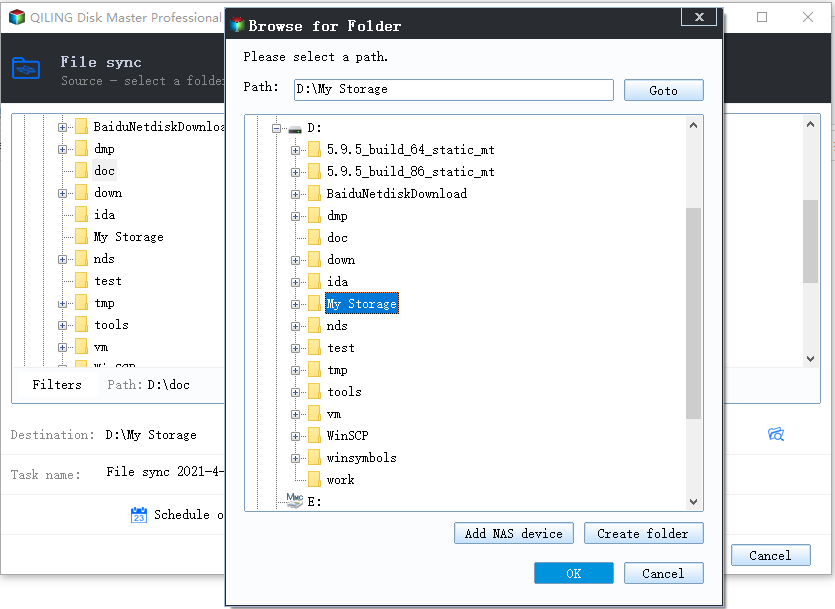
Step 4: Select target partition for sync location to merge partitions
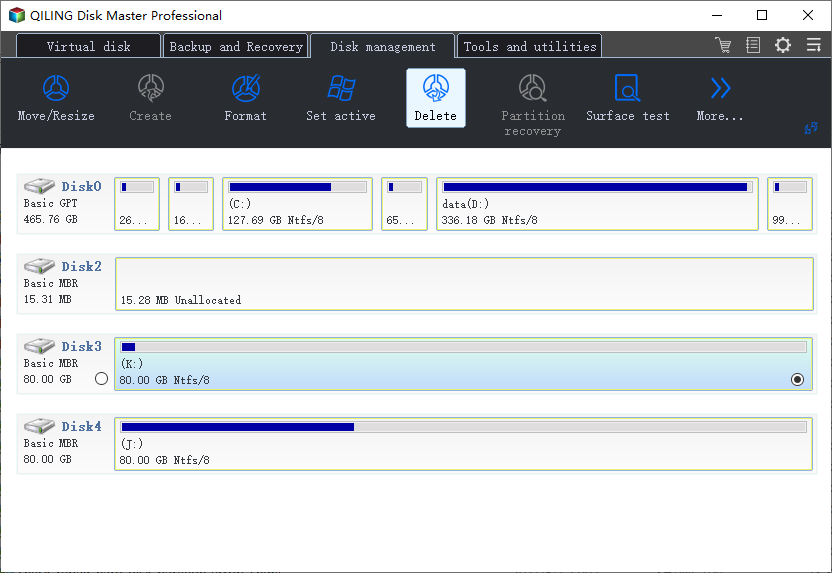
Step 5: Delete the no used partition
Related Articles
- Can't Skip Disk Check on Startup Windows 11 | What Should I Do?
- How to Fix New Simple Volume Greyed Out in Windows Server
- Easy Solutions to Fix "You cannot format this volume" on Windows 11/10
- How to Recover Deleted or Lost Partition in Windows 10
- How to Reset Windows Password When Locked Out🔥
Don't be panic, this post will assist you in solving the complicated problem of being locked out of your Windows account due to a forgotten password. - Tutorial: How to Resize External Hard Drive on Windows 10/11
If you're looking for a comprehensive guide on how to resize external hard drives, this guide can help! Our guide will walk you through the entire process, from preparation to execution, to help you resize your external hard drive with ease.
Products
Articles & Tutorials
- Data Recovery
- Data Backup
- File Recovery
- File Backup
- System Backup and Restore
- Disk and Partition Clone
- Technical articles
- Mobile articles
- Disk Master Help
- Windows Data Recovery Tutorials
- Windows Secure Delete Tutorials
- Windows Partition Management Tutorials
- Windows File Backup and Restore Tutorials
- Windows System Backup and Restore Tutorials
- Windows Disk Backup and Restore Tutorials
- Windows Clone Tutorials