How Long Do Hard Drives or External Hard Drives Last (If Unused)
Hard Disk Drives (HDDs) and Solid State Drives (SSDs) are two popular storage devices that offer reliable and quick data transfer and retention. However, like all computer peripherals, they have a limited lifespan and can only be used for so long before they need to be replaced. To learn more about the lifespan of hard drives, keep reading.
How Long Do Hard Drives Last Unused
The lifespan of a hard disk drive (HDD) can vary, but it's generally estimated to last between 3 to 5 years, with factors such as usage and maintenance affecting the actual duration.
How Long Do HDDs Last If Not Used
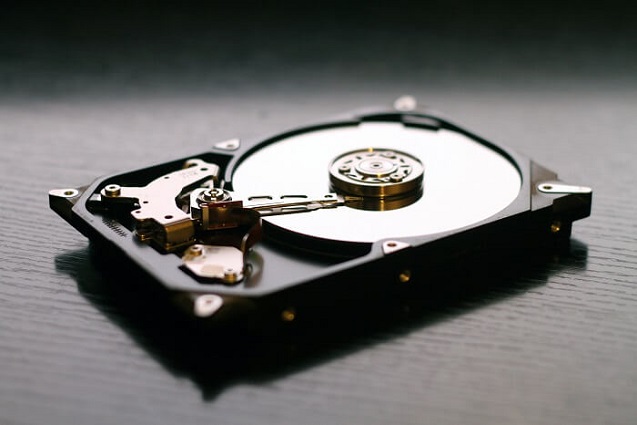
The strength of a classic hard disk drive (HDD) lies in its well-honed mechanism, which makes it less prone to failures due to wear and tear. The rotating platters and read head never come into contact, allowing the HDD to operate normally with minimal wear, and in theory, last forever.
How Long Do SSDs Last
SSDs have a lifespan of around 10 years when used normally, similar to traditional hard drives. However, this wasn't always the case, as earlier SSDs had limited read and write cycles due to their cell composition. But with advancements in technology, the composition of SSD cells has improved, reducing the impact of these limitations and extending their lifespan.
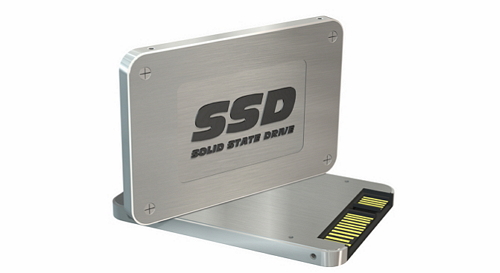
With advancements in technology, such as wear balancing, the lifespan of SSDs has significantly improved. As a result, other computer components will likely become outdated before the SSD's limited memory capacity is reached. Additionally, the absence of moving parts in SSDs eliminates the risk of mechanical failure, providing a reliable storage solution.
SSDs last 25% longer than traditional hard drives, but only if properly maintained by keeping drivers up to date and performing regular maintenance. This makes them a good alternative to HDDs.
Which Lasts Longer, SSD or HDD
Frequent or infrequent usage, optimal operating conditions, and proper care can all impact the lifespan of both hard drives and solid-state drives. Proper care includes avoiding mismatched drivers, viruses, and malware, which can add or subtract from the lifespan of the drives.
SSDs are more reliable than HDDs due to their construction, which has no moving parts, making them less susceptible to vibration and thermal issues, and therefore, more durable.
As a result, it's generally safe to assume that an SSD drive will last longer than an HDD, given that proper maintenance and precautions are taken.
How Long Do External Hard Drives Last
External hard drives are typically used for portable data storage, short-term backups, and emergency data transfer. They are designed to last around 3 years, with some brands claiming a lifespan of 3-5 years, but the actual lifespan varies depending on factors such as brand, durability, and usage.
How to Recover Data When HDDs or SSDs Fail
To ensure your computer stays in top shape, it's essential to keep your storage drive clean and optimized. Avoiding viruses and malware infections, as well as unexpected power loss and mishandling, can help prevent your disk from failing. However, if the worst happens and you lose access to important data or even a lifetime of work, data recovery software can be a lifesaver, providing a last resort to rescue your valuable information.
Choosing the best software for a particular task involves selecting an app that excels in performance, offers the most desirable features, and provides a strong return on investment.
Deep Data Recovery helps retrieve mission-critical data from damaged drives, offering a robust and reliable all-in-one solution to recover lost, deleted, or corrupted data.
The software offers the best options and features for data recovery with an easy-to-understand and use interface, making it a top choice for recovering deleted files and retrieving them with ease, rivaling other leading software in its category.
The software is available in free and pro versions with different payment plans, and offers fast and friendly customer support. Tech reviewers have praised the software, calling it "an overall competent file recovery tool" and noting that it "does the best job in testing at recovering lost and deleted files".
To recover data from an SSD or HDD, you can use a powerful file recovery software that guides you through the process with clear steps. Follow the steps below to see how to recover data from SSD or HDD with this powerful file recovery software.
Step 1. Select file types and click "Fast Scan" to start
To recover data, open Deep Data Recovery, select the desired file types, and click "Fast Scan" to initiate the process.

Note: You can choose different search modes based on where and why the data was lost.
Step 2. Scan the SSD
To recover data from a corrupted SSD, select the SSD where the data was lost, and click the "Scan" button to initiate the scanning process.

Step 3. View the results
When the scanning process is complete, use the "Filter" and "Search" options to locate lost SSD data by checking the "Deleted Files" and "Other Lost Files" folders.

Step 4. Recover SSD files
To recover lost SSD files, select the desired data and click the "Recover" button to retrieve it.
Some essential features of Deep Data Recovery include the followings:
Deleted File Recovery: The software can quickly recover deleted files, even after the recycling bin is emptied.
Raw File Recovery: Deep Data Recovery scans for and recovers RAW files from inaccessible storage devices as well.
Formatted Recovery: Files can be recovered from formatted media, including hard drives, solid-state drives, memory cards, and portable storage devices, even if they were formatted accidentally.
Other pros of Deep Data Recovery are:
- Detailed scan of the media which contains the deleted or formatted files.
- In a comparison test, the product successfully recovered files that other similar products were unable to retrieve, demonstrating its superior capabilities in file recovery.
- Easy sorting of deleted files and specific file types.
- Providing reliable and fast performance.
Our software offers the best data recovery solution, with an easy-to-use interface that makes it simple to scan for deleted files on specified media.
What Are the Best Practices for Hard Drive Health
The lifespan of Hard Disk Drives (HDD) and Solid State Drives (SSD) is heavily influenced by how they are used, how often they are used, and the conditions in which they are stored and operated.
To extend the life of your hard drives, it's essential to take some smart precautions and adopt best practices. Regularly cleaning dust from the drive, using a surge protector to prevent power surges, and keeping the drive in a cool, dry place can help prevent overheating and mechanical failure. Additionally, backing up your data regularly, using a UPS (uninterruptible power supply) to prevent data loss in case of a power outage, and monitoring the drive's health with software can also help prevent unexpected hard drive failure and data loss.
- Avoid using your drives when not required, as regular use and prolonged use can shorten its life.
- Drives used for backup purposes only should be taken out and used once every 4-5 months to keep the battery charged, especially for SSDs.
- To protect your electronics from humidity and extreme heat, consider storing them in sealed plastic bags or boxes, or using static shields. This simple precaution can help safeguard your devices from damage.
- Keep your drives in a secure location, out of reach of children and away from dust accumulation.
- Avoid exposing your external drives to extreme temperatures, physical shock, or moisture. Handle them with care to prevent damage.
- Invest in high-quality and durable cables for attaching external drives to your laptops and computers, as cheaper alternatives may compromise data integrity and put your valuable files at risk.
- To maintain the longevity of hard disk drives (HDDs), it's recommended to defragment them using built-in OS utilities or specialist apps. This process helps minimize wear and tear on the magnetic disk platters and reduces the movement of read heads, making it easier for them to locate data.
- Never pull the cable connector abruptly from the USB port. Instead, safely eject the media or unmount the external drive or SSD drive before physically removing it from your system.
- Keep backups of your data in more than one place and, if possible, replace your external drives every couple of years.
The drive's lifespan is greatly affected by how frequently it is used, with heavy usage leading to a faster depletion of its data transfer limit.
Consider replacing old external hard drives every few years to ensure data safety, and also back up data to the cloud in addition to maintaining external drives and SSDs.
The Bottom Line
The lifespan of a hard drive is not fixed and can vary greatly depending on several factors, with a typical lifespan ranging from 3 to 5 years for HDDs and up to 10 years for SSDs, influenced by factors such as build quality, usage periods, and operating conditions.
Developing good data backup habits can help extend the life of your hard drive and prevent unexpected drive failure and data loss. This can be achieved by using cloud backup services and keeping a backup on external drives, as well as replacing your hard drive every couple of years to ensure the safety and retention of your data.
If you need to recover data from a hard drive, solid state drive, or external hard drive, Qiling data recovery software is a good option, with a high recovery rate for restoring lost files.
Related Articles
- 6 Fixes for Xbox One Won't Turn On Issue
- 4 Fixes to You Must Initialize a Disk Problem
- Kingston Flash Drive Recovery
- Recover Deleted Recordings/Shows on DirecTV
- 4 Best Ways to Recover Lost Save Data in Hogwarts Legacy
If your Hogwarts Legacy progress and game save are gone or missing. There are four working ways to recover lost Save data in Hogwarts Legacy, and using Qiling Data Recovery Wizard is the most effective method. - How to Recover Lost Save Data in the Star Wars Jedi: Survivor
This issue can be resolved. If you lose your Star Wars Jedi: Survivor game save. Four efficient methods are provided on this page to recover deleted saved data in the Star Wars Jedi: Survivor. Qiling Data Recovery Wizard is the best program for recovering lost saved data.
Products
Articles & Tutorials
- Data Recovery
- Data Backup
- File Recovery
- File Backup
- System Backup and Restore
- Disk and Partition Clone
- Technical articles
- Mobile articles
- Disk Master Help
- Windows Data Recovery Tutorials
- Windows Secure Delete Tutorials
- Windows Partition Management Tutorials
- Windows File Backup and Restore Tutorials
- Windows System Backup and Restore Tutorials
- Windows Disk Backup and Restore Tutorials
- Windows Clone Tutorials