Overwritten CCTV File Recovery: How Can I Recover CCTV/DVR Files
Try each of the solutions to recover CCTV files.
| Workable Solutions | Step-by-step Troubleshooting |
|---|---|
| 1. Use File Recovery Software |
Run Deep Data Recovery Select the location and click "Scan" Recover lost video recordings...Full steps |
| 2. Recover from Backup |
Find the video backup folder Locate the exact video Copy and store the found video...Full steps |
What Do Overwritten Files Mean
When a crime occurs, surveillance videos often serve as crucial evidence for investigations. However, if a video is overwritten, it means new data is recorded over the existing data, effectively erasing the old information. This happens when a file system is updated and new files are written over the old ones, utilizing unused file system clusters to record new data. As a result, the old information is lost, making it challenging to recover or access it.
Can You Recover Overwritten CCTV Files
Can deleted CCTV files be recovered? Is it possible to recover overwritten CCTV or DVR data? These are common questions, and the answer is yes, in some cases. Deleted files can be recovered if the storage device is not overwritten, and the data is not corrupted.
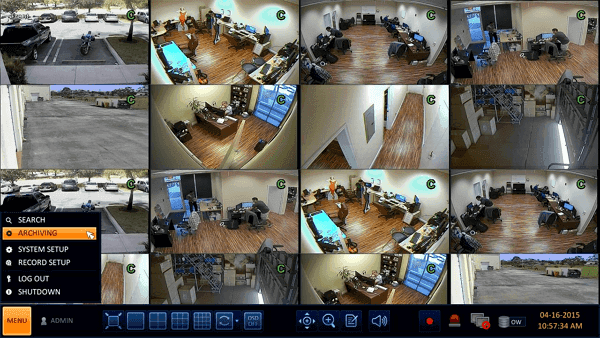
Recovering deleted CCTV files is relatively easy, but there's a slim chance of retrieving DVR videos that have been overwritten, as they're often erased from the hard disk to make room for new recordings. However, if the hard disk is damaged but still contains existing videos, it's possible to recover those files.
If a hard drive used for a CCTV camera is not completely overwritten, there is still a possibility to recover video footage from it.
Two Methods to Restore Lost CCTV Files
If you've accidentally deleted videos from your CCTV/DVR hard drive or SD card, There are two methods to recover deleted videos: using a data recovery software or physically extracting the hard drive or SD card and sending it to a professional data recovery service.
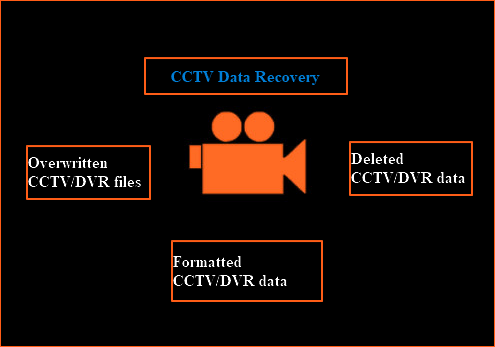
Method 1. Recover CCTV Files with Qiling Data Recovery Software
If you've deleted your CCTV data, you can use Qiling disk data recovery software to restore lost CCTV/DVR data. This software allows you to recover deleted, formatted, or erased CCTV files on hard drives, SD cards, or USB storage devices, effectively recovering your lost video recordings.
Step 1. Launch Deep Data Recovery. Choose file types and click "Fast Scan" to start the recovery process.

Note: You can choose different search modes based on where and why the data was lost.
Step 2. To recover deleted videos, select the location or device where the videos were lost or deleted, and click "Scan" to initiate the recovery process.

Step 3. After scanning, select "Videos" in the left panel, go to "Lost" or "All" to find the desired videos, and then click "Preview" to select the found videos.

Step 4. Select the video files you want to recover, then click "Recover" to save them to a secure location.
- Tip
- If your CCTV HDD is not completely overwritten, you can try Qiling data recovery software. However, be aware that if data has been overwritten, retrieval is more complex and not guaranteed. You can download a trial version to try and see if you can recover the lost files. If you're successful, you can purchase the software and save the recovered data to a safe place. Otherwise, this tool may not be able to help.
Method 2. Recover Deleted/Overwritten CCTV from Backup
If you've backed up your surveillance videos to another hard drive or SD card, you can easily restore your CCTV files from the backup.
Step 1. Find and open the video backup folder.
Step 2. To recover a deleted video from a CCTV or DVR hard drive/SD card, you can use specialized software designed for this purpose. These tools, such as CCF Viewer, CCF Explorer, or DVR Viewer, can help you locate and recover the deleted video.
Step 3. Copy and store the found video back to the disk/SD card.
Bonus Tip - How to Back Up Videos and CCTV Files
To protect yourself from data loss and its associated hassle, consider backing up your videos by copying them to another drive or uploading them to cloud storage services like Google Drive or OneDrive. For automatic file backup, Qiling Backup is a reliable option that allows you to easily back up wanted files and folders to an external hard drive or other drives.

Conclusion
If you don't have a backup, you can consider using professional data recovery software and services for CCTV/DVR recovery in different situations. This approach can help you recover your data without a backup. However, it's worth noting that going this route may require seeking the assistance of a professional data recovery service, depending on the complexity of the situation.
Related Articles
- Unformat USB | Free Download USB Unformat Tool to Recover Data from Formatted USB
- Recover Lost Files with Qiling Portable Data Recovery Software
- What Is Network Attached Storage and How to Recover Lost/Deleted Data from NAS
- How to Recover Deleted Files from Scan and Fix (3 Steps)
- [Real Fix] There Is No Option to Empty Recycle Bin on Windows 10
When the “Empty Recycle Bin” option is grayed out, preventing you from deleting files, there are several real fixes to resolve the issue. - Fix No Writable WD Smartware Partition Found and Recover Data
WD My Passport not recognized or become inaccessible in Windows or Mac due to No writable WD SmartWare partition found error? Here, useful instructions are created to help you fix the issue on Western digital hard drive and recover lost partition data.
Products
Articles & Tutorials
- Data Recovery
- Data Backup
- File Recovery
- File Backup
- System Backup and Restore
- Disk and Partition Clone
- Technical articles
- Mobile articles
- Disk Master Help
- Windows Data Recovery Tutorials
- Windows Secure Delete Tutorials
- Windows Partition Management Tutorials
- Windows File Backup and Restore Tutorials
- Windows System Backup and Restore Tutorials
- Windows Disk Backup and Restore Tutorials
- Windows Clone Tutorials