Help Documents
- Overview
- Hardware requirements
- Operating Systems
- Supported file systems
- Supported storage devices
- Install and uninstall
- Edition comparison
- File zip
- File sync
- Filters
- Check disk image
- Check file image
- Mount backup point
- Full backup
- Incremental backup
- Differential backup
- Edit backup
- Delete backup
- Delete image
- File sync
- Move/resize
- Create partition
- Format
- Partition recovery
- Surface test
- Align partition
- Change Volume Label
- Change Serial Number
- Change Cluster Size
- Check File System
- Rebuild MBR
- Wipe data
- More
Change Serial Number
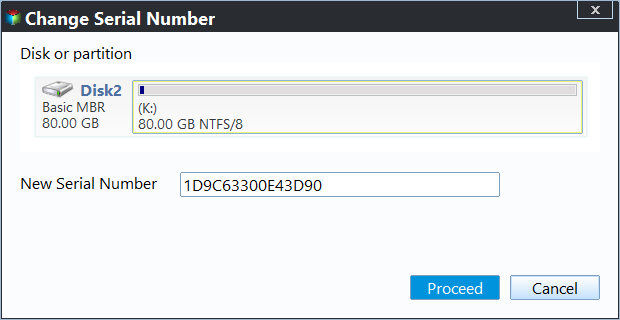
Use this feature to change the serial number of a selected volume.
Right-click a volume, then choose Advanced -> Change Serial Number.
- Select the volume whose serial number you want to change.
- Enter a new serial number.
- Click Proceed to apply the new serial number.
- Click Cancel to cancel the operation.