Laptop vs. Desktop: Which Is Better for You? [Comparative Analysis]
When purchasing a laptop or computer system, consider several criteria to determine which one suits your needs best, as the improving technology has vast differences between the different gadgets.
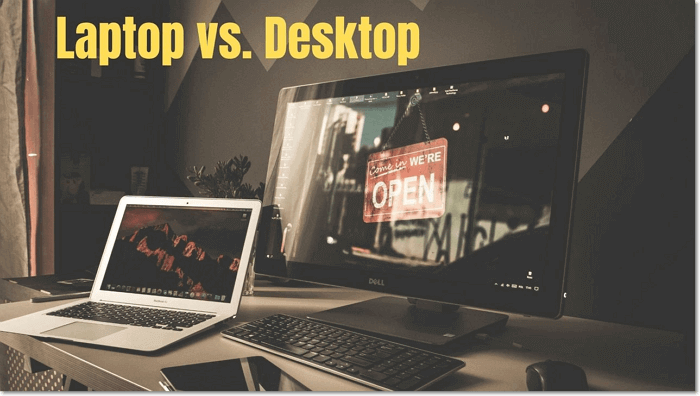
Laptop vs. Desktop: The Differences
Cost: Desktops offer a wide range of component options, resulting in various pricing options for consumers. This allows for affordable starting prices, with powerful desktops available for as little as $600.
Laptops offer a range of component options, but are limited compared to desktops, with prices slightly higher. A powerful laptop with high speed, better graphics, and more storage space can cost around $1000.
Portability: Desktops are larger and bulkier, with separate monitors and CPUs, making them difficult to move around. They're designed to stay in one place, making them less portable than laptops.
Laptops are highly portable and compact, designed to provide users with an extreme level of mobility, making them perfect for use on-the-go, easily fitting in a backpack or case.
Processor: Desktops have powerful processors, offering high-end usability, but laptops have nearly caught up in performance, with some needing improvement to reach desktop levels. While high-performance laptops are available, accessing them often requires an additional cost.
Internal storage: The desktop's multiple storage drives allow for a large amount of data to be stored without impacting the device's performance.
Laptops have one internal drive for storing data, which can be easily replaced with a preferred drive or storage option.
Assembly and setup: Setting up a desktop can be a time-consuming process, requiring extra effort to connect all components properly for smooth operation, and also taking up more physical space compared to other devices.
Accessing a laptop is a straightforward process that requires minimal effort. Simply take the computer out of its box, plug it in, and press the power button. This will get your laptop up and running within a few minutes, making it instantly ready to use.
Keyboard: Desktop PCs typically require a full-sized keyboard with a number pad, but they do not have any limitations in terms of usage or functionality.
Laptops with 14" to 15" screens typically have smaller keyboards without a number pad on the right side, while those with 17" screens have larger keyboards with a number pad.
Screen size: Most available desktops have a screen size of 19" or more, whereas laptops come with a wider range of screen size options from 10" to 17".
Power usage: Desktops are often thought to be power-hungry compared to laptops, requiring higher wattage power supplies and multiple components within the computer and monitor.
A laptop requires less power than a desktop, has smaller components, and can run on a battery, making it more portable and resilient to power fluctuations.
Laptop vs. Desktop: Which One to Choose
Here are some key points to consider when choosing between a laptop and a desktop computer:
Gamers: The debate between laptops and desktop computers has been a hot topic in gaming, with some arguing that laptops are more convenient due to their portability, while others claim that desktops have more powerful processors and graphics cards. Ultimately, personal preference determines what works best for each individual, with some prioritizing the portability of laptops and others valuing the power of desktop computers.
Personal Usage: A laptop is a better choice for private purposes like browsing, social media, and email, due to its portability. However, desktops are often more cost-effective and offer better performance for heavy users. The decision ultimately depends on weighing factors like portability, cost, and performance.
Running Heavy Applications: Laptop computers have become more powerful, but still lag behind desktops in running heavy applications. They have less powerful processors, graphics cards, and cooling systems, which can lead to overheating and decreased performance.
If you need to run heavy applications, a desktop computer is the best choice, but if portability is more important, a laptop will suffice despite its performance limitations.
Laptop vs. Desktop FAQs
Here is a one-paragraph summary: The debate between laptops and desktops has been ongoing for years, with each having its own set of advantages and disadvantages. Laptops offer portability and flexibility, while desktops provide better performance and customization options. Ultimately, the choice between a laptop and a desktop depends on individual needs and preferences, with some users prioritizing mobility and others valuing the power and affordability of a desktop.
- 1. What is the best laptop or desktop?
- 2. Which is better for graphic design?
- 3. In terms of performance, which is better in games?
1. What is the best laptop or desktop?
To decide between a laptop and a desktop, consider the performance and features you need. If portability and low power consumption are priorities, a laptop is a good choice. However, if you don't need these features, either a laptop or desktop can be a suitable option.
2022's recommended laptops and desktops include the Dell XPS 13, Apple MacBook Air, HP Envy x360, Lenovo ThinkPad X1 Carbon, and the Microsoft Surface Laptop 4 for laptops, and the Apple iMac, HP Envy Curved AIO 34, and the Dell Inspiron 27 7000 for desktops.
Laptops:
- HP SPECTRE X360 14
- ASUS ROG ZEPHYRUS G15
- ASUS ZENBOOK PRO DUO 14
- DELL XPS 13
- LENOVO THINKPAD X1 NANO
Desktops:
- Dell Inspiron Desktop (3891)
- Lenovo Legion Tower 5i (2021)
- Falcon Northwest Tiki (2022)
- Alienware Aurora R13
- Velocity Micro Raptor Z55 (2021)
2. Which is better for graphic design?
The desktop's graphic design is generally superior to a laptop's due to its increased processing power. If you find a laptop with comparable specs, it's also a viable option, potentially adding to the overall cost.
3. In terms of performance, which is better in games?
Finding a desktop computer with top-notch performance at an affordable price is now more feasible. In contrast, most powerful laptops come with higher price tags that may be out of reach for many users.
Related Articles
- 3-2-1 Backup Rule: Establish A Secure Data Backup
- What Is Virtual Memory? Everything You Need to Know about It.
- Network Switch vs. Router: What's the Difference
- Backup vs. Replication: Which One to Choose
- 3 Ways to Factory Reset Samsung Laptop on Windows 10/8/7
Learn how to factory reset a Samsung laptop in Windows or recovery mode. Follow safe steps to reset the laptop and protect important files first. - How to Factory Reset Toshiba Laptop [Detailed Info]
Do you know how to factory reset Toshiba laptop? If you do not know about it, then this article can help you. After reading the article, you will learn what needs to be done before resetting your Toshiba laptop to factory settings. You will also get to know how to factory reset it.
Products
Articles & Tutorials
- Data Recovery
- Data Backup
- File Recovery
- File Backup
- System Backup and Restore
- Disk and Partition Clone
- Technical articles
- Mobile articles
- Disk Master Help
- Windows Data Recovery Tutorials
- Windows Secure Delete Tutorials
- Windows Partition Management Tutorials
- Windows File Backup and Restore Tutorials
- Windows System Backup and Restore Tutorials
- Windows Disk Backup and Restore Tutorials
- Windows Clone Tutorials