Network Switch vs. Router: What's the Difference
Building a network, whether as an individual or business, typically requires both a network switch and a router. While both are crucial components, they serve distinct purposes: a switch connects devices within the same network, while a router connects multiple networks together, allowing for communication between them.
A network switch connects multiple devices within the same network, enabling them to communicate and share resources efficiently. It uses MAC addresses to forward data to the correct destination port. A router, on the other hand, connects multiple networks together and routes data between them using IP addresses, providing internet access to connected devices.
What Is a Network Switch?
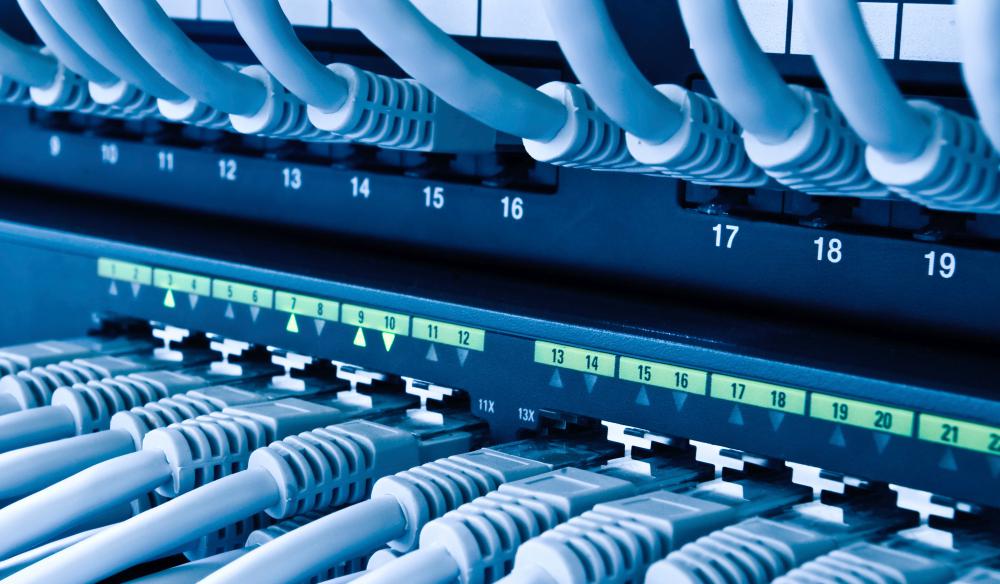
A network switch is a hardware device that connects multiple IT devices like servers, printers, and PCs within a single Local Area Network (LAN). It operates in Layer 2 of the OSI model, facilitating communication between devices.
A network switch is essential for connecting devices in a small business network, allowing them to share resources and exchange information. By interconnecting all devices, the switch uses their MAC addresses to facilitate this connectivity. This enables seamless communication and resource sharing among devices on the network.
The network switches route data from multiple ports to a single port, enabling data transmission between IT devices.
What Is a Network Router?
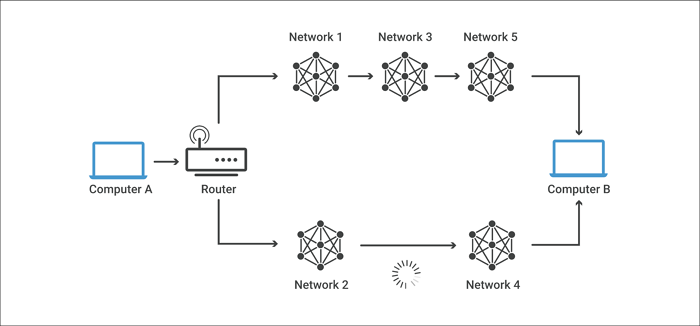
Unlike a network switch, a router connects multiple network switches, forming a large network. Its function extends beyond a single LAN, serving as a link between various LANs, regardless of their locations.
Routers operate in the physical, network, and data link layers of the OSI model, forwarding data packets to multiple networks and routing network traffic by determining the most efficient path for each packet.
Routers provide connected devices with internet access, but unlike firewalls, they don't encrypt networks or protect against threats.
Switch vs. Router: What Is the Difference?
The key differences between a switch and a router are outlined in the following table, highlighting their distinct usage.
| Switch | Router |
|---|---|
| It operates in Layer 2 of the OSI model | Routing occurs in Layer 3 of the OSI model |
| It is used in LAN | It is used in both LAN and WAN |
| Network switching is possible using MAC addresses | Routing is possible through IP addresses |
| Switch broadcasts frame when the destination is unknown | The router discards the data packet when the destination is unknown, resulting in a loss of data. |
| It is used only in wired networks | Works well with wired and wireless networks |
The choice between a switch and a router depends on the specific needs of a network. A switch is a device that connects multiple devices within a network, allowing them to communicate with each other directly.
Advantages of a Network Switch
- It supports centralized management
- Logical segmentation is possible because of VLAN support
- Broadcast number of domains decreases
- Fewer frame collisions in the network
- Increases available network bandwidth
- Reduces workload on each host PC
- Multiple simultaneous conversations are possible
- It can use the CAM table for port-to-MAP mapping
Disadvantages of a Network Switch
- Vulnerable to security attacks
- Higher configuration needs to handle multicast packets
- Broadcast traffic can be troublesome
- High cost
- The switching bridge sometimes brings down the network
- Network connectivity issues are difficult to trace
Advantages of a Router
- Provides traffic isolation and flow control
- Reduces network traffic by creating broadcast and collision domains
- Configurable; allows policy-making to help network managers
- It can connect various network architectures, including token rings and Ethernet.
- The system uses dynamic network algorithms to select the most efficient path for interconnection, ensuring optimal performance and reliability.
Disadvantages of a Router
- Expensive
- Relatively more complex than switches
- Initial configuration can be hectic
- Dynamic communication sometimes leads to additional traffic
- Routers are slower compared to repeaters or bridges due to the data analysis that occurs at the network layer
- It only works with routable network protocols
Final Words
Network switches and routers are essential components of network design, each serving distinct purposes. A switch vs router table highlights their differences, helping determine the appropriate choice for a network based on specific needs. This understanding is crucial for allocating the correct budget for a network, ensuring it meets its intended requirements.
Related Articles
- TOP 10 FREE PHOTO EDITORS LIKE PHOTOSHOP
- NetBIOS: What It is, How It Works and How to Use It
- Windows Command Line Cheat Sheet (Online Table and PDF)
- MS-DOS Commands [Everything You Need to Know]
- Copy vs. Xcopy vs. Robocopy | What Is the Difference Between Them
Copy, Xcopy, and Robocopy are three Windows file-copying commands. Copy is the most basic; Xcopy adds directory and timestamp support; Robocopy offers advanced features like mirroring, multi-threading, and network resilience. - 2022 TOP| Corrupt File Repair Software Free Download & Online Free
Need to fix corrupted files? Download free corrupt file repair software to repair JPEG, Excel, Word, MP4, and ZIP files on Windows and Mac. Also explore online repair tools for quick fixes.
Products
Articles & Tutorials
- Data Recovery
- Data Backup
- File Recovery
- File Backup
- System Backup and Restore
- Disk and Partition Clone
- Technical articles
- Mobile articles
- Disk Master Help
- Windows Data Recovery Tutorials
- Windows Secure Delete Tutorials
- Windows Partition Management Tutorials
- Windows File Backup and Restore Tutorials
- Windows System Backup and Restore Tutorials
- Windows Disk Backup and Restore Tutorials
- Windows Clone Tutorials