TOP 10 FREE PHOTO EDITORS LIKE PHOTOSHOP
If you're looking for a free photo editor like Photoshop, you're not alone. Many photographers and designers swear by Adobe Photoshop for its professional-grade image editing and color correction capabilities. However, the cost can be prohibitive for some. Fortunately, there are free alternatives that can help you achieve similar results, and in this article, I'll explore 10 photo editors like Photoshop in more detail.
If Photoshop itself stops working, this troubleshooting guide explains how to fix Adobe Photoshop CC 2017 has stopped working.
1. GIMP – For Advanced Tools
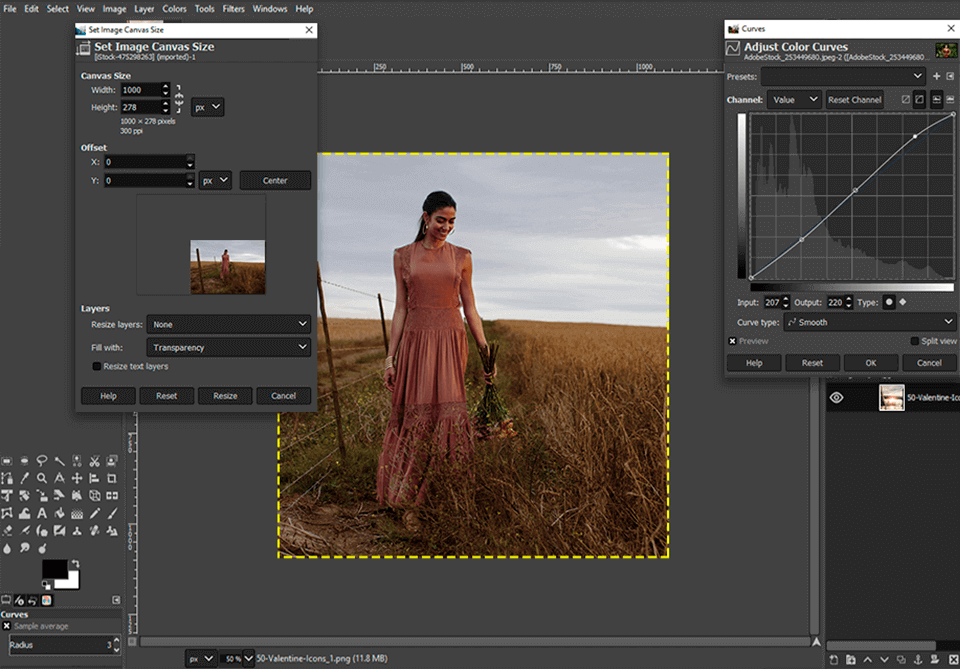
GIMP is a decent open-source alternative for those seeking professional picture post-production functionality without the hefty price tag. If you already use GIMP, you can skip searching for free alternatives to Photoshop, as it offers a comprehensive set of features that can meet most of your editing needs.
The GIMP's interface is similar to Photoshop, making it easy for users familiar with Photoshop to adapt. Its extensive functionality allows for complex manipulations.
GIMP, a free photo editor, offers features similar to Photoshop, including the ability to work with layers and masks, and adjusting colors if needed. Additionally, users can customize the interface to their liking. Furthermore, GIMP has numerous external plugins that expand its feature-set, much like Photoshop.
2. Fotor – For Batch Processing
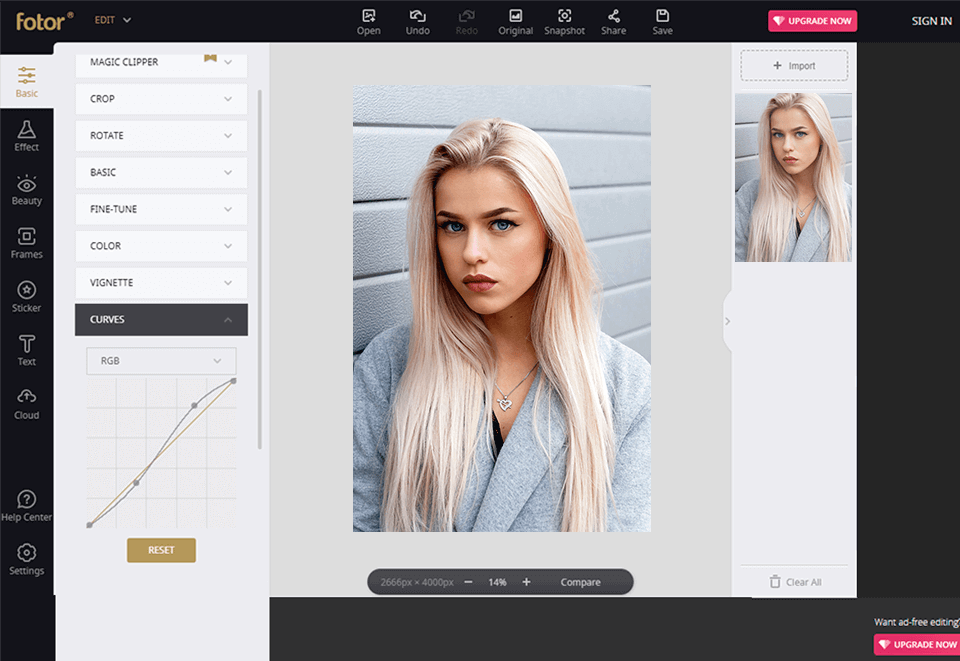
Fotor is a free photo editor that allows for quick picture edits, including post-processing, collage creation, and freehand design. It can be used in a browser or downloaded for free.
The photo editor has a simple and easy-to-use interface, but lacks local adjustment tools like a clone brush and healing tool. However, it does offer manual adjustment capabilities, allowing users to adjust levels and curves, and tweak contrast, sharpness, saturation, and brightness.
Fotor stands out from other photo editors with its batch processing feature, and is also commended for its high-grade filters that produce stunning results.
3. Photo Pos Pro – For Color Correction
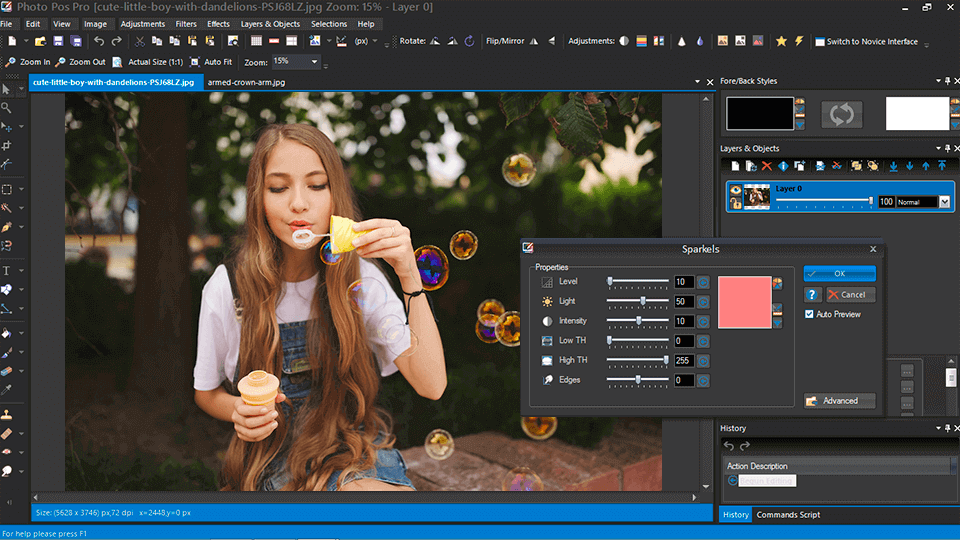
Photo Pos Pro is a powerful photo editor that offers a comprehensive and user-friendly toolset, rivaling Photoshop in functionality, making it an ideal choice for novice users. It supports RAW file editing and allows users to perform a variety of tasks, such as removing unwanted elements, enhancing damaged photos, and replacing backgrounds, making it a versatile and capable photo editing software.
Photo Pos Pro, one of the best free photo editors on the market, offers the user full creative freedom with its constantly developing selection of plugins and extension packs. It can even replace Photoshop at a decent level, making it a great option for those looking for a free alternative.
4. PaintNET – For Retouching
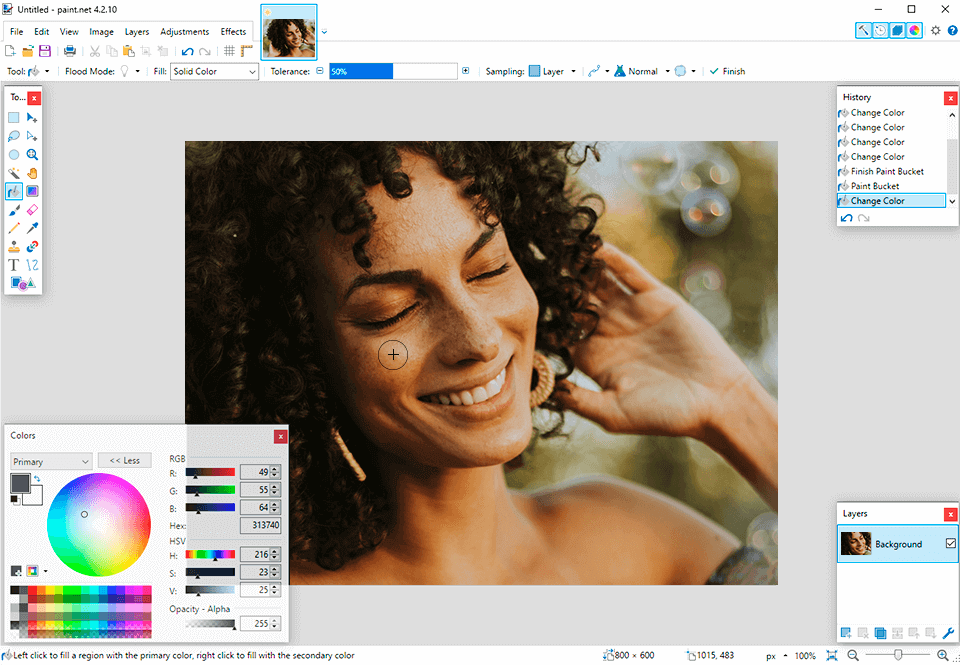
Windows users looking for a free photo editor similar to Photoshop will appreciate Paint.NET, a straightforward program for editing pictures that was initially aimed at replacing Microsoft Paint.
Paint.NET is a free photo editor that offers a range of effects, including sharpening, blurring, embossing, and red-eye removal, which can be applied quickly. While its feature set is not as extensive as some other editors, users can import free extensions to enhance its capabilities. As a popular photo editor, Paint.NET has a large online community with many tutorials available.
5. Pixlr X – With Layers Support
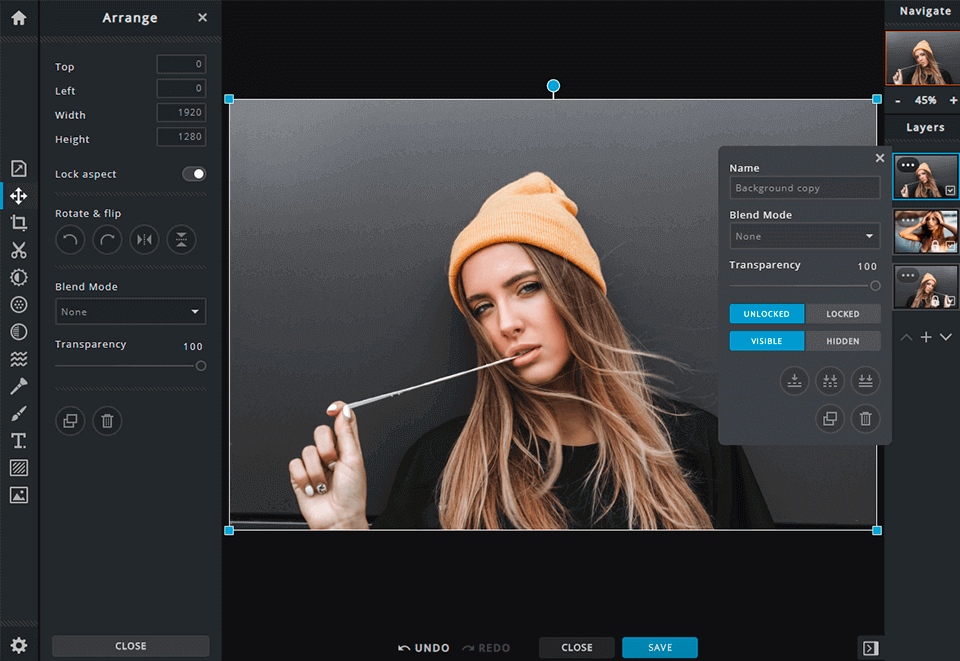
Pixlr X can be accessed in a browser and features a sleek design with an interface similar to Photoshop Express. Users have the option to choose between a light or dark color scheme.
The photo editor allows for color modification, saturation and sharpness adjustments, blur, vignette frames, and filters, as well as merging multiple images. It also features layer support, a drawing and painting toolset, and can handle complex tasks.
6. Seashore – Intuitive Interface
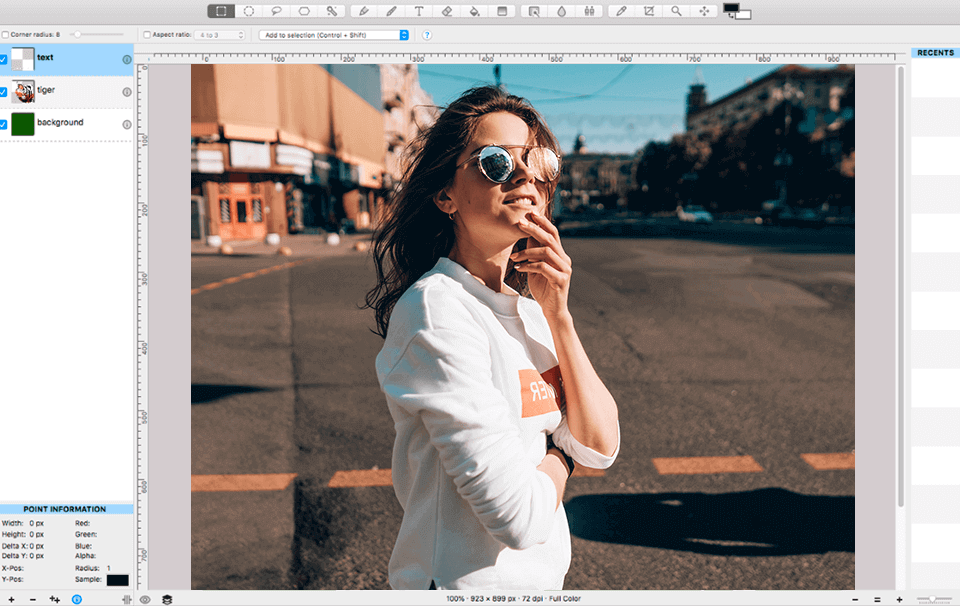
Seashore is a powerful photo editor, although it can't fully compete with Photoshop in terms of power, it still offers a sufficient feature-set, including gradients, layers, transparency and more.
Moreover, Seashore is a free and open-source photo editor that offers a wide range of tools to edit images, including zoom, crop, clone, draw, select, smudge, and shape creation. It supports various file formats such as JPG, PNG, TIFF, and XCF.
Seashore is a picture editing software that aims to provide an intuitive interface, making it easy for users to get the most out of the editing process. It's particularly suitable for beginners who need a user-friendly experience.
7. Ashampoo Photo Optimizer – For Auto Enhancements
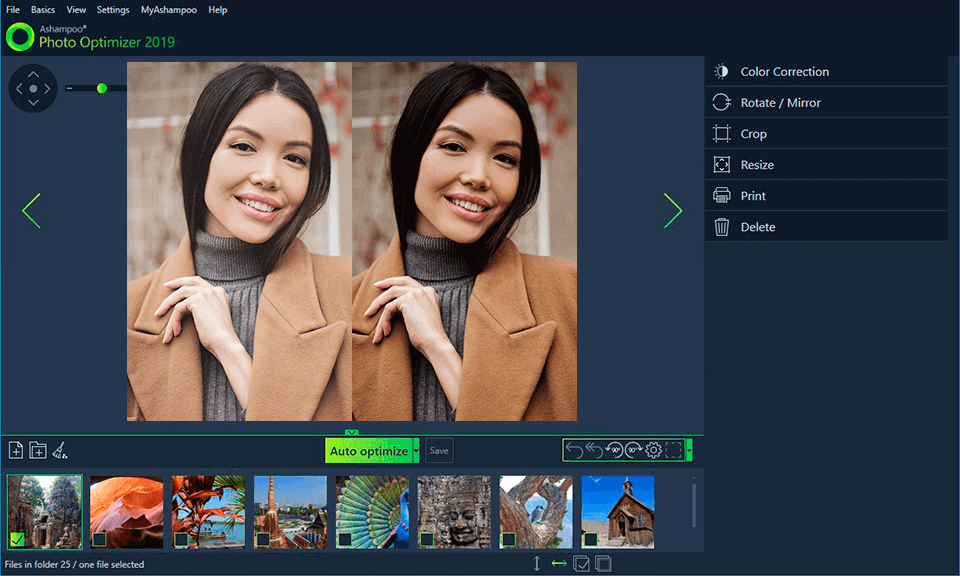
Ashampoo Photo Optimizer is a great option for editing multiple photos at short notice, offering a clear interface and no ads.
The photo editor will soon import the shots, allowing the user to select all of them, rotate, or mirror them simultaneously, significantly saving time. The editor's special optimization feature automatically detects and corrects color and exposure issues, such as lack of color, improper color temperature, or terrible exposure. Additionally, the editor provides numerous sliders for manual tweaking of exposure and colors.
8. RAW Studio – For Editing RAW Files
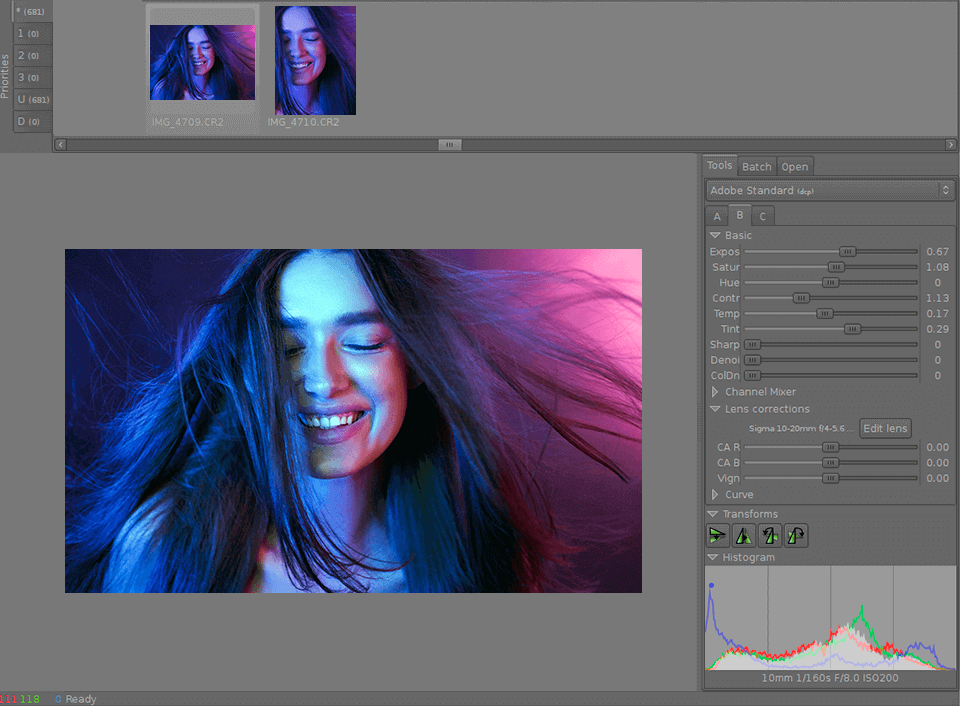
Any photographer knows how challenging it can be to work with RAW picture files, especially when dealing with a large number of them. This is where RAW Studio comes in - a photo editor that's specifically designed for modifying RAW pictures, similar to how Photoshop handles such files for free.
With RAW Studio, users can edit pictures exactly as intended without compromising picture quality. A key feature is its efficient formatting tool, allowing users to review multiple RAW pictures simultaneously.
The developer's primary goal was to create a photo editor that could handle nearly all RAW image formats from various digital camera manufacturers.
9. PhotoScape X – Feature-Rich Toolset
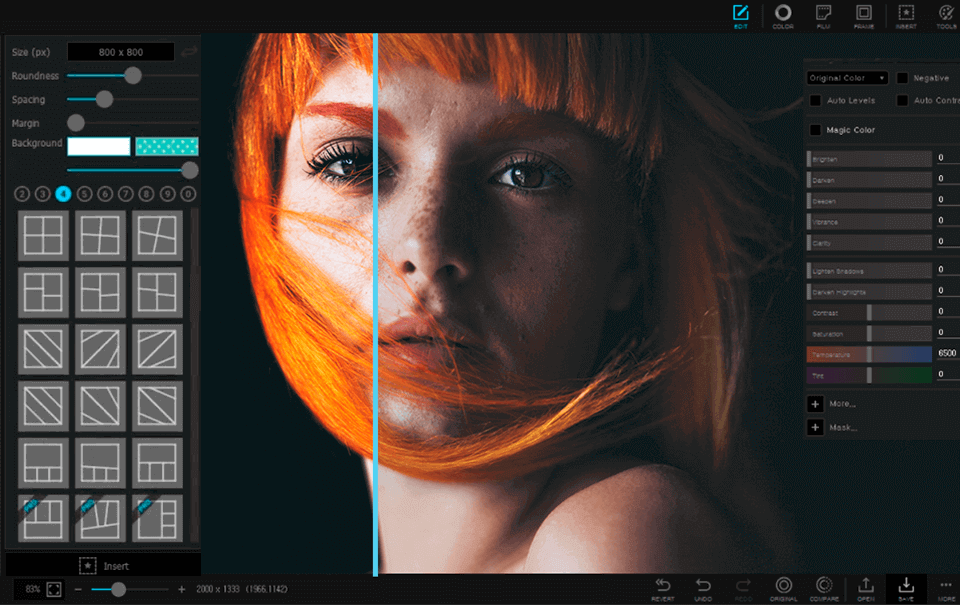
PhotoScape X offers a range of features, including batch picture editing, screen captures, GIFs with animation, RAW picture post-production, and picture merging, making it a versatile photo editor. It also allows users to work with text and graphics, providing a variety of tools and brushes similar to those found in Adobe Photoshop.
The interface of PhotoScape X is straightforward, with clear labels, and isn't overloaded. Despite being a toolset aimed at professional use, I would suggest that newbies also try it.
10. InkScape - For Graphic Design
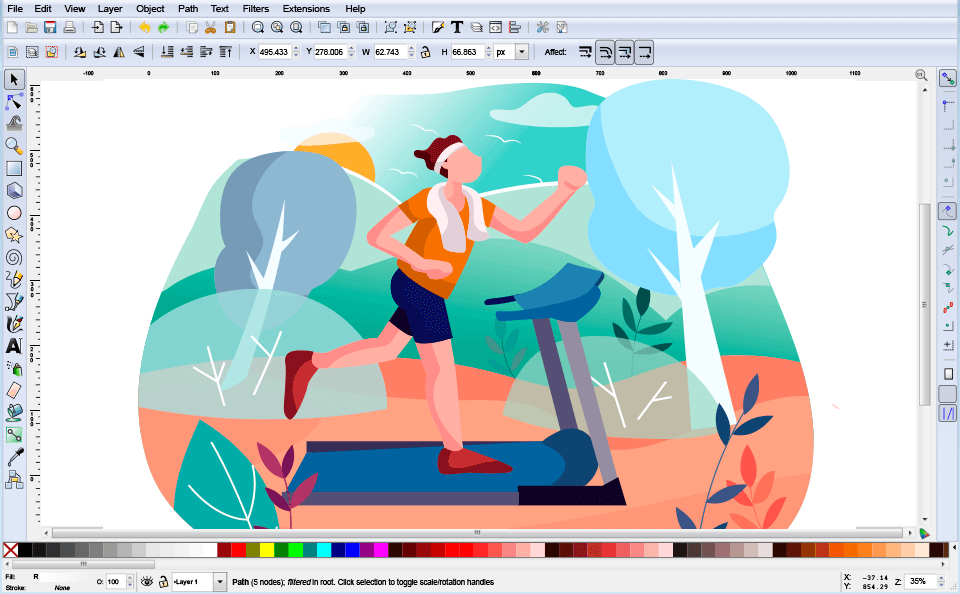
Inkscape is a graphic design tool that specializes in vector graphics, but also offers standard image editing features like cutting, cropping, and pasting. It's praised for its efficient toolset for creating and editing artworks, and some users also use it to convert photos into vector images.
Inkscape is a free photo editor that supports multiple languages and offers smart drawing tools. It allows for the export and import of various file types, making it a great option for beginners. Its user-friendly interface and impressive toolset make it a suitable choice for creative projects, and users can also explore other free Adobe programs.
Related Articles
- How to Map a Network Drive in Windows 11? Your Complete Guide Is Here
- How to Stop Windows 11 Update (Block It Forever)
- One PC Plays as Two: How to Dual Boot Windows 11 with Windows 10 Together
- Turn On Secure Boot for Windows 11 Installation
- Resolve Outlook Cannot Connect to Server
There are several reasons why Outlook cannot connect to the server. This article explains the causes and shows how to fix the Outlook connection error. - How to Resolve reCAPTCHA Not Working in Any Browser
If you're experiencing issues with reCAPTCHA not working in your browser, it may be due to outdated browser versions, VPN errors, or malware intrusion.
Products
Articles & Tutorials
- Data Recovery
- Data Backup
- File Recovery
- File Backup
- System Backup and Restore
- Disk and Partition Clone
- Technical articles
- Mobile articles
- Disk Master Help
- Windows Data Recovery Tutorials
- Windows Secure Delete Tutorials
- Windows Partition Management Tutorials
- Windows File Backup and Restore Tutorials
- Windows System Backup and Restore Tutorials
- Windows Disk Backup and Restore Tutorials
- Windows Clone Tutorials