What Is A USB Memory Stick? Complete Information on Memory Stick
When choosing a practical storage device, users have many options, including USB memory sticks. However, you may be wondering what sets a USB memory stick apart from other USB flash drives and how they differ from one another. This article provides the answers.
What Is USB Memory Stick?
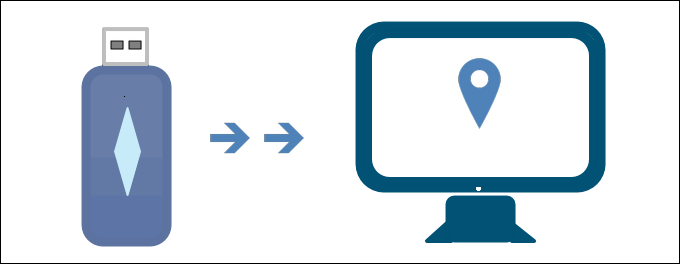
A USB memory stick is a small, portable device that plugs into a computer's USB port, using a small flash memory chip to store information. Released by Sony in 1998, it's commonly used for data storage, backups, and transferring files between devices.
What does a memory stick used for
A memory stick, a type of storage device, is designed to be more portable and convenient than a traditional hard disk, with some being as small as a piece of chewing gum. Unlike hard disks, memory sticks have no moving parts, making them more durable and less prone to mechanical failure. They can be easily connected to USB ports on various devices, and data stored on them will only be lost if manually deleted or if the memory stick itself is damaged.
How to operate a memory stick
The memory stick can read, write, save, transfer, and store data from a computer by being plugged into a USB port. Unlike hard disk drives (HDD) and solid state drives (SSD), it can retain data even without a power supply, keeping the information safe for a long time, similar to other USB flash drives.
Is A USB Memory Stick the Same as A USB Flash Drive?
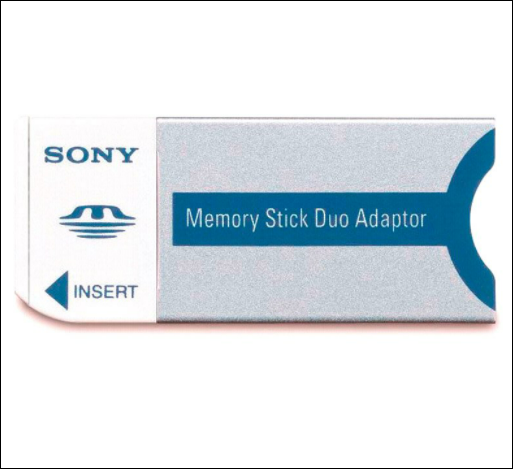
A USB memory stick is a type of USB flash drive, but not all USB flash drives are the same. While they share the same basic function, USB flash drives have evolved to meet different demands, resulting in various forms. The USB memory stick is one of these forms, but there are others, such as other types of USB storage devices that serve similar purposes.
The different types of USB flash drive
Different Sizes of USB Memory Stick as Options
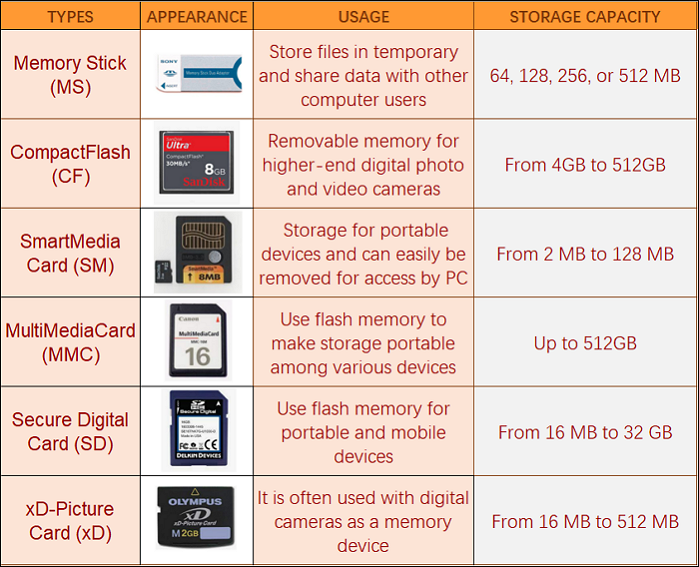
USB memory stick sizes have evolved over time and can range from 64MB to 512MB, with newer options available up to 128GB and 256GB.
Bellow 64 MB: These are the lowest-capacity USB flash drives available today, making them not cost-effective.
64-512MB: The most common option for portable storage is a USB memory stick, which is widely used due to its convenience and accessibility.
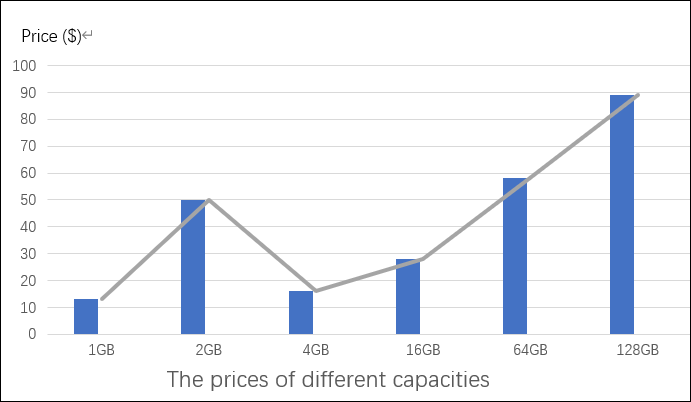
1 GB: 1GB USB sticks are still available for purchase due to their compact size and affordability.
2-4GB: You can get more data capacity than a 1 GB USB stick, along with a slightly added price.
4-64 GB: USB flash drives have evolved significantly, becoming more compact and offering substantial storage capacity, making them convenient and practical for various uses.
128 GB: 128 GB USB drives are a popular choice among users, offering a perfect balance between price and storage capacity, making them a convenient option for those who need a reliable and affordable way to store and transfer data.
To Wrap It up
A USB memory stick is a type of USB flash drive that can be ordered for offline use, especially as people increasingly move to cloud storage. Now is the time to venture out and explore the various methods.
FAQ:
1. How Fast Can A USB Flash Drive Work?
The four primary types of USB flash drives are USB 2.0, USB 3.0, USB 3.1, and USB 3.2, each with distinct speeds and purposes, with USB 3.0 being the fastest, reaching speeds of up to 4,800 Mbps and 5 GB, ideal for transferring large amounts of data.
2. How Long Can You Store Data on A USB Flash Drive?
USB flash drives and memory sticks are not meant for long-term storage, and it's recommended to make a backup of your data on a different machine. The data stored on these devices is typically valid for around 10 years under normal circumstances, but the charge that the data cells carry can gradually decrease over time.
Related Articles
- What Is Core Sync Mac? How To Use It? [Lately Explained in 2022]
- Discord Hardware Acceleration: Everything You Need to Know
- What Is File Explorer? [Everything You Should Know]
- What Is Werfault.exe and How to Fix Werfault.exe Error in Windows
- How to Open .DAT Files in Windows 10/11
Do you want to see what application stores in a DAT file? Then follow this guide, where we show how to open .dat file using various applications. It is essential to understand that every application stores a DAT file as per its requirement, and opening it might not be straightforward. - How to Open RAR Files on Windows
If you're having trouble opening RAR files on Windows 10, this post shows you four ways to extract and open them, including both free and paid options.
Products
Articles & Tutorials
- Data Recovery
- Data Backup
- File Recovery
- File Backup
- System Backup and Restore
- Disk and Partition Clone
- Technical articles
- Mobile articles
- Disk Master Help
- Windows Data Recovery Tutorials
- Windows Secure Delete Tutorials
- Windows Partition Management Tutorials
- Windows File Backup and Restore Tutorials
- Windows System Backup and Restore Tutorials
- Windows Disk Backup and Restore Tutorials
- Windows Clone Tutorials