pCloud vs Dropbox: Which Wins?🏆
pCloud vs Dropbox. Dropbox and pCloud are two cloud storage giants making waves in the tech world. Dropbox boasts over 500 million users, while pCloud has quickly reached 10 million. Both platforms are innovating with exciting features to capture the market's attention. This comparison aims to provide a hands-on look at how pCloud stacks up against Dropbox, exploring their unique offerings and differences.
Overview of pCloud & Dropbox
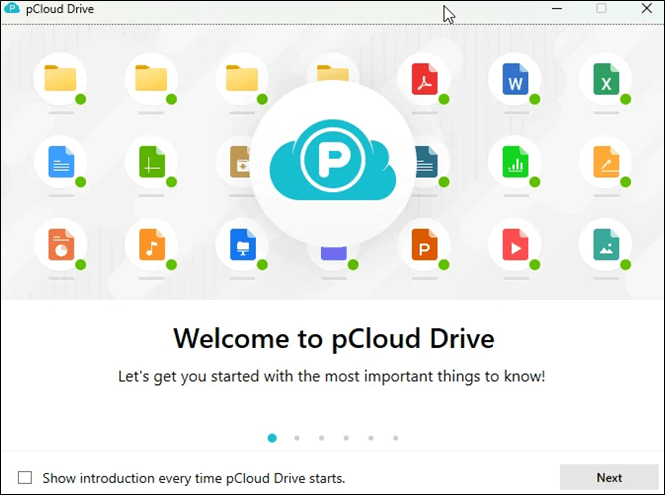
PCloud offers a lot of storage space and top-notch security features like end-to-end encryption and client-side encryption, along with useful features like file syncing, rewind, trash, and data sharing.
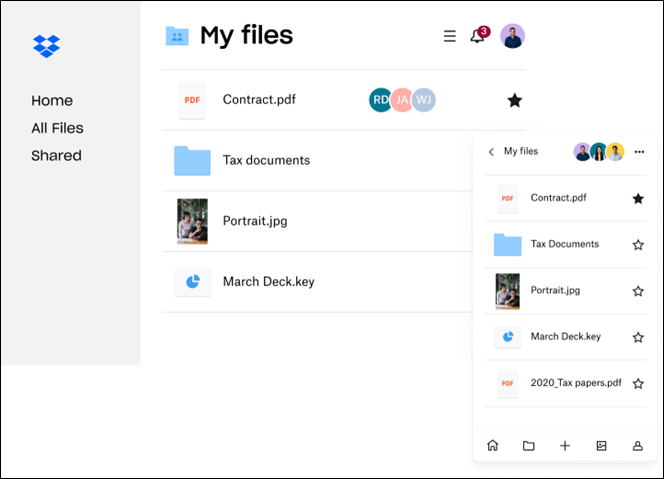
DropBox is a pioneer in data storage, offering a simple yet highly effective solution. Its open approach to integration with third-party applications enables seamless collaborations, making it ideal for professional documentation.
This blog will compare the critical features of pCloud and Dropbox to help you make an informed decision. We'll break down the key similarities and differences between the two cloud storage services, providing you with a comprehensive understanding of which one is right for you. Let's get started.
Dropbox vs pCloud: In-depth Comparison
Dropbox and pCloud are two popular cloud storage services that offer various features and benefits. While Dropbox is a well-established brand with a wide range of integrations and a user-friendly interface, PCloud is a more affordable option with a generous free plan and a focus on security and privacy.
The key differences between pCloud and Dropbox lie in their storage offerings, security, and file management features. pCloud offers a more generous free plan with 10 GB of storage, while Dropbox starts users off with 2 GB. Both services provide robust security features, including two-factor authentication and encryption, but pCloud's zero-knowledge proof encryption is considered more secure.
| Features | pCloud | Dropbox |
| 💰Price | ✔️ | |
| 🛡️Security | ✔️ | |
| 📄File Formats | ✔️ | |
| 🖥️Supported Platforms | ✔️ | |
| 🪟Interface | ✔️ | |
| 📑File Syncing | ✔️ | |
| 🌐File Sharing | ✔️ | |
| 🗑️Recycling | ✔️ |
Note: The tick sign shows which software is better at the subject feature.
Further details are provided below:
1. Price
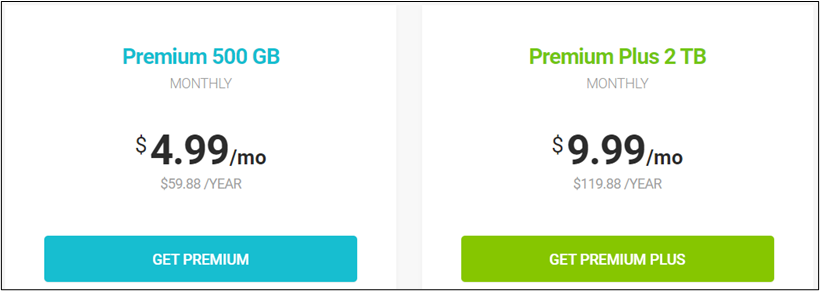
PCloud's free version offers 10 GB storage, while its premium versions come in 500GB, 2TB, and a Business option. Monthly and annual subscriptions are available for each, priced at $4.99 for the 500 GB Version, $9.99 for the 2TB Version, and the same $9.99 for the Business version.
Dropbox offers 2GB storage in its free version, less than pCloud, but its premium plans are more varied, with a single-person plus plan at $11.99/month and a family plan for up to 6 persons at $19.99/month.
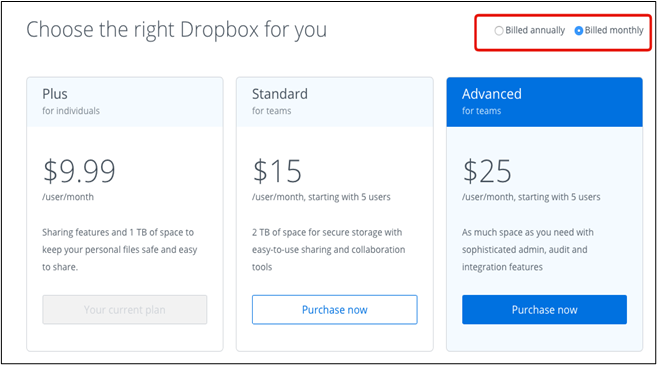
The software offers three versions: Professional, Standard, and Advanced, catering to different levels of complexity. The monthly costs are $9.99, $15, and $25 per user for these versions, respectively.
2. Security
PCloud is a highly secure cloud storage service that uses zero-knowledge cloud storage at rest encryption, giving users complete control over their data and ensuring that only they have access to it. Additionally, PCloud uses a TLS/SSL encrypted channel for secure data transfer, preventing interception during transfer.
pCloud offers US and Europe data centers for high security and faster speed, with three separate copies of data stored in these channels, ensuring 100% security.
Dropbox uses 256-bit AES encryption and 2FA authentication to secure data, but even with these measures in place, files can still be hacked.
When it comes to data security, pCloud has a clear edge.
3. File Formats
PCloud supports a wide range of file formats, including MP4, PSD, RAR, SVG, and ZLP, allowing users to open and edit these files. However, it can only view CSV, DOCX, and XLSX files, which may limit its usefulness for professional work, as these formats are commonly used for documents and spreadsheets.
Dropbox allows users to open and edit various file types, including MP4, PSD, RAR, SVG, ZLP, DOCX, and XLSX files, making it a versatile tool for professionals. Its integration with Microsoft Office and Google Workspace further solidifies its position as a go-to software for professionals.
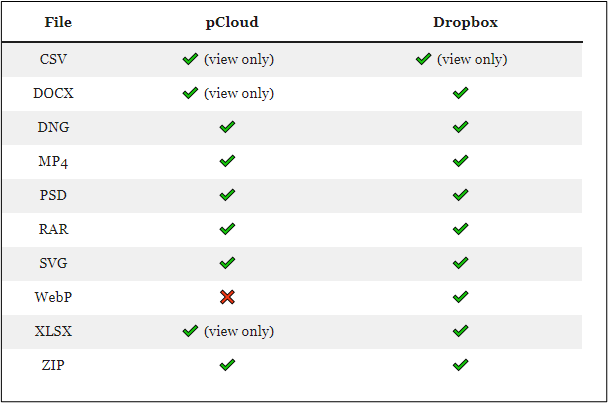
In offering a range of file formats, Dropbox overshines the pCloud.
4. Supported Platforms
PCloud is available on Windows, macOS, iOS, and Android, whereas Dropbox supports Windows, macOS, iOS, Android, Linux, and Windows Phones.
5. Interface
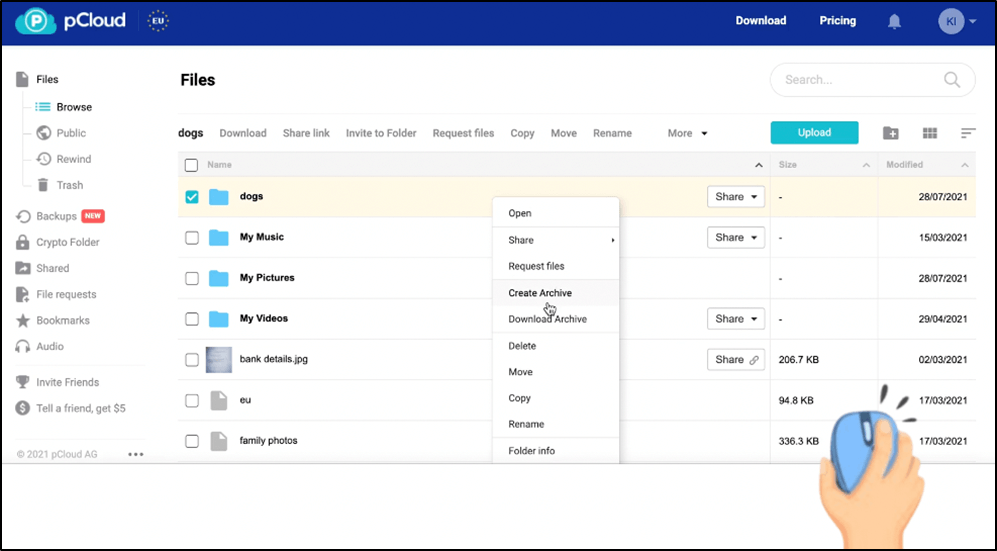
The interface is a crucial aspect of user experience, making it easy for users to quickly operate and be satisfied. PCloud's interface is simple, with all data files displayed prominently in the center, and various services and operations available on the left. This layout allows users to easily select and perform actions on their data files.
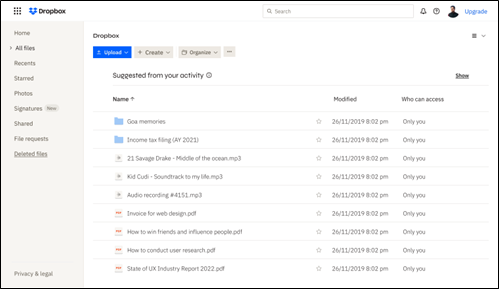
Dropbox has a more intricate and detailed interface, featuring a main screen that displays recent and starred files, with a file list and upload/create options in the center, and more advanced options that require a closer look.
6. File Syncing
PCloud creates a virtual drive where you can store and manage files without taking up space on your hard drive. You can add, edit, and delete files from this virtual space, and any changes will be synced across all your devices and the PCloud website dashboard.
pCloud allows users to sync any specific folder on their PC and share files directly with others.
Dropbox offers a selective sync, allowing users to choose which files are stored on a hard drive and cloud storage, and which are stored solely in cloud storage. However, it does not support syncing a specific folder. Users can share stored files directly from their desktop.
7. File Sharing
Pcloud offers intuitive file sharing options, allowing you to invite individuals or groups while retaining control. You can set passwords, expiry dates, view link statistics, create short links, and impose upload restrictions on shared files and links.
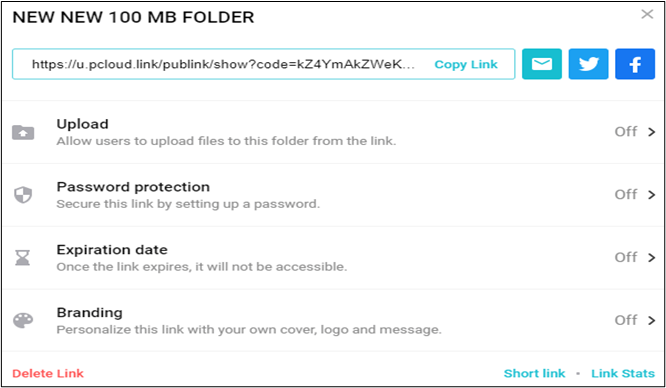
You can share the file in three ways: by copying and pasting the link, by sending the file directly to the recipient, or by sharing it through a cloud storage service.
- Invite to a folder: You can invite peers to share a folder, granting them view, edit, delete, or download permissions as needed.
- Share a link: You can create a hyperlink to share the file with others, allowing them to access the file without needing to install the pCloud app.
- Request File: When you need data from others, you can create a pCloud folder link to share with them. They can access the link, upload the required files, and you'll have them in your pCloud account.
Dropbox is a close second in file sharing, allowing users to set passwords, expiration dates, watermarks, and traffic analysis on shared files, and giving them the option to decide whether others can view or edit the file.
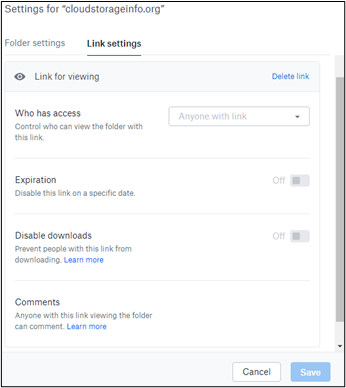
There are only two major file-sharing options available.
- Share a link: You can create a link to specific files or folders, allowing others to access and view or edit them by clicking on the link.
- Invite to a folder: You can invite individuals or groups to a specific folder, allowing them to upload and edit data with your permission.
8. Recycling
Pcloud offers a free feature called Rewind, allowing users to access all their files from the past 30 days. This feature is useful for locating files that were recently opened but cannot be found, and it's available at no extra cost. Additionally, Pcloud has a Trash feature, which provides users with a safety net in case they accidentally delete files, allowing them to recover deleted files within a certain timeframe. However, to access files from further back than 30 days, users need to incur additional charges.
Dropbox offers file restoration of the last 30 days, but premium plans provide an extended recovery period.
After this analysis, our final verdict is as follows:
While both pCloud and Dropbox offer high-quality cloud storage, they have different strengths. pCloud excels in data security, file sharing, file syncing, and affordability, making it ideal for personal use. In contrast, Dropbox is better suited for professionals and businesses, offering support for multiple file formats, operating systems, interface options, and data recovery, making it a slightly better choice for these users.
Share it with your friends if it's helpful to you:
How to Backup Your Files to Cloud
For cloud storage, pCloud and Dropbox are viable options, but to back up your data, you'll need backup software. We recommend using Qiling Disk Master Pro, a high-quality and efficient backup software that's compatible with Windows 7, 8, 10, and 11. This award-winning software ensures a smooth transfer rate, making it an ideal choice for backing up your data in either cloud.
Qiling Disk Master Home offers a one-click backup solution with instant recovery capabilities for Windows PCs, allowing users to store files, disk/partition, and system backups on cloud storage, while also providing disk imaging and system cloning services, with 100% secure and recoverable data from anywhere worldwide.
- Install your Windows on a new SSD without a USB
- Provide 250G free cloud storage
- Transfer an operating system from one computer to another
- Mount backup image to extract individual files
- Offer options to create full, differential and incremental backups
To back up your files to the cloud using Qiling Disk Master, follow these steps:
Step 1. Click the Select backup contents button to start the backup process.
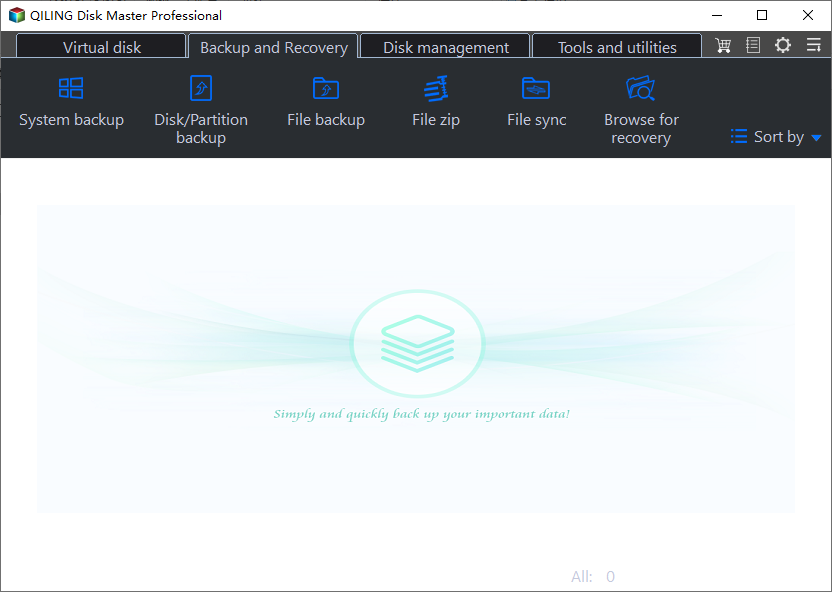
Step 2. The four data backup categories are File, Disk, OS, and Mail, which cover different types of data and provide comprehensive protection.
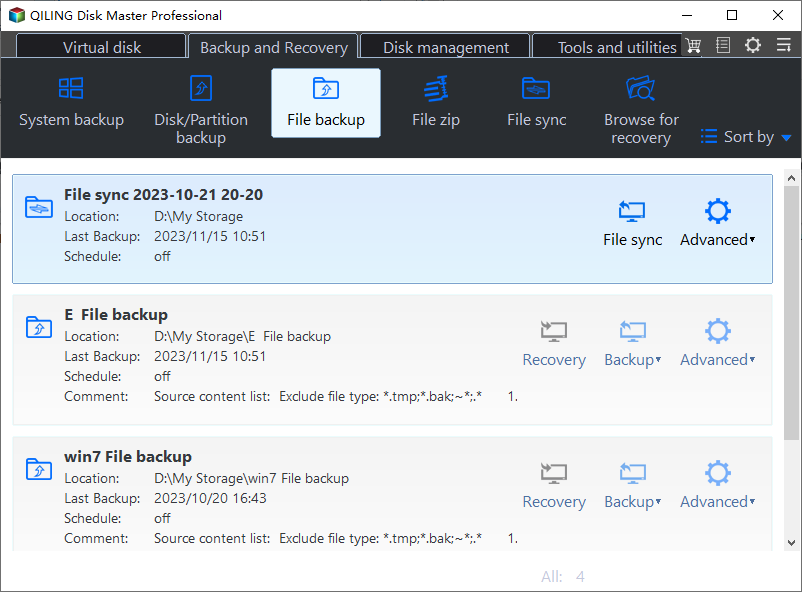
Step 3. The left-hand side of the screen displays lists of both local and network files, allowing you to expand the directory and select the files you want to back up.
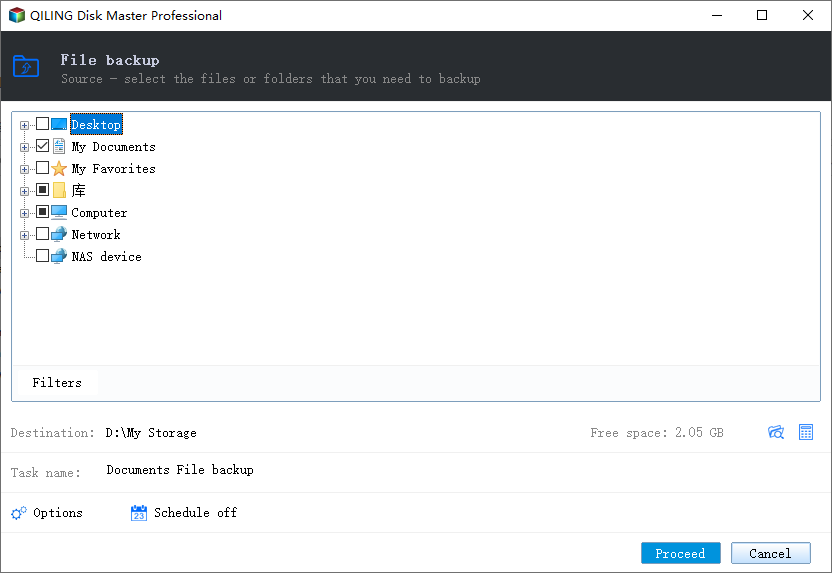
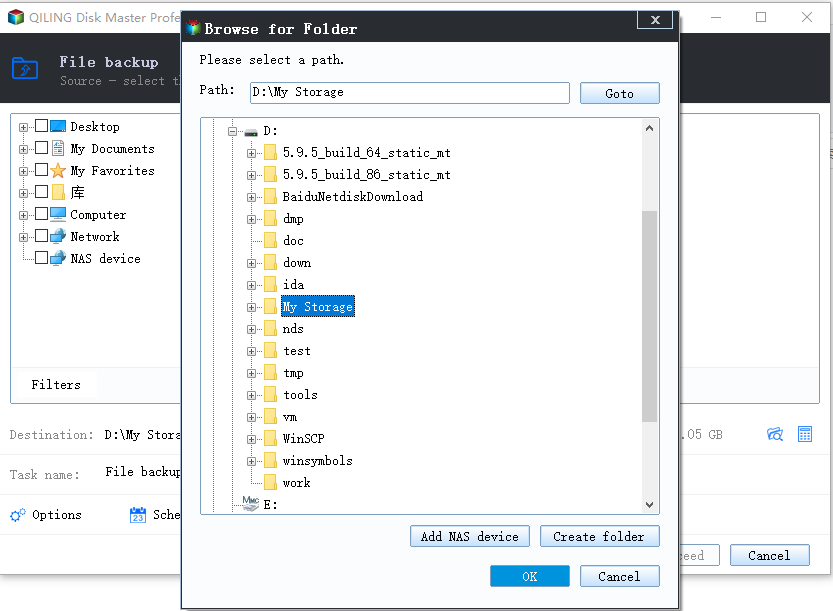
Step 4. Follow the on-screen instructions to select a location for the backup.
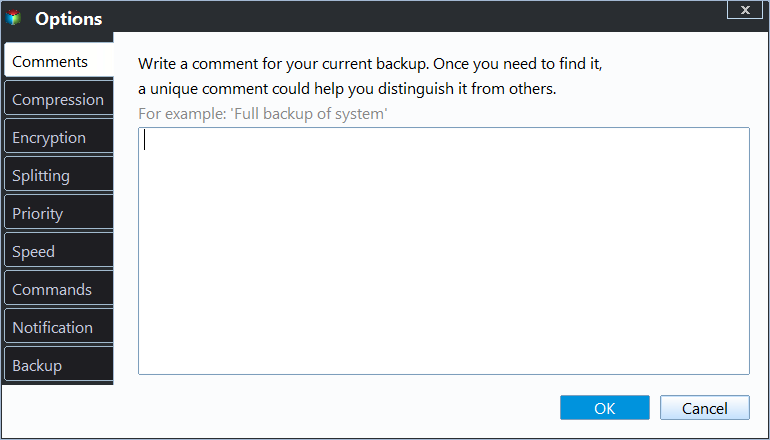
To set up a backup, ensure it's encrypted and schedule it by clicking on "Options" in "Backup Options" or "Backup Scheme" to start it at a specific time. You can also customize other settings to suit your needs.
Step 5. You can save the backup file to your computer, Qiling's cloud service, or a network-attached storage device (NAS).
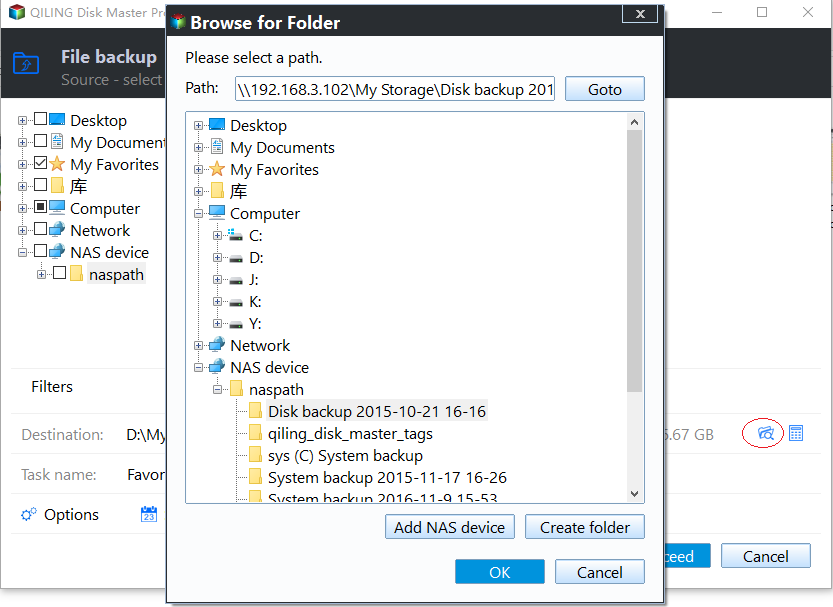
Step 6. Qiling Disk Master allows users to store backup copies of their files on a third-party cloud drive or the company's own cloud storage.
To back up your data on a third-party cloud drive, select Local Drive, scroll down to add Cloud Device, and fill in your account information.
Step 7. Click on Proceed to start a backup. When the backup process is completed, it will display as a card on the left-hand side of the screen, and a right-click will allow you to view more information about handling the backup job.
After reading this article, you may be interested in:
To Wrap Things Up
pCloud vs Dropbox. The cloud storage industry is witnessing a clash of titans, with two leading software options vying for dominance. This article provides a detailed comparison of these two giants, pitting their features against each other in key areas such as price, security, file formats, supported platforms, interface, file sync, file sharing, and recycling features. By reading this comparison, users can make an informed decision and choose the best option for their needs.
You can use the Qiling Disk Master to store data on any software, keeping files, drives, and operating systems secure. Install it today to eliminate data loss issues.
FAQs on pCloud vs Dropbox
These are the most asked web questions on the pCloud vs Dropbox comparison.
1. Which is better pCloud or Dropbox?
For personal use, pCloud is preferred due to its security and versatility, while for professional/business use, Dropbox is recommended for its collaboration features across all file formats and operating systems.
2. Is pCloud safer than Google Drive?
While Google Drive only employs 128-bit AES encryption for data at rest, pCloud utilizes both 256-bit AES encryption at rest and TLS channels for secure data transfer, making it a safer option compared to Google Drive.
3. Is pCloud better than OneDrive?
pCloud is a better choice than OneDrive when it comes to storage and data security. However, if integration with Microsoft Office and Google Workspace is a priority, OneDrive is a suitable option.
Related Articles
- Boot Device Not Found Hard Disk 3F0 Error on HP [FIXED]
- How to Fix Windows 10 System Restore Stuck (100% Works)
- How to Restore System Image Without Repair Disc [Ultimate Guide]
- Create System Image on USB Drive in Windows 10/8/7
- Top 10 Reasons to Download Qiling Disk Master
- Top 8 Best Enterprise Backup Software in 2023
- [2023 Best Tip] How to Backup Stardew Valley Saves
Learn how to back up Stardew Valley saves manually or with Qiling Disk Master. Protect game progress and restore save files easily.
Products
Articles & Tutorials
- Data Recovery
- Data Backup
- File Recovery
- File Backup
- System Backup and Restore
- Disk and Partition Clone
- Technical articles
- Mobile articles
- Disk Master Help
- Windows Data Recovery Tutorials
- Windows Secure Delete Tutorials
- Windows Partition Management Tutorials
- Windows File Backup and Restore Tutorials
- Windows System Backup and Restore Tutorials
- Windows Disk Backup and Restore Tutorials
- Windows Clone Tutorials