5 Ways to Prevent Computer Virus: Elimate Your Fears and Doubts About Virus!
What's Computer Virus?
A computer virus can cause a range of problems, including spreading unwanted files and pop-ups, slowing down your computer, and corrupting files or folders through encryption.
If a computer virus corrupts an important file with no backup, it's crucial to remove the virus to prevent further damage.
Computer Virus Trends in 2021-2022 Steadily Rising
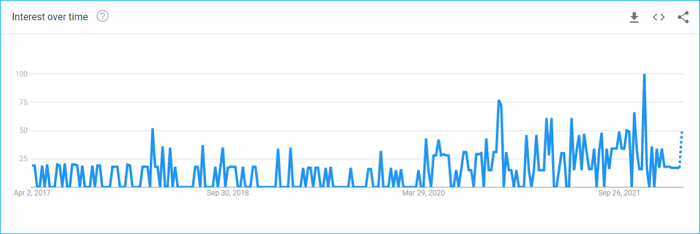
Over the years, computer viruses have become increasingly sophisticated, mirroring the advancement of other technologies. This growing intelligence has made them a more significant nuisance for most people. Data from Google Trends also reflects this trend, with a sharp spike upwards in recent years.
Types Of Computer Viruses
A load in a computer virus is a component that performs malicious activities, allowing attackers to code in various types of harm, including simple or harmless actions. However, most viruses can cause problems for your computer and risk data leaks or corruption.
There are various types of computer viruses, including malware that can cause harm to a computer system, such as ransomware, which encrypts files and demands payment in exchange for the decryption key, and spyware, which secretly monitors a user's online activities. Additionally, there are viruses that can spread rapidly, like worms, which can replicate and spread to other computers without the need for human interaction, and Trojans, which disguise themselves as legitimate software but can cause harm when executed.
- Boot Sector Virus: Viruses that infect the boot area can cause a prolonged or failed boot process, leading to increased boot times or system crashes.
- Web Viruses: Web viruses can infect computers through browsers, but newer browsers like Google Chrome and Mozilla Firefox often have built-in protection. Older browsers may not have this protection.
- File-Infector Viruses: These types of viruses, as their name suggests, specifically target and corrupt files and folders, causing harm to the system.
- Browser Manipulator Viruses: These types of viruses are the least dangerous. They can only manipulate the information and settings of your browser.
- Polymorphic Viruses: 2022 saw a surge in the prevalence of stealthy viruses, which can evade detection by antivirus software and carry out malicious activities on infected PCs.
The Top 5 Ways To Prevent Computer Viruses
As viruses become increasingly sophisticated, it's essential to employ multiple strategies to prevent them. Adopting two or three of the following top approaches can safeguard your computer against viruses: (list the 5 ways to prevent a computer virus).
#1. Take A Regular Backup Of Your Computer

Just as a gold shop can never be completely secure from robbery, a computer can never be completely safe from malware. Despite the best security measures, hackers can still find ways to infect your system with malicious files. To protect yourself from potential losses, it's essential to have a backup of all your data.
The best tool for a complete computer backup is Qiling Backup software, which is also free to download, and comes in 3 variants: Free, home, and workstation.
The home version is recommended for individuals, while the workstation is for organizations. The home version's best feature is its ability to integrate with your computer, automatically backing up data that you can download or install.
For the first backup attempt, you can start with the free backup software version, which is a good option to test the waters before committing to a paid plan.
#2. Install Paid Anti-Virus Software And Run Scan Often

Although Windows has a firewall and defender, a paid antivirus is still necessary to protect your PC from more malicious viruses, as free antivirus software is less effective.
A paid antivirus can automatically eliminate viruses, but it may not detect old files that have become malicious without a scan. Therefore, regular scans are necessary to prevent such situations.
***Check the five best antivirus software for virus scan and removal
#3. Promptly Update OS Or Software
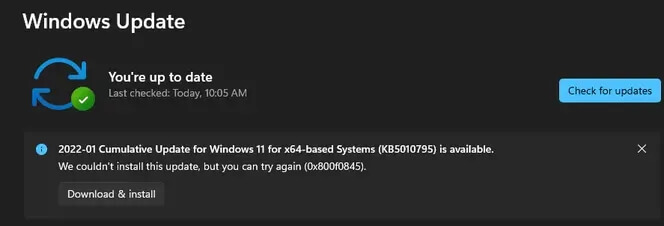
If your Windows asks for an update, don't delay and let it update. It's also a good idea to always stay on the latest version of your operating system, as older versions have weaker virus defenses and are more vulnerable to malicious threats.
#4. Use A Firewall
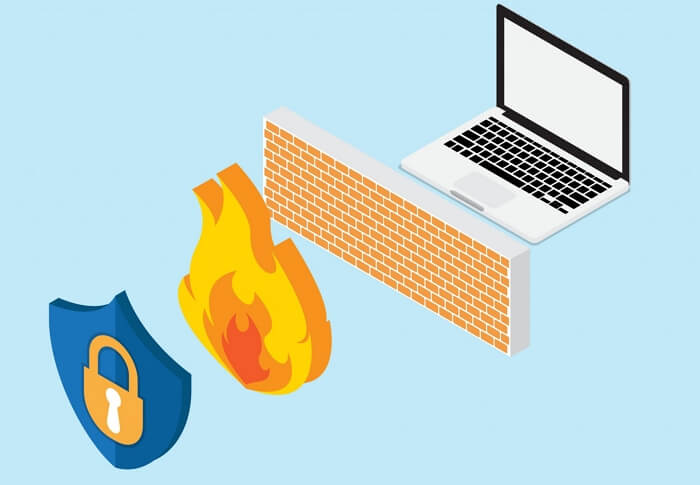
Firewalls are advanced security systems that monitor and control incoming and outgoing network traffic, acting as a shield between trusted and untrusted sources. They protect against viruses and other malicious activity. While Windows has a built-in firewall, it may not be sufficient, leading many users to seek alternative firewall providers online.
#5. Be Careful With Any External Storage Drive
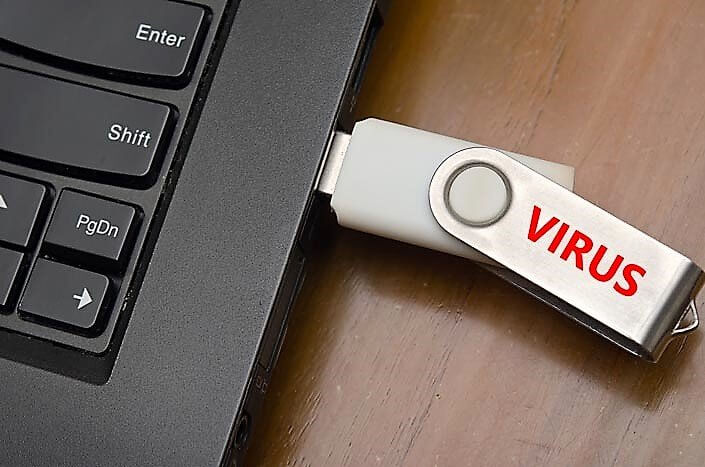
External storage devices like CDs, DVDs, and USB drives can potentially contain malicious data and viruses that can transfer to your PC, so it's essential to be cautious with them. Before accessing data from such drives, it's always a good idea to scan them for any potential threats to ensure your PC's safety.
5 Tips For Avoiding Computer Virus
Here are five best tips for preventing a computer virus:
#1. Don't Open Unexpected Email Attachments
Phishing is the most common way to infect someone's data or computer. If you receive an email from an unknown address with suspicious files, don't open it, and if you've already opened it, don't download or run any of the files present in the email.
If you want to open attachments that you're not sure are safe, the best option is to scan them first before opening them.
#2. Keep Alert With Email Messages in Plain Text
To avoid catching viruses through emails, turn on text message alerts for emails, allowing you to view and read them in plain text instead of the email itself. This way, even if you open a malicious file, your computer or mobile can't be infected with a virus, making it a safe and secure option.
#3. Beware Of Virus Hoaxes
Virus hoaxes spread quickly over the internet, often in chains, and claim to contain a virus. Their owners ask people to forward them to everyone they know to alert them, but in reality, the virus is a hoax and anyone who opens it becomes a victim.
#4. Suspicious Links And HyperLinks
Be cautious of links that don't start with "WWW" or contain suspicious terms, and avoid opening them to prevent falling victim to viruses.
Be cautious when opening attachments or clicking on links from unknown sources, as they can potentially contain malware. If you see a suspicious hyperlink in a website or file, don't open it. Both of these sources can infect your computer with a virus.
#5. Don't Download Anything From Pirated Or Un-Trusted Sites
Pirate sites that offer free downloads can be tempting, but they often come with a hidden cost: viruses. These malicious programs can corrupt your data or infect your computer with annoying pop-up ads, causing more harm than good.
Closing Words
The choice of method to prevent and avoid a computer virus depends on individual needs, as each method has its utility. One can select the one that best fits their needs.
No matter which method you choose, there can still be a chance of some data corruption or loss. Therefore you should always back up your data to stay on the safe side.
Related Articles
- How to Install Windows 10/11 on NVMe SSD Drives (99% Have Learned)
- Is Windows Defender Good Enough to Protect My PC? Check the Best Answer
- Backups vs. Antivirus: Have Both in One Tool
- Qiling Backup License Code 2022 (100% Official)
- How to Backup Game Data on PS5 in Every Possible Way
Do you know how to backup game data on ps5? If you do not know yet. you are on the right page. This article will offer three ways to help you back up PS5 game data. After reading this post. you can use any method to back up PS5 game data on your own. - How to Set up Email Notification with Qiling backup Personal Edition
Learn how to set up email backup notification in Qiling Backup Personal Edition. Step-by-step guide for configuring automatic email alerts for new and existing backup tasks on Windows. - Data Backup and Drive Clone Tutorials
Read this guide to learn Data Backup and Drive Clone Tutorials with clear steps, practical tips, and safer troubleshooting methods.
Products
Articles & Tutorials
- Data Recovery
- Data Backup
- File Recovery
- File Backup
- System Backup and Restore
- Disk and Partition Clone
- Technical articles
- Mobile articles
- Disk Master Help
- Windows Data Recovery Tutorials
- Windows Secure Delete Tutorials
- Windows Partition Management Tutorials
- Windows File Backup and Restore Tutorials
- Windows System Backup and Restore Tutorials
- Windows Disk Backup and Restore Tutorials
- Windows Clone Tutorials