4 Best Alternative Cloning Software to Samsung Data Migration (2024 Pick)
Samsung Data Migration software is a great tool for migrating data from an HDD to an SSD, but it only works flawlessly with Samsung SSDs and is limited to Windows compatibility. Despite this, we'll take a closer look at the software in this review and explore alternative cloning options that offer even better features.
Samsung Data Migration Review: Pros & Cons
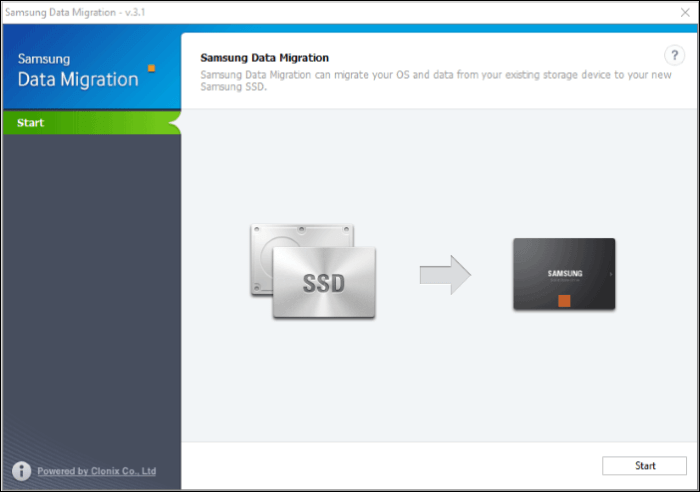
Samsung Data Migration software helps users migrate data from a hard disk drive (HDD) to a solid-state drive (SSD) for all Samsung SSD series products, easing the upgrade or replacement of HDDs with SSDs and safely transferring data, OS, apps, and files. The app scans the HDD, detects all data, and auto-identifies the Samsung SSD to format the disk for compatibility.
👍Pros
- The SDM is a user-friendly application that makes it easy to transfer data. Simply select the source disk and destination disk, and the application will handle the rest, making the process quick and straightforward.
- The Secure Data Management (SDM) system ensures secure and reliable data transfer, minimizing the risk of data loss and ensuring a smooth and uninterrupted process.
- The app enables users to clone their entire hard drive disk (HDD) to a solid-state drive (SSD), preserving all data.
- The app optimizes the Samsung SSD for better performance by segregating disk partitions and modifying settings.
👎Cons
- Available only for Windows OS.
- Supports data transfer to Samsung SSD drives only.
- Lacks advanced features.
4 Best Alternatives to Samsung Migration - Features With Excellent Points
Samsung Data Migration has limitations, so we've tested and reviewed over 10 hard drive cloning software and selected the top 4 alternatives, providing specific statistics.
| 🎛️Tested software | 16 |
| 🖥️Tested devices | An HP laptop, a Lenovo desktop, a MacBook Pro |
| 💾Hard drive types | Samsung SSD, Seagate SSD, Toshiba SSD, WD hard drive, LaCie hard drive, etc. |
| ⏰Cloning speed | 10 Mb/s - 100Mb/s |
| 💰Price | $50 to $ 120 |
| 🥇Most recommended | Qiling Disk Copy |
If you're looking for alternative cloning software to Samsung Data Migration, consider the following options. For example, Qiling Disk Copy offers a user-friendly interface and supports various file systems, including NTFS, FAT32, and HFS+. Another option is Acronis True Image, which provides a comprehensive backup and cloning solution with advanced features like encryption and compression.
1. Qiling Disk Copy (👍Recommended)
Qiling Disk Copy is an advanced tool that allows users to migrate data from one PC to another. Unlike SDM, this app supports all manufacturers, making it a versatile option. It's a simple tool that enables users to create clones, disks, and transfer data from one PC to another quickly and efficiently.
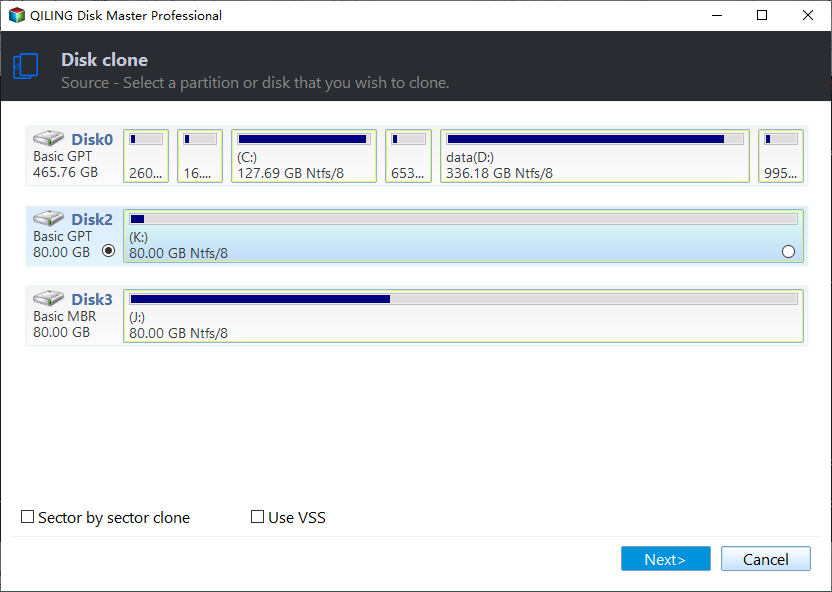
🎨Key Features of Qiling Disk Copy:
- Data Migration without Reinstallation: If you want to change your storage from HDD to SSD or upgrade your operating system, you can easily migrate the whole system with OS, including all installed programs and data, to the new storage device.
- Create Disk Image for Complete Data Recovery: Avoid the risk of losing data on a failing hard drive with Disk Images, a feature that creates a snapshot of your disk, allowing you to restore your system to a previous state in case of a failure.
- Cloning Capability: To replicate your system and avoid reinstallation, clone your entire system with the software. This will create a precise copy of your current system, including all installed applications, settings, and data, allowing you to restore it to the same state at a later time without having to reinstall everything.
- Create a complete backup for complete restoration: In case of an emergency, such as a failing or faulty hard drive, swapping it with a clone can be a lifesaver. This allows you to quickly recover your data and get back up and running with minimal downtime.
- Supports various File Systems: The software supports various file systems, including FAT12, NTFS, FAT16, and FAT32, making it convenient to transfer data between different hardware devices.
👍Pros
- Disk cloning and imaging for safe and secure data migration.
- Simple and Easy to Use.
- Allows bootable media creation.
- This system supports multiple disks, including hard disk drives (HDDs), solid-state drives (SSDs), external drives, and RAID arrays.
- Sector by Sector clone.
👎Cons
- Offers efficient solutions but the free version is limited.
- The speed of cloning and imaging is heavily influenced by the specifications of the system being used.
2. Clonezilla
Clonezilla is an open-source app that is useful for data migration, backup, and recovery needs. It specializes in creating clones, images, and partitions for transferring your data and backups, making it a great option for migrating data from an HDD to an SSD, regardless of the brand.

🎨Key Features of Clonezilla:
- Disk Imaging and Cloning: This tool allows users to create images and clones of their entire system disk, or a specific partition, which can be useful for backing up and restoring data, or creating a duplicate of the system for testing purposes.
- Two Cloning Modes: The cloning process will offer two modes: device-to-device cloning, where the entire disk is cloned to another disk, and device-to-image cloning, where an image of the disk/partition is created and stored in an image file for later use.
- Various Files Systems Support: This software supports a wide range of file systems, including FAT, NTFS, XFS, ext2, ext3, ext4, and many others.
- Encryption and Compression: You can encrypt important data and compress images to save space, reducing file size.
👍Pros
- The app is open-source cloning software and is free to use.
- The device is compatible with various devices due to its solid support with various hardware devices.
- You can see frequent upgrades from the community members.
- Flexible and offers customization offers while creating clones and images.
👎Cons
- It takes time to understand the UI.
- Primarily works through a text-based interface. Not visually appealing and user-friendly.
- No options for advanced backups like incremental backups.
3. Acronis Cyber Protect Home Office
Acronis Cyber Protect Home Office is a comprehensive cybersecurity and data protection tool that offers backup, security, and anti-malware services in one app.
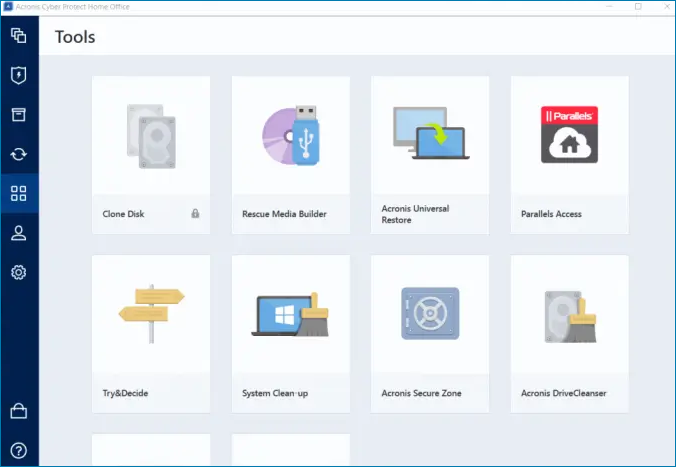
🎨Key Features of Acronis Cyber Protect Home Office:
- Complete Data Backup and Recovery Solutions: Acronis offers advanced backup solutions and automatic scheduling backup options.
- Anti-Malware: The app offers advanced security solutions to protect data from various threats.
- Cloud Backup and Sync: Store your Acronis data backups in the cloud for easy access and enable automatic sync for seamless backup management.
- Web Protection: Get web protection and URL filtering features to safeguard your system from external threats and malicious online content.
👍Pros
- A complete protection and backup tool.
- Offers cloud backup and sync.
- Intuitive and User-friendly interface.
- Advanced backup solutions and malware protection.
👎Cons
- The app is resource-intensive.
- Expensive.
- Supports Windows OS only.
4. CloneDisk
CloneDisk is another excellent alternative to SDM, specializing in creating image files and clones to serve as backup and restoration software.
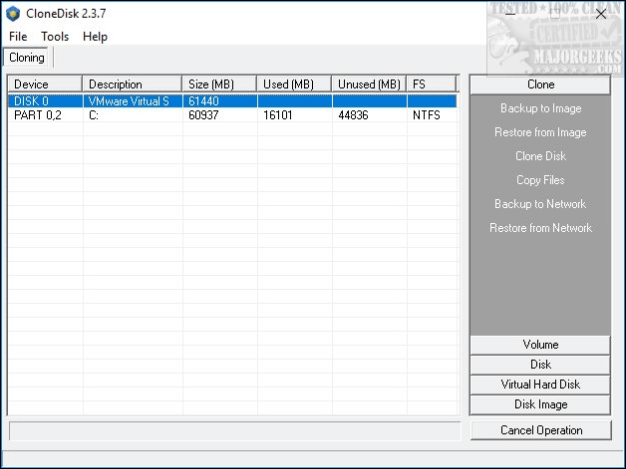
🎨Key Features of CloneDisk:
- Create Raw Image files and clones: The app is designed to create raw image files for instant PC booting.
- Flexible Management: You can manage things like partition table, drive/disk, and save/restore to MBS.
- Supports Various File Systems: FAT16, NTFS, FAT32, including USB pen.
- Advanced backup solutions: You can perform advanced backup options, read and remove bad sectors, registry operations, resize partitions, and many more with this software.
👍Pros
- Good backup and restoration options.
- Ability to handle and customize the image files and clones.
- Detects bad sectors in partitions.
- Simple and easy to handle.
👎Cons
- Need some learning to handle partition table edits, formatting, etc.
- No macOS or Linux version.
Sum Up
When switching to a new PC, upgrading the OS, or moving data from an old HDD to an SSD, it's often preferred to have the previous configurations, files, and data on the new one. Samsung offers a dedicated data migration tool, Samsung Data Migration, but it only supports Samsung devices. For those who need alternative cloning software, there are four other options available that can ensure safe and secure data migration.
Creating clones and images for data migration and backups is safest and easiest with Qiling Disk Copy. This tool offers advanced features and a user-friendly interface, allowing you to create clones with various file systems for different devices.
FAQs for Alternative Cloning Software to Samsung Data Migration
Here are some of the most frequently asked questions on the best alternative cloning software to Samsung Data Migration. If you have similar queries hope this will help you.
1. Is Samsung data migration the same as cloning?
Samsung Data Migration clones your disk, system, or partition, making it a bit-for-bit copy, whereas migration moves all contents from one drive to another, ultimately achieving the same task.
2. Does Samsung data migration work on other brands?
Samsung Data Migration software does not work with external hard drives from other brands like Kingston or Seagate, and it only works with Samsung-branded internal and external hard drives. If you need to clone a disk from any manufacturer, Qiling Disk Copy is a more versatile option.
3. Does Samsung data migration clone everything?
Samsung Data Migration clones everything on the source drive, as long as the destination drive has enough space, but it only works for Samsung devices.
Was this page helpful? Your support is truly important to us!
Qiling Disk Copy
Qiling Disk Copy is a user-friendly tool that makes it easy to clone and migrate HDDs and SSDs. It's ideal for quickly transferring an existing system disk to a new disk or SSD with minimal configuration required.
Related Articles
- How to Clone Linux HDD to SSD Without Re-installing
- Samsung SSD Clone Not Booting - How to Fix 🔥
- How to Clone HDD to SSD Windows 7 Without Data Loss
- Clone Hard Drive VS Clean Install SSD - Which One Is Better
- Cloned Hard Drive Won't Boot? Make Cloned Drive Bootable in 3 Fixes
- Hard Drive Making Clicking Noise Every Few Seconds - Why & What to Do
If your hard drive is making clicking noises every few seconds, it may be a sign of hardware issues on your computer. Fortunately, there are steps you can take to address the problem and potentially save your data from a hard drive failure.
Products
Articles & Tutorials
- Data Recovery
- Data Backup
- File Recovery
- File Backup
- System Backup and Restore
- Disk and Partition Clone
- Technical articles
- Mobile articles
- Disk Master Help
- Windows Data Recovery Tutorials
- Windows Secure Delete Tutorials
- Windows Partition Management Tutorials
- Windows File Backup and Restore Tutorials
- Windows System Backup and Restore Tutorials
- Windows Disk Backup and Restore Tutorials
- Windows Clone Tutorials