External Hard Drive Lifespan: How to Prolong It [5 Ways]
An external hard drive provides great convenience, but its lifespan is limited. While it can't be used forever, understanding its lifespan is crucial. This guide will provide a detailed explanation, so continue reading to learn more about the external hard drive's lifespan and its implications.
External Hard Drive Lifespan: How Long Does It Last?
The average lifespan of an external hard drive is about 3-5 years, assuming no physical damage, and can last longer with careful handling, but is delicate and prone to damage from minor knocks or bumps.

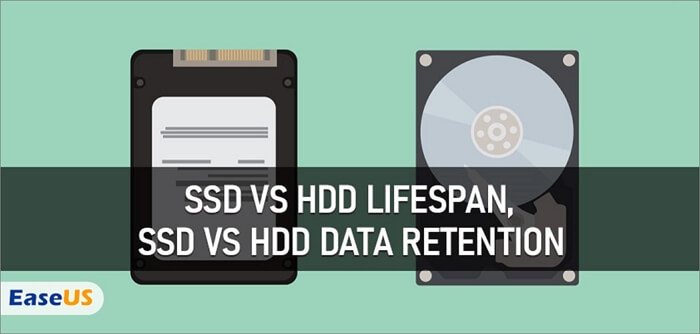
While SSDs and HDDs share some similarities, they also have some key differences. One notable difference is their lifespan, with SSDs generally having a longer lifespan than HDDs. However, as mentioned earlier, there is a link to a resource that can provide more information on this topic.

SSD vs HDD Lifespan, Which Lasts Longer SSD or HDD?
The main difference between an SSD (Solid-State Drive) and an HDD (Hard Disk Drive) lies in their storage technology. An SSD stores data on interconnected flash memory chips, making it faster and more energy-efficient, while an HDD uses physical spinning disks and mechanical heads to read and write data. As for durability, SSDs generally last longer than HDDs, with a lifespan of around 5-10 years, compared to 3-5 years for HDDs, due to the absence of moving parts in SSDs. This makes SSDs a popular choice for devices that require high-speed data access and low power consumption.
Using an external hard drive to back up your data can be a good practice, but it's not the most secure option as it can be prone to failure and data loss. A more secure approach is to back up one external hard drive to another external hard drive or a Network Attached Storage (NAS) device, ensuring your data is safely duplicated and protected from hardware failure. The lifespan of an external hard drive can vary due to factors such as usage, storage conditions, and manufacturer quality, making it essential to regularly check and replace them to maintain data integrity.
What Affects External Hard Drive Lifespan?
The lifespan of an external hard drive is influenced by how it's used, including factors such as configuration, brand, size, and environment. This includes how often it's used, the type of data stored, and the conditions it's stored in. The lifespan can also be affected by the brand, size, and configuration of the drive, as well as the environment it's stored in.
1. Configuration
External hard drives can be prone to physical damage due to their mechanical design with removable parts, while solid-state drives (SSDs) have fewer moving parts, are more shock-resistant, and generate less heat, making them last longer on average, often over five years.
2. Environment
External hard drives should be stored in a cool, dry, and dust-free environment to prolong their lifespan. Avoid storing them in attics, basements, or areas prone to moisture and extreme temperatures. A closet or a shelf in a room with a stable temperature between 60°F to 70°F (15°C to 21°C) is ideal. Additionally, consider storing them upright to prevent dust from accumulating and keep them away from direct sunlight.
External hard drives are more prone to moisture exposure due to their portability, unlike desktop computer hard drives.
Humidity:
When moist air gets inside an external hard drive, internal components can oxidize and heads can crash, but humidity is proper if it is between 45-65%.
Temperature:
The drive should be kept at a temperature between 20 to 25℃ to prevent damage to its circuit components.
Dust:
Dust accumulation on electronic components can lead to overheating, which can cause damage to the hard drive and potentially lead to data loss. Regular cleaning of the external hard drive and its surrounding environment can help prevent dust buildup and maintain the optimal operating temperature for the device. This can help extend the lifespan of the hard drive and ensure the integrity of the stored data.
3. Brand
Brands of drives vary, with well-known brands including Seagate, WD (Western Digital), Toshiba, and Hitachi.
Toshiba and WD external drives are good options, while Seagate's are the cheapest but less reliable. Hitachi drives are consistently reliable and performed better in Backblaze tests, with Seagate failing more often. Toshiba drives also outperformed WD and Seagate in Backblaze testing.
If you're curious about the lifespan of a hard drive, there's a helpful resource available to you.
To extend the lifespan of an external hard drive, it's essential to handle it with care, store it in a cool, dry place, and avoid physical shocks or drops. Regularly backing up data to the cloud or another external drive can also help prevent data loss in case the drive fails. Additionally, keeping the drive's firmware up-to-date and avoiding extreme temperatures can further contribute to its longevity. By following these simple tips, you can help ensure your external hard drive remains reliable and functional for a longer period.
How to Prolong External Hard Drive Lifespan - 5 Suggestions
Keeping an external hard drive for an extended period is crucial as it may store sensitive or important data. To prolong its lifespan, consider the following suggestions: regularly back up data, store it in a cool and dry place, avoid physical shock or drops, update the drive's firmware periodically, and power it off when not in use. By following these tips, you can help extend the life of your external hard drive.
1. Monitor External Hard Drive Health Regularly
Regular checks are important. You may also want to consider using Qiling Partition Master Free, a professional hard drive manager that can fix corrupted file systems and repair corrupted external hard drives, with guides available on how to use it to monitor your external hard drive condition.
Guide 1. Use Qiling Partition Master to Do Disk Surface Test
Qiling Partition Master can perform a surface test to check the health condition of your external hard drive, and there is a video available to help you check the condition of your external hard drive using this tool.
Step 1. Open Qiling Partition Master, right-click the disk you want to check, and click 'Surface Test' to verify its integrity.
Step 2. The operation will be performed immediately, and all bad sectors will be marked as red.
Guide 2. Use Qiling Partition Master to Check Disk/Partition Error
Qiling Partition Master can also check disk and partition errors besides the disk surface test, which allows users to quickly identify and resolve potential issues with their storage devices. This feature enables users to detect and correct errors in their partitions, ensuring the integrity and reliability of their data. By utilizing this tool, users can maintain the health and performance of their disks and partitions, preventing potential data loss and system crashes.
Step 1. Right-click the target partition that has a problem.
Step 2. Choose "Advanced" > "Check File System".
Step 3. Confirm if you want to hide the partition or not.
Step 4. In the Check File System window, select the "Fix the error on the disk" option to resolve the issue.
Step 5. Click "Proceed" to check errors on your partition.
After using Qiling Partition Master, you can identify and fix bad sectors on your external hard drive. This tool can also be used to convert MBR to GPT without data loss, convert FAT32 to NTFS, or format your external hard drive.
2. Control the External Temperature
External hard drives can overheat when in use, so it's essential to keep them away from warm or hot environments to prevent unnecessary stress on the drive. Lower temperatures make it more difficult to damage the drive, making it a safer storage option.
3. Don't Keep It on Power All the Time
The more active your external hard drive is, the more it works, even when it's idle, which causes more wear and tear on the drive.
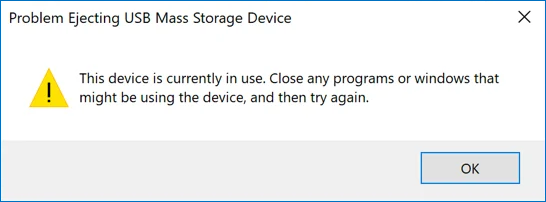
4. Safely Eject the External Drive from the Host System
Before physically disconnecting or powering down the enclosure, make sure to properly stop the device to prevent potential data corruption and hard drive failures.
Step 1. Right-click on the external hard drive on the toolbar below.
Step 2. Click "Eject" and wait until it is removed safely.
5. Try Not to Mess With the Connections
Avoid frequently inserting or unplugging the external hard drive, as this may damage the connection and lead to data corruption. To prevent this, consider securing the drive in place, such as gluing the cable to your desk, to ensure it remains stable and minimize the risk of errors like "external hard drive access denied".
Conclusion
The lifespan of an external hard drive is influenced by various factors, and it's essential to take good care of it to ensure its longevity. However, it's also crucial to be prepared for potential data loss and consider backing up your external hard drive regularly.
Besides, if your external hard drive doesn't show the full capacity, just click:
FAQs About External Hard Drive Lifespan
The lifespan of an external hard drive is a common concern. Many users wonder how long these devices can last, and what factors contribute to their eventual decline. If you're experiencing issues with your external hard drive or simply want to know more about its expected lifespan, continue reading to learn more.
1. Should an external hard drive always be on?
It's best not to constantly power on an external hard drive, as this can cause it to wear out faster. However, it should be powered on when you need to use it.
2. How can I make my external hard drive last longer?
- Power on the drive when you need to use it.
- Do not move or turn off the computer while working.
- Ejecting it from the computer safely before powering it off.
- Keep away from humid, hot, or cold environments.
- Not overloading your external hard drive.
- Monitor the health condition of the external hard drive regularly.
3. Can an external hard drive last ten years?
External hard drives typically last between three to five years, but their lifespan can be extended with proper care.
Related Articles
- How to Solve Webcam Freeze Up in Windows 10 Error?
- [Tips] AutoSave Is Greyed Out or Not Working in Office, Word, Excel
- Fix: Windows 10 Upgrade Stuck at 75% or 76%
- Mac Won't Boot or Start After macOS Big Sur/Catalina/Sierra Update
- Archive vs Delete: What's the Difference and Which One to Use
This post will explain the Archive and Delete features and highlight their key differences. We'll cover what Archive and Delete mean, and provide a concise list of the main distinctions between the two, making it easy to understand which option is best for your needs. - What Is ASD File? [Detailed Information]
Do you wish to know about the ASD file present on your computer? Being a frequent Microsoft Word user, you should definitely have some knowledge of this file format and how it can be opened on the computer. This article helps cover all essentials related to the ASD file.
Products
Articles & Tutorials
- Data Recovery
- Data Backup
- File Recovery
- File Backup
- System Backup and Restore
- Disk and Partition Clone
- Technical articles
- Mobile articles
- Disk Master Help
- Windows Data Recovery Tutorials
- Windows Secure Delete Tutorials
- Windows Partition Management Tutorials
- Windows File Backup and Restore Tutorials
- Windows System Backup and Restore Tutorials
- Windows Disk Backup and Restore Tutorials
- Windows Clone Tutorials