5 Best S3 Backup Software [Can't Miss]
What is S3
S3, Amazon's cloud storage service, allows users to store and access digital assets like videos, photos, and files. It functions like a high-speed machine in a virtual network, storing and processing digital assets with ease, including complex service requests. This enables users to freely use their stored data in various applications, making S3 a valuable service for businesses and individuals alike.
S3 provides almost 100% persistence for objects stored in services and supports strict security and compliance certifications, making it a reliable option for storing and transferring data. Users can store or transfer data on Amazon's servers for a fee.
The Meanings of Using S3 Backup Software
We recommend S3 backup software because it enables automatic cloud backup, which continuously monitors your data and automatically backs up your latest saved data to cloud storage space, allowing for effective recovery of lost data in case of a disaster.
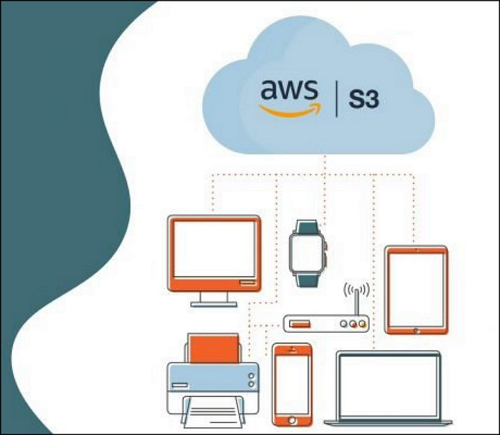
S3 alone cannot complete automatic cloud storage, so a special third-party solution is needed. Choosing a professional S3 backup software can bring benefits such as.
Efficiency:
Professional automated cloud backup tools utilize advanced technology to provide efficient and reliable data backup and recovery methods, accelerating backup efficiency and enabling users to easily find data by category.
Security:
During the backup process, the software effectively protects user data by encrypting it and taking measures to prevent data damage caused by ransomware, as well as preventing and controlling any security risks.
Customized backup schedule:
Cloud backup software allows users to customize their initial settings, including choosing a preferred backup method, such as differential or incremental backup, and setting up a backup cycle to automatically protect their data.
Reduce costs:
Cut costs by backing up data to the lower-cost Amazon S3 version using backup software.
Access at any time:
By using S3 backup software, you can easily access and retrieve any backed-up files at any time and from anywhere, providing a secure and convenient way to store and manage important data.
Top 5 S3 Backup Software
We've narrowed down the top 5 S3 backup software options from 6 key areas: security, stability, functionality, automation, efficiency, and flexibility. By considering these factors, you can find the best S3 backup software for your needs.
MSP360
MSP360 Managed Backup is a powerful S3 backup software that allows for effortless backup and restore of system data.
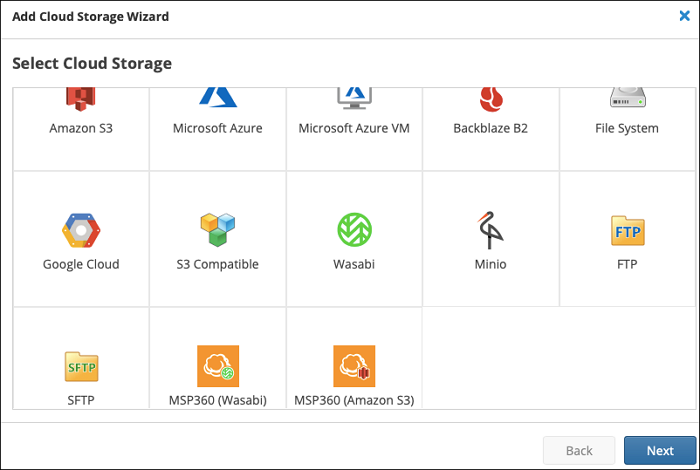
MSP360 supports all categories of Amazon S3 and utilizes S3's unified pricing for simplified billing. Additionally, it securely uses your key and cooperates with IAM roles, reducing management and deployment pressure.
Supported system:
- Windows, Linux, macOS
Main features:
- Support 65 cloud storage platforms.
- Optimize consumption of storage space
- Can restore from the image backup
- Covers almost all mixed backup solutions
Disadvantage:
- No phone support
CloudBerry Backup
CloudBerry Backup is a personal backup software suitable for individual users. It can support multiple storage platforms and full backup of massive data, making it a good choice for personal use. In contrast, MSP360 is more geared towards enterprises or groups, allowing for central management and monitoring of large amounts of data, but with a limit of 5 devices.
Supported system:
- Windows, Linux, macOS
Main features:
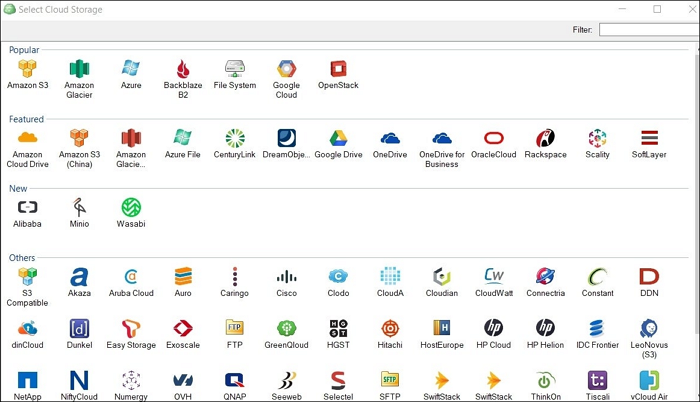
- Support 65 cloud storage platforms.
- Multiple versions available
- Good at backup servers and network devices
- More suitable for individual users
Disadvantage:
- Enterprise use is not supported
Ahsay Backup
Ahsay Backup is a cost-effective software that provides secure off-site backup for various data types, using powerful security measures to prevent hacking and protect data. It also comes with a free mobile app that automatically backs up data to a PC when a mobile phone is connected to WiFi.
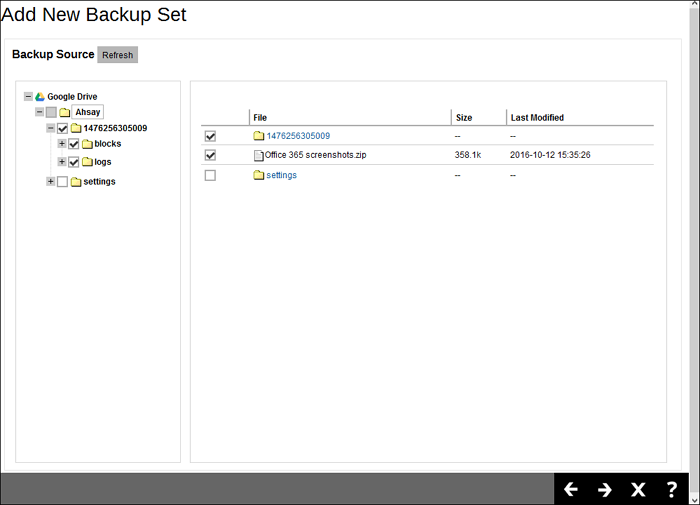
Supported system:
Windows, Linux, macOS, iOS, Android
Main features:
- Supports any local / cloud storage
- Provides free mobile APP
- Low price
- With 20 years of history
Disadvantage:
- Enterprise use is not supported
Handy Backup
Handy Backup has a user-friendly interface and offers professional performance in various backup solutions. It allows for file encryption and compression, and supports storage on platforms like S3. Users can choose from a range of automatic backup schedules to suit their habits.
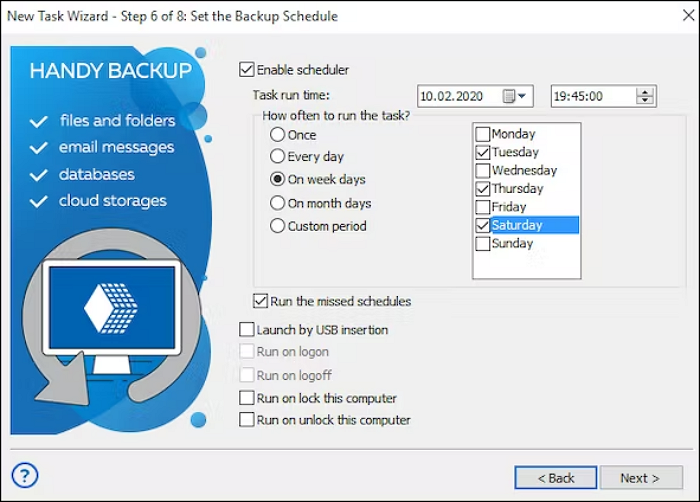
Supported system:
- Windows, Linux, macOS
Main features:
- Continuous upgrading
- Provides free mobile APP
- Works in cracking speeds
Disadvantage:
- Customer service needs improvement
NAKIVO
NAKIVO's solution enables fast backups to Amazon S3 without extra configuration or risk, offering excellent automatic backup capabilities and easy data restoration. It supports various backup forms and is considered one of the best VM backup software options.
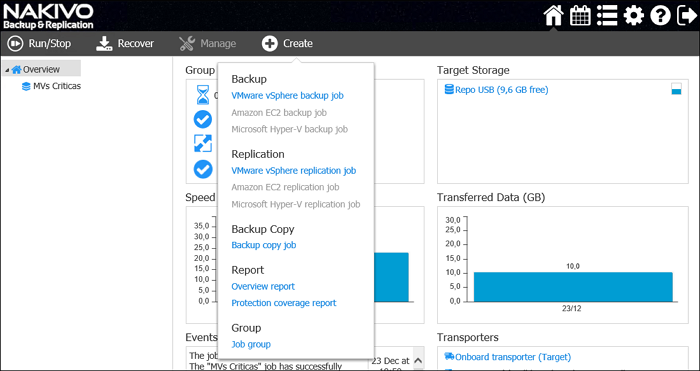
Supported system:
- Windows, Linux
Main features:
- Backup Data Tiering
- Improves Operational Efficiency
- Has multiple Recovery Options
- Protect data by using the WORM model
Disadvantage:
- The backup speed is limited by the performance of the hardware.
Conclusion
To prevent data loss, crash, or damage, it's crucial to use S3 backup software that automatically backs up important data and stores it in S3 space. This article reviews 5 excellent S3 backup software options, each with its own advantages and disadvantages, to help you find the one that best suits your unique needs.
FAQs
Is S3 same as Google Drive?
Amazon S3 and Google Drive are not the same, despite both offering storage functions. S3 is a cloud storage service that allows users to store and access any amount of data at any time, whereas Google Drive is a file storage service primarily used for uploading and downloading files.
How do I backup my S3?
Cloud backup is a highly efficient and secure way to back up important files, allowing for automatic periodic backups and promoting good data storage habits. This article will guide you in selecting one of five software options that support both automatic backup and cloud backup, enabling you to complete an S3 backup.
Related Articles
- How to Fix Galaxy S5 SD Card Corrupted? [Ultimate Guide]
- How to Fix DXGI_ERROR_DEVICE_REMOVED on Windows 10/11 [Fixed]
- 5 Best SSD For Long Term Storage Recommendations in 2022
- How to Fix PS4 Cannot Access System Storage Error Code CE-34335-8
- Why Is My Camera Telling Me to Format My SD Card [Full Explanation]
Why is your camera telling you to format the SD card? Learn the causes and 3 safe methods to format an SD card without losing data on Windows, camera, and Android. - WiFi Password Finder: How to See WiFi Password for PC/Mac/Android/iPhone
Need a WiFi password finder? Learn how to view saved WiFi passwords on PC, Mac, Android, and iPhone. Use built-in tools or apps to recover your wireless network password.
Products
Articles & Tutorials
- Data Recovery
- Data Backup
- File Recovery
- File Backup
- System Backup and Restore
- Disk and Partition Clone
- Technical articles
- Mobile articles
- Disk Master Help
- Windows Data Recovery Tutorials
- Windows Secure Delete Tutorials
- Windows Partition Management Tutorials
- Windows File Backup and Restore Tutorials
- Windows System Backup and Restore Tutorials
- Windows Disk Backup and Restore Tutorials
- Windows Clone Tutorials