Backup Fails With VSS Error 0x800423f4
Quick Navigation:
- Read the Writer List First
- Free Shadow Storage and Restart the Service
- Reduce What the Snapshot Has to Cover
- Use an Image Job That Handles Writers
- Frequently Asked Questions
Image backups rely on Volume Shadow Copy to take a consistent snapshot of a running system. When a writer reports an error, the snapshot cannot be created and the job stops before any data is written. The error code is less important than which writer failed, because that identifies the application holding the volume.
Read the Writer List First
Query the shadow copy writers and note which one reports a failed or waiting state. Database engines and mail servers are the usual culprits, because they hold open files that must be quiesced before a snapshot.
The built-in writer query tool is part of Windows, not of this software. It lists each writer with its state, which is the exact information needed to decide whether to stop a service or to change approach.
A writer in a failed state often remains failed until its service is restarted or the machine reboots.
Free Shadow Storage and Restart the Service
Check the shadow storage allocation on the volume being backed up. A small maximum size causes the snapshot to fail even when the job reports a writer error.
Restart the Volume Shadow Copy service, then retry. If the writer recovers, the backup will run.
Clear stale shadow copies when the allocation is full. Old snapshots left by other tools consume the same space and block new ones.
Reduce What the Snapshot Has to Cover
Back up the system volume on its own rather than the whole machine in one job. A smaller snapshot needs less shadow storage and finishes before a writer times out.
Stop services that hold large files open for the duration of the job, or schedule the backup in a quiet window.
If the destination disk is failing, fix that first. A write error on the target is reported as a snapshot failure by some tools.
Use an Image Job That Handles Writers
Qiling Disk Master takes a block-level image of the selected volumes and reports its own progress, so a failure is attributed to the correct stage instead of a generic writer error.
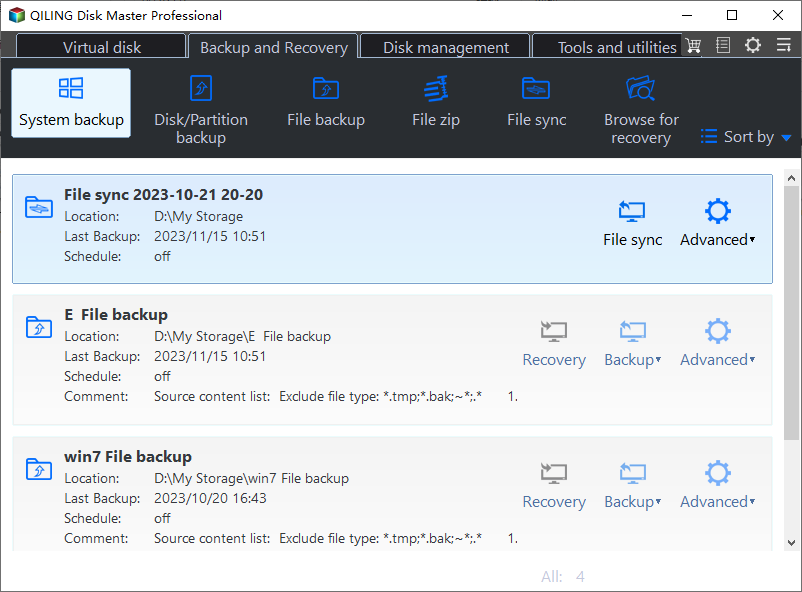
Step 1. Choose System Backup
Open the program and select System Backup to cover the boot partitions and the system volume in one job.
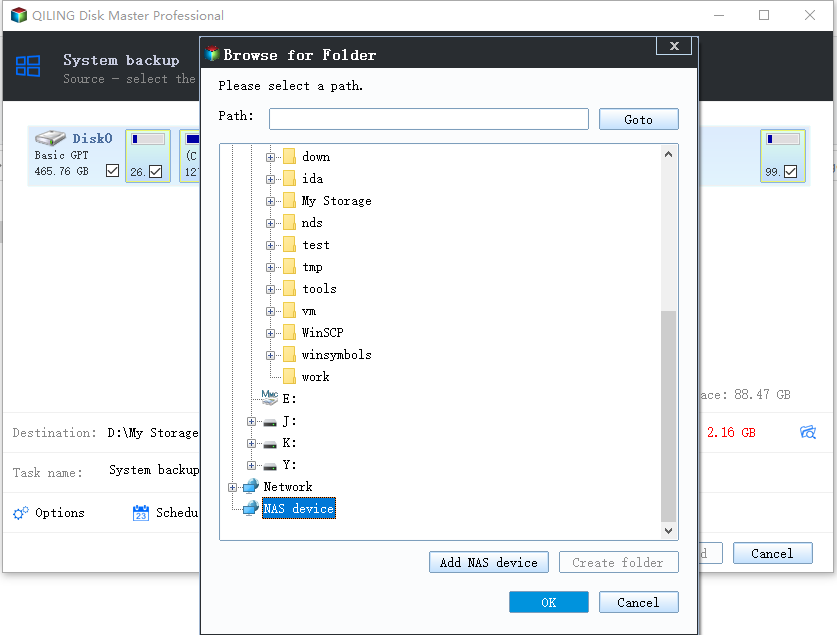
Step 2. Select the Destination
Choose an external disk formatted as NTFS with enough free space, and confirm the drive is not the one being imaged.
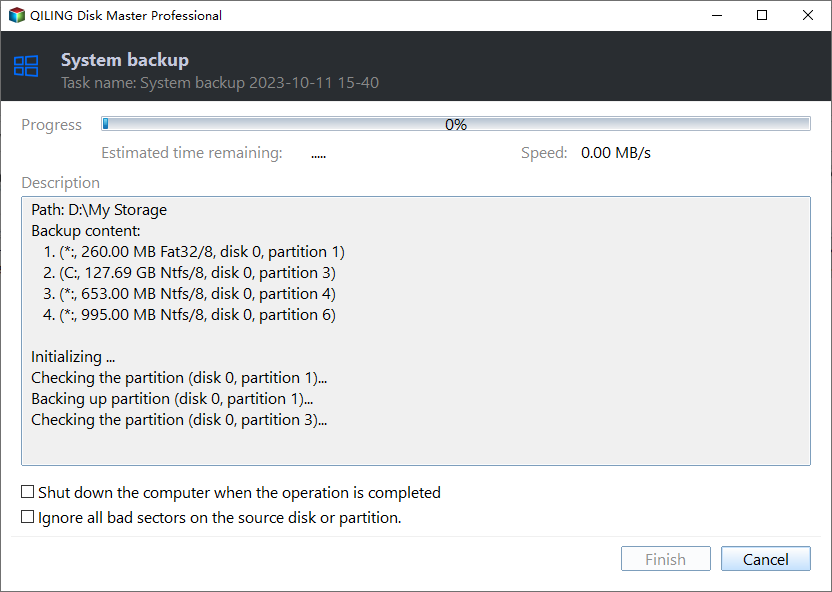
Step 3. Preview and Proceed
Review the task summary and start the job. If a writer blocks the snapshot, the program reports it at this stage rather than after a long copy.
Step 4. Verify and Schedule
Browse the image afterwards, then schedule the job for a quiet window so the next run does not compete with open files.
Frequently Asked Questions
What does 0x800423f4 mean?
It indicates a shadow copy writer error. The writer that failed is the useful detail; the code alone does not identify the cause.
Will a restart fix it?
It often does, because it restarts the writer services and clears stuck states. If the error returns, a specific application is holding the volume.
Can I back up without VSS?
A block-level image can be taken with its own snapshot mechanism. A file copy of open files without a snapshot can capture inconsistent data.
Does this affect scheduled backups?
Yes. A scheduled job that hits a failed writer fails the same way, which is why the writer state should be checked before scheduling.
For the imaging error that appears after the copy starts, see Windows Backup error 0x8078005D.
Related Articles
- Windows Backup Error 0x8078005D
- How to Set Up Windows Backup
- System Image Backup Removed in Windows 11
- How to Back Up a Hard Drive
- System Restore Fails After 26H2
Products
Articles & Tutorials
- Data Recovery
- Data Backup
- File Recovery
- File Backup
- System Backup and Restore
- Disk and Partition Clone
- Technical articles
- Mobile articles
- Disk Master Help
- Windows Data Recovery Tutorials
- Windows Secure Delete Tutorials
- Windows Partition Management Tutorials
- Windows File Backup and Restore Tutorials
- Windows System Backup and Restore Tutorials
- Windows Disk Backup and Restore Tutorials
- Windows Clone Tutorials