Clone a Drive with Acronis True Image: 2026 Guide
Acronis True Image, now sold as part of Acronis Cyber Protect Home Office, includes both backup and disk cloning. It is a full suite rather than a single-purpose clone tool, so the clone option sits under its Tools menu.
This guide covers the clone steps, the subscription rules that surprise new users, and the checks that confirm the copy will start.
PAGE CONTENT
- What Acronis Offers
- Clone a Disk in Acronis
- Licensing and Clone Limits
- Clone with Qiling Disk Master
- Verify the New Drive
- FAQs About Acronis Cloning
- Back Up Before You Clone
What Acronis Offers
- Disk clone. Copies a full disk to new hardware with resize support.
- Full image backup. Saves the whole system to an external drive or the cloud.
- Rescue media. Boots outside Windows to restore or clone a failing system.
- Universal Restore. Helps a backup start on different hardware.
- Scheduled backups. Runs automatic copies on a set schedule.
The clone wizard is simple, but the product is built around subscriptions and cloud features. Users who only want a one-time disk copy often find the suite heavier than they need.
Clone a Disk in Acronis
- Install and sign in. The clone tool requires an activated subscription.
- Open Tools. Choose Clone Disk from the tools list in the main window.
- Select the source disk. Confirm the disk number and its used space.
- Select the destination. Accept the warning that the target will be erased.
- Choose the layout. Let Acronis resize the partitions, then start the clone and wait for the result.
Acronis may ask you to restart before the clone if the source disk is in use. Let it reboot and resume; interrupting the reboot cancels the pending operation.
Licensing and Clone Limits
- Subscription required. There is no permanent free edition of the current product.
- Clone counts as a task. Some plans limit how many clone or restore jobs run per license.
- Cloud features add weight. The installer and background services are larger than a standalone cloner.
- BitLocker must be suspended. A locked volume cannot be copied.
- Boot repair is separate. A failed boot still needs Windows Recovery to fix the BCD.
If the clone option is missing, check the subscription status and the installed edition. Acronis hides or disables the tool when the license is expired.
Clone with Qiling Disk Master
Qiling Disk Master is a standalone clone tool with no subscription, and it includes partition resizing and a backup path in the same install.
Watch the video tutorial below to clone the drive step by step with Qiling Disk Master.
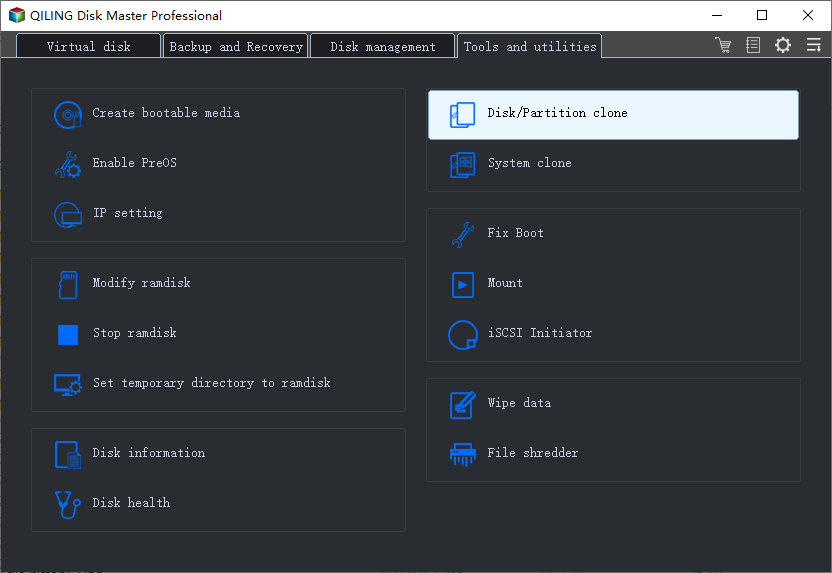
Step 1. Open Qiling Disk Master, choose Clone, and then select Disk Clone.
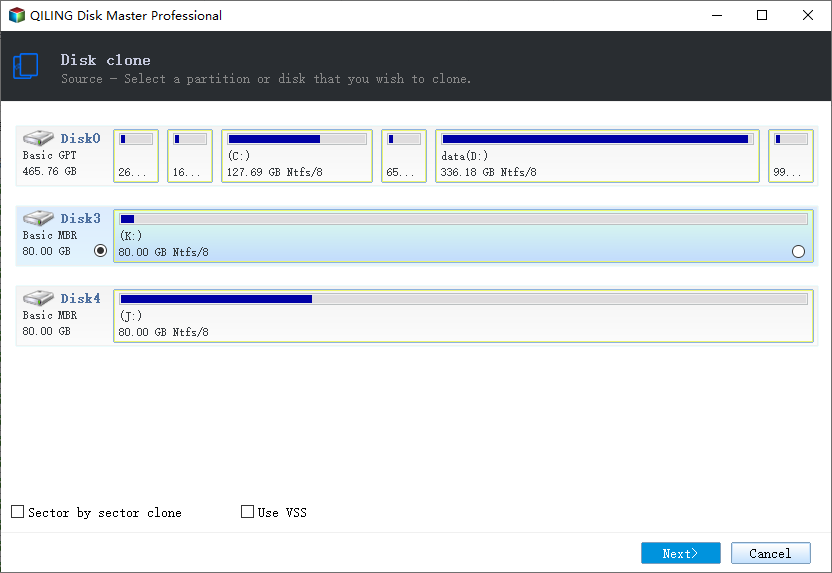
Step 2. Select the source disk and click Next.
Step 3. Select the destination SSD and confirm that its data will be replaced.
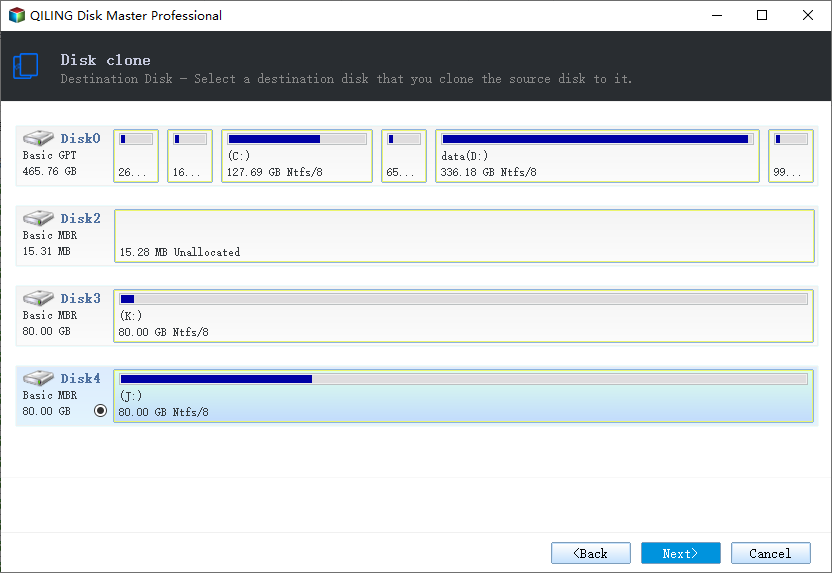
Step 4. Choose the clone mode and adjust the partition size for the target drive.
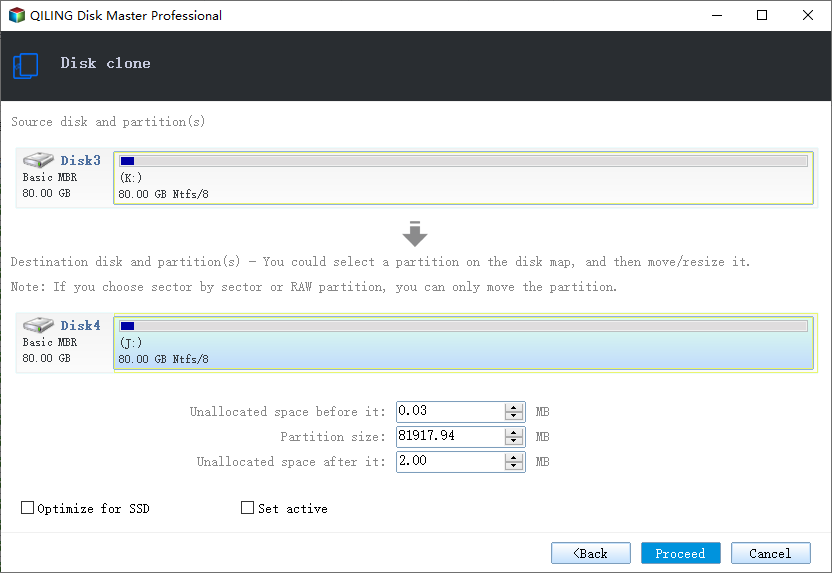
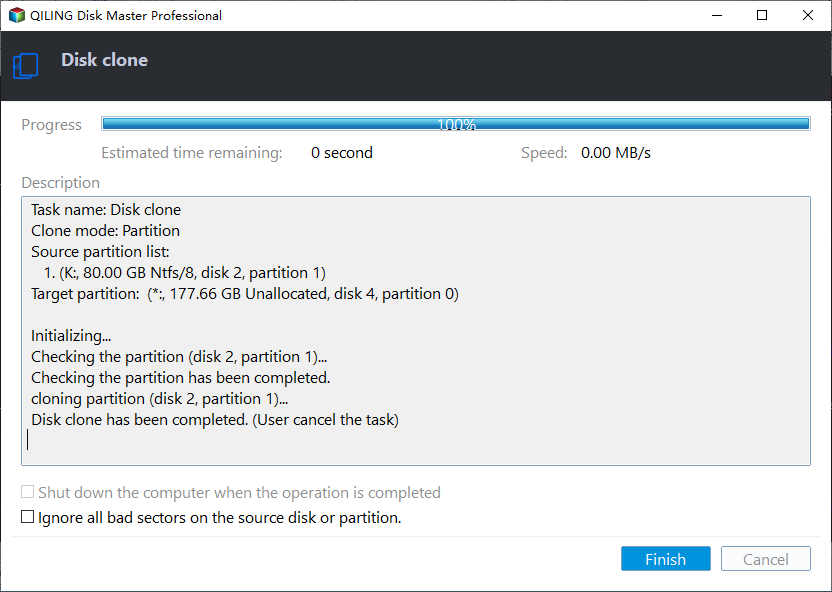
Step 5. Click Proceed, wait for the copy to finish, then shut the machine down before you remove any cable.
Verify the New Drive
- Disconnect the old disk. Boot with only the clone attached.
- Confirm the system letter. Windows should start from C.
- Check activation. Open Settings and confirm Windows is still activated.
- Open your files. Confirm the user folders and applications load normally.
- Boot twice. A second clean boot proves the copy is stable.
If Acronis reports a successful clone but Windows will not start, the boot partition may be missing from the copy. Rebuild the BCD from Windows Recovery before you try another clone.
FAQs About Acronis Cloning
Does Acronis True Image still include disk cloning?
Yes. The clone tool is part of the current Acronis Cyber Protect Home Office suite, under the Tools menu.
Is there a free Acronis clone tool?
There is no permanent free edition of the current suite. Some drive vendors bundle a limited Acronis build with their SSDs.
Can Acronis clone a larger drive to a smaller SSD?
Yes, when the used data fits. Shrink the source partitions first if the tool blocks the destination.
Why does Acronis ask for a restart before cloning?
The source disk is in use. The clone runs after a reboot so it can read the disk without open handles.
Can I clone a BitLocker drive with Acronis?
Suspend BitLocker first. A locked volume cannot be read during the clone.
Back Up Before You Clone
Acronis can create its own backup, but a failed clone still needs a clean restore point. Make an image first and keep it on a drive other than the target.
Watch the video tutorial below to back up Windows and restore it if the clone fails.
Step 1. Open Qiling Disk Master and select System Backup to include the boot partitions.
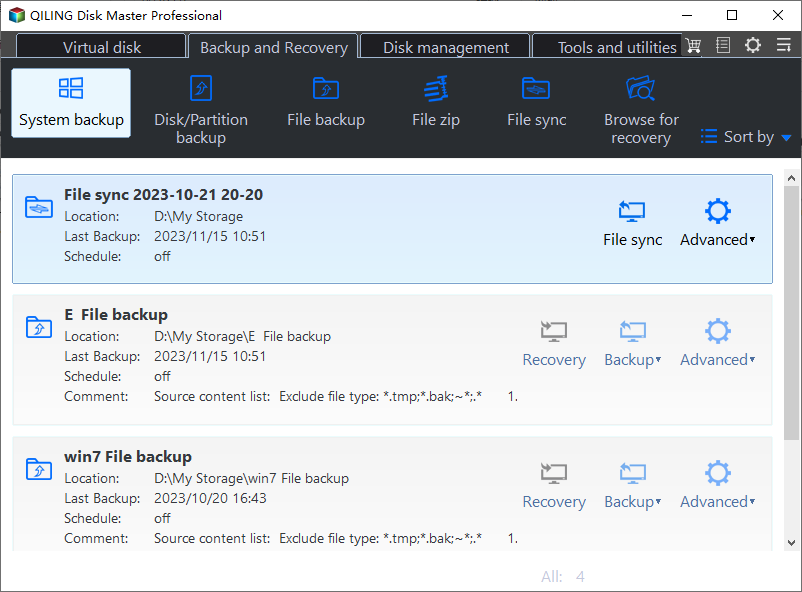
Step 2. Save the image to a drive other than the target disk and start the backup.
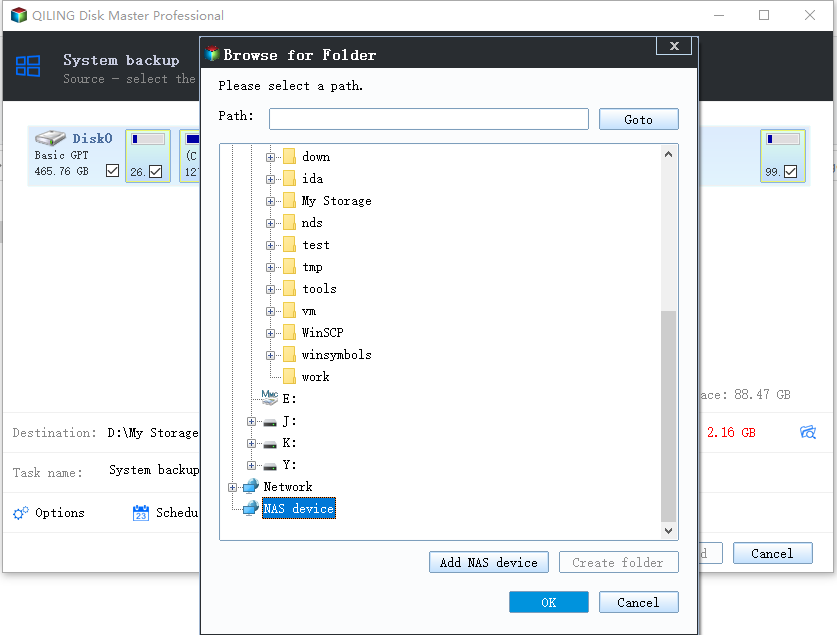
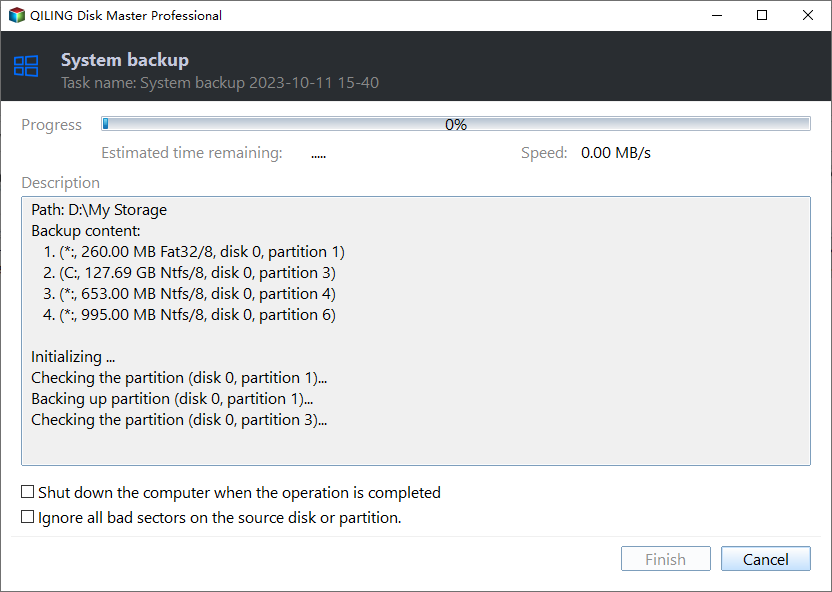
Step 3. Click Proceed to start the system backup and wait patiently until it finishes. You can also tick Shut down the computer when the operation is completed to power off automatically.
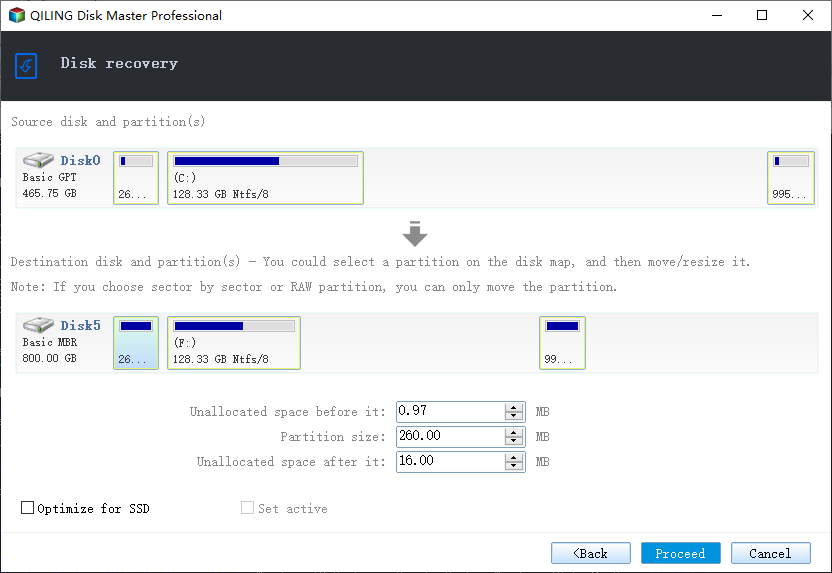
Step 4. If the Acronis clone fails, restore the image and retry with the old drive disconnected.
Conclusion
Acronis makes a capable clone, but the subscription and the suite size are the main friction points. Prepare the target, suspend BitLocker, and confirm the boot before you retire the original drive.
For more on Acronis errors and clone fixes, see Acronis True Image for Crucial Not Working, Fix Acronis Clone Disk Failed, Best Free Disk Cloning Software 2026, and Cloned Drive Won't Boot? Fix It.
Related Articles
- Acronis True Image for Crucial Not Working
Fix the bundled Acronis build. - Fix Acronis Clone Disk Failed
Recover from a failed clone job. - Best Free Disk Cloning Software 2026
Compare the free tools. - Clone an HDD to an SSD on Windows 10
Move Windows without reinstalling. - Cloned Drive Won't Boot? Fix It
Repair the boot after cloning.
Products
Articles & Tutorials
- Data Recovery
- Data Backup
- File Recovery
- File Backup
- System Backup and Restore
- Disk and Partition Clone
- Technical articles
- Mobile articles
- Disk Master Help
- Windows Data Recovery Tutorials
- Windows Secure Delete Tutorials
- Windows Partition Management Tutorials
- Windows File Backup and Restore Tutorials
- Windows System Backup and Restore Tutorials
- Windows Disk Backup and Restore Tutorials
- Windows Clone Tutorials