How to Clone a Failing HDD Before It Dies
A hard drive rarely fails without warning. Clicking, slow reads, and rising SMART values all point to a disk that is running out of time, and every spin-up shortens what is left.
This guide explains how to read the warning signs, copy a weak drive in the safest order, and decide when a clone is no longer worth attempting.
PAGE CONTENT
- Warning Signs of a Dying HDD
- Check SMART Data First
- Prepare the Replacement Drive
- Clone the Failing Drive with Qiling Disk Master
- Verify the Copy and Retire the Drive
- FAQs About Failing Drives
- Back Up Before You Clone
Warning Signs of a Dying HDD
- Clicking or grinding. Repeated head movement usually means the platters are no longer readable.
- Reads slow down. Files that once opened instantly now stall or retry.
- SMART values climb. Reallocated and pending sectors rise as the media wears out.
- Files disappear. Missing folders or a failing file system check point to bad sectors.
- The disk drops offline. A drive that vanishes from BIOS is near the end.
Copy the drive before it stops answering. A weak disk still serves data when it spins, but each session adds heat and wear, so plan one long copy instead of many short ones.
Check SMART Data First
- Read the attributes. Reallocated sectors, pending sectors, and spin retry count matter most.
- Note the temperature. An overheating drive fails faster than a cool one.
- Back up the important files. Copy documents and photos before the full clone.
- Stop writing to the disk. Every new write can push a weak sector over the edge.
- Decide on the goal. A bootable copy and a file rescue need different plans.
If SMART reports thousands of reallocated sectors or the drive is already unmounted, stop and send it to a data recovery service. A clone can make that situation worse.
Prepare the Replacement Drive
- Choose a healthy target. Use a new SSD or a drive with clean SMART data.
- Match or exceed the size. The target must hold every partition on the source.
- Attach it by USB. An adapter keeps both drives visible without opening the case.
- Keep the source cool. A fan or an open case helps a weak drive survive the copy.
- Use mains power. A laptop on battery may sleep during a long read.
Do not run a repair or defragment on the failing disk. Both rewrite data and can turn a readable sector into an unreadable one.
Clone the Failing Drive with Qiling Disk Master
Qiling Disk Master can skip unreadable sectors and continue with the rest of the disk. Download it on a working PC and attach the failing drive through USB.
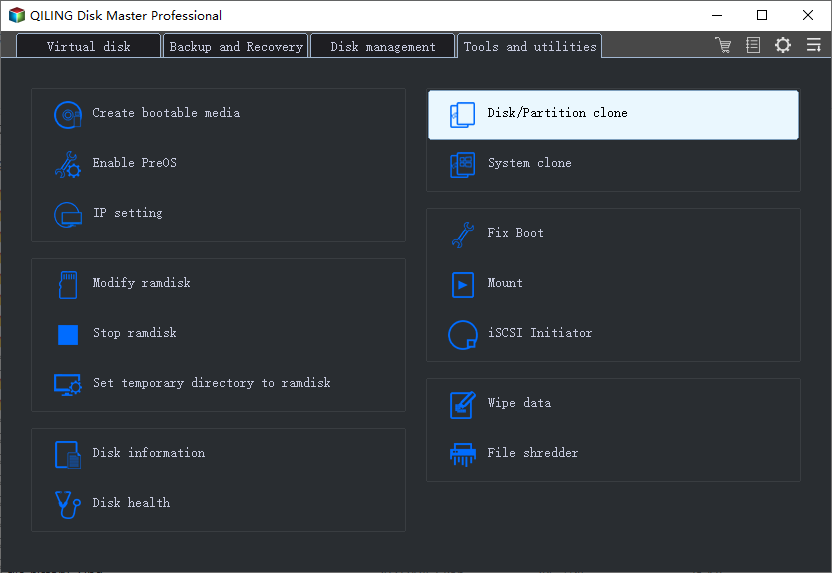
Step 1. Open Qiling Disk Master, choose Clone, and then select Disk Clone.
Step 2. Select the failing drive as the source and click Next.
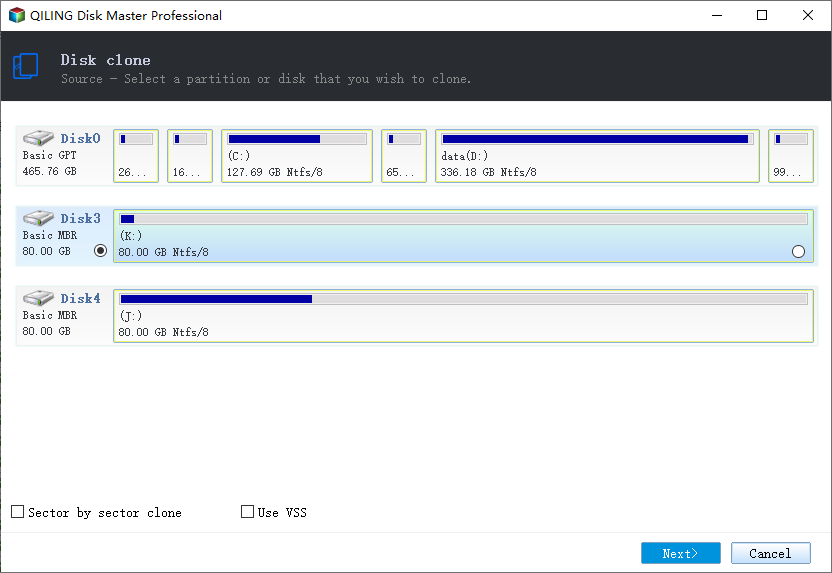
Step 3. Select the healthy drive as the destination and confirm that its data will be replaced.
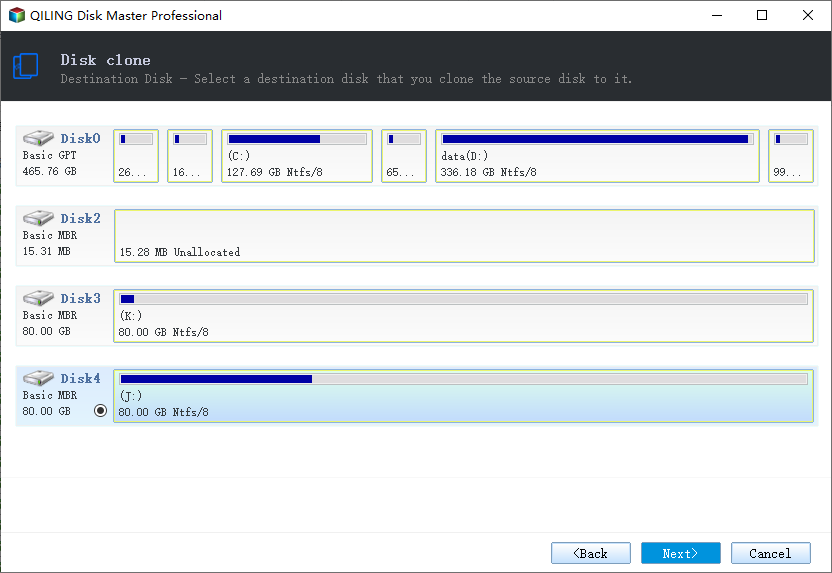
Step 4. Review the layout, keep the boot volumes, and choose the option that ignores bad sectors.
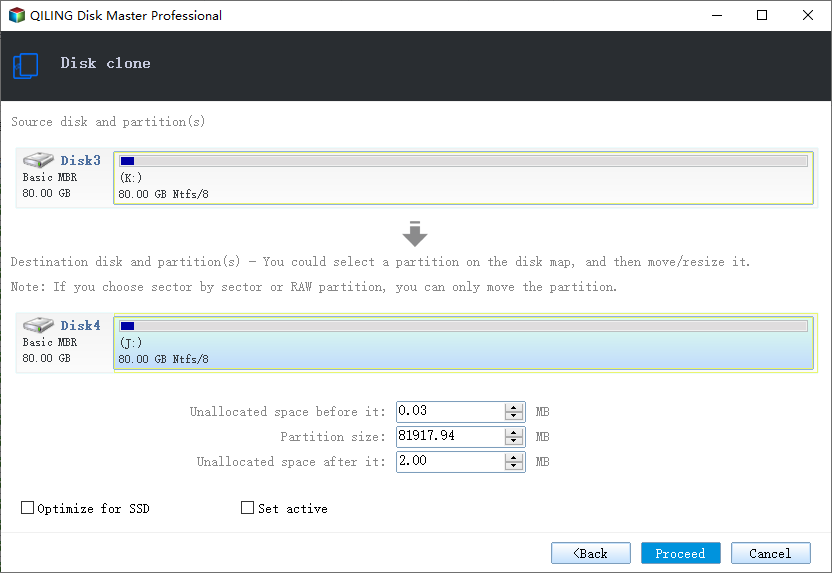
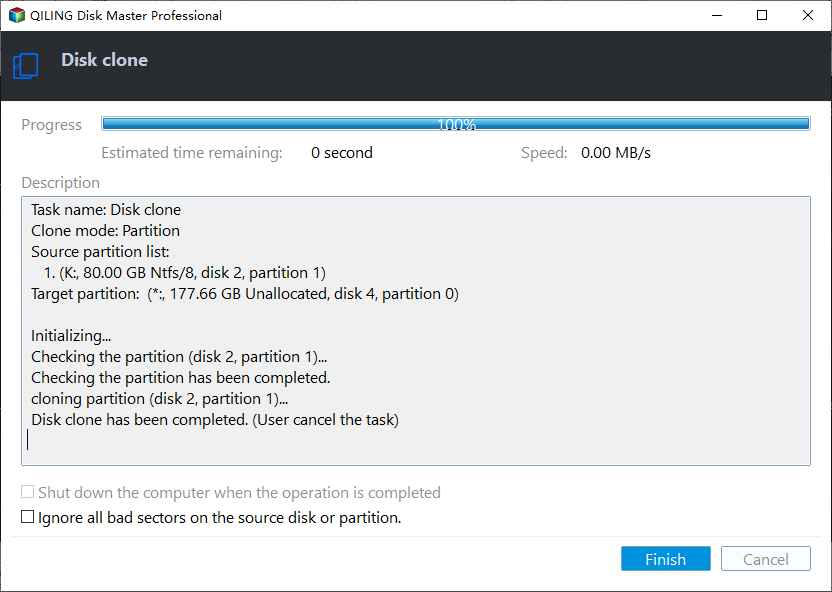
Step 5. Click Proceed, watch the read speed, and stop the task if the drive starts clicking loudly.
Verify the Copy and Retire the Drive
- Boot the new drive alone. Disconnect the failing disk before the first start.
- Run a file check. Open documents, photos, and a database if one exists.
- Watch the event log. Disk errors on the new drive mean the copy hit bad sectors.
- Reinstall what is broken. Programs damaged by bad sectors can be reinstalled cleanly.
- Retire the old disk. Keep it offline; do not reuse it as storage.
A copy that skips sectors is a rescue, not a perfect image. Compare the important folders after the first boot and repeat the copy for any file that refuses to open.
FAQs About Failing Drives
Can a clicking hard drive still be cloned?
Sometimes, if it still answers reads. Stop at the first loud clicking and consider professional recovery.
Should I clone or copy files first?
Copy the irreplaceable files first, then attempt the full clone for the system.
How long does a weak drive take?
Longer than a healthy one. Retries on bad sectors can double or triple the copy time.
Will the clone fix the bad sectors?
No. It copies what it can read. Missing data stays missing unless recovery tools replace it.
Can I keep using the old drive afterwards?
No. Once a drive reports failing sectors, it is unreliable for any storage role.
Back Up Before You Clone
Before you touch the failing drive, create an image of what still reads. Qiling Disk Master can write an image that you restore to a healthy disk later.
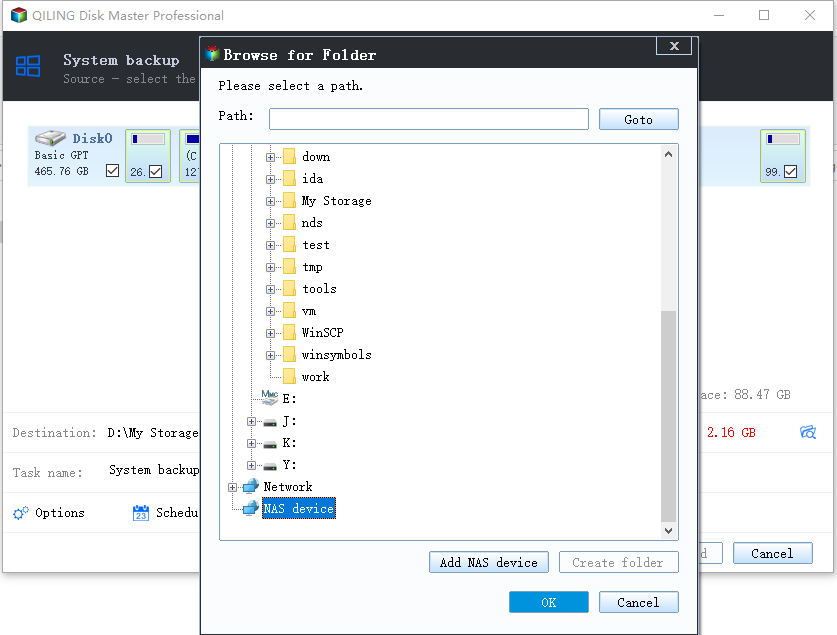
Step 1. Open Qiling Disk Master and select System Backup to include Windows and the boot partitions.
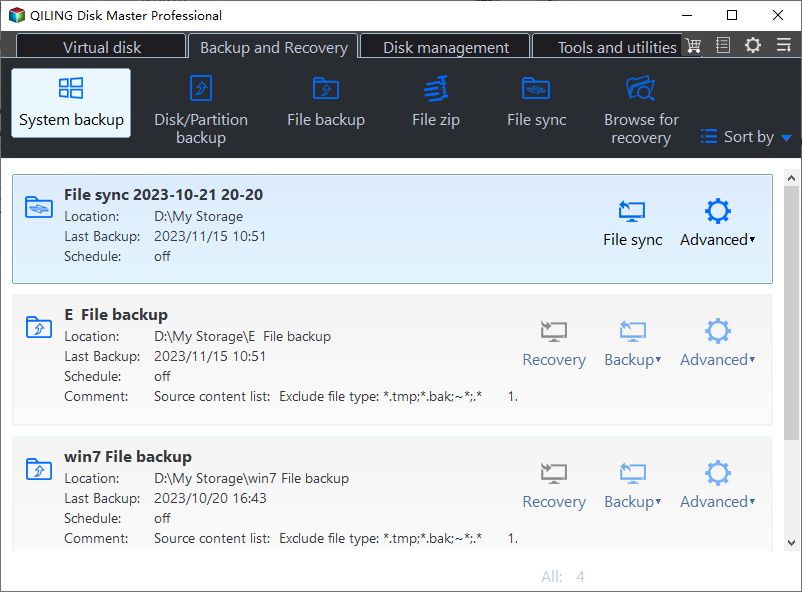
Step 2. Save the image to a drive other than the failing disk and start the backup.
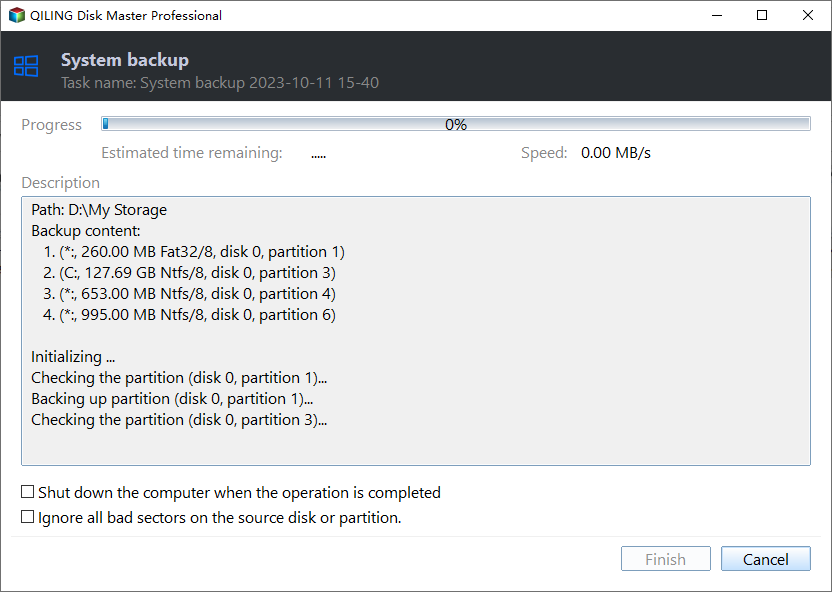
Step 3. Click Proceed to start the system backup and wait patiently until it finishes. You can also tick Shut down the computer when the operation is completed to power off automatically.
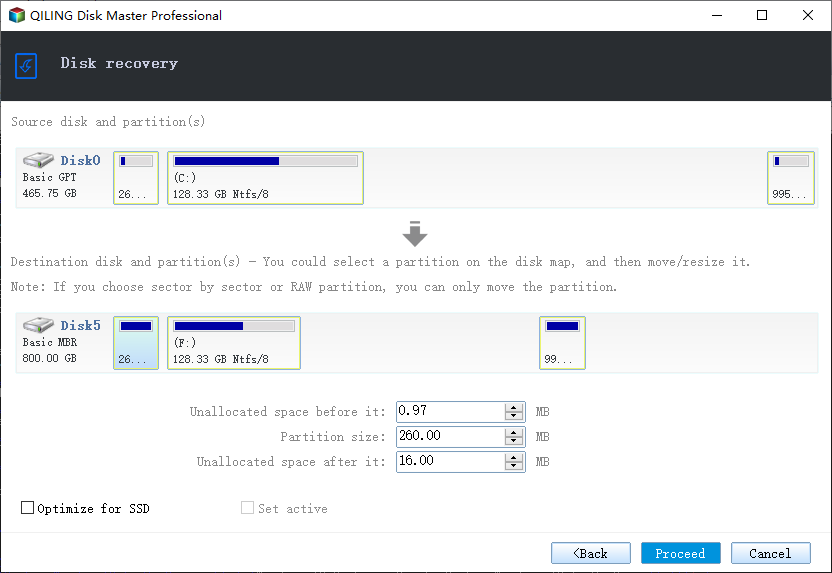
Step 4. If the copy will not start, restore the image to a healthy drive and boot from the result.
Conclusion
A failing hard drive is a race against time, not a repair job. Read the SMART data, copy the irreplaceable files first, and keep the disk cool and idle between reads. Then clone it to a healthy target with bad-sector skipping enabled. Boot the new drive alone, check the important folders, and retire the old disk instead of reusing it.
For more on weak drives, see How to Clone a Hard Drive with Bad Sectors, Clonezilla Failed to Clone Bad Sectors, When Should I Replace My HDD, and How to Clone a Failing SSD Before It Dies.
Related Articles
- Cloned Drive Wont Boot Fix
Repair the boot entry when the copy refuses to start. - How to Clone a RAID Drive to a Single SSD
Array members need the same careful read order. - 4K Alignment When Cloning an SSD
Raw copies keep the original alignment intact. - How Long Does a Disk Clone Take
A weak drive takes far longer than a healthy one. - How to Clone a Hard Drive to a Larger Hard Drive
A healthy target should exceed the old capacity.
Products
Articles & Tutorials
- Data Recovery
- Data Backup
- File Recovery
- File Backup
- System Backup and Restore
- Disk and Partition Clone
- Technical articles
- Mobile articles
- Disk Master Help
- Windows Data Recovery Tutorials
- Windows Secure Delete Tutorials
- Windows Partition Management Tutorials
- Windows File Backup and Restore Tutorials
- Windows System Backup and Restore Tutorials
- Windows Disk Backup and Restore Tutorials
- Windows Clone Tutorials