Top 8 Free SD Card Speed Test Tool 2024 New Checklist
SD and microSD cards are used for storage in various devices, but many fake ones are being sold online, including on reputable marketplaces like Amazon, tricking unsuspecting consumers.
SD card speed tests measure the read and write speeds of an SD card, helping users determine if it's suitable for their device's requirements, such as 4K video recording or high-speed data transfer. A free SD card speed test tool can be used to check the card's performance and ensure it meets the necessary standards. This is especially useful for photographers, videographers, and gamers who require fast data transfer rates for their work. By using a free SD card speed test tool, users can get an accurate assessment of their SD card's capabilities and make informed decisions about their storage needs.
Overview of Free SD Card Speed Test Tool
If you buy a high-A fake SD card is a bad investment, often disguised as a well-known brand like SanDisk, Samsung, or Kingston. To check if it's genuine, use an SD card speed test tool to test its speed and capacity, which can help identify a counterfeit product.
We spent a month testing 8 popular free SD card speed test tools on Windows, Mac, and Android devices to help you find the best one to resolve SD speed-related issues.
Free SD Card Speed Test Tool [2023 New Top 8]
We will introduce the eight SD card speed testers one by one, providing more details such as pros, cons, compatibility, and so on. We'll start with the first one.
1. Qiling Disk Master Free
After our research, we found Qiling Disk Master Free to be the best option, with a clear interface suitable for those with no computer experience. It has strong compatibility, supporting almost all Windows systems, including Windows XP and Vista. Additionally, it can display detailed speed test results for SD cards, including read and write speed, I/O, and delay, all without any cost.
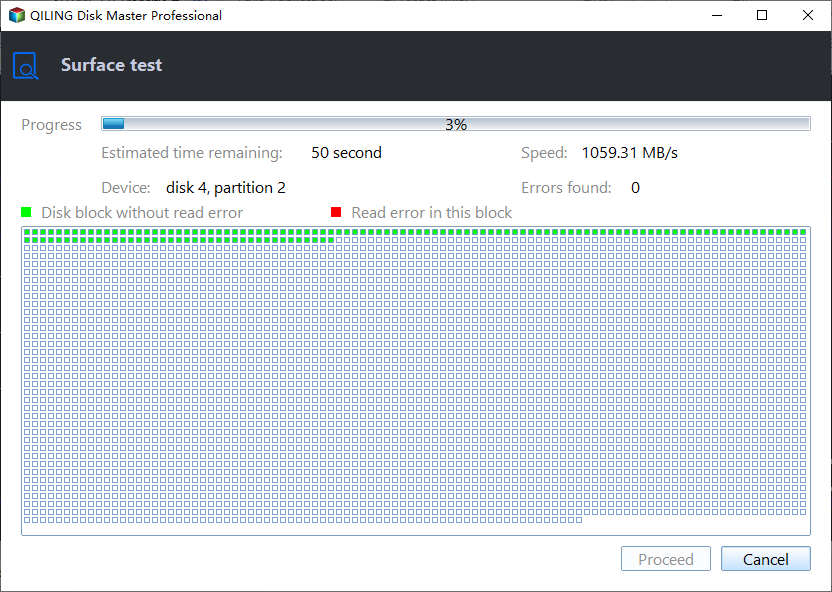
Qiling Disk Master is a powerful disk image and virtualization tool that supports a wide range of file systems, including NTFS, HFS+, and Ext4, among others. It allows users to create, edit, and manage disk images, as well as virtualize physical disks, making it an ideal tool for system administrators, developers, and power users.
| Features | Qiling Disk Master Free |
|---|---|
| Compatibility | Windows 11/10/8/7, Windows Vista, Windows XP |
| Data Tested | Random read/write, sequential read/write, I/O, and Delay |
| Devices Supported | SD cards, micro SD cards, USB drives, external hard drives, SSDs, and HDDs are all types of storage devices that allow users to store and transfer digital data. They vary in size, capacity, and functionality, but all serve the same purpose of providing a means to hold and access digital content. |
| Pros |
|
| Cons |
|
Here are some editors' reviews about Qiling Disk Master. Read them to help you learn more:
Qiling Disk Master can help test the speed of a storage device by running various tests, such as sequential read and write, random read and write, and file copy, to measure the device's performance. This can help identify any bottlenecks or issues with the device.
You can now download Qiling Disk Master and use it to check your SD card speed.
2. FakeFlashTest
FakeFlashTest runs a quick size test on an SD card, writing and reading 512 bytes of data in random sectors to measure real-time writing and reading speed, but not peak speed. This allows for faster test results, especially for high-capacity cards.
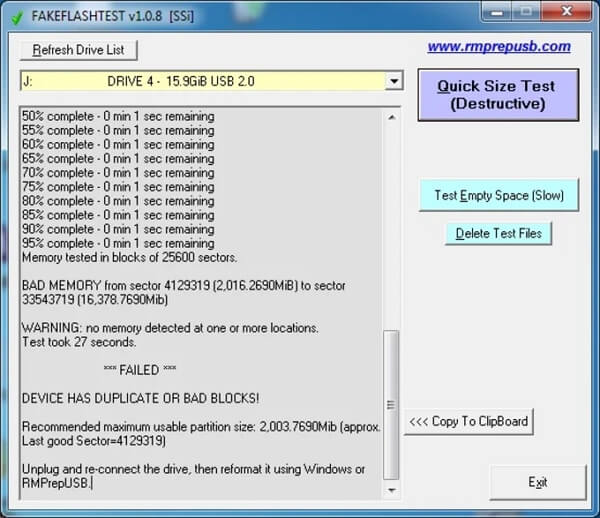
This app allows users to test the speed of their SD cards, providing detailed information about the card's read and write speeds, as well as its capacity and other relevant details. It also includes features such as batch testing, which enables users to test multiple SD cards at once, and a comparison mode that allows users to compare the performance of different SD cards.
| Features | FakeFlash Test |
|---|---|
| Compatibility | Windows |
| Data Tested | Read/write speed, capacity |
| Devices Supported | SD cards, USB drives |
| Pros |
|
| Cons |
|
To avoid data loss, turn to Qiling Disk Master.
Also, we select a review about FakeFlashTest for you here:
3. H2testw
H2testw is a free software that tests USB flash drives and hard drives for issues and detects counterfeit SD cards and USB flash drives, but it can be slow and take hours or days to scan high-capacity drives.
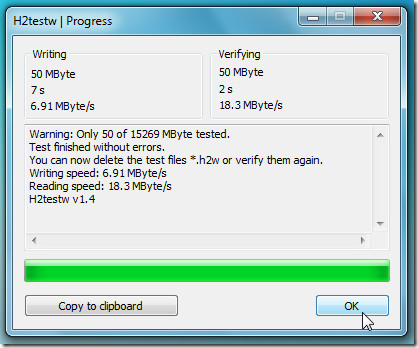
Check the features of H2testw below:
| Features | H2testw |
|---|---|
| Compatibility | Windows only |
| Data Tested | Read/write speed, capacity |
| Devices Supported | SD cards, USB drives |
| Pros |
|
| Cons |
|
To efficiently test SD card speed, consider using Qiling Disk Master.
Read the review to have a better and deeper understanding of this tool:
4. Blackmagic Disk Speed Test
Blackmagic Disk Speed Test measures and verifies disk performance by filling the free space with data samples and evaluating read and write speeds, ideal for benchmarking hard drive performance for high-quality video.
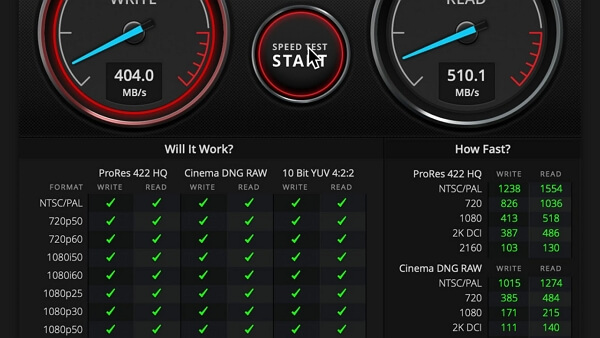
The Blackmagic Disk Speed Test is a tool that provides detailed information about a computer's disk storage performance, including read and write speeds, as well as other metrics such as queue depths and latency. This test can help users identify potential issues with their disk storage, such as slow performance or bottlenecks, and can also be used to compare the performance of different storage devices or configurations.
| Features | Blackmagic Disk Speed Test |
|---|---|
| Compatibility | Windows 11/10/8/7/Vista, OS X 10.7 or later |
| Data Tested | Read/write speed |
| Devices Supported | SD cards, USB drives, SSDs, HDDs |
| Pros |
|
| Cons |
|
For a powerful SD card speed test tool with comprehensive features, consider using Qiling Disk Master.
Refer to the review below to get a better understanding of the Blackmagic Disk Speed Test:
5. USBDeview
USBDeview is a portable utility by Nirsoft that helps you test the true speed of a USB device or SD/microSD card. It does this by reading and writing a 100MB file sequentially to get an accurate score, allowing you to determine if your SD card is a fake and avoid potential financial losses.
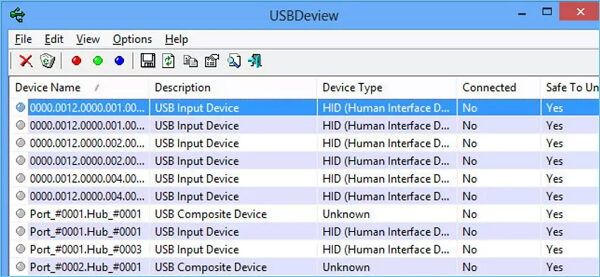
The table provides additional details about USBDeview, which can be reviewed to gain a better understanding of its features and capabilities.
| Features | USBDeview |
|---|---|
| Compatibility | Windows |
| Data Tested | Read/write speed |
| Devices Supported | SD cards, USB drives |
| Pros |
|
| Cons |
|
To get a speed test tool with a clear interface, Qiling Disk Master is the way to go.
Check the real review from one of its users below:
6. SpeedOut
SpeedOut is a tool that quickly measures the sequential read and write speed of flash drives and SD cards, with scores unaffected by the drive's file system. To use it, simply select your USB drive from the drop-down list and SpeedOut will run four read-and-write tests, displaying the average of each test. The testing process is non-destructive, overwriting no files, and does not require formatting the SD card or flash drive.
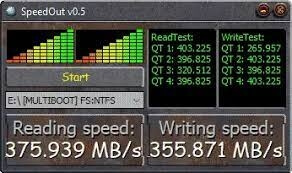
The table below can help you learn more:
| Features | SpeedOut |
|---|---|
| Compatibility | Windows 7, 8, 10 or Mac OS X 10.9 Mavericks or later |
| Data Tested | Read/write speed |
| Devices Supported | SD cards, USB drives |
| Pros |
|
| Cons |
|
To get a reliable SD card speed test tool, consider using Qiling Disk Master, which offers better compatibility.
The AlternativeTo browser extension provides a list of alternatives to a given website or application, based on the AlternativeTo website. It can be installed on Google Chrome, Mozilla Firefox, and Microsoft Edge browsers and offers a popup window with filtered alternatives by category, rating, and platform.
7. ChipGenius
ChipGenius is a tool that checks the actual capacity and manufacturer of an SD card by cross-referencing its database with the card's programmed information. It doesn't write any data to the card, but rather tests it to see if the seller's claims match reality. For example, if you bought a 64GB SanDisk card but ChipGenius shows it's actually an 8GB Emtec, you can be certain you've been scammed. While this tool is convenient, it may not catch every fake card, as some sellers have found ways to evade detection.
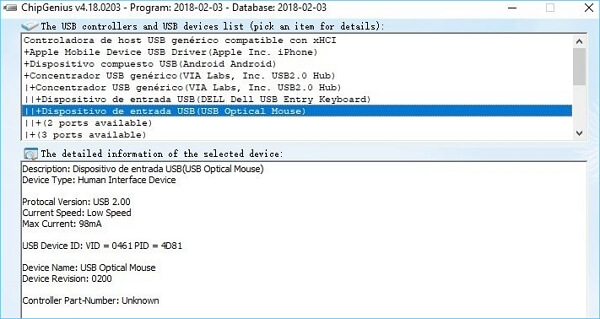
The table below can help you learn more:
| Features | ChipGenius |
|---|---|
| Compatibility | Windows |
| Data Tested | The manufacturer information and the storage information |
| Devices Supported | SD cards, USB drives |
| Pros |
|
| Cons |
|
Here is a view from TrishTeck about this tool:
8. AJA System Test
Aja System Test is a free tool that can check SD card speed on both Windows and Mac, providing detailed graphs to visualize the performance. It can help identify potential issues with the SD card, such as large fluctuations in speed, which may indicate a problem or the onset of card degradation.
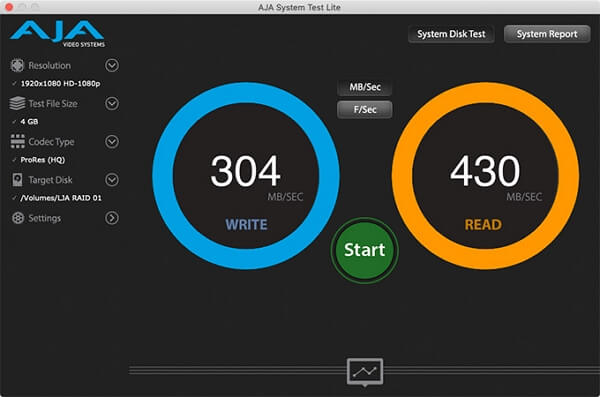
The AJA System Test has the following features: it is designed to test the performance of AJA hardware, it can be run in a variety of modes, including a simple test mode, a detailed test mode, and a custom test mode, it provides detailed results and statistics, it has a user-friendly interface, and it is compatible with multiple operating systems.
| Features | AJA System Test |
|---|---|
| Compatibility | Windows and macOS |
| Data Tested | Read/write speed |
| Devices Supported | SD cards, hard drives |
| Pros |
Detailed results Graphical Interface Fine-tune Drive Performance |
| Cons |
Access rights are required Errors may happen during the process |
Using Qiling Disk Master can make the speed test process safer and easier.
Check the review from Pcmacstore to get more information:
Conclusion
To ensure you're using a genuine SD card, it's essential to verify its authenticity, especially when considering speed or capacity. Some fake SD cards come from unknown brands, while others are knockoffs from well-known brands. To help you make an informed decision, we've reviewed eight free SD card benchmark apps, highlighting their features, such as compatibility, pros, and cons. If you want a smooth, safe, and fast benchmark test, Qiling Disk Master is the best choice, as it does not require formatting the SD card and won't damage it.
Free SD Card Speed Test Tool FAQs
Have you found the ideal SD card speed test tool in this article? Here are some questions about today's topic; check the answers below to learn more:
1. How can I check the SD card speed on Windows 10?
You can use Task Manager, a disk speed tester that comes with Windows, to test your disk speed. To do this, follow the steps:
Step 1. To open Task Manager, you can search for its name in the search box, which is usually located at the bottom left corner of the Windows screen. Type "Task Manager" in the search box and press Enter or click on the result to open it.
Step 2. Find and click your SD card in the "Performance" section.
Step 3. The real-time SD card speed can be viewed in this window.
2. How to test SD card speed on Android?
To test the speed and authenticity of an SD card on an Android device, download the SD Card Test app from the Play Store. Launch the app, check the box for Removable SD Card, select All in the Read and Write category, and then click "Start" to begin the speed test.
3. How to test SD card speed on Mac?
On a Mac, you can test SD card speed using software like Blackmagic Disk Speed Test or NovaBench. These free tools allow you to easily and quickly measure your SD card's read and write speed, as well as other performance metrics.
Related Articles
- How to Fix Windows 11 Antimalware Service Executable High CPU Usage
- Should I Select Disk Cleanup Compress Your OS Drive? Your Answer Is Here [2024 Full Guide]
- How to Convert RAW SD Card to FAT32 in Windows 11/10/8/7
- How to Find and Recover Missing Space on Hard Drive in Windows
- Three Simple Ways to Format a Bootable SD Card (Useful Tips)
You can format a bootable SD card in Windows 11/10/8.1/8/7 using one of three methods, with formatting an SD card with third-party software being my recommended solution. - How to Format BitLocker Partition in Windows 11
Formatting BitLocker partition in Windows 11 requires erasing all data, so make sure to have a backup. To proceed, follow this guide, which will walk you through the steps to format the BitLocker drive.
Products
Articles & Tutorials
- Data Recovery
- Data Backup
- File Recovery
- File Backup
- System Backup and Restore
- Disk and Partition Clone
- Technical articles
- Mobile articles
- Disk Master Help
- Windows Data Recovery Tutorials
- Windows Secure Delete Tutorials
- Windows Partition Management Tutorials
- Windows File Backup and Restore Tutorials
- Windows System Backup and Restore Tutorials
- Windows Disk Backup and Restore Tutorials
- Windows Clone Tutorials